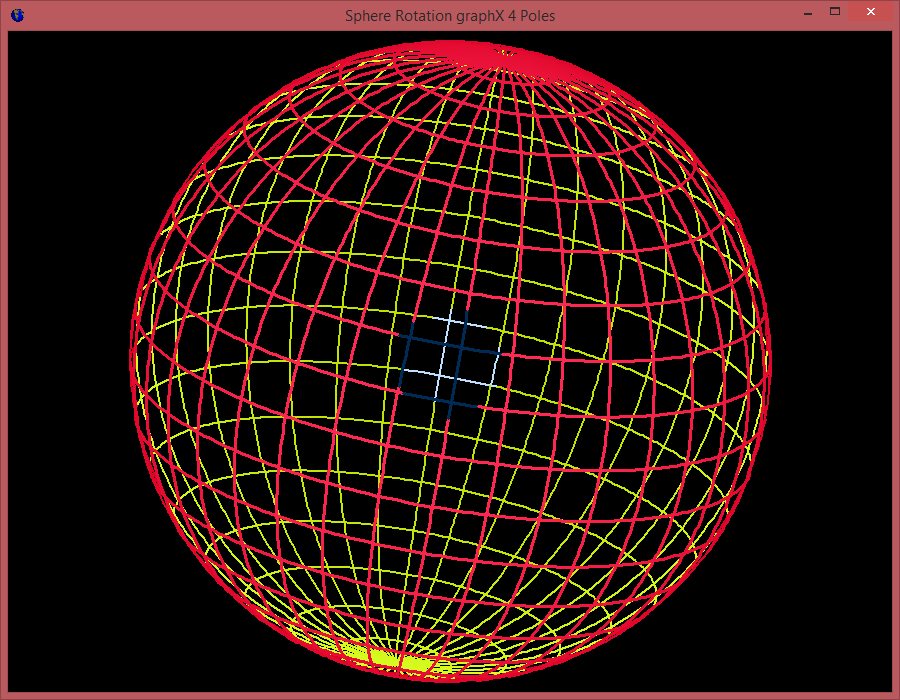
If we can not find a simple graphical routine to draw a geographic sphere with Geo-coordinate grid on the Canvas then we need to move , rotate this globe and change the eye point with or without zoom. Drag your PPM (Portable Pix Map Format) , PGM or PBM files onto the dashed area below to convert them to PNG images in your browser was the aim. We use this format for convert system-independent images to machine learning feature maps in a CNN.
You can find the script at
http://www.softwareschule.ch/examples/sphere2.htm
http://www.softwareschule.ch/examples/sphere2.txt
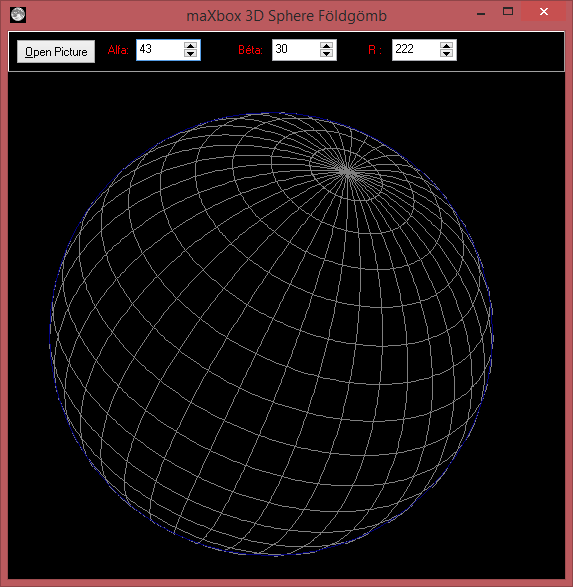
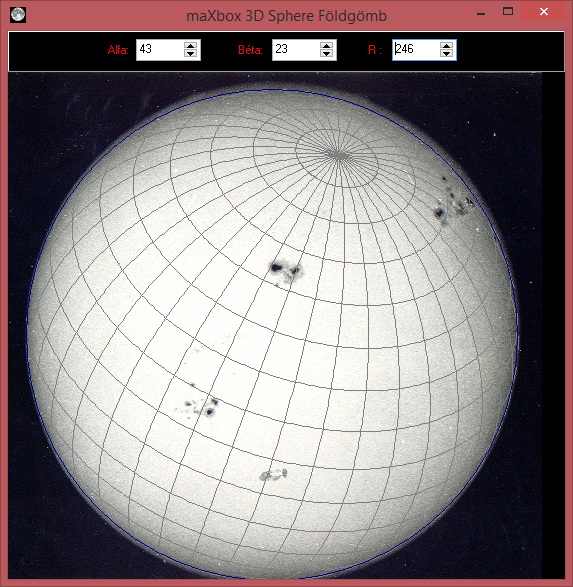
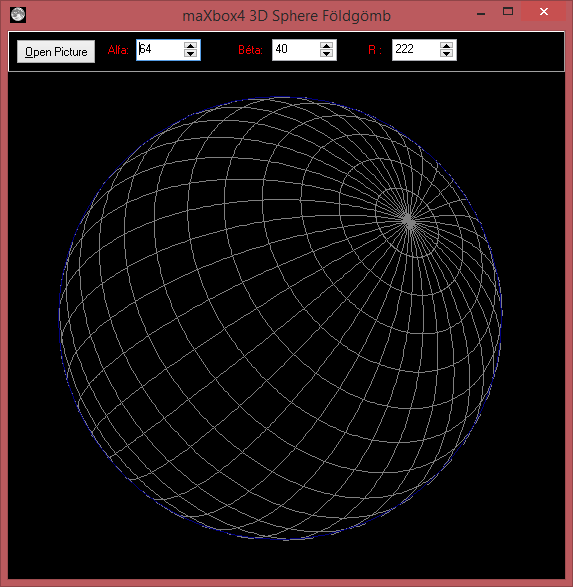
And feel free to add other functions to get few geographic coordinates from mouse position. Script can be found:
http://www.softwareschule.ch/examples/sphere.txt
https://sourceforge.net/projects/spheredelphi/

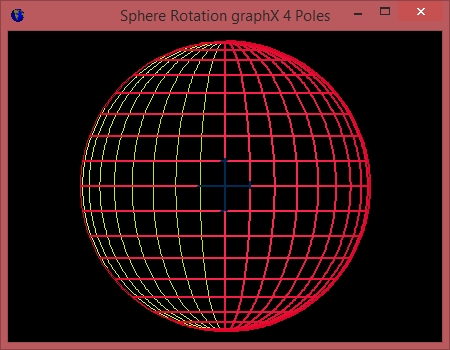

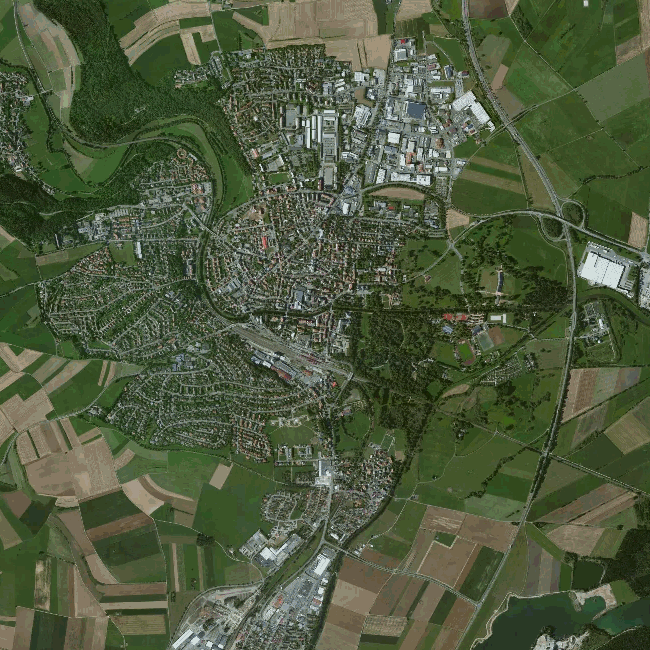
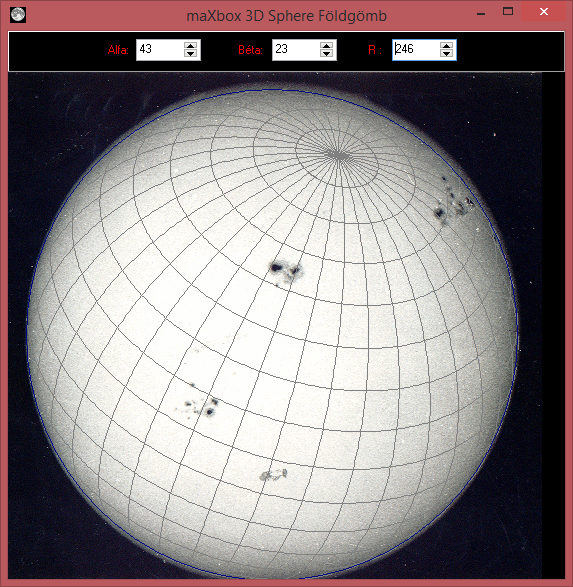
Some math for calculating the 3D points on a sphere, for rotating the globe around multiple axes, and maybe for converting the 3D points to the 2D screen coordinate system. The basics are in the following script:
//-----------------------------€   Sphere Sourceforge  € ------------//

type
  Point3d = record
      x,y,z: Real;
   end;

  TForm1 = {class(}TForm;
  var
    Panel1: TPanel;
    Label1: TLabel;
    Label2: TLabel;
    SpinEdit1: TSpinEdit;
    SpinEdit2: TSpinEdit;
    PaintBox3: TPaintBox;
    OpenPictureDialog1: TOpenPictureDialog;
    Button1: TButton;
    Label3: TLabel;
    SpinEdit3: TSpinEdit;
       procedure TForm1PaintBoxPaint(Sender: TObject); forward;
       procedure TForm1SpinEdit1Change(Sender: TObject); forward;
       procedure TForm1Button1Click(Sender: TObject); forward;
       procedure TForm1FormCreate(Sender: TObject); forward;
       procedure TForm1FormClose(Sender: TObject; var Action: TCloseAction);forward;
       procedure TForm1FormResize(Sender: TObject); forward;
       procedure TForm1PaintBoxMouseDown(Sender: TObject; Button: TMouseButton;
         Shift: TShiftState; X, Y: Integer); forward;
       procedure TForm1FormMouseWheel(Sender: TObject; Shift: TShiftState; //forward;
         WheelDelta: Integer; MousePos: TPoint; var Handled: Boolean); forward;
    // private
  var
    Bitmap : TBitMap;
    FGlobePen: TPen;
    FGridPen: TPen;
  //public
    Ux,Uy: Integer;
    rr: Integer;
    {property} GlobePen : TPen; //read FGlobePen write FGlobePen;
    {property} GridPen : TPen; //read FGridPen write FGridPen;
  //end;

var
  Form1: TForm1;
//  pA   : Array of TPoint3d;

//implementation
//{$R *.DFM}

function felulet( fi, lambda: Real ): Point3d;
begin
   Result.x:= cos( fi ) * sin( lambda );
   Result.y:= sin( fi );
   Result.z:= cos( fi ) * cos( lambda );
end;

function forgatXZ( const p: Point3d; alfa: Real ): Point3d;
begin
   Result.x:= cos( alfa )*p.x + sin( alfa )*p.z;
   Result.y:= p.y;
   Result.z:= -sin( alfa )*p.x + cos( alfa )*p.z;
end;

// Egy másik tengely mentén:
function forgatYZ( const p: Point3d; alfa: Real ): Point3d;
begin
   Result.x:= p.x;
   Result.y:= cos( alfa )*p.y + sin( alfa )*p.z;
   Result.z:= -sin( alfa )*p.y + cos( alfa )*p.z;
end; // forgatXZ


procedure TForm1PaintBoxPaint(Sender: TObject);
var
   alfa, beta   : Real;
   fi, lambda   : Integer;
   pont   : Point3d;
   OldpOn : boolean;
   pOn    : boolean;
   taff: TAffineVector;
begin
   // Drawing the sphere coordinate grid
   PaintBox3.Canvas.Draw(0,0,BitMap);
   PaintBox3.Canvas.Pen.Assign(GridPen);
   PaintBox3.Canvas.Brush.Style:= bsClear;
   alfa:= SpinEdit1.Value *pi/180;
   beta:= SpinEdit2.Value *pi/180;

   // Drawing the altitudes
   for fi := -8 to 8 do begin
       OldpOn  := False;
       pOn     := False;
      for lambda:= 0 to 360 do begin
          //pont := ForgatXZ( ForgatYZ(
            // felulet( fi*10*pi/180, lambda*pi/180),alfa), beta );
          pont:= felulet( fi*10*pi/180, lambda*pi/180);
          //pont.z:= glSphereVisibleRadius( fi*10*pi/180, lambda*pi/180);
          glSetVector(taff,pont.x, pont.y, pont.z);
         taff:= glVectorRotateAroundY(glVectorRotateAroundX(taff, alfa),beta);
         //glMakeVector( tAFF, p.x, p.y, p.z);
         pont.x:= taff[0]; pont.y:= taff[1]; pont.z:= taff[2]
          pOn:= pont.z > 0;
          if pOn and OldpOn then begin
             PaintBox3.Canvas.LineTo(Ux+Round(pont.x*rr), Uy+Round(pont.y*rr));
             pOn:= True;
          end else begin
             PaintBox3.Canvas.MoveTo(Ux+Round(pont.x*rr), Uy+Round(pont.y*rr));
             pOn:= True;
          end;
          OldpOn:= pOn;
      end;
   end;

   // Drawing the latidudes
   for lambda:= 0 to 17 do begin
       OldpOn  := False;
       pOn     := False;
      for fi:= 0 to 360 do begin
         // pont := ForgatXZ( forgatYZ(
           //  felulet( fi*pi/180, lambda*10*pi/180),alfa), beta );
         pont:= felulet(fi*pi/180, lambda*10*pi/180);
         glSetVector(taff,pont.x, pont.y, pont.z);
         taff:= glVectorRotateAroundY(glVectorRotateAroundX(taff, alfa),beta);
         //glMakeVector( tAFF, p.x, p.y, p.z);
         pont.x:= taff[0]; pont.y:= taff[1]; pont.z:= taff[2]
          pOn:= pont.z > 0;
          if pOn and OldpOn then begin
             PaintBox3.Canvas.LineTo(Ux+Round(pont.x*rr), Uy+Round(pont.y*rr));
             pOn:= True;
          end else begin
             PaintBox3.Canvas.MoveTo(Ux+Round(pont.x*rr), Uy+Round(pont.y*rr));
             pOn:= True;
          end;
          OldpOn:= pOn;
      end;
   end;
   PaintBox3.Canvas.Pen.Assign(GlobePen);
   PaintBox3.Canvas.Ellipse(Ux-rr,Uy-rr,Ux+rr,Uy+rr);
end;

procedure TForm1FormCreate(Sender: TObject);
begin
   Bitmap:= TBitmap.Create;
  // Bitmap.Width := 200; { assign the initial width... }
   rr:= PaintBox3.ClientHeight * 3 div 7;
   SpinEdit3.Value:= rr+5;
   GlobePen:= TPen.Create;
   GridPen := TPen.Create;
   GlobePen.Color:= clNavy;
   GlobePen.Width:= 1;
   GridPen.Color:= clGray;
end;

procedure TForm1FormClose(Sender: TObject; var Action: TCloseAction);
begin
   Bitmap.Free;
   GlobePen.Free;
   GridPen.Free;
   ProcessMessagesON;
   writeln('form and map closed... ')
end;

procedure TForm1FormResize(Sender: TObject);
begin
   Ux:= PaintBox3.ClientWidth div 2;
   Uy:= PaintBox3.ClientHeight div 2;
end;
procedure TForm1SpinEdit1Change(Sender: TObject);
begin
  rr:= SpinEdit3.Value;
  PaintBox3.Repaint;
end;

procedure TForm1Button1Click(Sender: TObject);
begin
  If OpenPictureDialog1.execute(0) then
    with Bitmap do begin
      LoadFromFile(OpenPictureDialog1.Filename);
      //Bitmap.Width := PaintBox3.width; { assign the initial width... }
      PaintBox3.Canvas.Draw(50,0,BitMap);
      //PaintBox3.image.Picture.Graphic := Bitmap;
    end;
  PaintBox3.Repaint;
end;

procedure TForm1PaintBoxMouseDown(Sender: TObject; Button: TMouseButton;
  Shift: TShiftState; X, Y: Integer);
begin
  Ux:= x; Uy := y;
  if Button=mbRight then begin
     PaintBox3.Repaint;
  end;
end;

procedure TForm1FormMouseWheel(Sender: TObject; Shift: TShiftState;
  WheelDelta: Integer; MousePos: TPoint; var Handled: Boolean);
begin
  rr:= rr + WheelDelta div 10;
  PaintBox3.Repaint;
end;

procedure loadGEOForm;
var OnMouseWheel: TMouseWheelEvent;
begin
Form1:= TForm1.create(self);
with form1 do begin
  SetBounds(232, 113, 573, 587)
  Caption:= 'maXbox4 3D Sphere Földgömb';
  Color:= clBlack
  Font.Charset:= DEFAULT_CHARSET
  Font.Color:= clWindowText
  Font.Height:= -11
  Font.Name:= 'MS Sans Serif'
  Font.Style:= []
  KeyPreview:= True
  Icon.LoadFromResourceName(HInstance,'MOON'); //MAXEARTH');
  doublebuffered:= true;
  OldCreateOrder:= False
  OnClose:= @Tform1FormClose;
  OnCreate:= @Tform1FormCreate;
  OnMouseWheel:= @Tform1FormMouseWheel;
  //OnMouseWheel
  //OnResize := @Tform1FormResize
  PixelsPerInch:= 96
  Show;
  //TextHeight := 13
  PaintBox3:= TPaintBox.create(form1)
  with paintbox3 do begin
   parent:= form1;
    SetBounds(0, 41, 565, 512)
    Align:= alClient
    OnMouseDown:= @Tform1PaintBoxMouseDown;
    //OnPaint := @Tform1PaintBoxPaint
  end;
  form1.OnResize:= @Tform1FormResize
  Panel1:= TPanel.create(form1)
  //PaintBox3.Repaint;
  with panel1 do begin
  parent:= form1;
    SetBounds( 0, 0, 565, 41)
    Align:= alTop
    parentcolor:= false;
    panel1.color:= clgray;
    TabOrder:= 0
   Label1:= TLabel.create(form1)
    with label1 do begin
     parent:= panel1;
     SetBounds(100, 12, 21, 13)
      font.color:= clred;
      Caption:= 'Alfa:'
    end;
    Label2:= TLabel.create(form1)
    with label2 do begin
     parent:= panel1;
     SetBounds(230, 12, 25, 13)
      font.color:= clred;
      Caption:= 'Béta:'
    end;
    Label3:= TLabel.create(form1)
    with label3 do begin
     parent:= panel1;
     SetBounds(360, 12, 14, 13)
      parentcolor:= false;
      font.color:= clred;
      Caption:= 'R :'
    end;
    SpinEdit1:= TSpinEdit.create(form1)
    with spinedit1 do begin
     parent:= panel1;
     setBounds(128,8,65,22)
      MaxValue:= 0
      MinValue:= 0
      TabOrder:= 0
      Value:= 0
      OnChange:= @Tform1SpinEdit1Change ;
    end;
    SpinEdit2:= TSpinEdit.create(form1)
    with spinedit2 do begin
     parent:= panel1;
     setBounds(264,8,65,22)
      MaxValue:= 0
      MinValue:= 0
      TabOrder:= 1
      Value := 0
      OnChange := @Tform1SpinEdit1Change
    end;
    Button1:= TButton.create(form1) ;
    with button1 do begin
    parent:= panel1;
      Left := 8; Top := 8
      Width:= 80; Height := 25
      Caption:= '&Open Picture'
      TabOrder:= 2
      OnClick:= @Tform1Button1Click
    end;
    SpinEdit3:= TSpinEdit.create(form1)
    with spinedit3 do begin
     parent:= panel1;
     setBounds(384,8,65, 22)
      MaxValue:= 0
      MinValue:= 0
      TabOrder:= 3
      Value:= 240
      OnChange:= @Tform1SpinEdit1Change;
    end ;
  end; //panel1
  OpenPictureDialog1:= TOpenPictureDialog.create(form1);
    //Left := 240  //Top := 136
  //end;
  TForm1FormCreate(self)
  paintbox3.OnPaint:= @Tform1PaintBoxPaint;
  TForm1FormResize(self);
  panel1.color:= clgray;
  PaintBox3.Repaint;
 end; //form1
end;


begin //@main

  memo2.font.name:= 'courier';
  writeln(getworld)
  //maxform1.PANView1Click(self);
  //MaxForm1.N3DLab1Click(self);
  //http://www.codeforge.com/read/142779/ScreenThreeDLab.pas__html

 (*  aFrm:= getForm2(450,350, clblack,'Sphere Rotation graphX 4 Poles'); //sizeable!
   afrm.DoubleBuffered:= True;
   aFrm.Icon.LoadFromResourceName(HInstance,'MAXEARTH'); //MOON');
  //acanvas.FillRect(Rect(0, 0, afrm.Width, afrm.Height));
  PaintBox1:= TPaintBox.create(afrm)
  with PaintBox1 do begin
    parent:= afrm;
    width:= afrm.width-10;
    height:= afrm.height-10;
    Align:= alClient;
    canvas.Pen.Color:= clblue;
    //&&doublebuffered
  end;  *)

  //C.X:= PaintBox1.ClientWidth div 2;
  //C.Y:= PaintBox1.ClientHeight div 2;
  //alfa:= 20; beta:= 40;
  //R:= Min(C.X, C.Y) - 10;
  {for it:= 1 to 2 do begin
    alfa:= alfa + 10;
    beta:= beta - 15;
    sleep(100)
    drawSphere;
  end;  //}

  //Function CreateRotationMatrix( Axis : TVector3f; Angle : Single) : TMatrixGL
  //Procedure VectorRotate( var Vector : TVector4f; Axis : TVector3f; Angle : Single)
  //THomogeneousFltMatrix', 'array[0..3] of THomogeneousFltVector
  tm:= CreateRotationMatrix( Axis, 34) //: TMatrixGL
  writeln('test TMatrixGL: '+floattostr(tm[1][1]));

  (*for it:= 1 to 4 do begin
    A:= A + it+10;
    B:= B + it+10;
    SphereGDIMultipleColorsDirect;
    //sleep(100)
  end;  *)
  //@Tformlab3d
  (*with TFormLab3D.create(self) do begin
    caption:= '3D Earth Rotate';
    labelfigureselect.caption:= 'Sphere'; //3
    comboboxfigure.itemindex:= 2;
    //comboboxfigure.click
    //showfigure
    //formcreate(self)
    //image:= image1;
    image.update;
    //comboboxfigure.text:= 'Sphere';
    showmodal
    //comboboxfigure.itemindex:= 1;
    //TFormLab3DShowFigure(image1.canvas, 2);
    free
  end; *)
  ProcessMessagesOFF;
  loadGEOForm;

    //testprimesPerformance;
End.
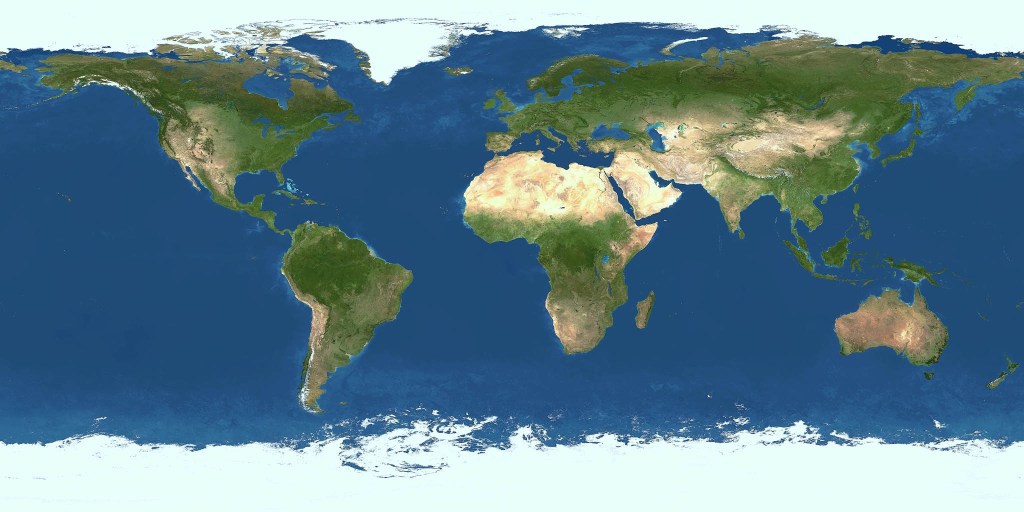

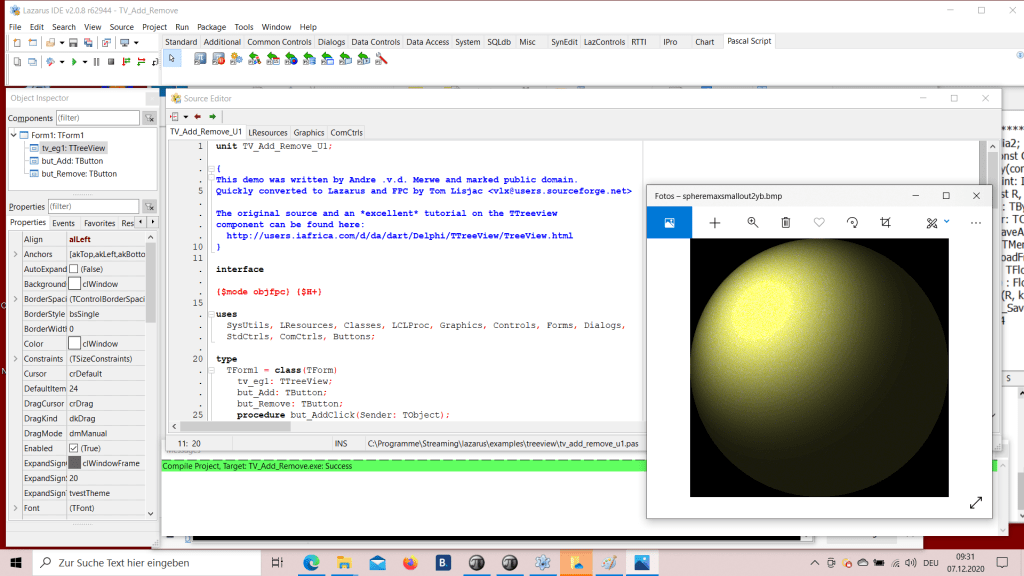
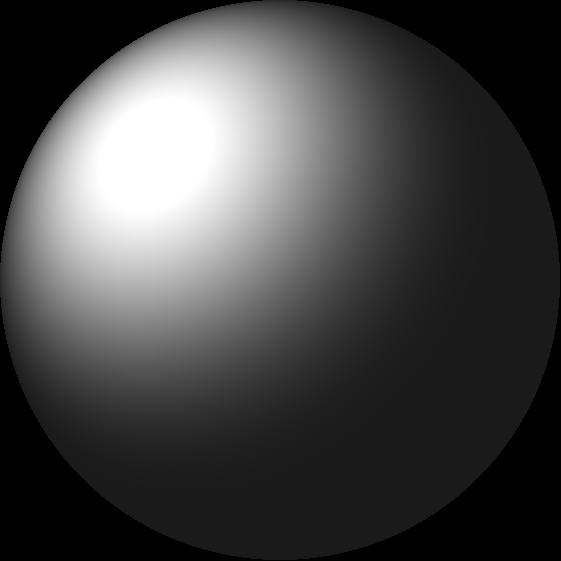


The portable pixmap format (PPM), the portable graymap format (PGM) and the portable bitmap format (PBM) are image file formats designed to be easily exchanged between platforms. They are also sometimes referred to collectively as the portable anymap format (PNM), not to be confused with the related portable arbitrary map format (PAM).
procedure TBitmapHelperSaveAsPPM_4(FileName: TFileName; bmp: TBitmap;
                                                 useGrayScale: Boolean);
var i, j: Integer;
  Header: AnsiString;
  ppm: TMemoryStream;
  agb: TBytes;
begin
  ppm:= TMemoryStream.Create;
  try
    Header:= Format('P6'#10'%d %d'#10'255'#10, [bmp.Width, bmp.Height]);
    writeln(Header);
    ppm.WriteBuffer((Header), Length(Header));
    setlength(agb,3)
    for i:= 0 to bmp.Width- 1 do
      for j:= 0 to bmp.Height- 1 do begin
         if useGrayScale then
           agb:=
              InttoBytes(ColorToGray(ColorToRGB(bmp.Canvas.Pixels[j,i])))
         else
           agb:= InttoBytes(ColorToRGB(bmp.Canvas.Pixels[j,i]));
         ppm.Write(stringOf(agb), 3);
      end;
    ppm.SaveToFile(FileName);
  finally
    ppm.Free;
  end;
end;
Code Fix for div. Aspect Ratio of Images:
// FIX V3: Aspect Ratio for not only Square Images
procedure TBitmapHelperSaveAsPPM_4(FileName: TFileName; abit: TBitmap;
                                                useGrayScale: Boolean);
var
  i, j: Integer;
  Header: AnsiString;
  ppm: TMemoryStream;
  agb: TBytes;
begin
  ppm:= TMemoryStream.Create;
  try
    Header:=Format('P6'#10'%d %d'#10'255'#10,[abit.Width,abit.Height]);
    writeln('Header: '+Header);
    ppm.WriteBuffer((Header), Length(Header));
    setlength(agb,3)
    for i:= 0 to abit.Height- 1 do
      for j:= 0 to abit.Width- 1 do begin
         if useGrayScale then
           agb:=
           InttoBytes(ColorToGray(ColorToRGB(abit.Canvas.Pixels[j,i])))
         else
           agb:= InttoBytes((abit.Canvas.Pixels[j,i]));
         ppm.Write(stringOf(agb), 3);
         //ppm.Write(BytetoString(rgb), 3);
      end;
    ppm.SaveToFile(FileName);
  finally
    ppm.Free;
  end;
end;




 Code Blog
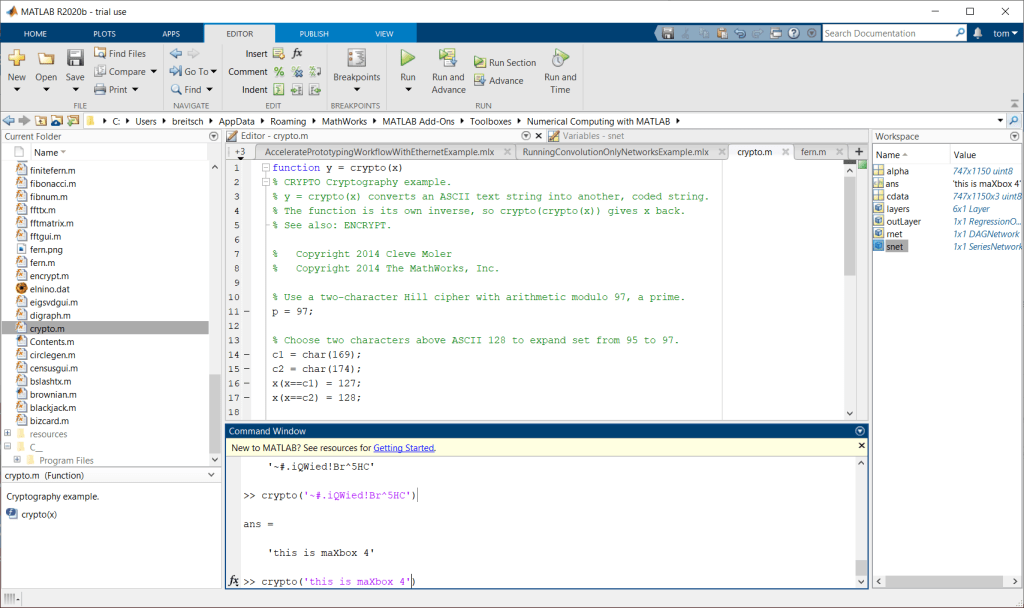
MATLAB Coder™ generates C and C++ code from MATLAB® code for a variety of hardware platforms, from desktop systems to embedded hardware. It supports most of the MATLAB language and a wide range of toolboxes. You can integrate the generated code into your projects as source code, static libraries, or dynamic libraries. The generated code is readable and portable.
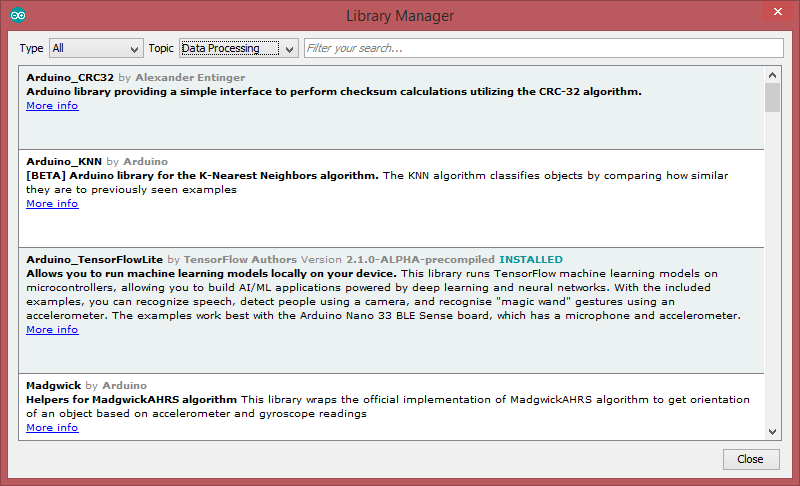
You can deploy a variety of trained deep learning networks such as YOLOv2, ResNet-50, SqueezeNet, and MobileNet from Deep Learning Toolbox™. You can generate optimized code for preprocessing and postprocessing along with your trained deep learning networks to deploy complete algorithms.
Supported networks: https://www.mathworks.com/help/coder/ug/networks-and-layers-supported-for-c-code-generation.html
MATLAB Coder Interface for Deep Learning Libraries provides the ability for the generated code to call target-specific optimized libraries. The support package integrates with the following deep learning accelerator libraries for the corresponding CPU architectures:
• Intel Math Kernel Library for Deep Neural Networks (MKL-DNN) for Intel CPUs that support AVX2
• ARM Compute library for ARM Cortex-A processors that support NEON instructions
This support package is functional for R2018b and beyond.
LikeLiked by 1 person
I would not base a solution on the ppm, pbm, etc range of formats. They are very old, having been developed in the 80’s, are not and probably never will be well supported, and certainly were never intended for higher bit depth images even though there have been binary variants (P5 and P6) since that do support higher bit depths.
LikeLiked by 1 person