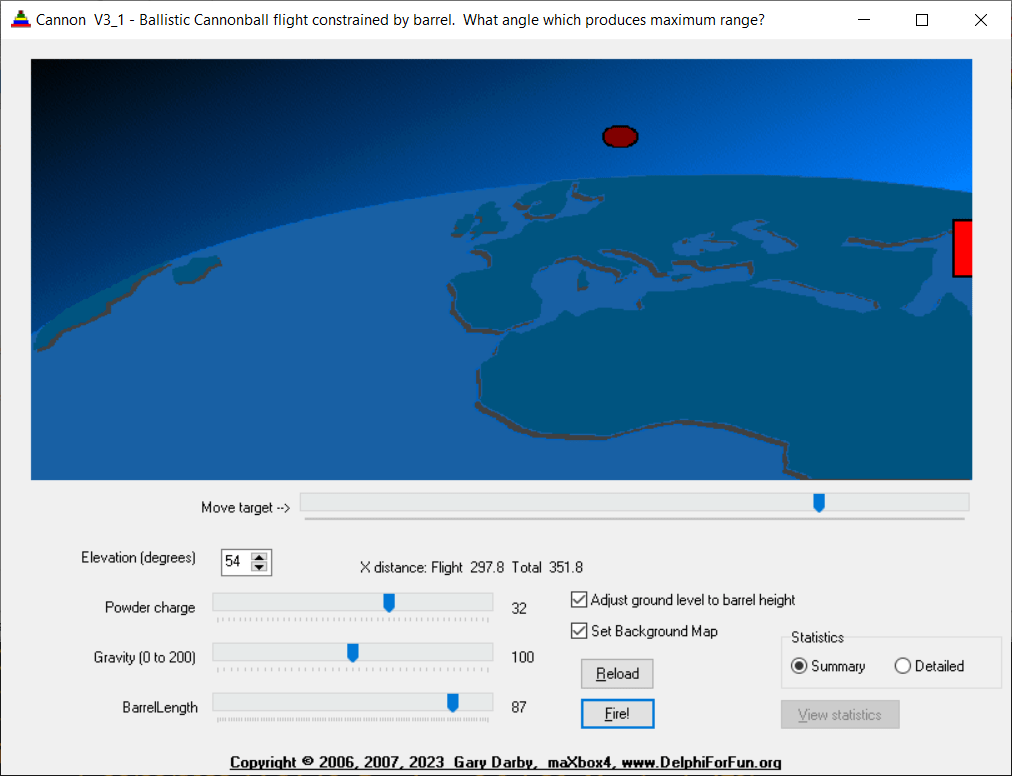
Here’s an animated graphics program that builds on the bouncing ball program by adding some horizontal movement to the ball, drawing a primitive cannon that you can aim, a target that can be moved and an adjustable powder charge to give the initial push to the ball. Cannonball is also the project-name of the 64bit migration from maXbox4 to maXbox5.
Background and techniques
The rotate and translate routines developed in the Rotate A Square program are used here to elevate the cannon. The ball movement loop is similar to the Bouncing Ball program with the addition of a horizontal component. Initial velocities in the X and Y direction are proportional to the cosine and sine of the elevation angle respectively. I’ll defer further discussion of that for a Math Topic page. (The text really needs some illustrations that I haven’t developed yet.)

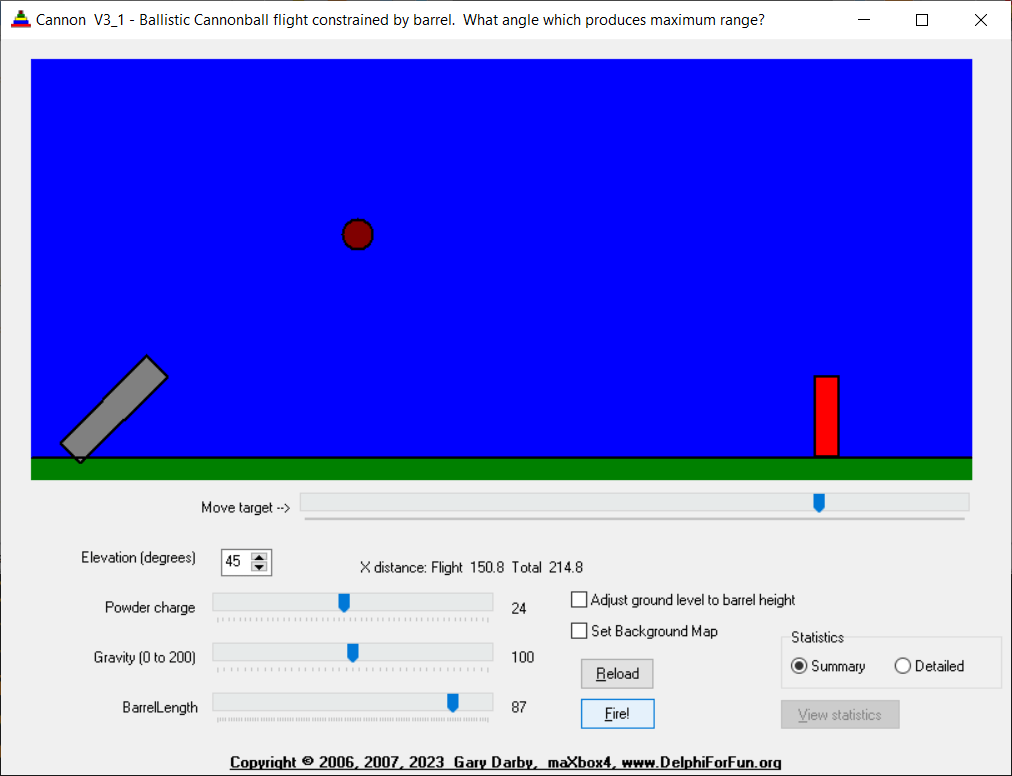
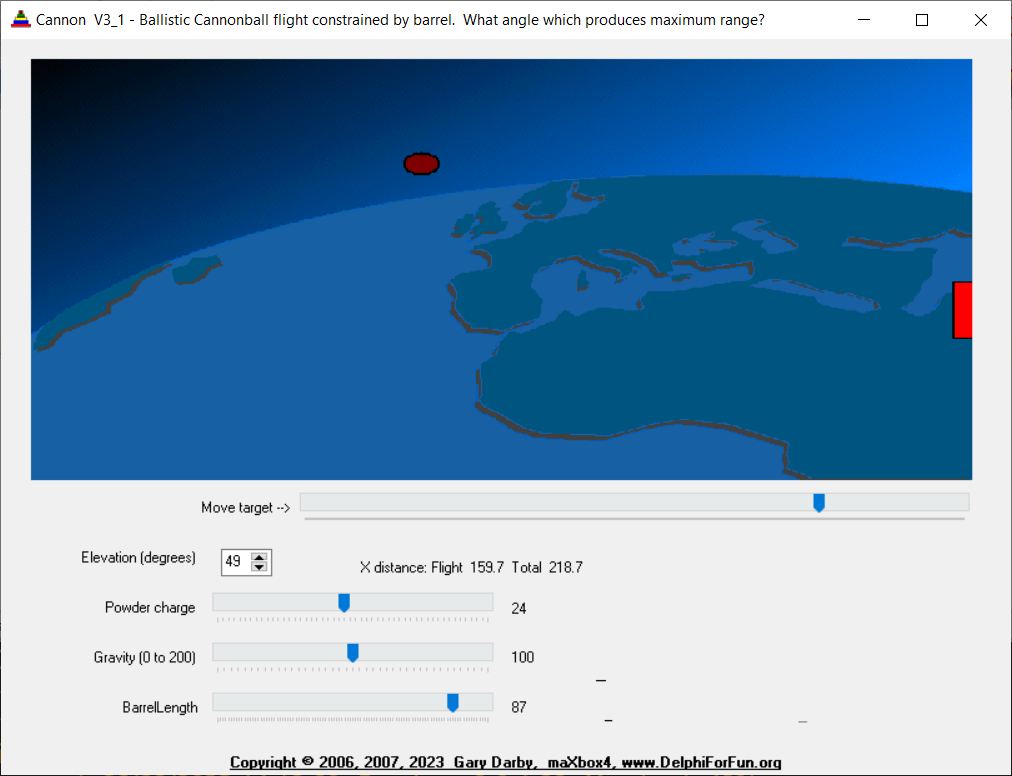
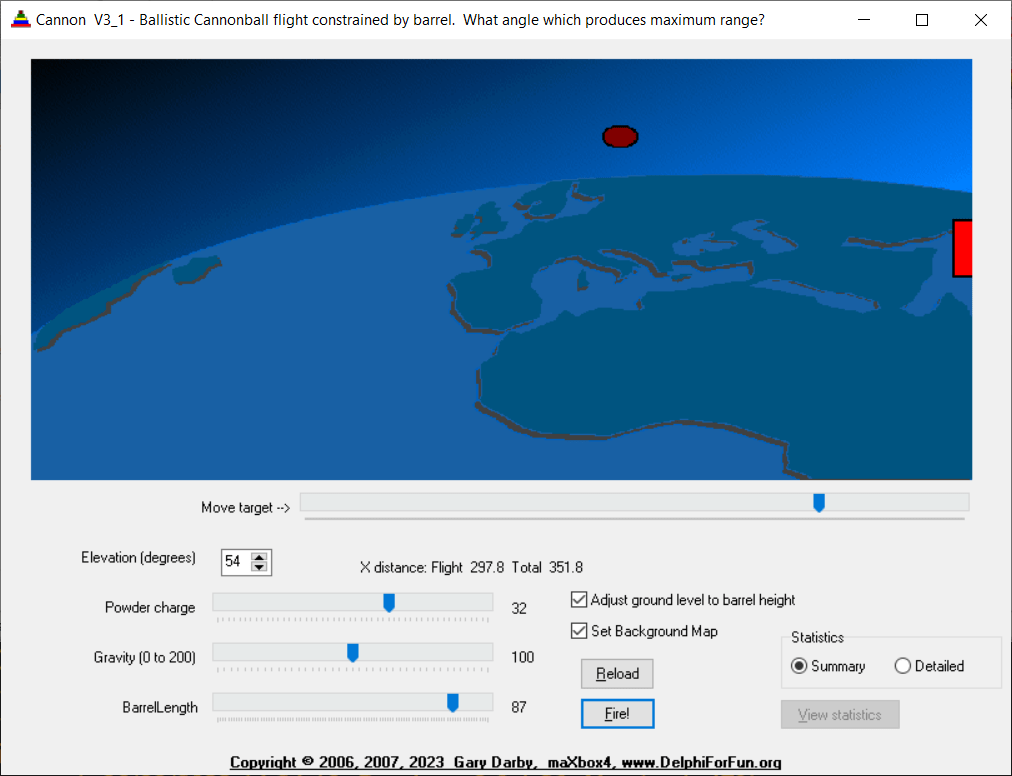

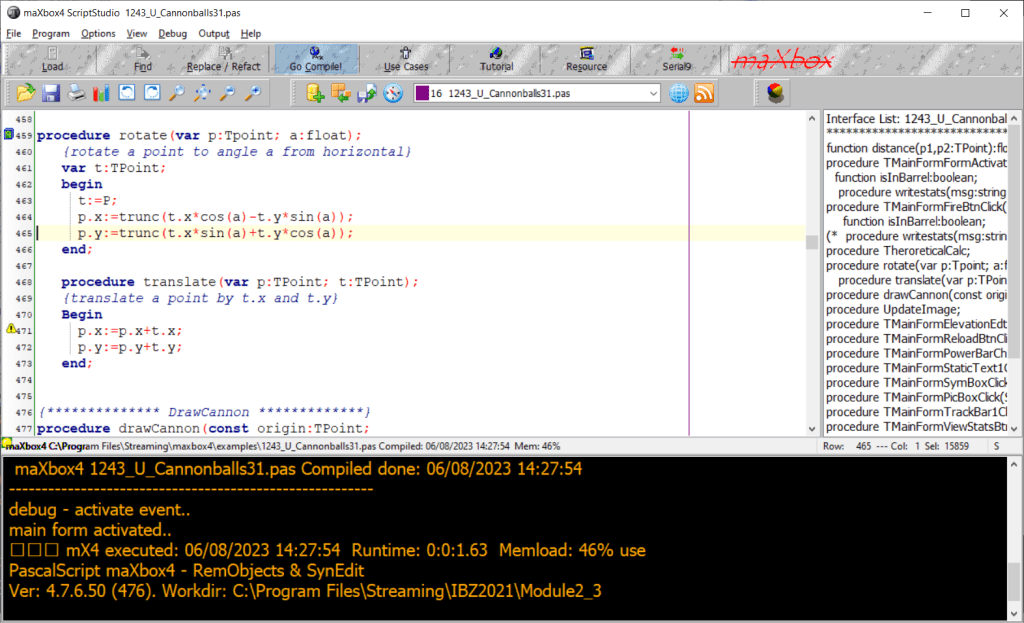
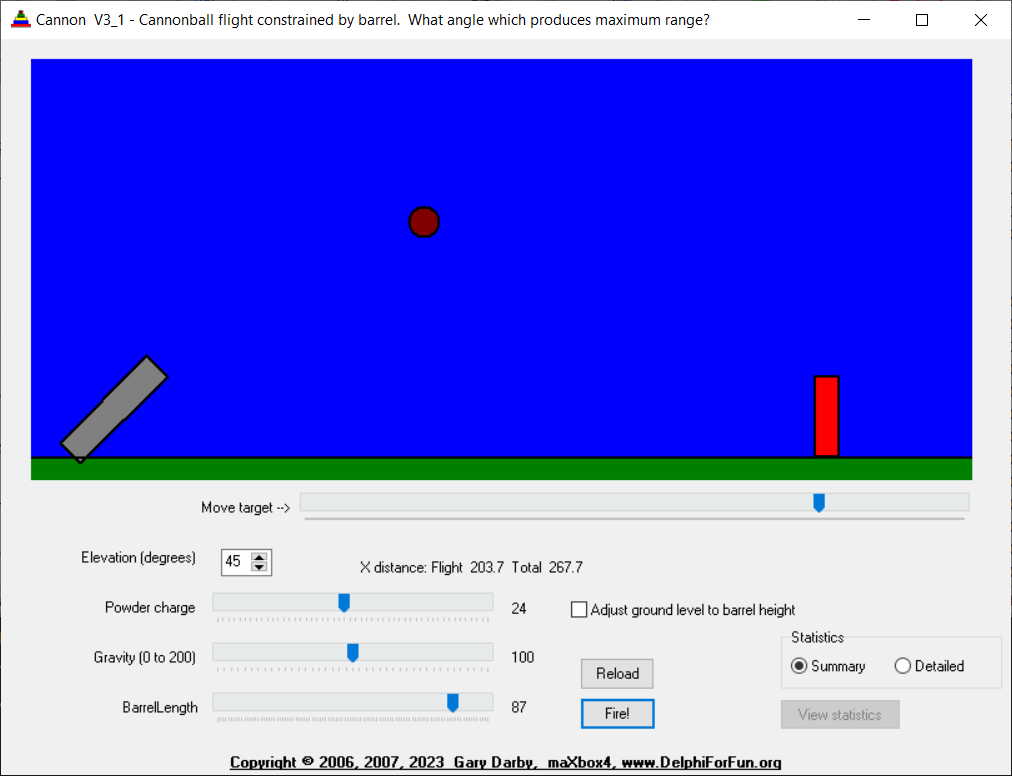
http://www.softwareschule.ch/examples/cannonball.txt
The only other logic is to determine whether the cannonball has hit the target. “Collision detection” is a common (and complicated) problem in most animated graphics applications. I haven’t studied up on it yet, so just did a “quick and dirty” implementation checking if the distance from the center of the cannonball is less than its radius from the left or top edges of the target after each move. The problem is that, for low angles, the horizontal movement may take the ball from one side of the target to the other side in one loop increment, so we never know that we went right through it! Oh well, I have to leave something for you readers to work on.
http://delphiforfun.org/Programs/cannon_balls.htm
Trajectories of three objects thrown at the same angle (70°). The black object does not experience any form of drag and moves along a parabola. The blue object experiences Stokes’ drag, and the green object Newtonian drag.
https://en.wikipedia.org/wiki/Ballistics
{************* TheoreticalCalc **********}
procedure TheroreticalCalc;
var
  root,T1, Vf:float;
  Vxf, Vyf:float;
  X1,Y1:float;
  TTop, Xtop,Ytop:float;
  Tlast, VyLast, Xlast:float;
  floor:float;
begin
  with {stats.}amemo1.lines do begin
    clear;
    add(format('Barrel Len %d, Angle %6.1f, Initial V %6.1f, gravity %6.1f',
                [barrellength,180*theta/pi,v1,g]));
    if g=0 then g:=0.001;
    root:= v1*v1 - 2*g*sin(theta)*Barrellength;
    if root>=0 then begin
      T1:=(v1 - sqrt(root))/(g*sin(theta+0.001));
      Vf:= v1 - g*sin(theta)*T1;
      Vxf:=Vf*cos(theta);
      Vyf:=Vf*sin(theta);
      X1:=Barrellength*cos(theta);
      Y1:=Barrellength*sin(Theta);
      floor:=(origin.y+ballradius)-groundlevel;
      {out of barrel, Vx remains constant, Vy := Vyf- g*DeltaT}
      {Vy=0 then Vyf-g*Ttop=0 or Ttop=Vyf/g}
      Ttop:=Vyf/g;
      {x distance at top} Xtop:=Vxf*Ttop;
      {height at top = average y velocity+ time}   Ytop:=(Vyf + 0)/2*TTop;
      {Time to fall from ytop to groundlevel, descending part of projectiles path}
      //Vylast:=2*g*(Ytop+Y1-floor); {speed when ball hits ground}
      TLast:=sqrt(2*(Y1+YTop-floor)/g );
      Xlast:=Vxf*TLast;
      add(format('Time in barrel %6.1f seconds',[T1]));
      add(format('X distance at end of barrel %6.1f',[X1]));
      add(format('Y distance at end of barrel %6.1f',[Y1]));
      add(format('Time to top of freeflight arc %6.1f, %6.1f total',[Ttop,T1+Ttop]));
      add(format('X distance to top of freeflight arc %6.1f, %6.1f total',[Xtop,X1+Xtop]));
      add(format('Height above barrel to top of freeflight arc %6.1f, %6.1f total',
                                                                    [Ytop,Y1+Ytop]));
      add(format('Time to reach ground from max height %6.1f, %6.1f total',
                                                                    [TLast,T1+Ttop+TLast]));
      add(format('X distance from top of freeflight arc to end %6.1f, %6.1f total',
                                                                    [XLast,X1+Xtop+XLast]));
    end else add('Velocity too low, cannonball does not exit barrel');
  end;
end;


   procedure rotate(var p:Tpoint; a:float);
   {rotate a point to angle a from horizontal}
   var t:TPoint;
   begin
     t:=P;
     p.x:=trunc(t.x*cos(a)-t.y*sin(a));
     p.y:=trunc(t.x*sin(a)+t.y*cos(a));
   end;

   procedure translate(var p:TPoint; t:TPoint);
   {translate a point by t.x and t.y}
   Begin
     p.x:=p.x+t.x;
     p.y:=p.y+t.y;
   end;
As an improvement:
| A series of concentric ellipses could be drawn on to draw a better looking target. It should be a TTarget object derived from some graphic object so that it knows how to redraw itself, can be redrawn, etc. | |
 | Same idea applies to the cannon – a better looking cannon object that knows how to redraw itself at any specified angle and position. |
| The program could be converted to a game by limiting the number of shots for a turn, keeping score, allowing multiple players, adding a level 2 with a slowly moving target, etc. |
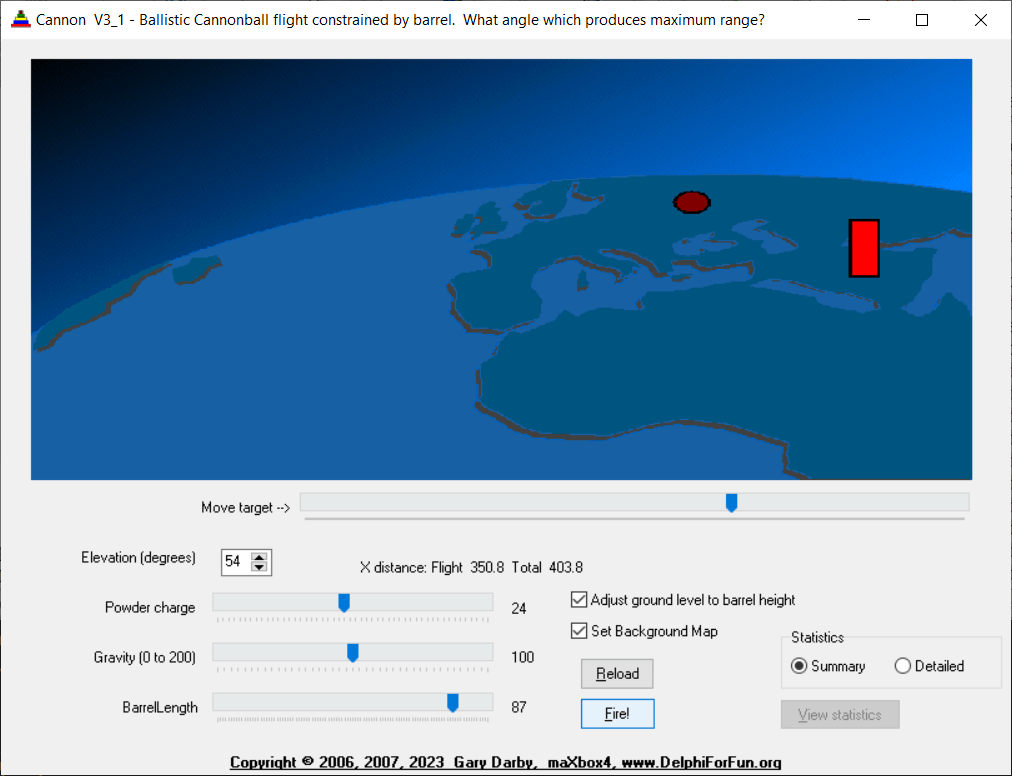
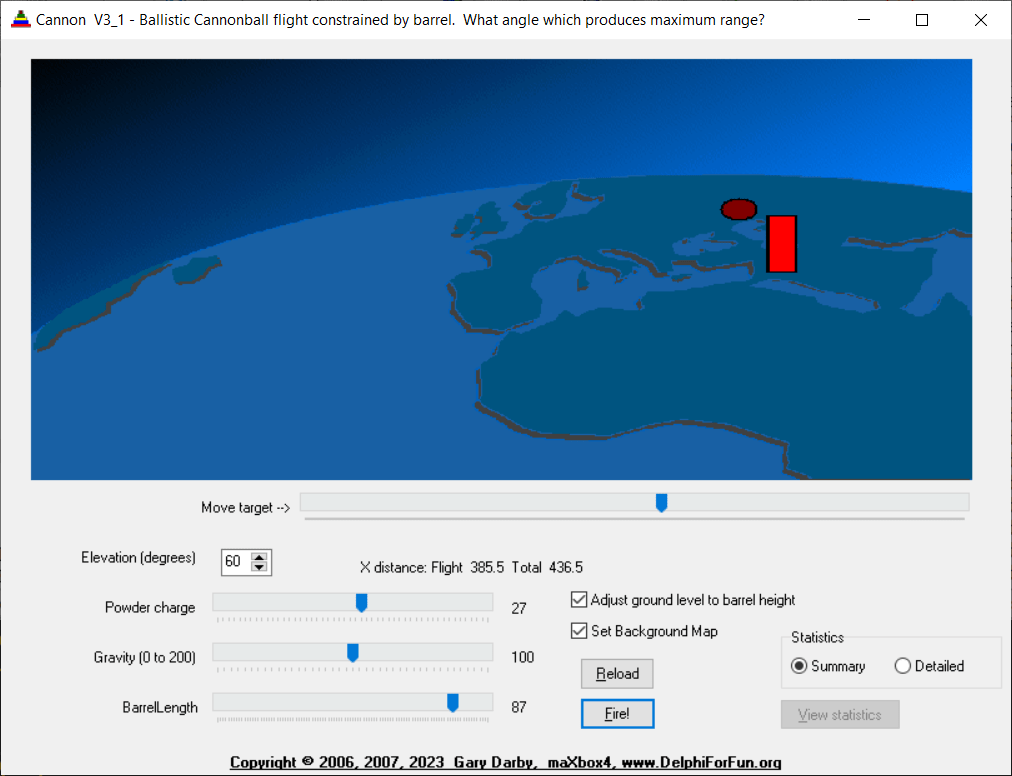
Cannonball Report for BPM 112
Report Cannonball Simulation for #112
Today we make a detour into the world of ballistics, simulation & training.
One of my friends on Delphi for Fun gave me the idea to port the executable to a script for windows 11 as a preparation for the 64bitbox.
So ballistics is the study of the motion of projectiles, such as bullets, shells, and rockets, in our script we deal only with balls. It is a branch of mechanics that deals with the behavior of objects in motion. Ballistics can be divided into three main categories: internal ballistics, external ballistics, and terminal ballistics.
So I translated the Delphi program with a few improvements into that script: http://www.softwareschule.ch/examples/cannonball.txt
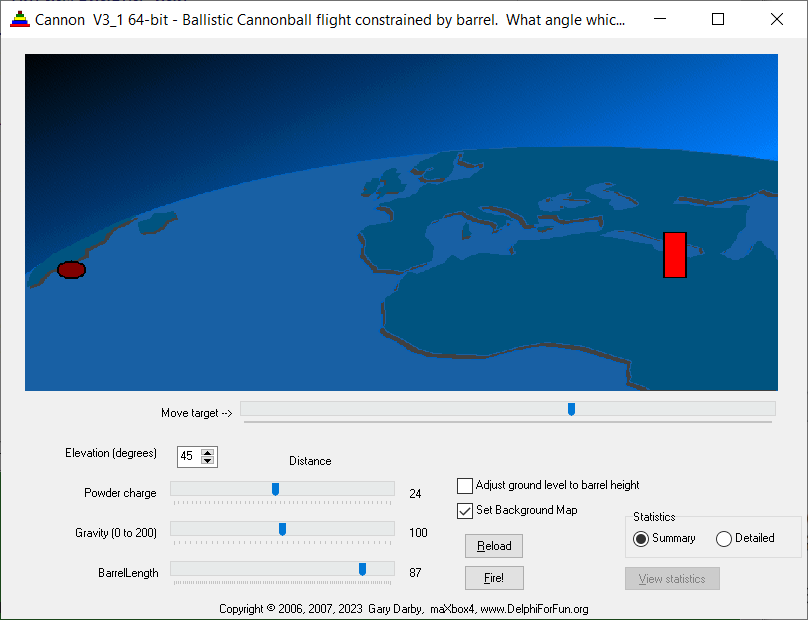
image1: 1_1234_cannonball4.png

Of course we can simulate a cannonball using a physics simulation software or in our case integrate that model with Pascal. This simulation allows you to blast a ball out of a cannon and challenge yourself to hit a moveable target. You can set parameters such as angle (elevation), initial speed (powder charge), and mass (gravity), and explore the vector representations.
Also an explainable statistic is part of the script, as summary or detailed (our standard case which hit the target):
Summary of study case
- Barrel Len 87, Angle 45.0, Initial V 24.0, gravity 1.0
- Time in barrel 3.8 seconds
- X distance at end of barrel 61.5
- Y distance at end of barrel 61.5
- Time to top of freeflight arc 15.1, 18.9 total
- X distance to top of freeflight arc 226.5, 288.1 total
- Height above barrel to top of freeflight arc 113.3, 174.8 total
- Time to reach ground from max height 18.7, 37.6 total
X distance from top of freeflight arc to end 281.4, 569.5 total
image2: 2_1234_cannonball4_studycase.png

The interesting thing is that this simulation shows how the motion of a projectile like a cannonball is fundamentally the same as the orbit of a celestial body like the moon!
The rotate and translate routines developed are used here to elevate the cannon. The ball movement loop is similar to a Bouncing Ball program with the addition of a horizontal component. Initial velocities in the X and Y direction are proportional to the cosine and sine of the elevation angle respectively.
The barrel is a bit tricky; We do assume that the cannonball inside the barrel is “rolling up a ramp” with the component of gravity acting parallel to the barrel being the force acting to reduce the velocity of the cannonball in both x and y directions, so we keep an eye on the distance function:
   function distance(p1,p2:TPoint):float;
   begin
     result:= sqrt(sqr(p1.x-p2.x)+sqr(p1.y-p2.y));
   end;
function distance(p1,p2:TPoint):float;
begin
result:= sqrt(sqr(p1.x-p2.x)+sqr(p1.y-p2.y));
end;
Two functions, Rotate and Translate, do the rotation of points. Rotation about an origin point of (0,0) is rather straightforward as we can see from the code below:
procedure rotate(var p:Tpoint; a:float);
{rotate a point to angle a from horizontal}
var t:TPoint;
begin
t:=P;
p.x:=trunc(t.xcos(a)-t.ysin(a));
p.y:=trunc(t.xsin(a)+t.ycos(a));
end;
procedure translate(var p:TPoint; t:TPoint);
{translate a point by t.x and t.y}
Begin
p.x:=p.x+t.x;
p.y:=p.y+t.y;
end;
   procedure rotate(var p:Tpoint; a:float);
   {rotate a point to angle a from horizontal}
   var t:TPoint;
   begin
     t:=P;
     p.x:=trunc(t.x*cos(a)-t.y*sin(a));
     p.y:=trunc(t.x*sin(a)+t.y*cos(a));
   end;

   procedure translate(var p:TPoint; t:TPoint);
   {translate a point by t.x and t.y}
   Begin
     p.x:=p.x+t.x;
     p.y:=p.y+t.y;
   end;
Once we have the point rotated to the desired angle relative to then origin, Translate() can move the point by adding the new x and y origin coordinates to the x and y values of the point of type TPoint.
The other logic is to determine whether the cannonball has hit the target, which is moveable by a trackbar. “Collision detection” is a common (and also complicated) problem in most animated graphics apps. The implementation is checking if the distance from the center of the cannonball is less than its radius from the left or top edges of the target after each move or hit. The problem is that, for low angles, a horizontal movement may take the ball from one side of the target to the other side in one loop increment, so we never know that we went right through it!
A funny thing is the storage of cannonballs; Spherical objects, such as cannonballs, can be stacked to form a pyramid with one cannonball at the top, sitting on top of a square composed of four cannonballs, sitting on top of a square composed of nine cannonballs, and so forth.
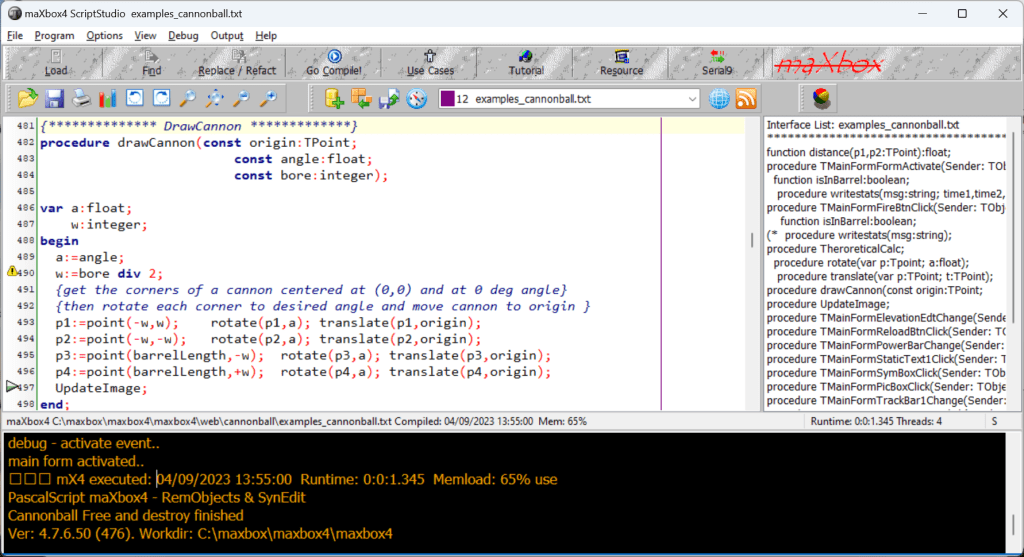
image3: 3_1234_cannonball4compiler1.png
In PyGame for example, collision detection is done using Rect objects. The Rect object offers various methods for detecting collisions between objects. Even the collision between a rectangular and circular object such as a paddle and a ball can be detected by a collision between two rectangular objects, the paddle and the bounding rectangle of the ball. Now we can summarize the theoretic results in a procedure of our statistic:
{* TheoreticalCalc **}
procedure TheroreticalCalc;
var
root,T1, Vf:float;
Vxf, Vyf:float;
X1,Y1:float;
TTop, Xtop,Ytop:float;
Tlast, VyLast, Xlast:float;
floor:float;
begin
with {stats.}amemo1.lines do begin
clear;
add(format('Barrel Len %d, Angle %6.1f, Initial V %6.1f, gravity %6.1f',
[barrellength,180theta/pi,v1,g])); if g=0 then g:=0.001; root:= v1v1 - 2gsin(theta)Barrellength; if root>=0 then begin T1:=(v1 - sqrt(root))/(gsin(theta+0.001));
Vf:= v1 - gsin(theta)T1;
Vxf:=Vfcos(theta); Vyf:=Vfsin(theta);
X1:=Barrellengthcos(theta); Y1:=Barrellengthsin(Theta);
floor:=(origin.y+ballradius)-groundlevel;
{out of barrel, Vx remains constant, Vy := Vyf- gDeltaT} {Vy=0 then Vyf-gTtop=0 or Ttop=Vyf/g}
Ttop:=Vyf/g;
{x distance at top} Xtop:=VxfTtop; {height at top = average y velocity+ time} Ytop:=(Vyf + 0)/2TTop;
{Time to fall from ytop to groundlevel, descending part of projectiles path}
{speed when ball hits ground}
TLast:=sqrt(2(Y1+YTop-floor)/g ); Xlast:=VxfTLast;
add(format('Time in barrel %6.1f seconds',[T1]));
add(format('X distance at end of barrel %6.1f',[X1]));
add(format('Y distance at end of barrel %6.1f',[Y1]));
add(format('Time to top of freeflight arc %6.1f, %6.1f total',[Ttop,T1+Ttop]));
add(format('X distance top of freeflight arc %6.1f, %6.1f total',[Xtop,X1+Xtop]));
add(format('Height above barrel to top of freeflight arc %6.1f, %6.1f total',
[Ytop,Y1+Ytop]));
add(format('Time to reach ground from max height %6.1f, %6.1f total',
[TLast,T1+Ttop+TLast]));
add(format('X distance from top of freeflight arc to end %6.1f, %6.1f total',
[XLast,X1+Xtop+XLast]));
end else add('Velocity too low, cannonball does not exit barrel');
end;
end;

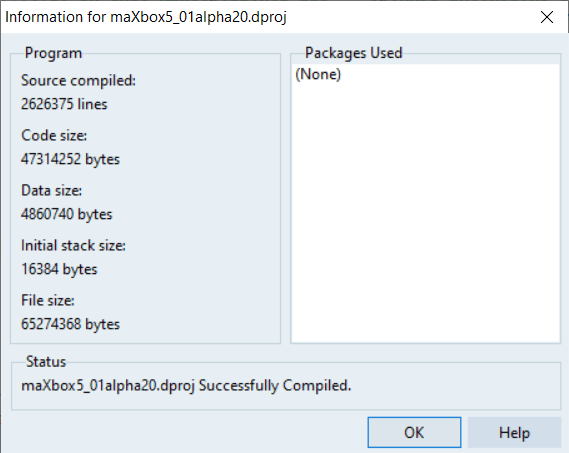
The 64-bit version needs a small update of the
IntersectRect API function to detect intersections
cause it needs IntersectRect2 function to detect as bool:
http://www.softwareschule.ch/examples/cannonball2.txt
By the way I asked ChatGPT how can I program cannonball in Pascal and the answer:
To program a cannonball in Pascal, you can use the following steps:
- Define the initial position and velocity of the cannonball.
- Calculate the acceleration of the cannonball due to gravity.
- Update the velocity and position of the cannonball using the calculated acceleration.
- Repeat step 3 until the cannonball collides with an object or reaches a certain height.
In this example code snippet, CircleRectCollision() is a custom function that detects collision between a circle and a rectangle. You can modify this function to suit your needs; the main part of the script has only 4 procedures:
processmessagesOFF;
@main part
loadStatForm();
loadmainForm();
UpdateImage();
Links and References:
http://www.softwareschule.ch/examples/cannonball.txt
http://delphiforfun.org/Programs/bouncing_ball.htm
https://en.wikipedia.org/wiki/Ballistics
4 Different Apps of maXbox4
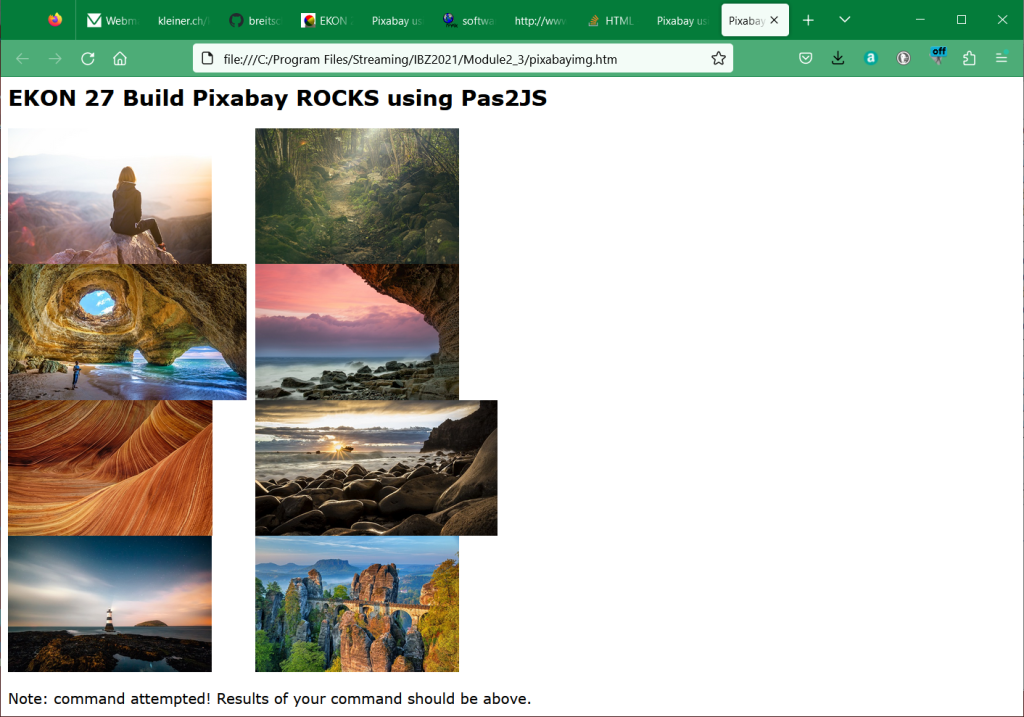

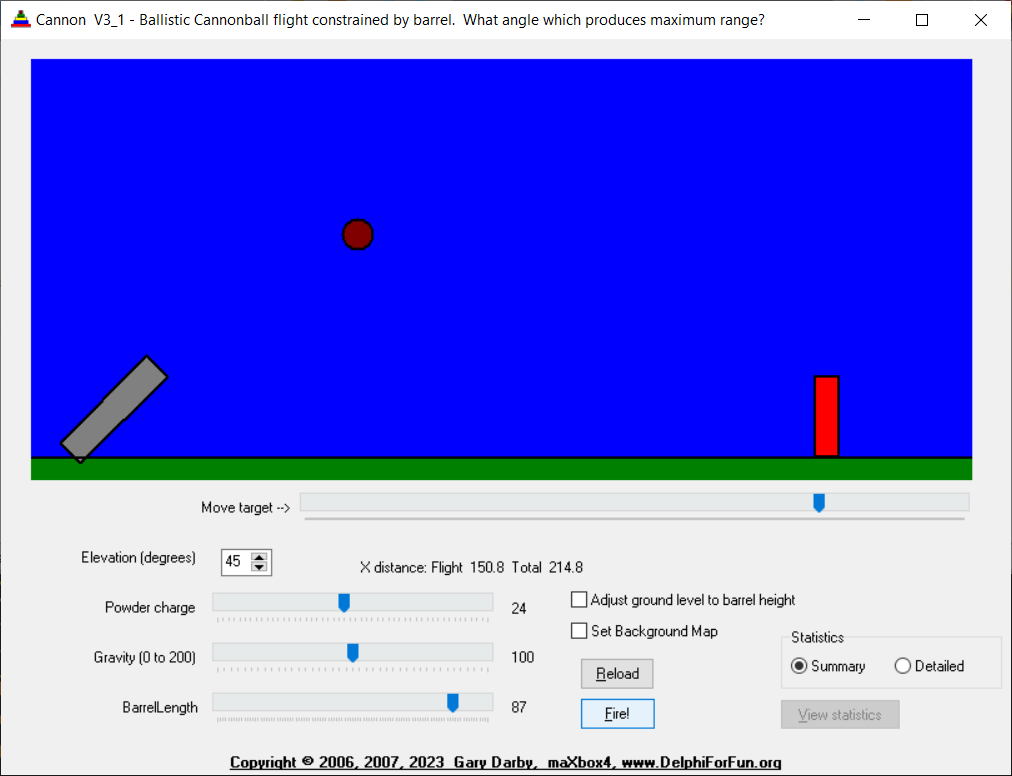
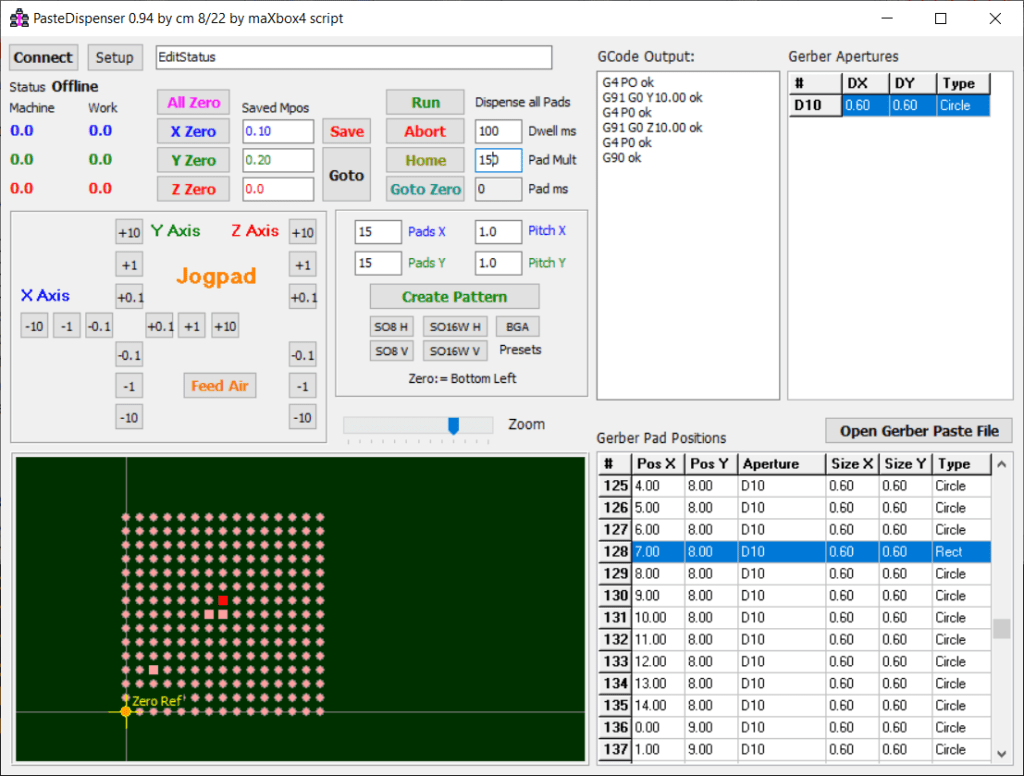
The scripts are 1247_Dispenser_mX4_Form12.pas, 1243_U_Cannonballs32.pas, 1241_pixabay_api_tester12.pas and 1234_NeuralNetwork2_XOR_test12.pas and 1234_NeuralNetwork2_XOR_sampleEU_EKON27.pas.

The road to 64-bit
If you have a code base of 32-bit Windows Delphi applications that you want to convert to 64-bit Windows, you should
- Open your 32-bit application in the IDE, add and activate the 64-bit Windows target platform, and compile your application as a 64-bit Windows application. (For details, see Steps in Creating Multi-Device Applications.)
- Review and handle the following issues (mostly related to pointer operations, NativeInt size, and Assembly code).
Winapi Issues
- If you pass pointers to
SendMessage/PostMessage/TControl.Perform, thewParamandlParamparameters should be type-casted to theWPARAM/LPARAMtype and not toInteger/Longint.- Correct:
SendMessage(hWnd, WM_SETTEXT, 0, LPARAM(@MyCharArray)); - Wrong:
SendMessage(hWnd, WM_SETTEXT, 0, Integer(@MyCharArray));
- Correct:
- Replace
SetWindowLong/GetWindowLogwithSetWindowLongPtr/GetWindowLongPtrforGWLP_HINSTANCE,GWLP_ID,GWLP_USERDATA,GWLP_HWNDPARENTandGWLP_WNDPROCas they return pointers and handles. Pointers that are passed toSetWindowLongPtrshould be type-casted toLONG_PTRand not toInteger/Longint.- Correct:
SetWindowLongPtr(hWnd, GWLP_WNDPROC, LONG_PTR(@MyWindowProc)); - Wrong:
SetWindowLong(hWnd, GWL_WNDPROC, Longint(@MyWindowProc));
- Correct:
- Pointers that are assigned to the
TMessage.Resultfield should use a type-cast toLRESULTinstead ofInteger/Longint.- Correct:
Message.Result := LRESULT(Self); - Wrong:
Message.Result := Integer(Self);
- Correct:
- All
TWM...-records for the windows message handlers must use the correct Windows types for the fields:Msg: UINT; wParam: WPARAM; lParam: LPARAM; Result: LRESULT)
In a Delphi XE7 64-bit VCL program, the unit Vcl.OleAutocannot be found:[dcc64 Fatal Error] Unit1.pas(33): F1026 File not found: 'Vcl.OleAuto.dcu'While it works without problems in a 32-bit program:uses  Vcl.OleAuto;...
FSWbemLocator := CreateOleObject('WbemScripting.SWbemLocator'); If the file does not have a BOM then you need to explicitly specify the encoding, e.g.LoadFromFile(FileName, TEncoding.UTF8);LoadFromFile(FileName, TEncoding.Unicode);//UTF-16 LELoadFromFile(FileName, TEncoding.BigEndianUnicode);//UTF-16 BE
Runtime Library
- Overloads. For functions that took
PChar, there are nowPAnsiCharandPWideCharversions so the appropriate function gets called. AnsiXXXfunctions are a consideration:SysUtils.AnsiXXXXfunctions, such asAnsiCompareStr:- Remain declared with
stringand float toUnicodeString. - Offer better backward compatibility (no need to change code).
- Remain declared with
- The
AnsiStringsunit’sAnsiXXXXfunctions offer the same capabilities as theSysUtils.AnsiXXXXfunctions, but work only forAnsiString. Also, theAnsiStrings.AnsiXXXXfunctions provide better performance for anAnsiStringthanSysUtils.AnsiXXXXfunctions, which work for bothAnsiStringandUnicodeString, because no implicit conversions are performed.
Write/WritelnandRead/Readln:PByte– declared with$POINTERMATH ON. This allows array indexing and pointer math likePAnsiChar.- String information functions:
StringElementSizereturns the actual data size.StringCodePagereturns the code page of string data.System.StringRefCountreturns the reference count.
- RTL provides helper functions that enable users to do explicit conversions between code pages and element size conversions. If developers are using the
Movefunction on a character array, they cannot make assumptions about the element size. Much of this problem can be mitigated by making sure all RValue references generate the proper calls to RTL to ensure proper element sizes.
Components and Classes
TStrings: StoreUnicodeStringinternally (remains declared asstring).TWideStrings(may get deprecated) is unchanged. UsesWideString(BSTR) internally.TStringStream- Has been rewritten –- defaults to the default ANSI encoding for internal storage.
- Encoding can be overridden.
- Consider using
TStringBuilderinstead ofTStringStreamto construct a string from bits and pieces.
TEncoding- Defaults to users’ active code page.
- Supports UTF-8.
- Supports UTF-16, big and little endian.
- Byte Order Mark (BOM) support.
- You can create descendent classes for user-specific encodings.
- Component streaming (Text DFM files):
- Are fully backward-compatible.
- Stream as UTF-8 only if component type, property, or name contains non-ASCII-7 characters.
- String property values are still streamed in “#” escaped format.
- May allow values as UTF-8 as well (open issue).
- Only change in binary format is potential for UTF-8 data for component name, properties, and type name.
Byte Order Mark
The Byte Order Mark (BOM) should be added to files to indicate their encoding:
- UTF-8 uses
EF BB BF. - UTF-16 Little Endian uses
FF FE. - UTF-16 Big Endian uses
FE FF.
Steps to Unicode-enable your applications
You need to perform these steps:
- Review char- and string-related functions.
- Rebuild the application.
- Review surrogate pairs.
- Review string payloads.
For more details, see Enabling Your Applications for Unicode
Most of the times you deal with pointers or assembler code like:
function StrToWord(const Value: String): Word;
begin
  Result:= Word(pointer(@Value[1])^);
end;

function WordToStr(const Value: Word): WordStr;
begin
  SetLength(Result, SizeOf(Value));
  Move(Value, Result[1], SizeOf(Value));
end;
Or you can switch from assembler to code:
{$define GEOMETRY_NO_ASM}

procedure DivMod(dividend : Integer; divisor: Word; var result, remainder : Word);
{$ifndef GEOMETRY_NO_ASM}
asm
   push  ebx
   mov   ebx, edx
   mov   edx, eax
   shr   edx, 16
   div   bx
   mov   ebx, remainder
   mov   [ecx], ax
   mov   [ebx], dx
   pop   ebx
{$else}
begin
   Result:=Dividend div Divisor;
   Remainder:=Dividend mod Divisor;
{$endif}
end;
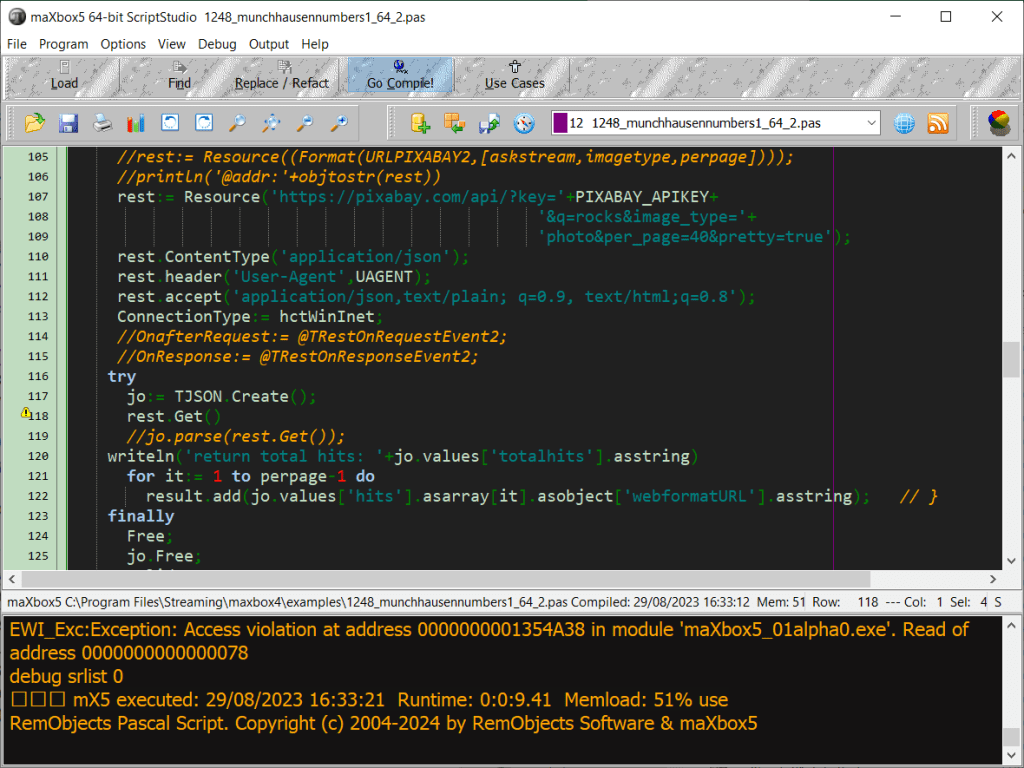
One of the unsolved problem is to catch an AccessViolation instead of
CL.AddTypeS('TRuntimeError', '( reNone, reOutOfMemory, reInvalidPtr, reDivByZ' +'ero, reRangeError, reIntOverflow, reInvalidOp, reZeroDivide, reOverflow, r' +'eUnderflow, reInvalidCast, reAccessViolation, rePrivInstruction, reControl' +'Break, reStackOverflow, reVarTypeCast, reVarInvalidOp, reVarDispatch, reVa' +'rArrayCreate, reVarNotArray, reVarArrayBounds, reAssertionFailed, reExtern' +'alException, reIntfCastError, reSafeCallError )');
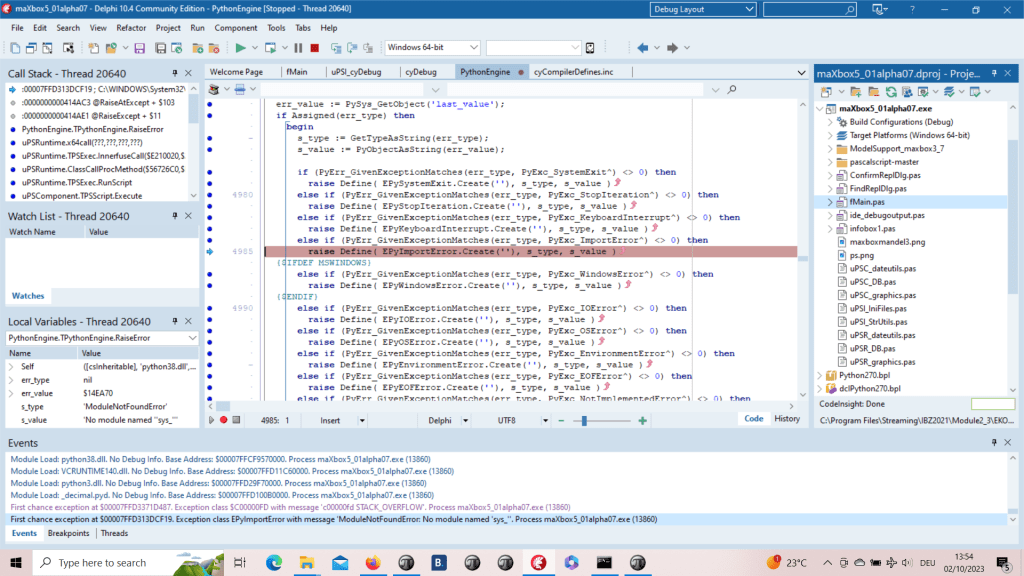
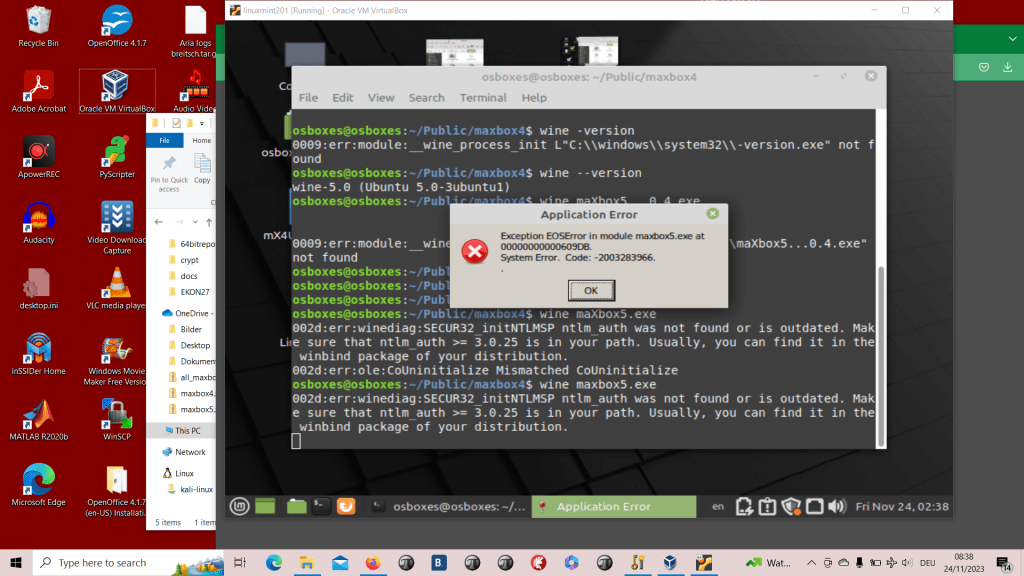
The weird thing was in one of the previous alpha versions (see below) the catch of the AV was present but in the meantime the app stuck and exits:
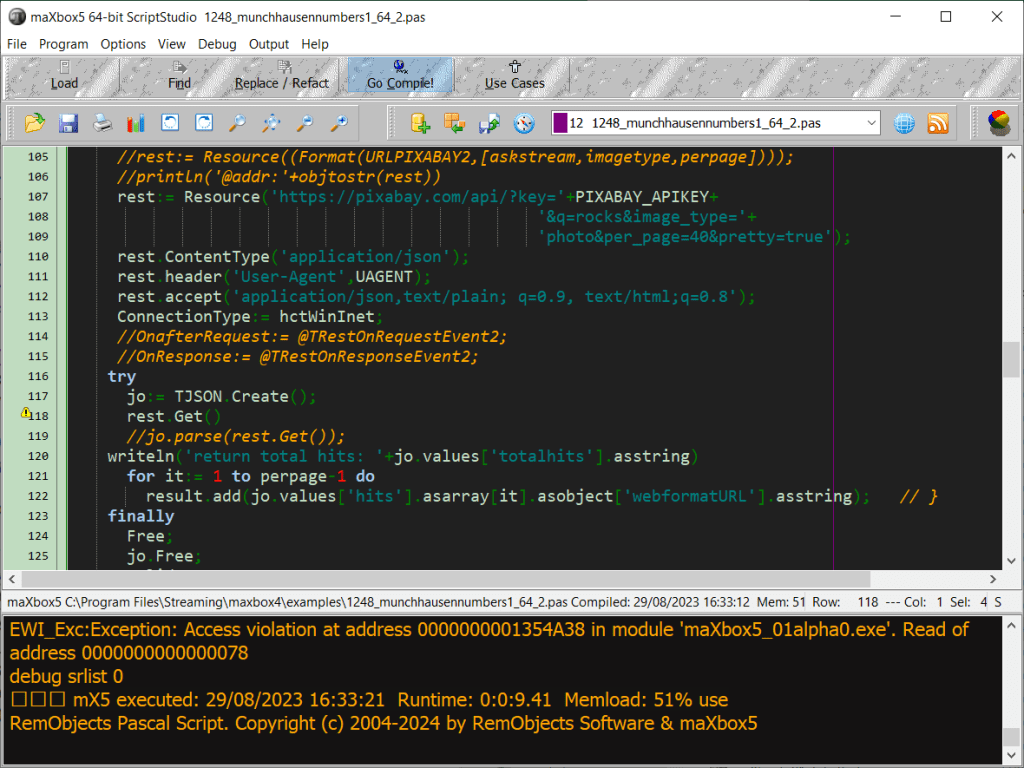
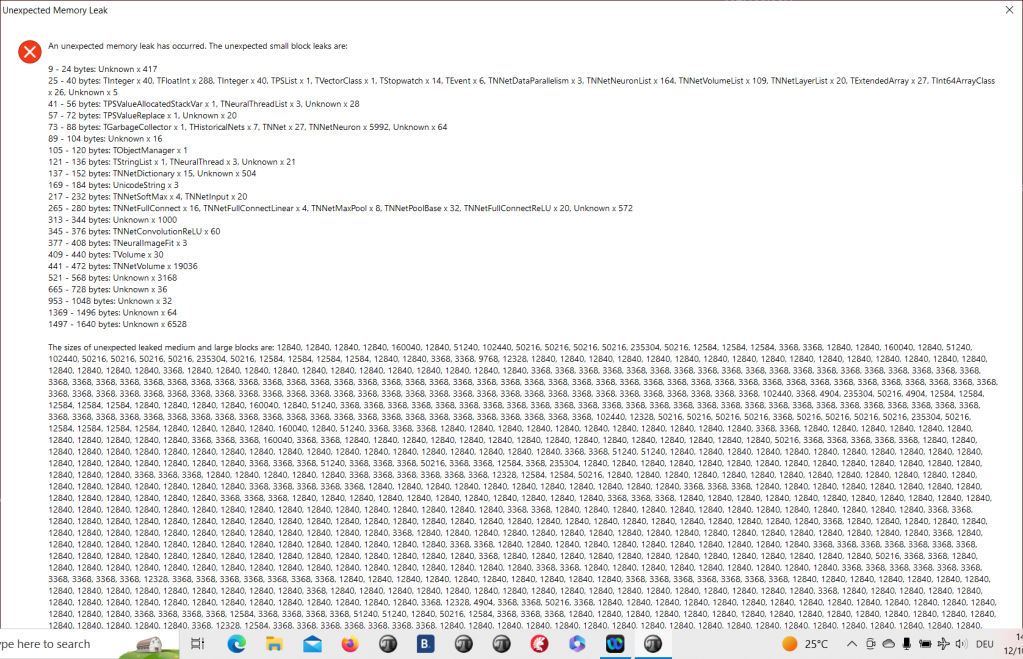
After debugging I realized it is a first chance exception which works as long the debugger is running with break or continue but without debugger the app disappears without forwarding the AV on the output like AV at address xyz read of address 000.
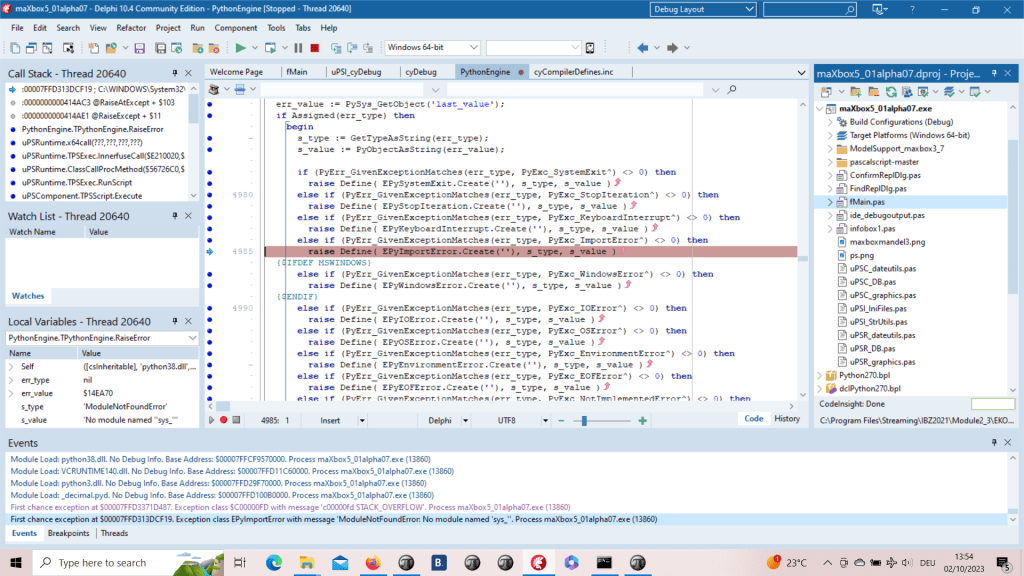
Top 10 Algorithms
What are the top 10 algorithms every software engineer should know by heart?
I wouldn’t say so much specific algorithms, as groups of algorithms.
- Greedy algorithms. If your problem can be solved with an algorithm that can make a decision now and at the end this decision will still be optimal, then you don’t need to look any further. Examples are Prim, Kruscal for Minimal Spanning Trees (MST) and the Fractional Knapsack problem.
- Divide and Conquer. Examples of this group are binary search and quicksort. Basically, you divide your problem into two distinct sub-problems, solve each one separately and at the end combine the solutions. Concerning complexity, you will probably get something recursive e.g. T(n) = 2T(n/2) + n, which you can solve using the Master theorem
- Graph and search algorithms. Other than the MST, Breadth First Search (BFS) and Depth First Search (DFS), Dijkstra and possibly A*. If you feel you want to go further in this, Bellman-Ford (for dense graphs), Branch and Bound, Iterative Deepening, Minimax, AB search.
- Flows. Basically, Ford-Fulkerson.
- Simulated Annealing. This is a very easy, very powerful randomized optimization algorithm. It gobbles NP-hard problems like Travelling Salesman Problem (TSP) for breakfast.
- Hashing. Properties of hashing, known hashing algorithms and how to use them to make a hashtable.
- Dynamic Programming. Examples are the Discrete Knapsack Problem and Longest Common Subsequence (LCS).
- Randomized Algorithms. Two great examples are given by Karger for the MST and Minimum Cut.
- Approximation Algorithms. There is a trade off sometimes between solution quality and time. Approximation algorithms can help with getting a not so good solution to a very hard problem at a good time.
- Linear Programming. Especially the simplex algorithm but also duality, rounding for integer programming etc.
RTL location for the 64bitbox
Variants in 'sys\Variants.pas',
VarUtils in 'sys\VarUtils.pas',
SysConst in 'sys\SysConst.pas',
SysUtils in 'sys\SysUtils.pas',
SyncObjs in 'common\SyncObjs.pas',
Types in 'sys\Types.pas',
VCLCom in 'common\VCLCom.pas',
ComConst in 'common\ComConst.pas',
ComObj in 'common\ComObj.pas',
ComObjWrapper in 'common\ComObjWrapper.pas',
RTLConsts in 'common\RTLConsts.pas',
Contnrs in 'common\Contnrs.pas',
ConvUtils in 'common\ConvUtils.pas',
DateUtils in 'common\DateUtils.pas',
IniFiles in 'common\IniFiles.pas',
Masks in 'common\Masks.pas',
Math in 'common\Math.pas',
Registry in 'common\Registry.pas',
StdConvs in 'common\StdConvs.pas',
StdVCL in 'common\StdVCL.pas',
StrUtils in 'common\StrUtils.pas',
TypInfo in 'common\TypInfo.pas',
VarConv in 'common\VarConv.pas',
VarCmplx in 'common\VarCmplx.pas',
Classes in 'common\Classes.pas',
MaskUtils in 'common\MaskUtils.pas',
HelpIntfs in 'common\HelpIntfs.pas',
ScktComp in 'common\ScktComp.pas',
AccCtrl in 'win\AccCtrl.pas',
AclAPI in 'win\AclAPI.pas',
ActiveX in 'win\ActiveX.pas',
ComSvcs in 'win\ComSvcs.pas',
ADOInt in 'win\ADOInt.pas',
AspTlb in 'win\AspTlb.pas',
COMAdmin in 'win\COMAdmin.pas',
CommCtrl in 'win\CommCtrl.pas',
CommDlg in 'win\CommDlg.pas',
Cpl in 'win\Cpl.pas',
DDEml in 'win\DDEml.pas',
Dlgs in 'win\Dlgs.pas',
DwmApi in 'win\DwmApi.pas',
FlatSB in 'win\FlatSB.pas',
ImageHlp in 'win\ImageHlp.pas',
Imm in 'win\Imm.pas',
Isapi in 'win\Isapi.pas',
Isapi2 in 'win\Isapi2.pas',
LZExpand in 'win\LZExpand.pas',
Mapi in 'win\Mapi.pas',
Messages in 'win\Messages.pas',
MMSystem in 'win\MMSystem.pas',
msxml in 'win\msxml.pas',
Mtx in 'win\Mtx.pas',
MultiMon in 'win\MultiMon.pas',
Nb30 in 'win\Nb30.pas',
Ns30Fix in 'win\Ns30Fix.pas',
Ns35Fix in 'win\Ns35Fix.pas',
Ns36Fix in 'win\Ns36Fix.pas',
Nsapi in 'win\Nsapi.pas',
ObjComAuto in 'common\ObjComAuto.pas',
ObjAuto in 'common\ObjAuto.pas',
OleDB in 'win\OleDB.pas',
OleDlg in 'win\OleDlg.pas',
OpenGL in 'win\OpenGL.pas',
oleacc in 'win\oleacc.pas',
Penwin in 'win\Penwin.pas',
PsAPI in 'win\PsAPI.pas',
RegStr in 'win\RegStr.pas',
RichEdit in 'win\RichEdit.pas',
ShellAPI in 'win\ShellAPI.pas',
SHFolder in 'win\SHFolder.pas',
ShlObj in 'win\ShlObj.pas',
ShLwApi in 'win\ShLwApi.pas',
StrHlpr in 'sys\StrHlpr.pas',
TlHelp32 in 'win\TlHelp32.pas',
UrlMon in 'win\UrlMon.pas',
UxTheme in 'win\UxTheme.pas',
VarHlpr in 'sys\VarHlpr.pas',
WideStrings in 'common\WideStrings.pas',
WideStrUtils in 'common\WideStrUtils.pas',
windows in 'win\windows.pas',
winInet in 'win\winInet.pas',
Winsafer in 'win\Winsafer.pas',
WinSock in 'win\WinSock.pas',
winSpool in 'win\winSpool.pas',
winSvc in 'win\winSvc.pas',
CorError in 'win\CorError.pas',
CorHdr in 'win\CorHdr.pas',
Cor in 'win\Cor.pas',
DXTypes in 'win\DXTypes.pas',
DXFile in 'win\DXFile.pas',
DxDiag in 'win\DxDiag.pas',
D3DX8 in 'win\D3DX8.pas',
D3DX9 in 'win\D3DX9.pas',
Direct3D in 'win\Direct3D.pas',
Direct3D8 in 'win\Direct3D8.pas',
DX7toDX8 in 'win\DX7toDX8.pas',
Direct3D9 in 'win\Direct3D9.pas',
DirectDraw in 'win\DirectDraw.pas',
DirectShow9 in 'win\DirectShow9.pas',
DirectInput in 'win\DirectInput.pas',
DirectSound in 'win\DirectSound.pas',
DirectPlay8 in 'win\DirectPlay8.pas',
DirectMusic in 'win\DirectMusic.pas',
WMF9 in 'win\WMF9.pas',
ZLibConst in 'common\ZLibConst.pas',
ZLib in 'common\ZLib.pas',
Character in 'common\Character.pas',
Generics.Defaults in 'common\Generics.Defaults.pas',
Generics.Collections in 'common\Generics.Collections.pas',
Rtti in 'common\Rtti.pas',
TimeSpan in 'common\TimeSpan.pas',
Diagnostics in 'common\Diagnostics.pas',
AnsiStrings in 'common\AnsiStrings.pas',
TpcShrd in 'win\TpcShrd.pas',
RtsCom in 'win\RtsCom.pas',
MsInkAut in 'win\MsInkAut.pas',
MsInkAut15 in 'win\MsInkAut15.pas',
Manipulations in 'win\Manipulations.pas',
IOUtils in 'common\IOUtils.pas',
D2D1 in 'win\D2D1.pas',
DxgiFormat in 'win\DxgiFormat.pas',
Wincodec in 'win\Wincodec.pas',
KnownFolders in 'win\KnownFolders.pas',
ObjectArray in 'win\ObjectArray.pas',
PropSys in 'win\PropSys.pas',
PropKey in 'win\PropKey.pas',
StructuredQuery in 'win\StructuredQuery.pas',
StructuredQueryCondition in 'win\StructuredQueryCondition.pas';
- You can tell the debugger to ignore certain kinds of exceptions. Figure 3 shows Delphi’s language-exception options. Add an exception class to the list, and all exceptions of that type and of any descendant types will pass through to your program without Delphi interfering.

In its default settings, the Delphi IDE notifies you whenever an exception occurs in your program, as in Figure 1. What’s important to realize is that at that point, none of your program’s exception-handling code has run yet. It’s all Delphi itself; its special status as a debugger allows it to get first notification of any exception in your program, even before your program knows about it.

Avoiding notification
If you do not want to be notified when an exception occurs, you have a few options.
- You can use Delphi’s “advanced breakpoints” to disable exception handling around a region of code. To begin, set a breakpoint on the line of code where you want the IDE to ignore exceptions. Right-click on the breakpoint dot in the gutter and open the breakpoint-property dialog. In the advanced section are some check boxes. (See Figure 2.) Clear the “Break” box to prevent the debugger from interrupting your program at that line, and set the “Ignore subsequent exceptions” box. Afterward, set another breakpoint where you want the debugger to resume handling exceptions. Change its properties to handle subsequent exceptions.

The odd thing is that I have wrapped my pascal call in a try except, which has handlers for AccessViolationException, COMException and everything else, but when Delphi 10.4 intercepts the AccessViolationException, the debugger breaks on the method call (doc.OCR), and if I step through, it continues to the next line instead of entering the catch or except block. So I decided to to catch the exception on the script runtime routine to get the most on my console from dynamic maXbox:


So for the reorganisation of the sources I have the latest revision with patches from issue #202 (commit 86a057c) but I am unable to compile the files at first (Core_D27) that are part of the PascalScript_Core_D27.dpk for that platform for Linux64, Win64 nor MacOS64.
Here’s some source output at first to show the internal exception handling for the 10.4 dccosx64 or dcc64 compiler (similar results exist for dcclinux64):
procedure TPSExec.ExceptionProc(proc, Position: Cardinal; Ex: TPSError; const s: tbtString; NewObject: TObject);
var
  d, l: Longint;
  pp: TPSExceptionHandler;   //debcnt: integer
begin
  ExProc := proc;
  ExPos := Position;
  ExEx := Ex;
  ExParam := s;
  inc(debcnt);
  if maxform1.GetStatDebugCheck then
     maxform1.memo2.lines.add('debug: '+inttostr(debcnt)+'-'+s+' '+inttostr(proc)+' err:'+inttostr(ord(ex)));     //fmain
   // halt(1);
   //pause;
   //ShowMessage('We do not get this far');
  if ExObject <> nil then
    ExObject.Free;
  ExObject := NewObject;
  //ShowMessage('We do not get this far: '+exparam);

  if Ex = eNoError then Exit;
  //maxform1.memo2.lines.add(s);
  // ShowMessage('We do not get this far');

  for d := FExceptionStack.Count -1 downto 0 do
  begin
    pp := FExceptionStack[d];
    if Cardinal(FStack.Count) > pp.StackSize then
    begin
      for l := Longint(FStack.count) -1 downto Longint(pp.StackSize) do
        FStack.Pop;
    end;
A 64-bit program has the following possible advantages over the same one compiled for 32-bit (x86):
- More registers. 64-bit x86 chips have several more registers and this can, in theory (if the compiler takes advantage) result in faster code in some cases.
- More memory. With a 32-bit program you were generally limited to either a 2GB address space or a 4GB address space in total, if you compiled with
/LARGEADDRESSAWARE, which was about 3.5GB in practice due to Windows’ kernel/userspace split. A 64-bit process can address much more. This is only important if your app needs a lot of memory. - Ability to build plugins for 64-bit programs, like Explorer. Unless you’re using COM for a plugin, where data is marshalled, you can’t mix 32-bit and 64-bit code in the one process in Windows, such as a 64-bit EXE loading a 32-bit DLL. If you wanted to write an Explorer plugin, for example, you couldn’t have it work with the 64-bit version of Explorer with old versions of Delphi. You will be able to with the 64-bit version.
- Delphi-specific: the compiler will use SSE/SSE2 instructions for floating point calculations, where the current 32-bit compiler only uses x87 FPU instructions (I think.) This should give a speed increase for floating-point math. You probably won’t even notice unless your app is highly FP-dependent (a game, perhaps, or a data processing application, that kind of thing.)
The answer to your question “will I benefit from having a 64 bits Delphi application?” is highly dependent on your specific application. In general, there is unlikely to be much benefit beyond, possibly, a small speed increase. Don’t rely on 64-bit to speed up a slow application though: you will still need to make algorithmic changes for large speed boosts. 64-bit isn’t a magic bullet. Other than that, you only need to change if you’ve already encountered one of the limits imposed by 32-bit – I suspect you haven’t, or you wouldn’t be asking the question.
If you decide to convert, you may find this thread very useful.
But one other thing: even if you don’t need to change, you might want to, especially if your app is a personal project. You might learn stuff, your code will be higher quality when you fix 32/64-bit issues, and a project like that can be fun. You’re a programmer, after all 🙂
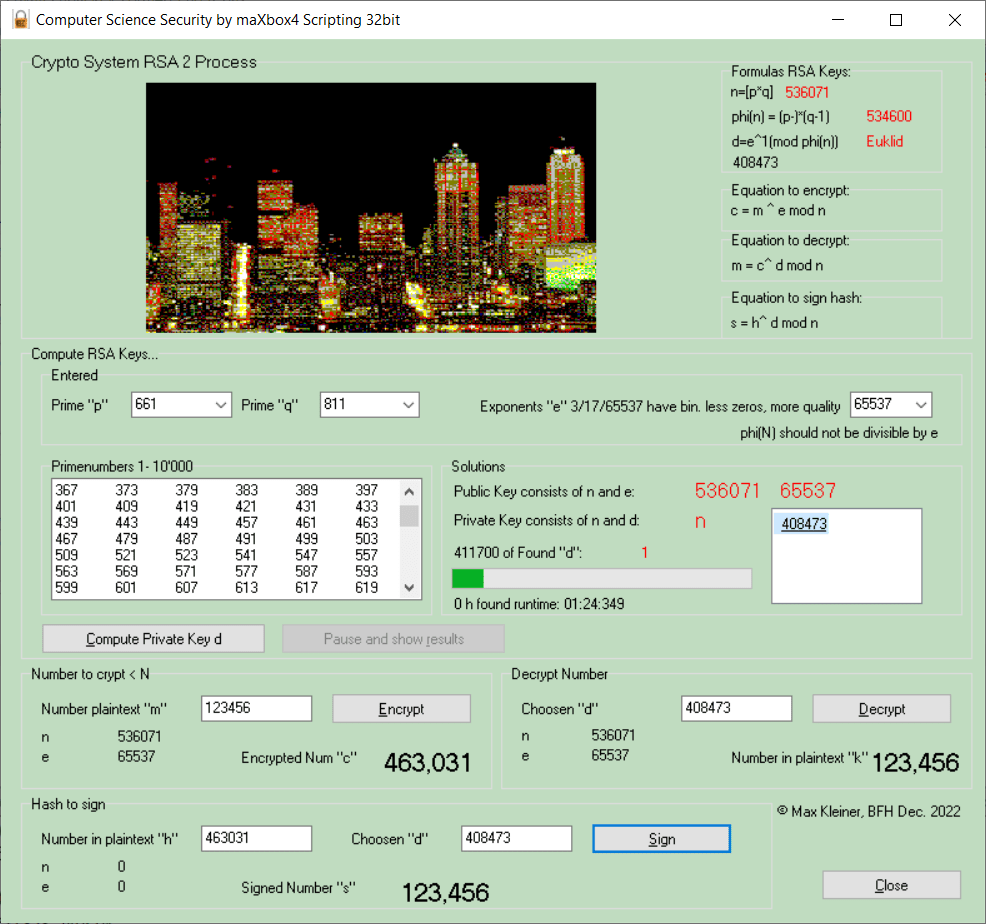
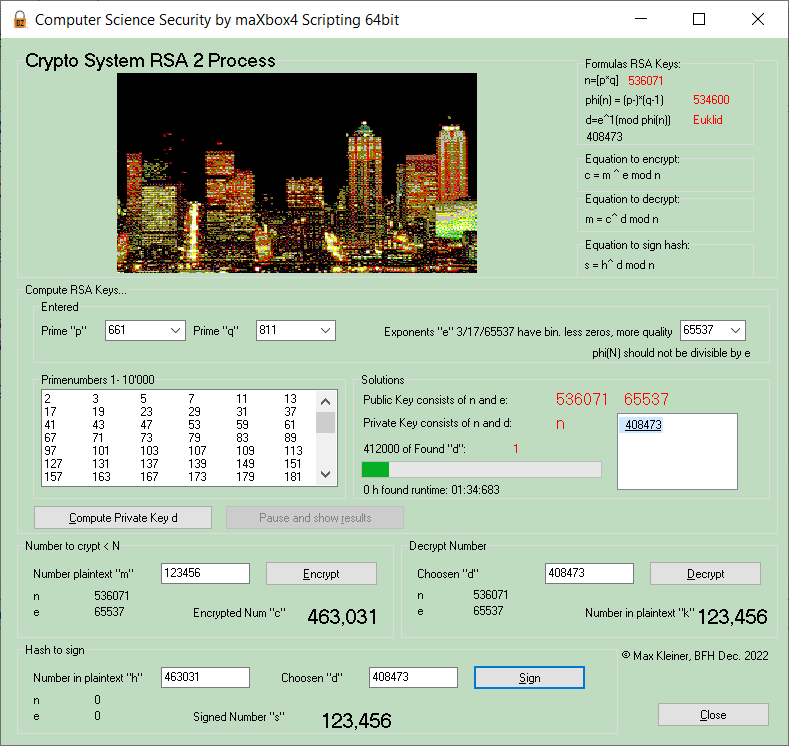
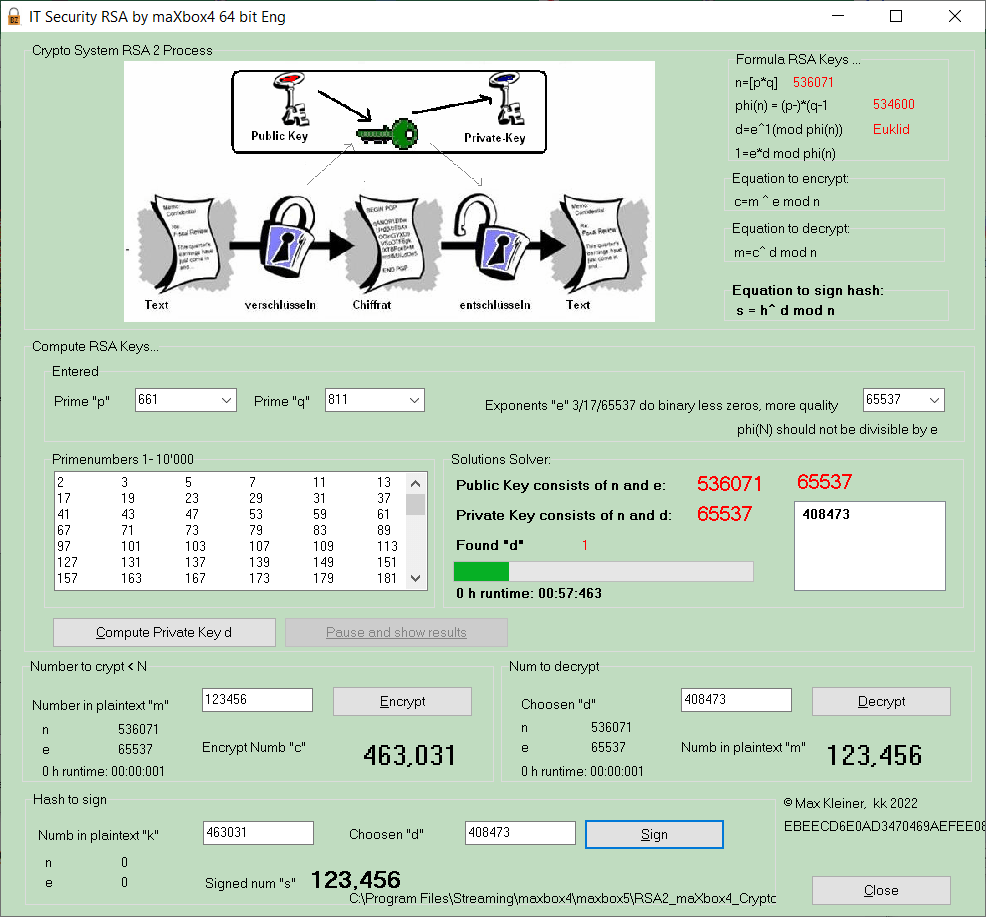
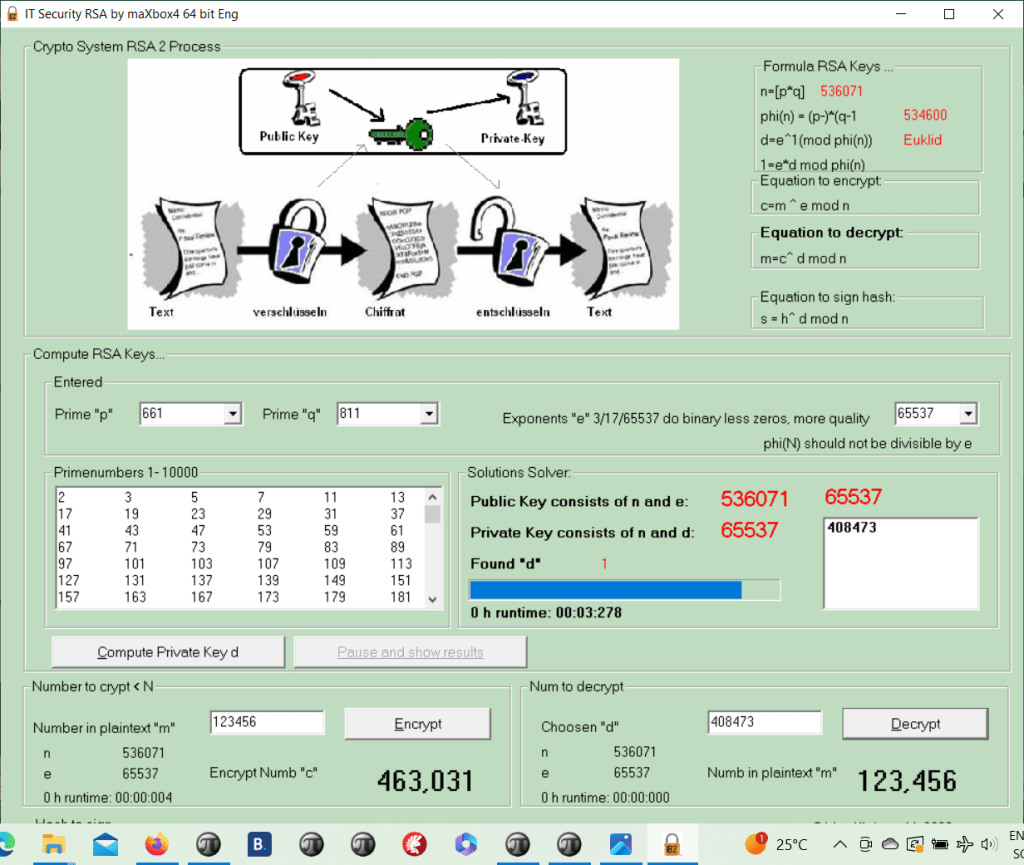
println('message decrypt chaine: '+    RSADecrypt(RSAEncrypt(('123456'),'65537','536071'),'408473','536071'));
>>> 123456
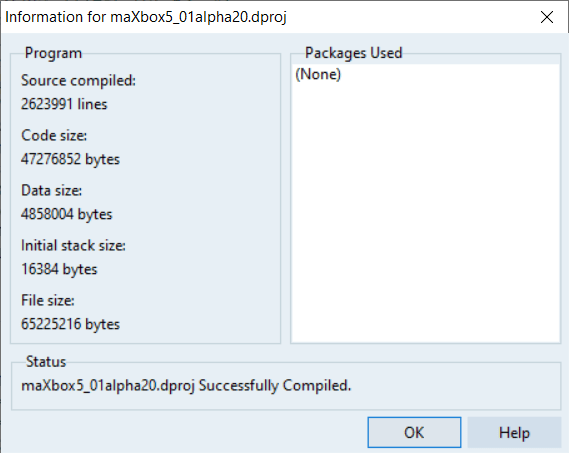
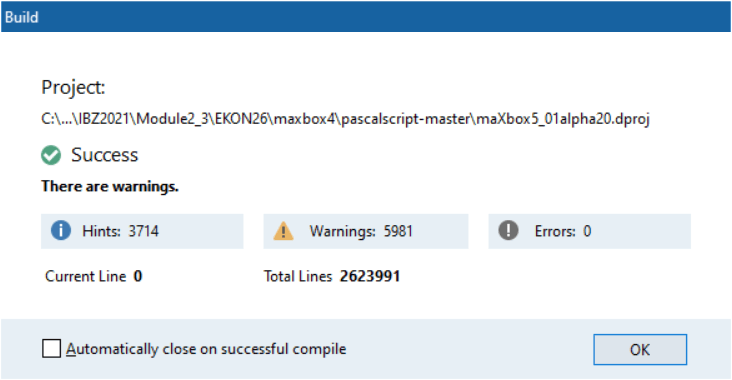
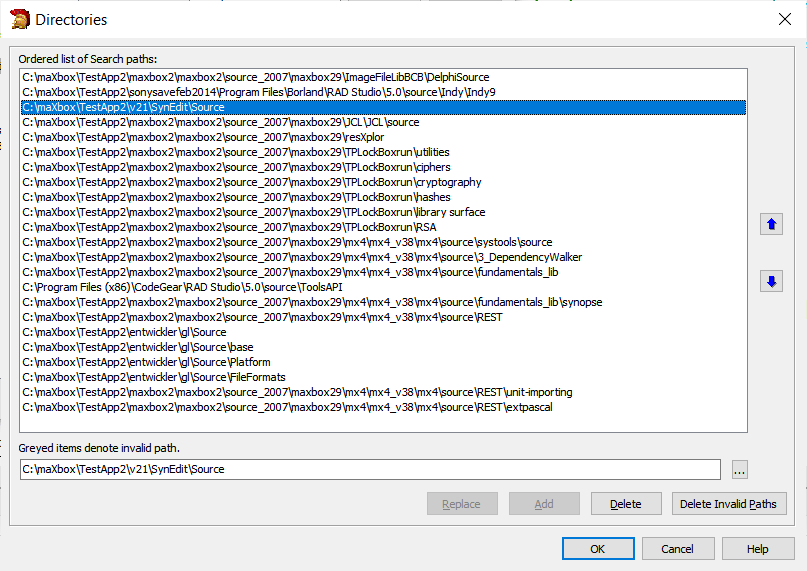
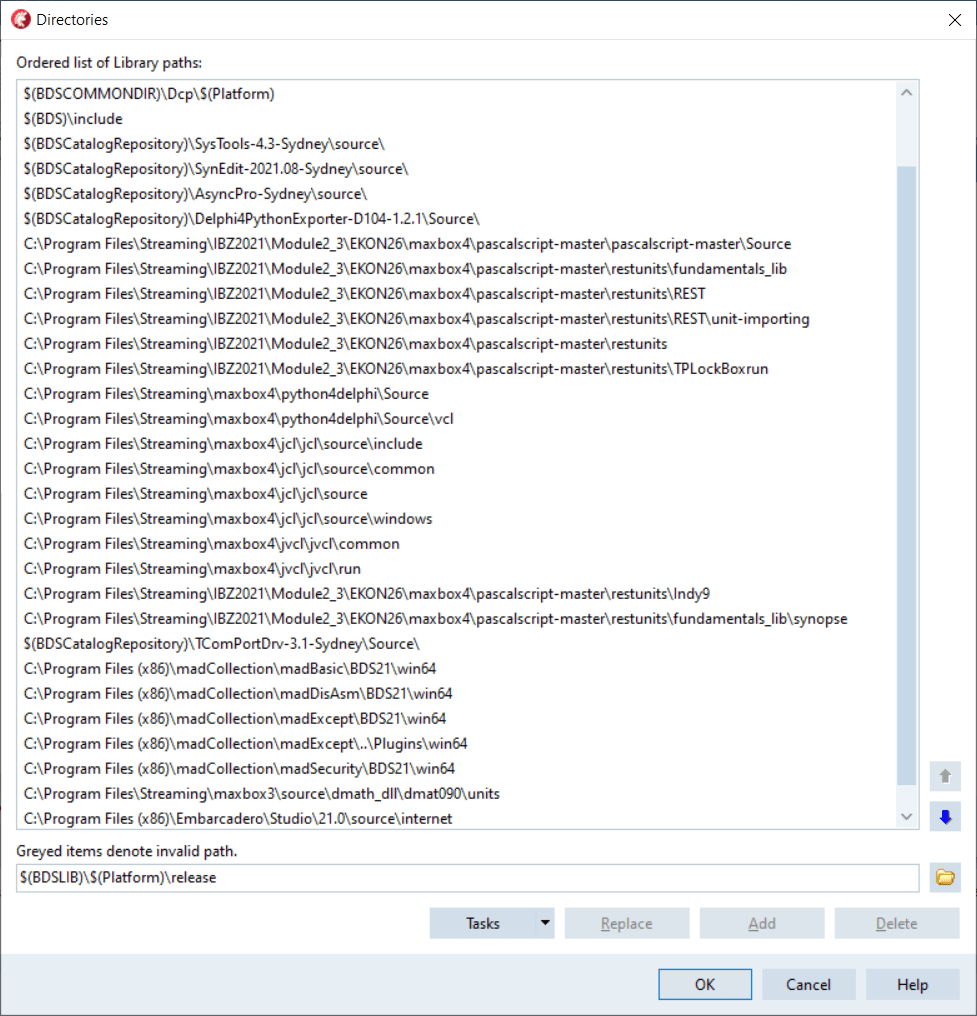
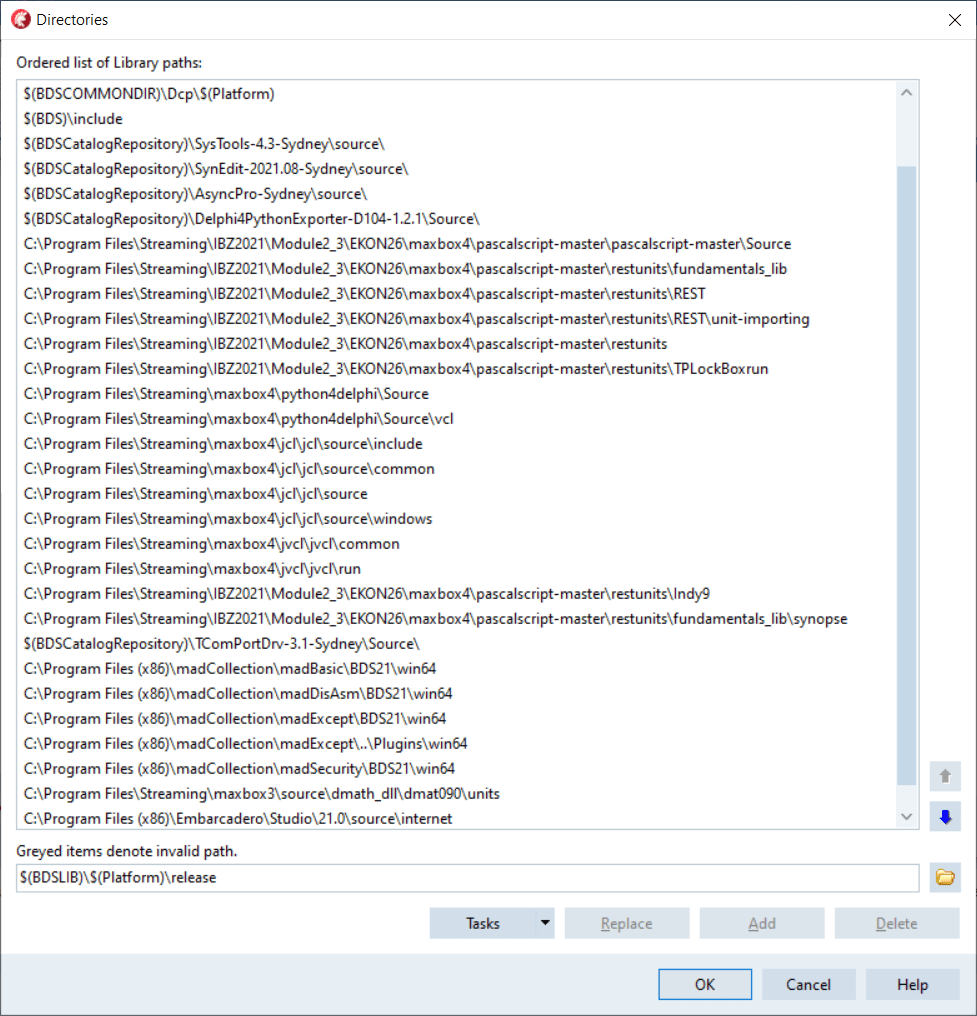

64-bit Report: http://www.softwareschule.ch/download/maxbox_starter113.pdf
Click to access maxbox_starter113.pdf
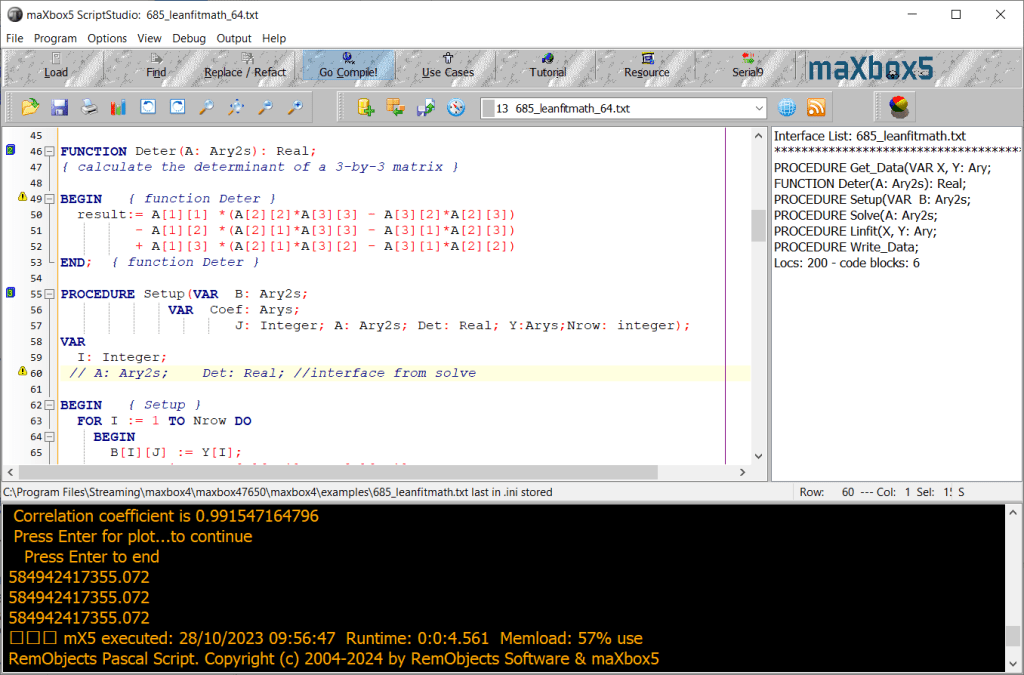
An Example to compare 32- and 64-bit: We have sensors at known locations in 3D space. Each sensor can supply distance information to a target but knows nothing about the target’s direction. Alternatively, the sensors are Satellites and the target is a GPS receiver which reads very accurate time stamps transmitted by the satellites and calculates distances based on time offsets between its clock when a clock time message is received and satellites’ clock time when the message was sent (as contained in the message).
http://delphiforfun.org/Programs/Math_Topics/PointFrom4Sensors.htm
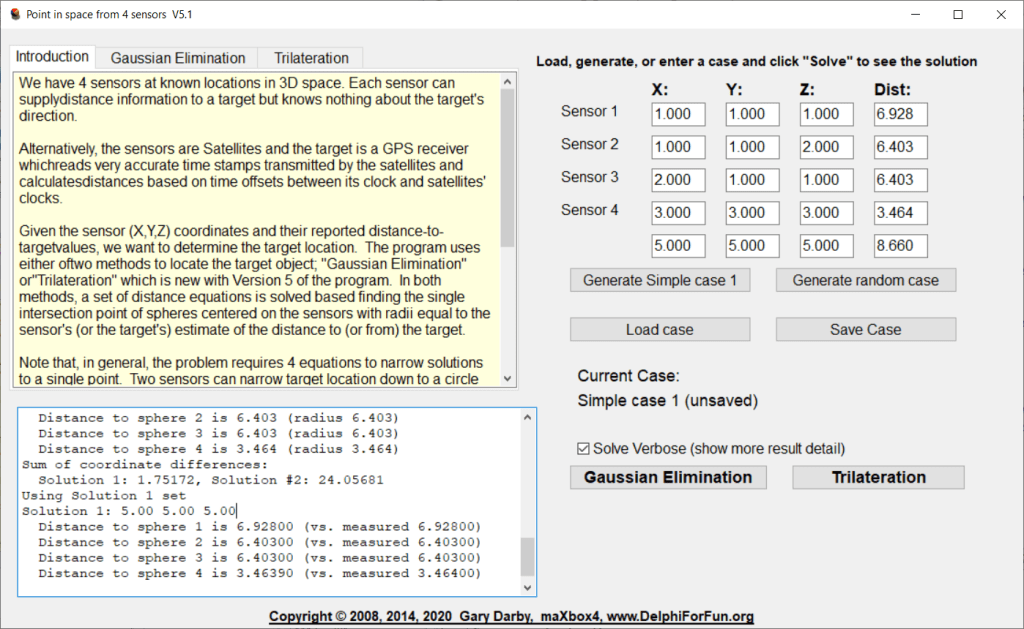

There are 19 TEdit controls for user input; 4 for each of the 4 sensors plus 3 if the user wants to enter target values. The target values were convenient when debugging the code with sets of points with known solutions. In order to simplify the code, I defined an array, Sensors, of TSensorEdits records, each containing 4 TEdit pointers (object references are always pointers), plus the numeric version of the X, Y, Z, and R (distance) values represent by the edits for that sensor.
Unit UMatrix is the unit from the old Borland Turbo Pascal Numeric Toolbox which contains the GuussianElimination procedure used here among other matrix operations.
Load and Save buttons use Ini file types to save and reload problem cases.
Script Example at: https://sourceforge.net/projects/maxbox/files/Examples/13_General/966_U_PointInSpace52_mX4Form2_64.pas/download

The Road with Delphi 11.3 and Win 11
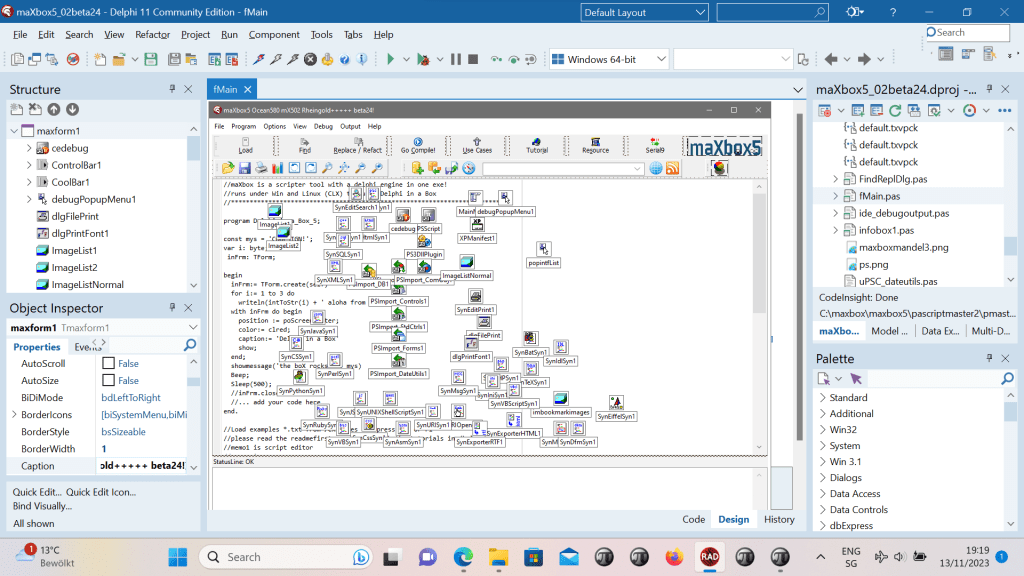
Since I use SynPdf.pas I have to include SynCommons.pas in my project. But it seems I’ve got more than I wanted. Sometimes when I debug in IDE and try to dig into some routine I get to Move procedure from SynCommons.pas instead of my proc where I want to come!
procedure Move(const Source; var Dest; Count: Integer);
asm // eax=source edx=dest ecx=count
// original code by john o’harrow – included since delphi 2007
cmp ecx,32
what’s going on? And how to switch it off? I only need to export my reports to PDF! not logging or something else!
FastCode move and fillchar are included within SynCommons.pas.
You can get rid of it, by commenting the corresponding lines in the initialization block of this unit.
Under new versions of the framework, you have a conditional setting to disable it.
SynPDF was not tied to SynCommons.pas at the beginning, but a lot of duplicated code did appear between the two units.
Since SynCommons.pas is optimized for speed, and unit tested, we rather rely on it.
SmartLinking won’t make it big in your exe: logging and all the other won’t be part of it.
Do you mean I should comment these?
RedirectCode(GetAddressFromCall(@RecordCopyInvoke),@RecordCopy);
RedirectCode(GetAddressFromCall(@FillCharInvoke),@FillChar);
RedirectCode(GetAddressFromCall(@MoveInvoke),@Move);
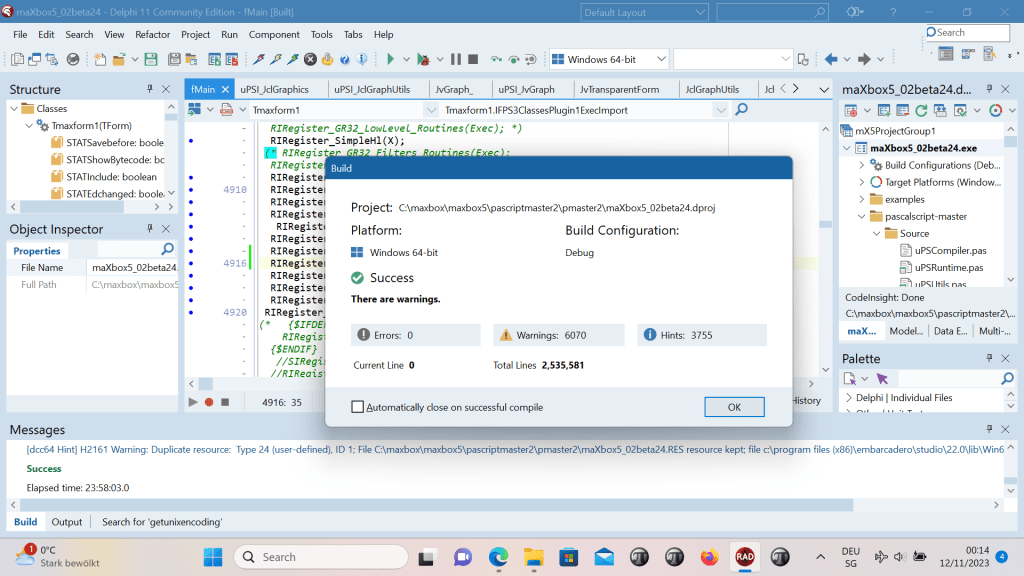
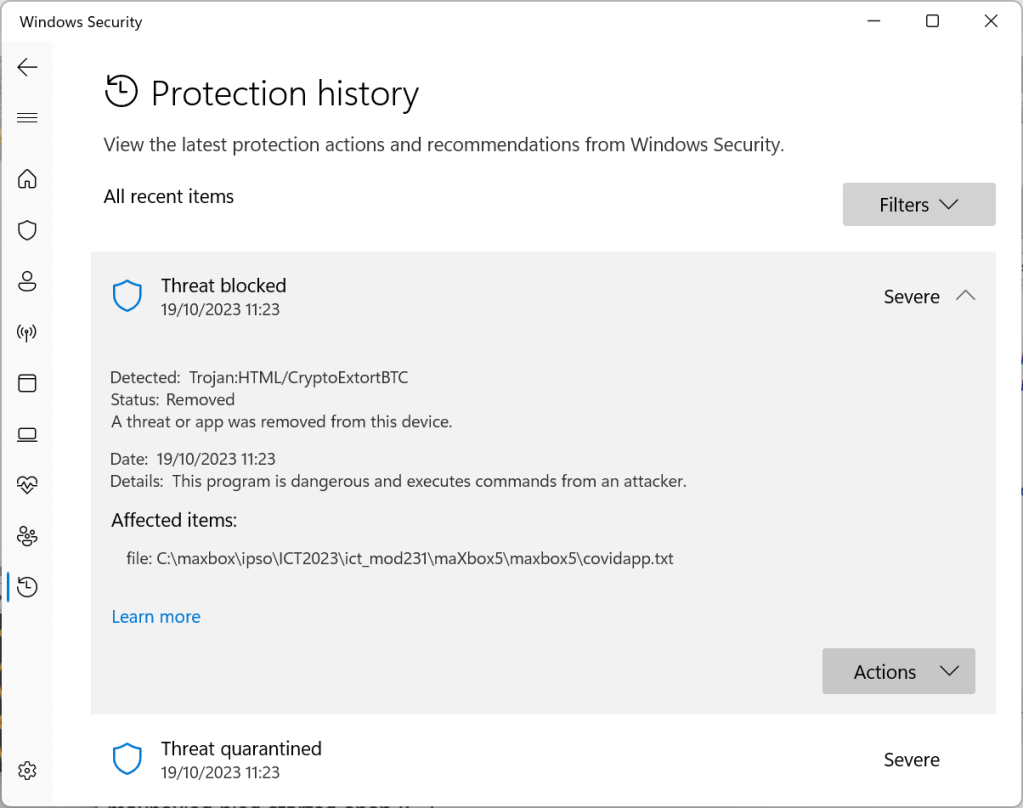
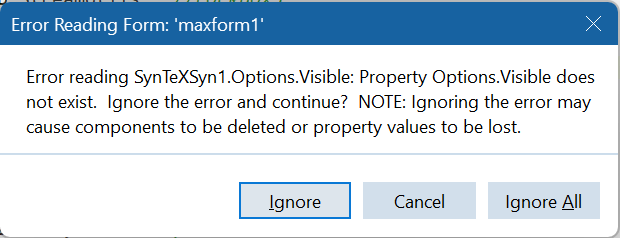
With Synedit changes were made of wordwrap and other language syntax , also security check of scripts are active:
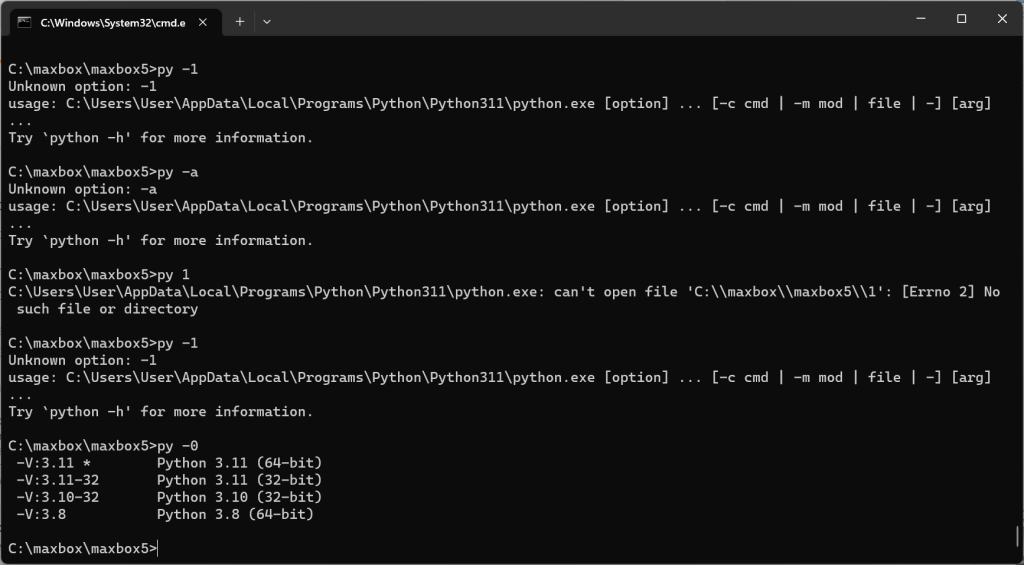
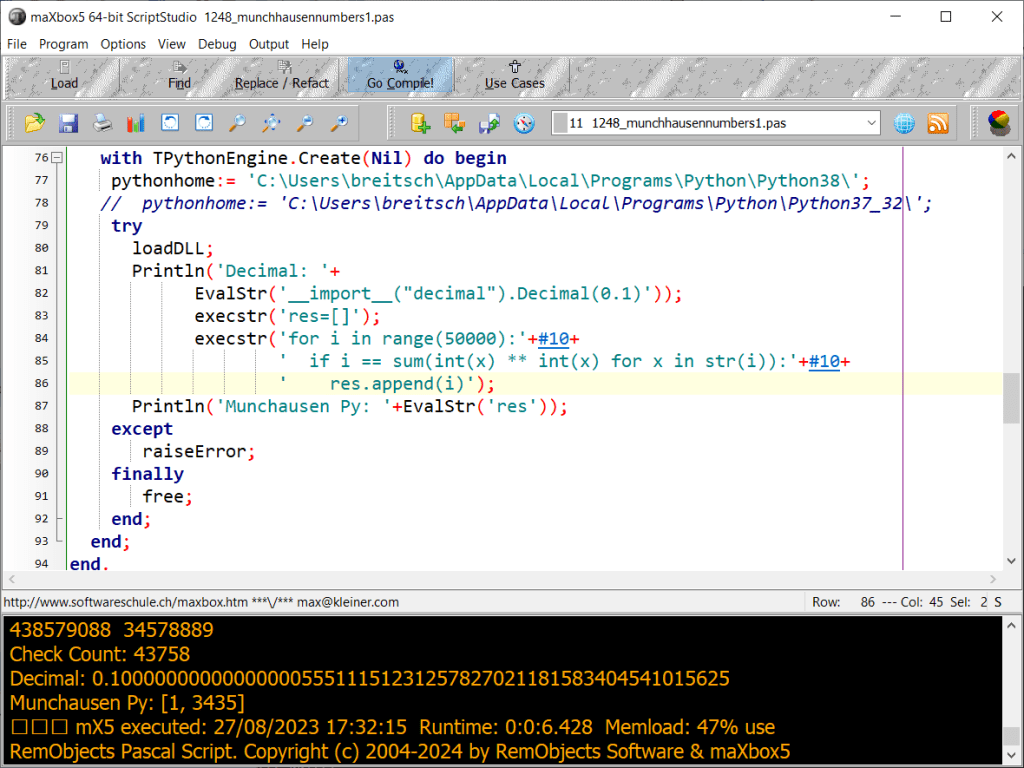
Also we tested Python 3.11.0. Release Date: Oct. 24, 2022. This is the stable release of Python 3.11.0. Python 3.11.0 is the newest major release of the Python programming language, and it contains many new features and optimizations.
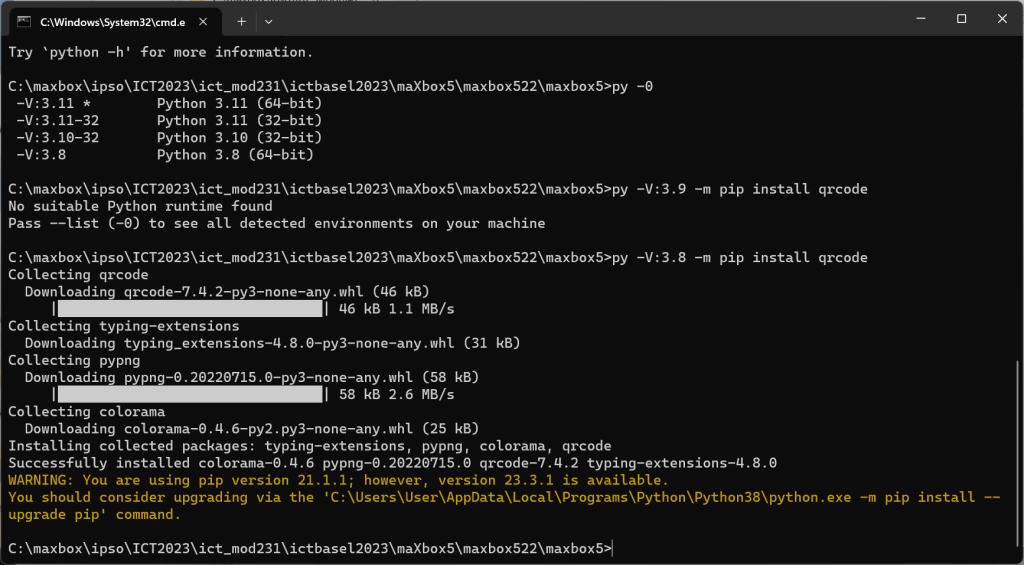
Const  PYHOME64 = 'C:\Users\user\AppData\Local\Programs\Python\Python311\';
  PYDLL64  = 'C:\Users\user\AppData\Local\Programs\Python\Python311\python311.dll';

eng.Execstr('import qrcode as pyqr');
     //eng.Execstr('import random as rand');
      eng.Execstr(QRCODE);
      eng.Execstr('Qrcode_Maker("https://maxbox4.wordpress.com/")');
      // eng.Execstr('Qrcode_Maker("https://www.medium.com/")');
      OpenDoc(exepath+'qrcodemx45.png');   //}
Some of the new major new features and changes in Python 3.11 are: General changes 1. PEP 657 — Include Fine-Grained Error Locations
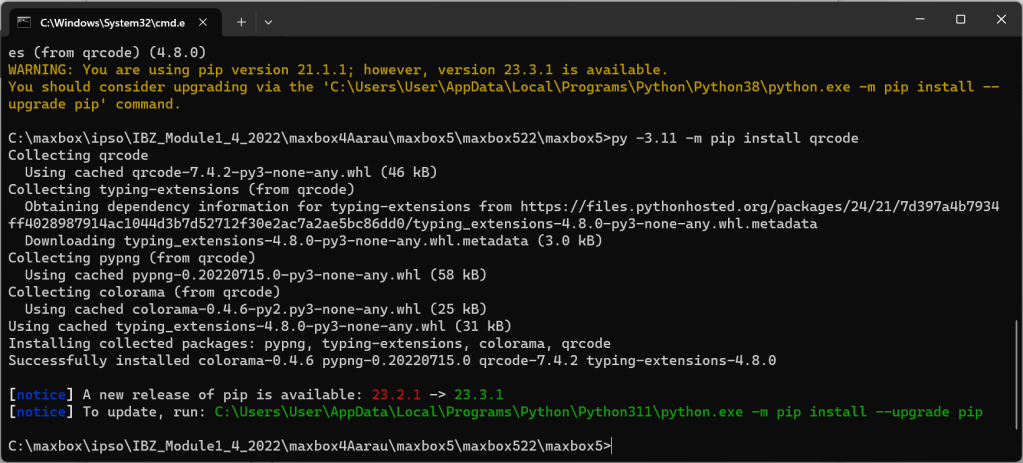
C:\maxbox\ipso\IBZ_Module1_4_2022\maxbox4Aarau\maxbox5\maxbox522\maxbox5>py -3.11 -m pip install qrcode
Collecting qrcode
Using cached qrcode-7.4.2-py3-none-any.whl (46 kB)
Collecting typing-extensions (from qrcode)
Obtaining dependency information for typing-extensions from https://files.pythonhosted.org/packages/24/21/7d397a4b7934ff4028987914ac1044d3b7d52712f30e2ac7a2ae5bc86dd0/typing_extensions-4.8.0-py3-none-any.whl.metadata
Downloading typing_extensions-4.8.0-py3-none-any.whl.metadata (3.0 kB)
Collecting pypng (from qrcode)
Using cached pypng-0.20220715.0-py3-none-any.whl (58 kB)
Collecting colorama (from qrcode)
Using cached colorama-0.4.6-py2.py3-none-any.whl (25 kB)
Using cached typing_extensions-4.8.0-py3-none-any.whl (31 kB)
Installing collected packages: pypng, typing-extensions, colorama, qrcode
Successfully installed colorama-0.4.6 pypng-0.20220715.0 qrcode-7.4.2 typing-extensions-4.8.0[notice] A new release of pip is available: 23.2.1 -> 23.3.1
[notice] To update, run: C:\Users\User\AppData\Local\Programs\Python\Python311\python.exe -m pip install –upgrade pip
C:\maxbox\ipso\IBZ_Module1_4_2022\maxbox4Aarau\maxbox5\maxbox522\maxbox5>
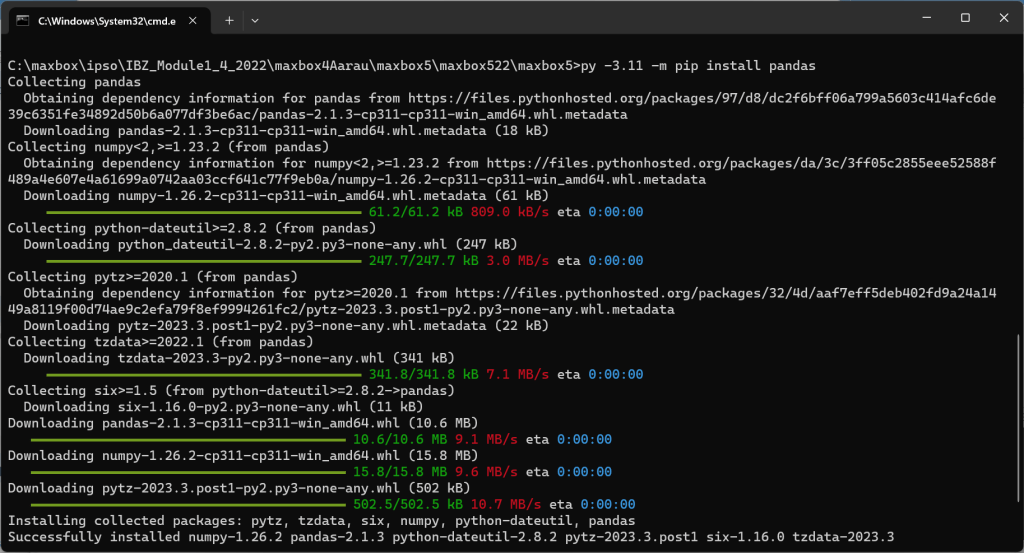
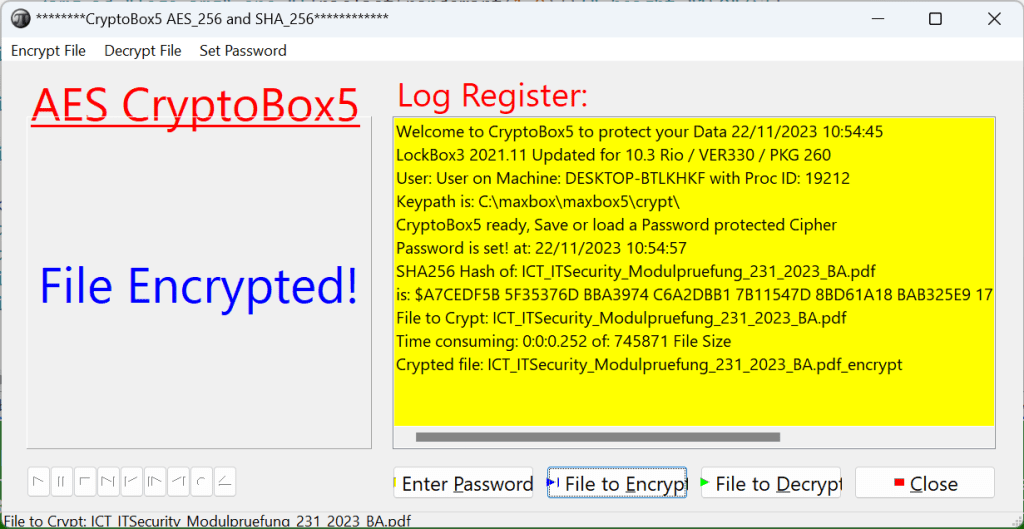
64bit crypto box
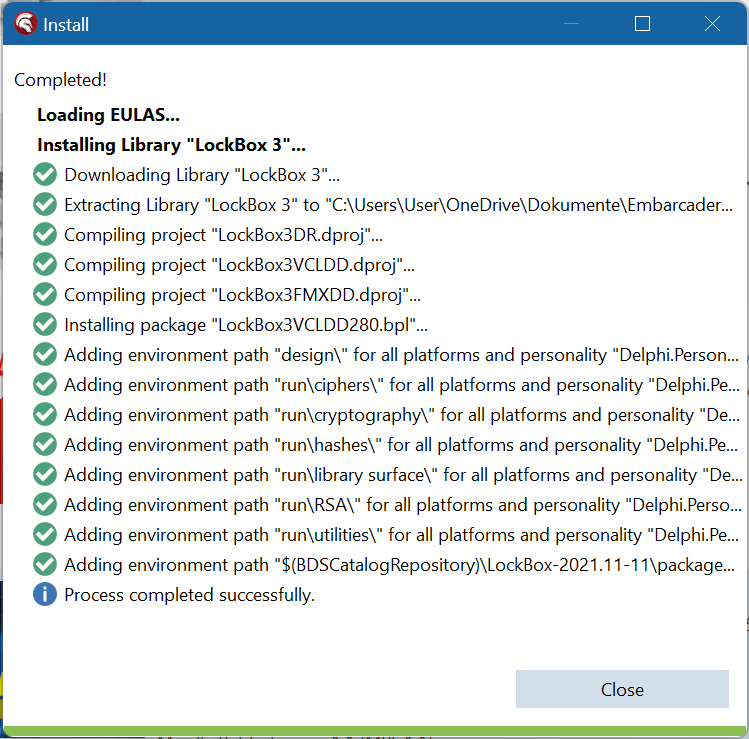
LockBox3 is a Delphi library for cryptography.
It provides support for AES, DES, 3DES, Blowfish, Twofish, SHA, MD5, a variety of chaining modes, RSA digital signature and verific…
This is a source-only release of TurboPack LockBox3. It includes designtime and runtime packages for Delphi and C++Builder and supports VCL, FMX, Win32, Win64, macOS, iOS, and Android.
I not updated the complete libary
FastCode move and fillchar are included within SynCommons.pas.
You can get rid of it, by commenting the corresponding lines in the initialization block of this unit.
Under new versions of the framework, you have a conditional setting to disable it.
SynPDF was not tied to SynCommons.pas at the beginning, but a lot of duplicated code did appear between the two units. So a call to move and fillchar raises a AV.
Since SynCommons.pas is optimized for speed, and unit tested, we rather rely on it.
SmartLinking won’t make it big in your exe: logging and all the other won’t be part of it.

TurboPack LockBox3 is available via the GetIt Package Manager where you can quickly and easily install and uninstall it.
To manually install TurboPack LockBox3 into your IDE, take the following steps:
- Unzip the release files into a directory (e.g.,
d:\lockBox3). - Start RAD Studio.
- Add the source directory (e.g.
d:\lockBox3\runand all the subdirectories) to the IDE’s library path. For C++Builder, add the hpp subdirectory (e.g.,d:\lockBox3\source\hpp\Win32\Release) to the IDE’s system include path. - Open & install the designtime package specific to the IDE being used. The IDE should notify you the components have been installed.
debug the debugger


maXbox5 1176_APILayer_Demo64.txt Compiled done: 02/12/2023 19:27:52
debug size: 10146
{“lang”: “en”, “all_text”: “A\n\”SCHWEIZERHOF\nVICTORIA\n10000\nL\nU”, “annotations”: [“A”, “\””, “SCHWEIZERHOF”, “VICTORIA”, “10000”, “L”, “U”]}
mX5 executed: 02/12/2023 19:27:53 Runtime: 0:0:3.719 Memload: 80% use
 Code Blog
https://github.com/breitsch2/Solder-Paste-Dispenser
LikeLiked by 1 person
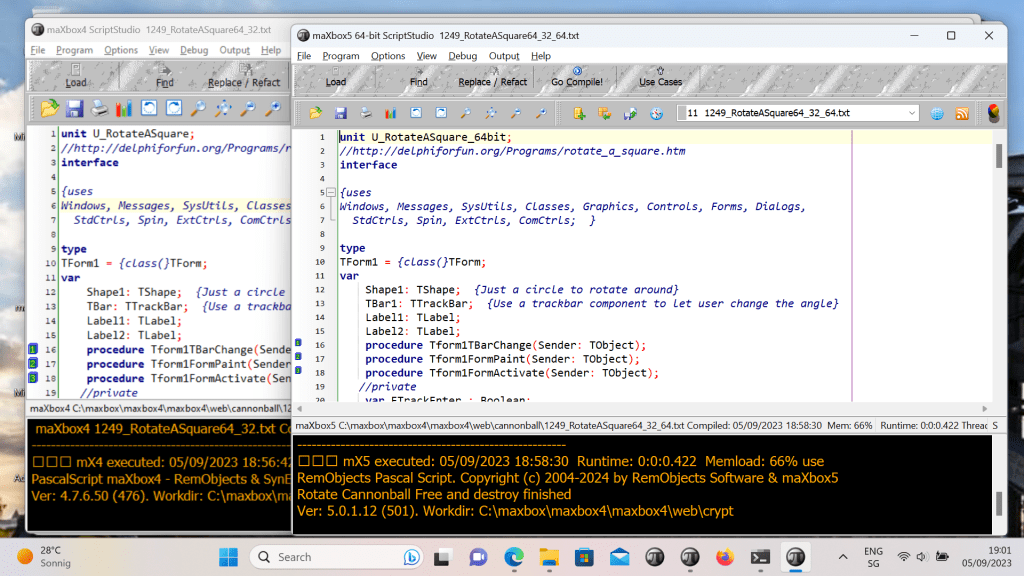
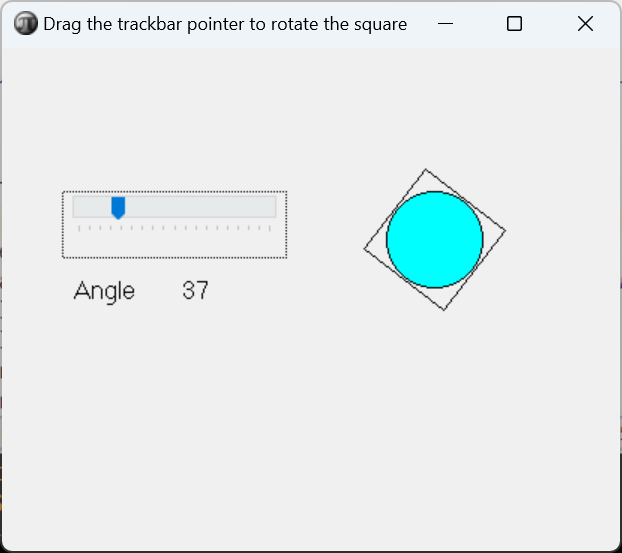
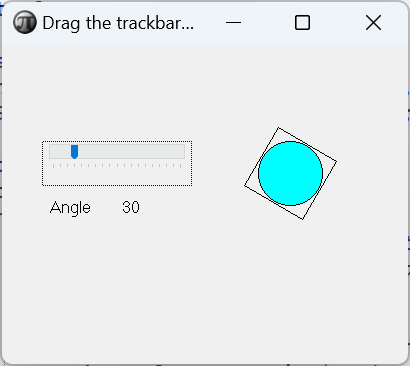
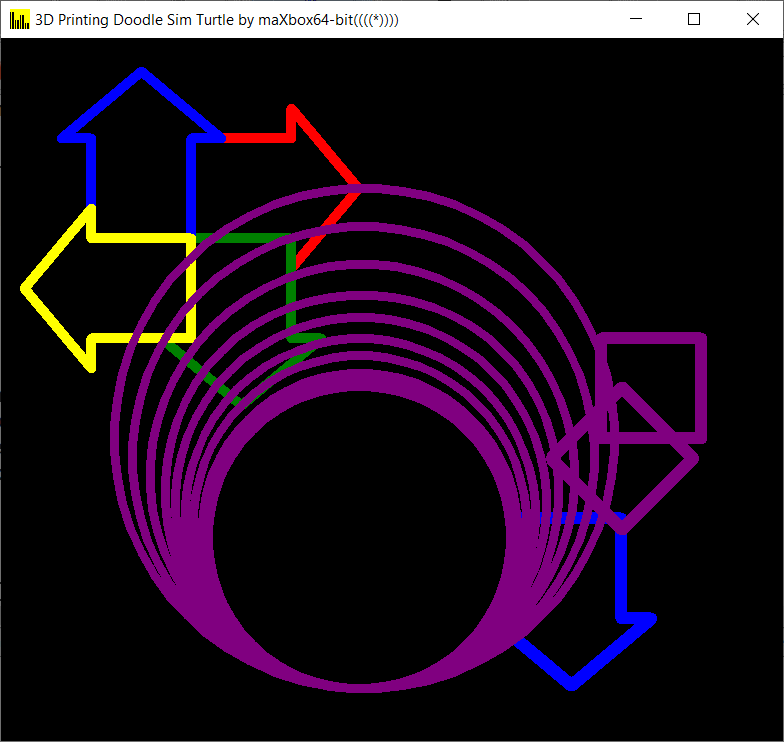
See also : https://sourceforge.net/projects/maxbox/files/Examples/13_General/1249_RotateASquare64_32.txt/download
LikeLike
What resources? Memory? 64-bit will give you a greater addressable address space, that’s it. It won’t give you more GDI handles, etc, if those count as resources. However, if you truly do need more memory, then 64-bit will be worth converting to.
“More speed”, if you want a big difference, is more likely to be achieved through algorithmic or threading changes than through a 64-bit compiler.
“My customers are also asking me about a x64 version of my app, but I really do not understand why they are asking for it, because they are actually lawyers who have no idea what is a 64 bits application.” Chances are they’ve heard that 64-bit is better or faster. In an ideal world, customers would have reality-based requirements, but this isn’t always the case. Pragmatically speaking if the customer wants something like this, it may be worth converting simply because it makes them happy: happy customers are good, and they may pay you for the new version, and it may help your company’s word-of-mouth reputation.
LikeLike
For me, the main use for 64 bit windows is that native 64 bit applications written in Delphi can make shell extensions, usable with the 64 bit windows explorer, and 64 bit DLLs and COM objects, that are living in the native Win64 world instead of in the Win32 (WOW) bubble, which is in fact, a virtual win32 environment. As time goes by, the list of handicaps incurred by only having a Win32 app will become larger and larger, as the Win64 world will eventually probably become more common and every-day than 32 bit apps. Delphi has to provide both 64 and 32 bit.
LikeLike