maXbox Starter 119 — Get a different step Solution.
origin from: https://maxkleiner1.medium.com/multicode-programming-4e476ebc6004
“Code behaves like recording — recoding from brain to tool.
Source: 393_QRCode5_64TXT_211_7_tutor119_2.TXT
softwareschule.ch/examples/qrcode8.txt
Sometimes life is like playing with us: You write some code that solves a problem, and then someone comes along and makes the problem harder. Here’s how to continuously integrate new solutions without having to rewrite your old solutions (as much).
Let’s start with a simple problem: You’ve written and testing a class that returns a QR-Code from a text line:
procedure QRCcode(apath:string; atext: string);
var aQRCode: TDelphiZXingQRCode; QRCodBmp: TBitmap; Jpg: TJpegImage;
    Row,Column,err: Integer; res: Boolean; //HRESULT;
    var form1: TForm;
begin
  aQRCode:= TDelphiZXingQRCode.Create;
  QRCodBmp:= TBitmap.Create;
  form1:= getform2(700,500,123,'QR Draw PaintPerformPlatform PPP5');
  try
    aQRCode.Data:= atext;
    aQRCode.Encoding:= qrcAuto; //TQRCodeEncoding(cmbEncoding.ItemIndex);
    //aQRCode.QuietZone := StrToIntDef(edtQuietZone.Text, 4);
    QRCodBmp.SetSize(aQRCode.Rows, aQRCode.Columns);
    for Row:= 0 to aQRCode.Rows- 1 do
      for Column:= 0 to aQRCode.Columns- 1 do begin
        if (aQRCode.IsBlack[Row, Column]) then
          QRCodBmp.Canvas.Pixels[Column,Row]:= clBlack
        else
          QRCodBmp.Canvas.Pixels[Column,Row]:= clWhite;
      end;
aQRCode:= TDelphiZXingQRCode.Create;
QRCodBmp:= TBitmap.Create;
form1:= getform2(700,500,123,’QR Draw PaintPerformPlatform PPP5′);
try
aQRCode.Data:= aTextline;
aQRCode.Encoding:= qrcAuto; //TQRCodeEncoding(cmbEncoding.ItemIndex);
That class is currently used by a single application in a scripting environment. Inside the class you might have Delphi.VCL Java.FX or ADO.NET code or LINQ/Entity Framework code, but either way, you’re accessing an internal component on your operating system on your desktops hard-disk.
Then you realize that, because your component data/algorithm doesn’t change very often, as long as you don’t update or rebuild your component, so your are not up to date with newer features like encoding or error correcting level.
This leads to a second solution of an external service call like Google Chart Tools. Using the Google Chart Tools / Image Charts (aka Chart API) you can easily generate QR-codes, this kind of images are a special type of two-dimensional barcodes. They are also known as hard-links or physical world hyperlinks.
The Google Chart Tools also let you generate QR-code images using an HTTP POST or short messages. All do you need to generate a Qr-Code is make a get request to this URI:
http://chart.apis.google.com/chart?chs=200×200&cht=qr&chld=M&chl=Text
So we parametrize this URI1 for a get request call:
Const
URLGoogleQRCODE=’https://chart.apis.google.com/chart? chs=%dx%d&cht=qr&chld=%s&chl=%s’;
The API requires 4 simple fields be posted to it:
cht=qr this tells Google to create a QR code;
chld=M the error correction level of the QR code (more later);
chs=wxh the width and height of the image to return (e.g. chs=250×250);
chl=text the URL encoded text to be inserted into the qr-code.
As the URL is https with a certificate, an application can identify himself and authenticate himself to any organization trusting the third party.
The second thing to consider is that (I assume) if the web service object is working right we can compare the resulting picture with the first solution. So lets make the call with WinInet Win-API:
const   QDATA= 'https://maxbox4.wordpress.com/';

Type TQrImage_ErrCorrLevel=(L,M,Q,H);

//1. WinInet -Win API
procedure GetQrCodeInet(Width,Height:Word; C_Level,apath:string;const Data:string);
var encodURL: string;
    pngStream: TMemoryStream;
begin
  encodURL:= Format(URLGoogleQRCODE,[Width,Height, C_Level, HTTPEncode(Data)]);
  pngStream:= TMemoryStream.create;
  HttpGet(encodURL, pngStream);   //WinInet
  {with TLinearBitmap.Create do try
    //LoadFromStream2(pngStream,'PNG');
    //SaveToFile(apath);  }
  try
    pngStream.Position:= 0;
    pngStream.savetofile(apath);
    sleep(500);
    OpenDoc(apath);
  finally
    //Dispose;
    pngStream.Free;
  end;
end;
And the call with wininet:
GetQrCodeInet(150,150,’Q’,ExePath+’examples\’+AFILENAME,QData);
sleep(500);
writeln(‘SHA1 ‘+sha1(ExePath+AFILENAME)); //}//SHA1 FE526D46BA48DFD820276872C969473A7B7DE91C
You should be able to see the content of the file with OpenDoc(apath); and we pass AFILENAME= ‘mX5QRCode5.png’;

So what’s the meaning of the SHA1 hash? For this we compare with a third solution of internet-call with the Indy10 framework. In comparison with Wininet as the internal WinAPI library, Indy is an external library also based on OpenSSL and we compare the result to get the same hash:
procedure GetQrCodeIndy(Width,Height: Word; C_Level,apath: string;
const Data: string);
var encodURL: string; end;
//2. Indy 10 Socks Lib -GoogleAPI
procedure GetQrCodeIndy(Width,Height: Word; C_Level,apath: string; const Data: string);
var encodURL: string;
    idhttp: TIdHttp;// THTTPSend;
    pngStream: TMemoryStream;
begin
  encodURL:= Format(URLGoogleQRCODE,[Width,Height,C_Level, HTTPEncode(Data)]);
  idHTTP:= TIdHTTP.Create(NIL)
  pngStream:= TMemoryStream.create;
  idHTTP.Get1(encodURL, pngStream)
  //writeln(idHTTP.Get(encodURL));
    //Exception: if not Dll-Could not load SSL library. at 827.447
   try
    pngStream.Position:= 0;
    writeln(itoa(pngStream.size));
    pngStream.savetofile(apath);
    sleep(500);
    OpenDoc(apath);
  finally
    idHTTP.Free
    idHTTP:= Nil;
    pngStream.Free;
  end;
end;
As I said we need two DLLs to support the OpenSSL lib; provided OpenSSL is installed in your system. The call arguments are the same so we get the same hash back:
GetQrCodeIndy(150,150,’Q’,ExePath+’examples\’+AFILENAME,QData);
sleep(500);
writeln(‘SHA1 ‘+sha1(ExePath+AFILENAME)); //}intern: FE526D46BA48DFD820276872C969473A7B7DE91C
SHA1 FE526D46BA48DFD820276872C969473A7B7DE91C
openssl pkcs12 -info -in filename.p12
In cryptography, PKCS #12 defines an archive file format for storing many cryptography objects as a single file. It is commonly used to bundle a private key with its X.509 certificate or to bundle all the members of a chain of trust.
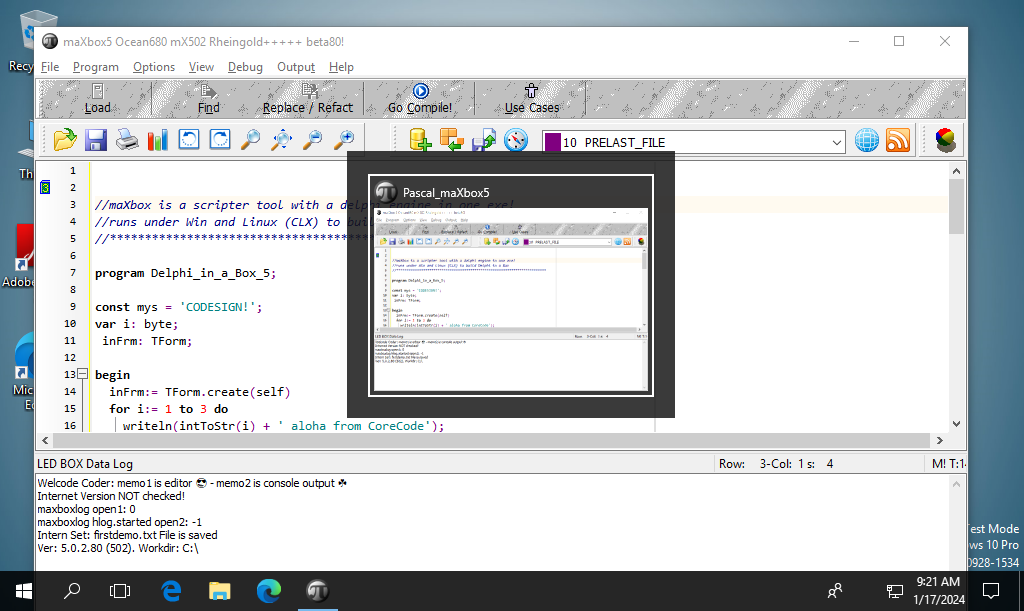
pic1: tutor119_signobjectscreen_6.png
You can either sign files out of a working directory, or you can place them in your Windows SDK\bin folder or key store.
Source Organisation for Multicode
This separation of now three solutions is reflected in a number of ways. The most important distinction is that the code schema for developers in the script division has now 3 folding sections and can be different from a current configuration design:
1. Solution 1 with the internal class needs no https and component.
2. Solution 2 is dependent from external Google API and based on internal OS WinInet.
3. Solution 3 is also dependent on Google but has its own internet
suite as Indy 10 but dependent on OpenSSL.
This we should consider and document in our source code repository:
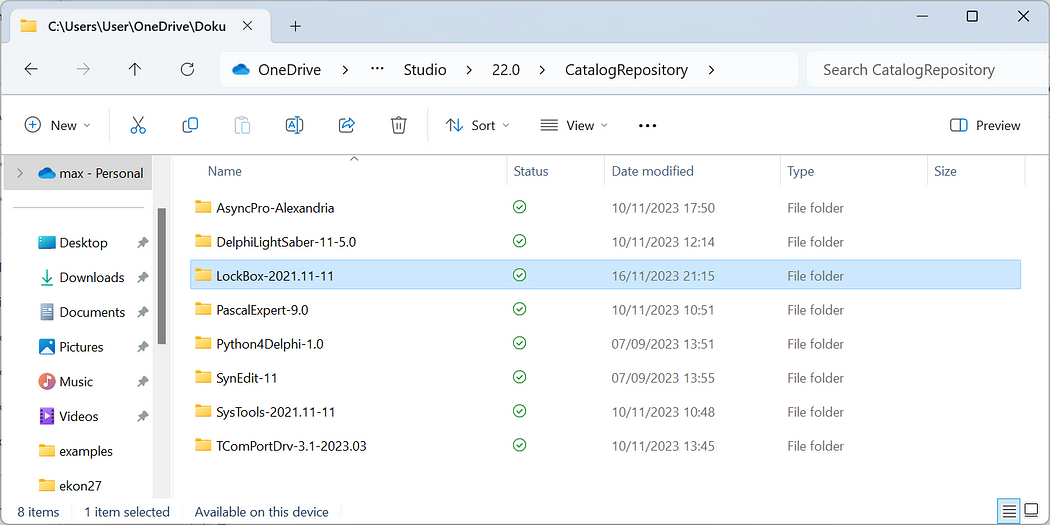
pic2: tutor119_catrepo.png
The interesting point is to know where the code is running and how it is stored in the executable or script itself. Embedding Wininet as one function is nice: HttpGet(encodURL, pngStream); //WinInet, but you don’t have the flexibility to change for example request- or response-headers of the external web service you consume, so we test a forth solution in detail also to debug with more verbosity:
//4. Internal Class mXLib5 -GoogleAPI
procedure GetQrCodeWininetClass(Wid,Hei:Word; C_Level,apath:string; const Data:string);
var httpR: THttpConnectionWinInet;
procedure GetQrCodeWininetClass(Wid,Hei:Word; C_Level,apath:string; const Data:string);
var httpR: THttpConnectionWinInet;
    ms: TMemoryStream;
    heads: TStrings; iht:IHttpConnection; //losthost: THTTPConnectionLostEvent;
begin
  httpr:= THttpConnectionWinInet.Create(true);
  ms:= TMemoryStream.create;
  try
    //iht:= httpRq.setHeaders(heads);
    httpR.Get(Format(URLGoogleQRCODE,[Wid,Hei,C_Level,HTTPEncode(Data)]),ms);
    //httpRq.setRequestheader('x-key',aAPIkey);
    if httpr.getresponsecode=200 Then begin
      ms.Position:= 0;
      ms.savetofile(apath);
      sleep(500);
      OpenDoc(apath)
    end Else writeln('Failed responsecode:'+
                                   itoa(HttpR.getresponsecode));
  except
    //writeln('Error: '+HttpRq.GetResponseHeader(''));
    writeln('EHTTP: '+ExceptiontoString(exceptiontype, exceptionparam));
  finally
    httpr:= Nil;
    ms.Free;
  end;
end;
Therefore we can or must parametrize the handler procedure, in order to have a possibility of indicating the type of request.
This is the good old Wininet API but this time as an object oriented class with methods and attributes, for example to check the response code of the get request. Also in this mapped import library we get the same hash: intern: FE526D46BA48DFD820276872C969473A7B7DE91C
My goal in refactoring or recoding is to supply “enough engineering” to support the current problem without over-engineering a solution to some later problem that might never exist. Said it another way: A solution is never more complicated than the problem it’s solving. But you know it can be the other way round for example in cryptography: Simple problem but complex solution.
The fifth solution is tricky and only in an interpreted script possible, we call the second solution pre-compiled as one function.
5 Solutions Overview
- Internal QR-Component Class mXLib5 TDelphiZXingQRCode
- External call of script with procedure WinInet & Google API
- External call of script with Indy class & Google API
- Internal call of THttpConnectionWinInet class of external API
- Internal call direct in script (precompiled):
GetQrCode5(150,150,’Q’,QDATA, ExePath+AFILENAME);
The Mystery of solution 6 and 7
To be really independent from internal calls and run just on runtime a late binding solution can be considered.
Early (or static) binding refers to compile time binding as before and late (or dynamic) binding refers to runtime binding (for example when you use reflection or retyping).
Late binding uses CreateObject to create and instance of the application object, which you can then control. For example, to create a new instance of WinHttp.WinHttpRequest.5.1 using late binding in our sixth solution:
function QRCcodeOle(Wid,Hei:Word; C_Level,apath:string;
const Data:string): string;
var httpReq,hr: Olevariant; instream: IStream;
function QRCcodeOle(Wid,Hei:Word; C_Level,apath:string; const Data:string): string;
var httpReq,hr: Olevariant;  instream: IStream;
    jo: TJSON; strm :TMemoryStream;
begin
  httpReq:= CreateOleObject('WinHttp.WinHttpRequest.5.1');
  //jo:= TJSON.Create();
     hr:= httpReq.Open('GET',
                       format(URLGoogleQRCODE,[Wid,Hei,C_Level,HTTPEncode(Data)]))
    httpReq.setRequestheader('content-type','application/octet-stream');
    //httpReq.setRequestheader('Authorization','Bearer '+ CHATGPT_APIKEY2);
    if hr= S_OK then
         HttpReq.Send();
    strm:= TMemoryStream.create;
    If HttpReq.Status = 200 Then begin
       try
         //https://stackoverflow.com/questions/4938601/getting-an-istream-from-an-olevariant
         strm:= getmemStreamfromIStream2(HttpReq.responsestream);
         //getmemStreamfromIStream2file(hrstream, apath);
         writeln('responsestream size: '+itoa(strm.size));
         strm.savetoFile(apath)
         openFile(apath);
       except
         writeln('EHTTPex: '+ExceptiontoString(exceptiontype, exceptionparam));
       finally
         strm.free;
         httpreq:= unassigned;
       end;
    end;
end;
This solution is the load of an IStream from an OLE response stream as unknown variant type to a well known TMemoryStream in order to save the response stream to a file (in our example the binary QR-code image file as a *.png graphic image).
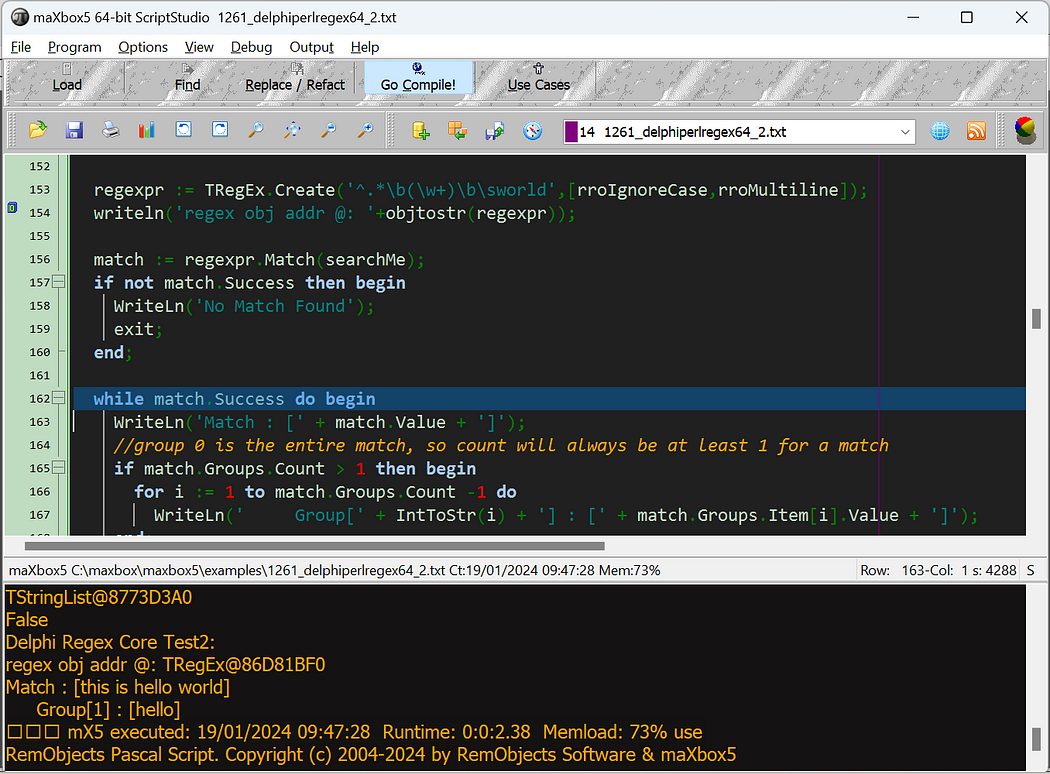
Pic3: tutor119_regex_multicod.png
The Crux is the getmemStreamfromIStream2 function. I was probably not aware of TOleStream at the time I wrote this answer. Looking at TOleStream now, I notice that it does not support 64-bit streams. This code does. Other than that, this code is almost identical to the code that TOleStream uses, with one only exception being that this code’s implementation of the Size property getter is more optimized than TOleStream‘s implementation is, and this code implements the size property setter whereas TOleStream does not. So we can combine the invoke call from HttpReq.responsestream to get a file in one function:
function getmemStreamfromIStream2File(avariant: variant;
                                      apath: string): Tmemorystream;
var instream: IStream; ostream: TStream;

begin
  instream:= IUnknown(avariant) as IStream;
  ostream:= TOleStream.Create(instream);
  result:= Tmemorystream.Create;
  try
    result.CopyFrom(OStream, OStream.Size);
    result.SaveToFile(apath)
  finally
    OStream.Free;
  end;
end;
And the last one as solution 7 catches everything from external even the language and library, its a Python for Delphi Solution (P4D):
procedure PYdigitQRCode;
procedure PYdigitQRCode;
begin
  with TPythonEngine.Create(Nil) do begin
    pythonhome:= 'C:\Users\user\AppData\Local\Programs\Python\Python312\';
    //SetPythonHome; //pythonpath
    OnPathInitialization:= @TPathInitialization;
    try
      loadDLL;
      //opendll(PYDLL64)
      execstr('import sys, os, json, qrcode');
      println(EvalStr('sys.version'));
      println(EvalStr('sys.executable'));
      execstr('qr=qrcode.QRCode(error_correction=qrcode.constants.ERROR_CORRECT_Q)');
      execstr('qrcode.make("'+QDATA+'").save(".\examples\'+AFILENAME+'")');
      // println('is posix '+EvalStr('lib_platform.is_platform_posix'));
    except
      raiseError;
    finally
      unloadDll;
      free;
    end;
  end; //with
end;
>>>3.12.1 (tags/v3.12.1:2305ca5, Dec 7 2023, 22:03:25) [MSC v.1937 64 bit (AMD64)]
As a standard install uses pypng to generate PNG files and can also render QR codes directly to the console. A standard install is just:
pip install qrcode;
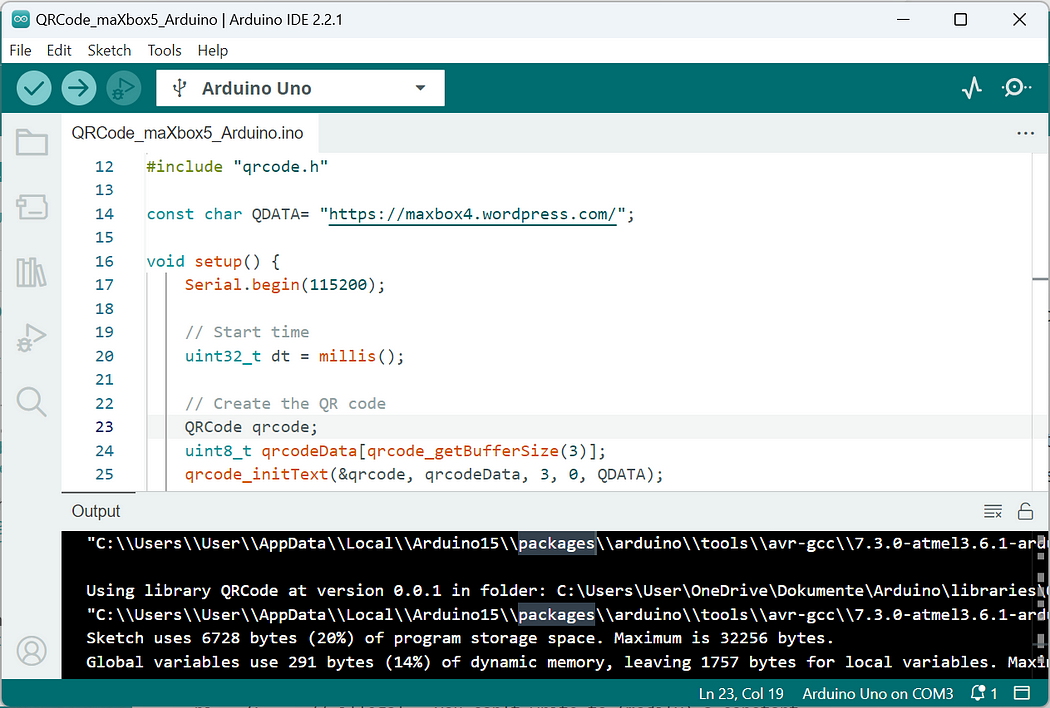
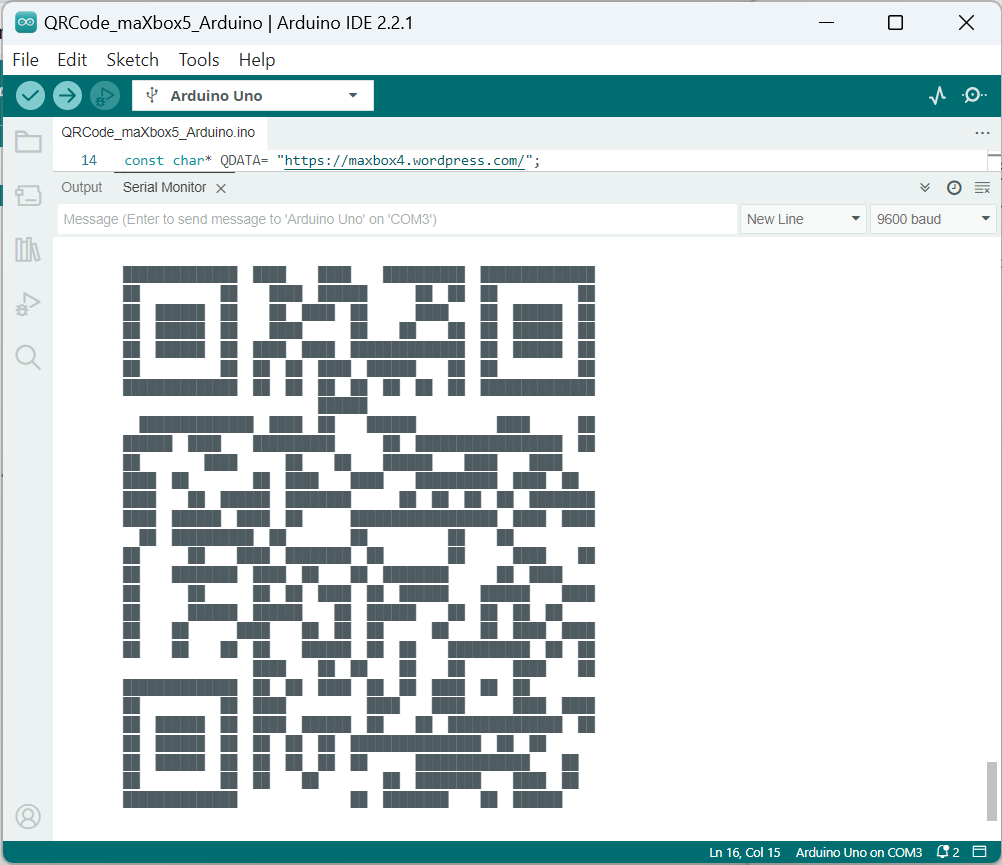
Just for the record, found another solution as solution eight with an Aduino Board to send the text and get an bitmap back (in this context below only as a serial monitor graph):
const char* QDATA= "https://maxbox4.wordpress.com/";

void setup() {
    Serial.begin(115200);
    // Start time
    uint32_t dt = millis();

    // Create the QR code
    QRCode qrcode;
    uint8_t qrcodeData[qrcode_getBufferSize(3)];
    qrcode_initText(&qrcode, qrcodeData, 3, 0, QDATA);

    // Delta time
    dt = millis() - dt;
    Serial.print("QR Code Generation Time: ");
    Serial.print(dt);
    Serial.print("\n");

    // Top quiet zone
    Serial.print("\n\n\n\n");

    for (uint8_t y = 0; y < qrcode.size; y++) {
        // Left quiet zone
        Serial.print("        ");
        // Each horizontal module
        for (uint8_t x = 0; x < qrcode.size; x++) {

            // Print each module (UTF-8 \u2588 is a solid block)
            Serial.print(qrcode_getModule(&qrcode, x, y) ? "\u2588\u2588":"  ");
        }
        Serial.print("\n");
    }
    // Bottom quiet zone
    Serial.print("\n\n\n\n");
}

void loop() {
}
Conclusion
When it comes to problem-solving, there are often multiple solutions that can be used to solve the same problem. The choice of solution depends on various factors such as performance, storage, correctness, implement-ation, simplicity, and also scaleability and security.
The Google Chart Tools (Chart API) also let you generate QR-code images using an HTTP POST call. A Quick Response code is a two-dimensional pictographic code used for its fast readability and comparatively large storage capacity.
Early binding refers to assignment of values to variables during design time whereas late binding refers to assignment of values to variables during run time as a concept of multicode programming. Implemented often using [special] dynamic types, introspection /reflection, flags and compiler options, or through virtual methods by borrowing and extending dynamic dispatching.
Script: softwareschule.ch/examples/qrcode8.txt
softwareschule.ch/examples/qrcode8.htm
Report as PDF: Multicoding Tutor (softwareschule.ch)
References:
Compiled Project:
https://github.com/maxkleiner/maXbox4/releases/download/V4.2.4.80/maxbox5.zip
Free Automated Malware Analysis Service — powered by Falcon Sandbox (hybrid-analysis.com)
Topic:
https://stackoverflow.com/questions/4938601/getting-an-istream-from-an-olevariant
Preparation:
openWeb(‘https://qreader.online/’);
The Mystery of IStream — Code Blog
Doc and Tool: https://maxbox4.wordpress.com
Max Kleiner 23/02/2024
1Uniform Resource Identifier


ODBC Access 64-bit
If you want to access a ODBC data link to 64-bit you will see only SQL-Server in ODBC administrator 64bit on Win 11.
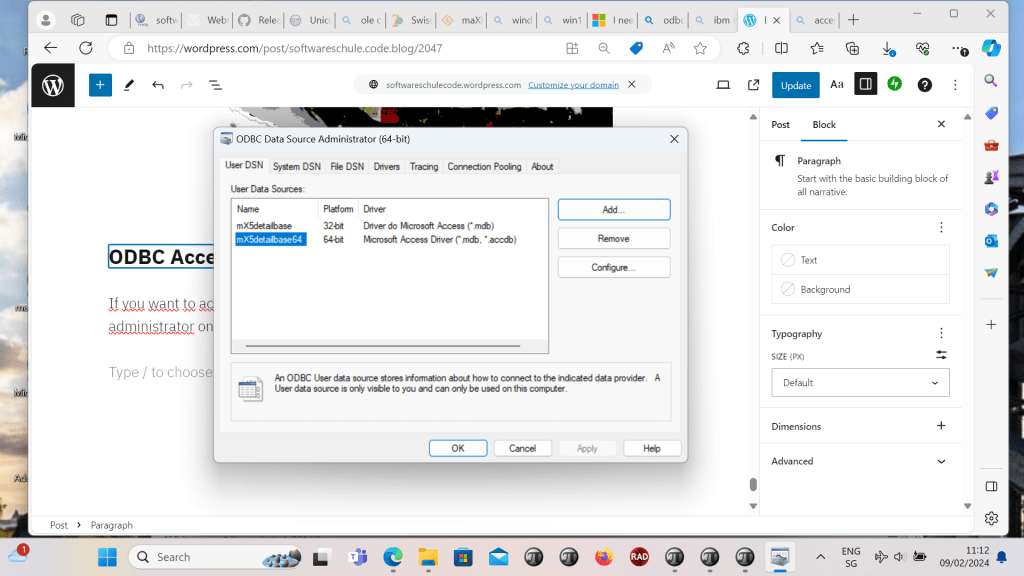
So you have to install 64bit drivers first :
To download the ODBC driver for ACCESS that allows you to open .accdb databases for Windows 11, you can follow these steps:
1. Visit the Microsoft Download Center https://support.microsoft.com/en-us/office/download-and-install-microsoft-365-access-runtime-185c5a32-8ba9-491e-ac76-91cbe3ea09c9
2. Look for the Microsoft Access Database Engine 2016 Redistributable.
3. Download the version that matches your system (32-bit or 64-bit). 4. After downloading, run the installer to install the ODBC driver.

Then you can build the data source name in maXbox5 go to /Options/ADO SQL Workbench with the connection string as the result below :
Provider=MSDASQL;Persist Security Info=False;Extended Properties=”DSN=mX5detailbase64;
DBQ=C:\maxbox\maxbox4\maxbox4\examples\detail.mdb;DriverId=25;FIL=MS Access;MaxBufferSize=2048;PageTimeout=5;UID=admin;”
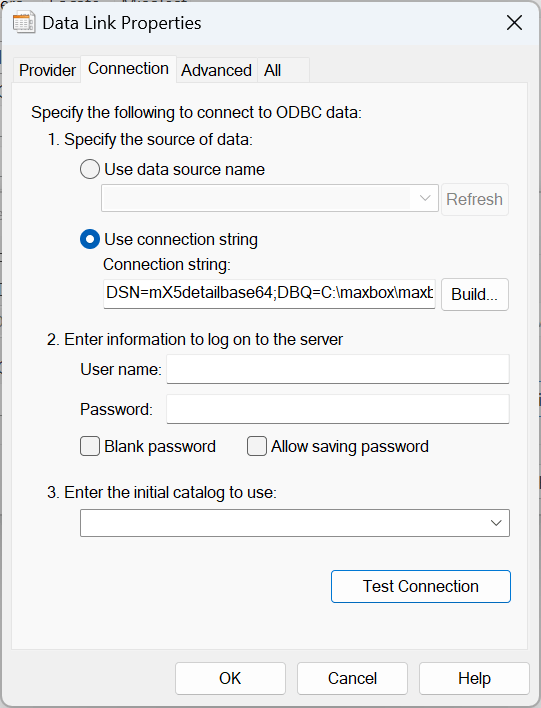
Then you test the connection and open Table1 in the viewer:
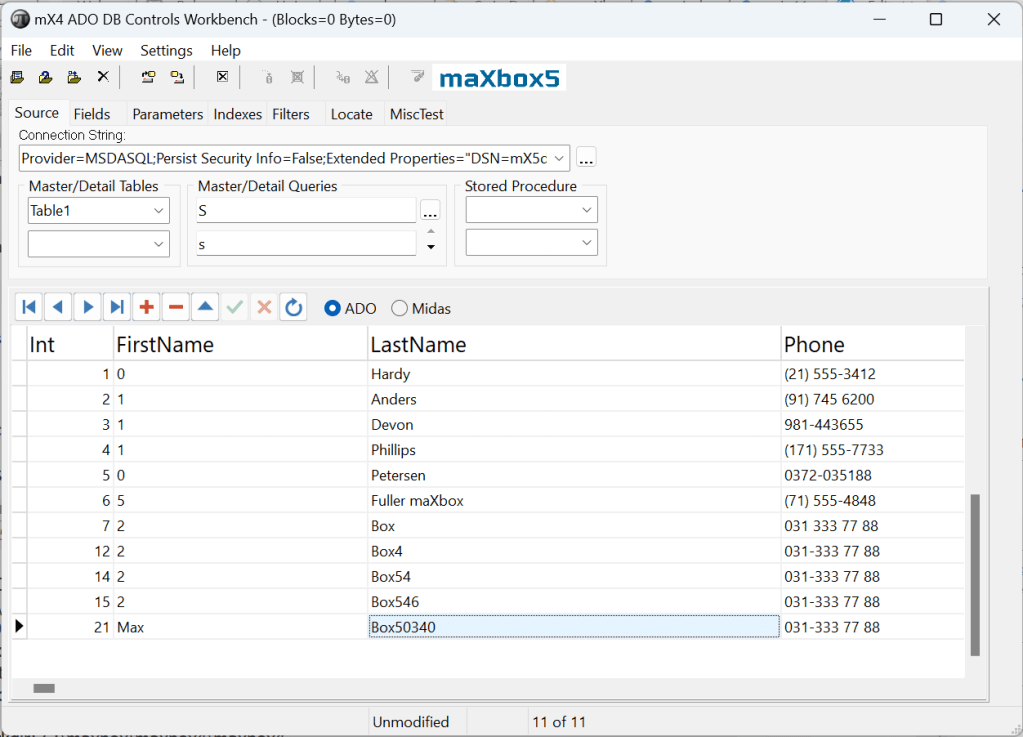
Microsoft ODBC Driver for Access and SQL Server is a crucial component for developing native-code applications that connect to SQL Server and Azure SQL Database. It provides runtime support for applications using native code APIs to establish connections with SQL Server.


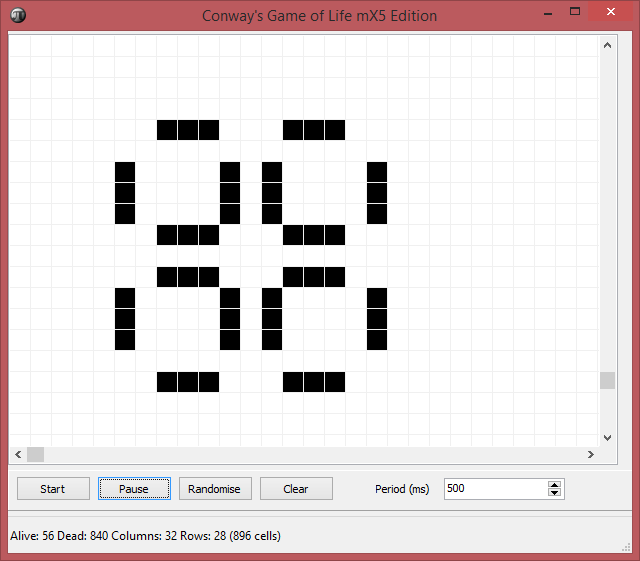
Game of Life Sequence


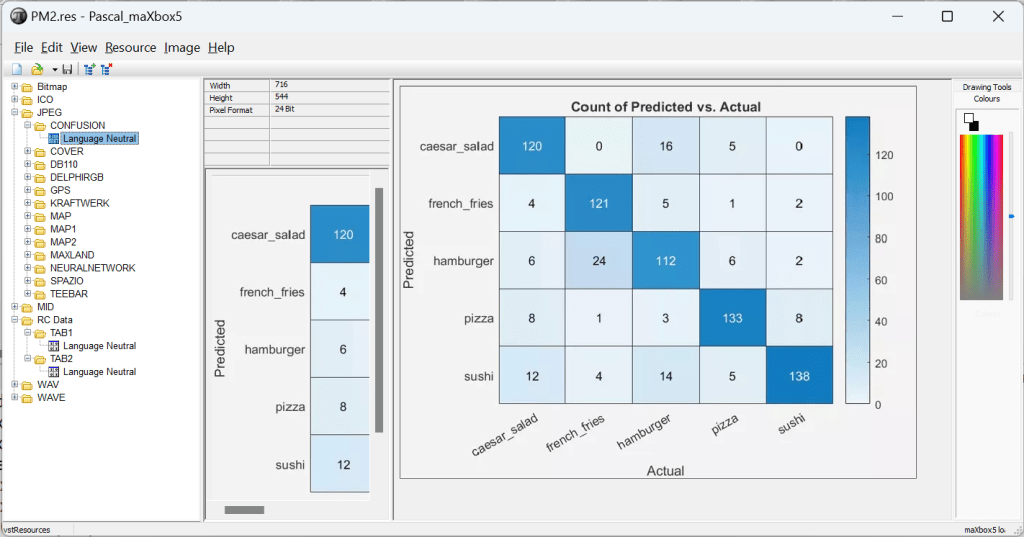
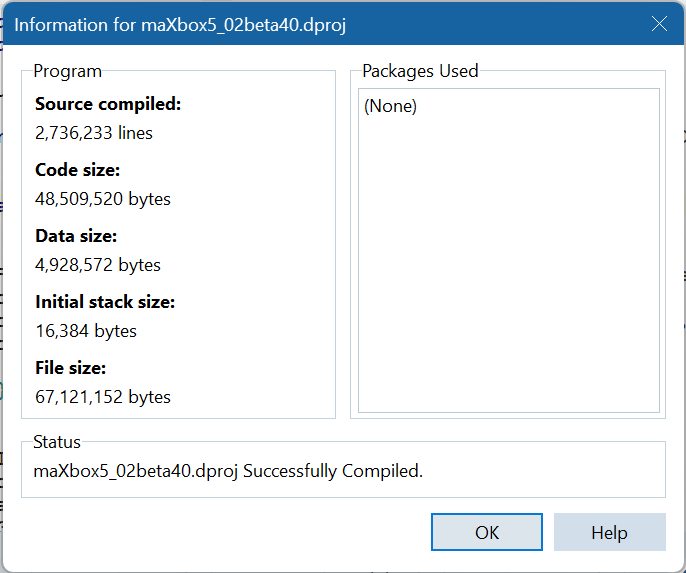
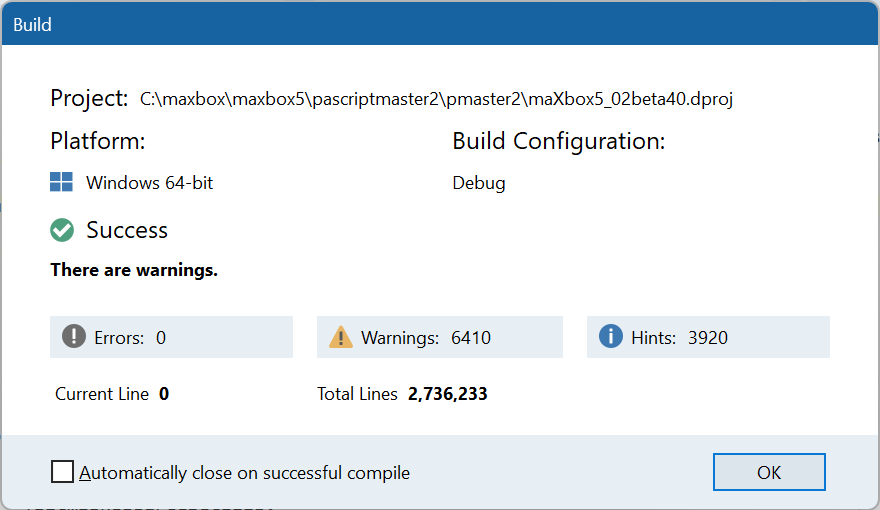
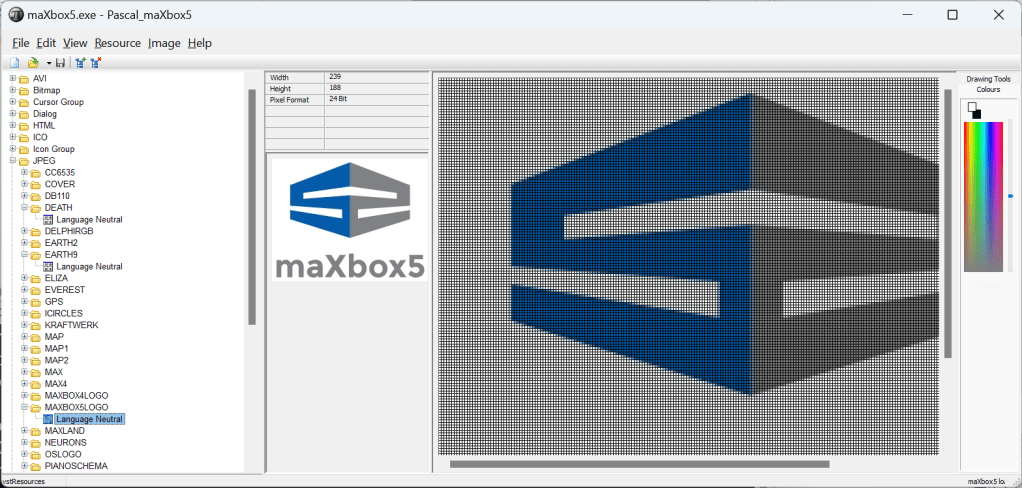
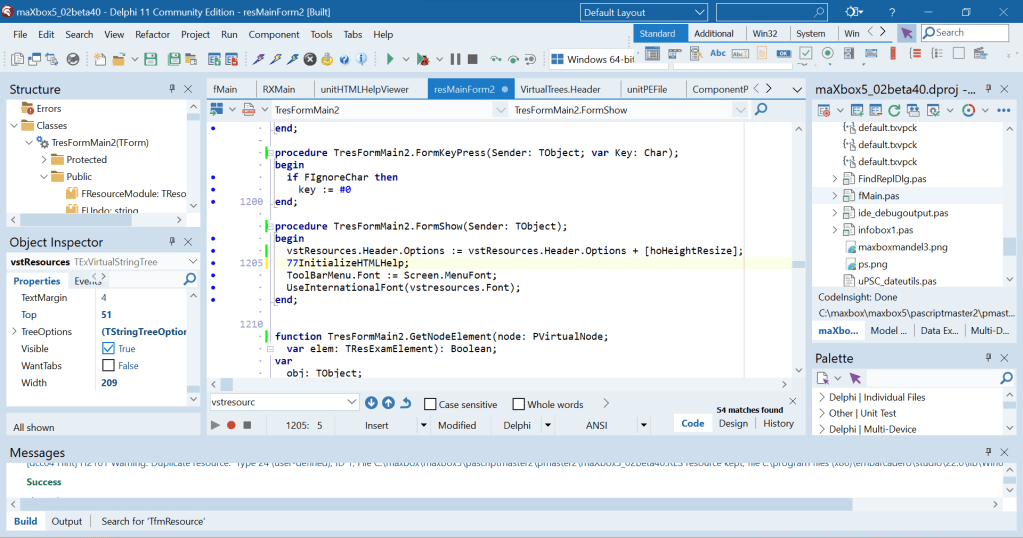
XN Resource Editor
Based on the latest publicly available sources of Colin Wilson’s XN Resource Editor.


(venv) C:\maxbox\bfh2023\bachmann_bfh.masthesis-1.0.0\bfh.masthesis-1.0.0>pytest -v
================================================= test session starts =================================================
platform win32 — Python 3.12.1, pytest-8.0.2, pluggy-1.4.0 — C:\maxbox\bfh2023\bachmann_bfh.masthesis-1.0.0\bfh.masthesis-1.0.0\venv\Scripts\python.exe
cachedir: .pytest_cache
rootdir: C:\maxbox\bfh2023\bachmann_bfh.masthesis-1.0.0\bfh.masthesis-1.0.0
plugins: cov-4.1.0
collected 31 items
tests/test_topology.py::test_parse_topology_xml PASSED [ 3%]
tests/test_topology.py::test_build_graph_from_dict PASSED [ 6%]
tests/test_topology.py::test_interpret_topo_elements PASSED [ 9%]
tests/test_topology.py::test_get_element___correct_existing_element PASSED [ 12%]
tests/test_topology.py::test_get_element___wrong_existing_element PASSED [ 16%]
tests/test_topology.py::test_get_element___non_existing_element PASSED [ 19%]
tests/test_topology.py::test_get_min_bkm_element___default_not_drawn PASSED [ 22%]
tests/test_topology.py::test_get_min_bkm_element___drawn_element PASSED [ 25%]
tests/test_topology.py::test_get_smaller_vp___vp1 PASSED [ 29%]
tests/test_topology.py::test_get_smaller_vp___vp2 PASSED [ 32%]
tests/test_topology.py::test_get_bigger_vp___vp1 PASSED [ 35%]
tests/test_topology.py::test_get_bigger_vp___vp2 PASSED [ 38%]
tests/test_topology.py::test_get_other_vp___vp1 PASSED [ 41%]
tests/test_topology.py::test_get_other_vp___vp2 PASSED [ 45%]
tests/test_topology.py::test_get_station PASSED [ 48%]
tests/test_topology.py::test_get_element_type PASSED [ 51%]
tests/test_topology.py::test_get_element_detail___G PASSED [ 54%]
tests/test_topology.py::test_get_element_detail___K PASSED [ 58%]
tests/test_topology.py::test_get_element_detail___W PASSED [ 61%]
tests/test_topology.py::test_get_neighbour_and_vp1 PASSED [ 64%]
tests/test_topology.py::test_get_verzweigung_vp___vp1 PASSED [ 67%]
tests/test_topology.py::test_get_verzweigung_vp___vp2 PASSED [ 70%]
tests/test_topology.py::test_set_drawn_y___vp1 PASSED [ 74%]
tests/test_topology.py::test_set_drawn_y___vp2 PASSED [ 77%]
tests/test_topology.py::test_set_connected___vp1 PASSED [ 80%]
tests/test_topology.py::test_set_drawn PASSED [ 83%]
tests/test_topology.py::test_are_all_elements_drawn PASSED [ 87%]
tests/test_topology.py::test_get_path_from_element_list___path1 PASSED [ 90%]
tests/test_topology.py::test_get_path_from_element_list___path2 PASSED [ 93%]
tests/test_topology.py::test_get_gleis_cp_map PASSED [ 96%]
tests/test_topology.py::test_test_get_cp_gleis_map PASSED [100%]
================================================= 31 passed in 0.51s ==================================================
(venv) C:\maxbox\bfh2023\bachmann_bfh.masthesis-1.0.0\bfh.masthesis-1.0.0>


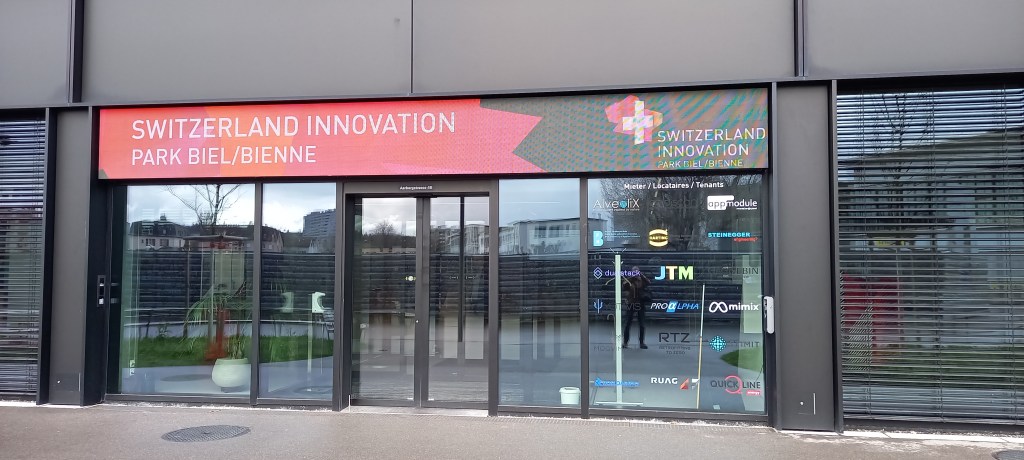
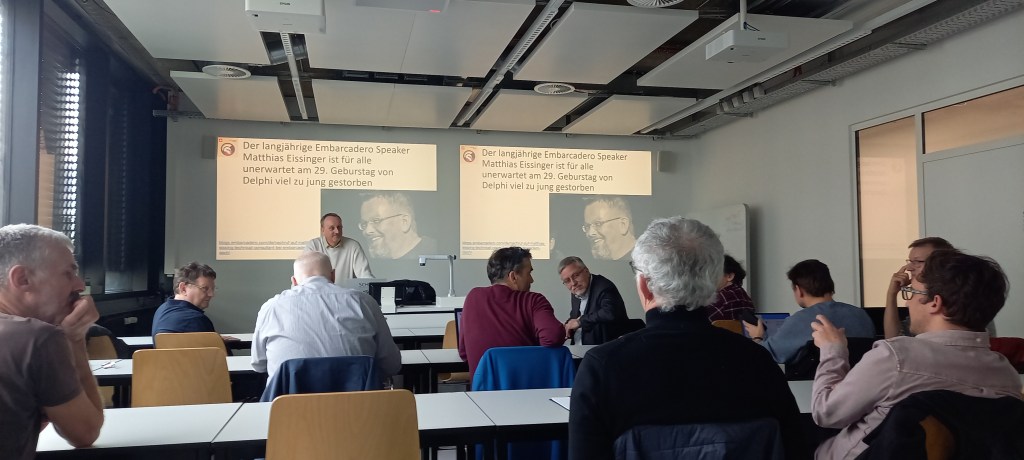
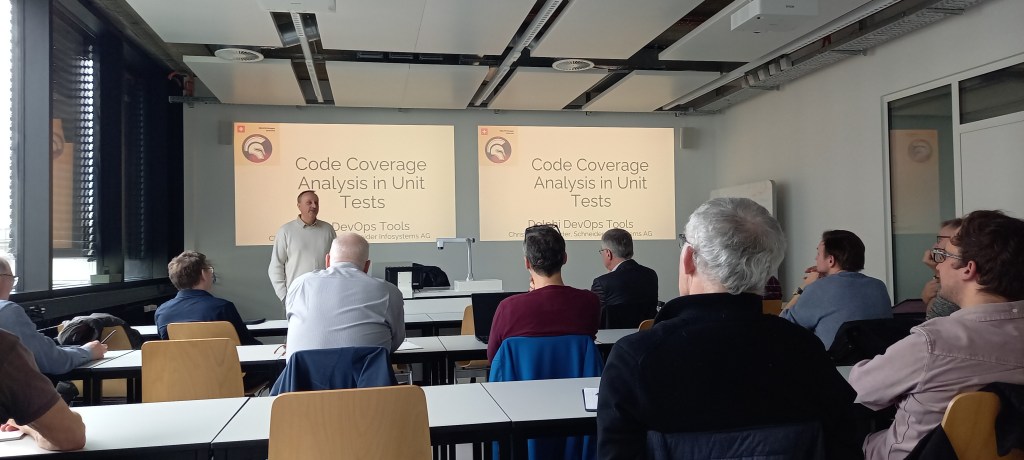
Delphi Day at BFH
20. Delphi-User-Treffen der Delphi Gruppe Schweiz. Presenters: Max Kleiner, Christoph Schneider, u.a. at 16/03/2024

















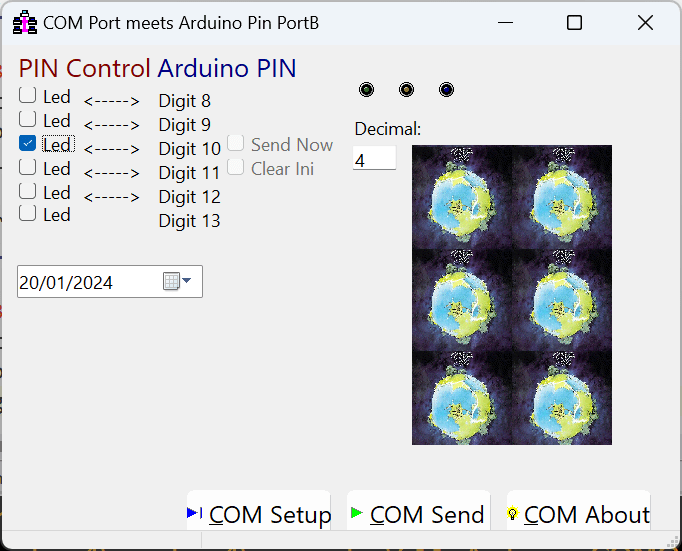
Binary Clock Rock
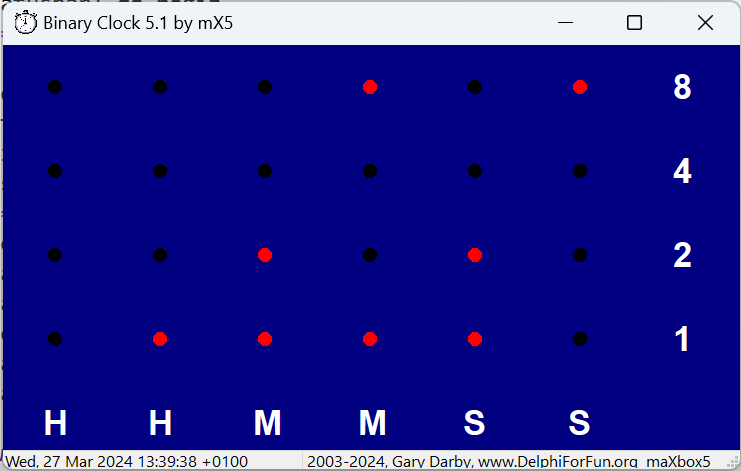
In our clock we are going to represent each of the six digits used for hours, minutes and seconds as a binary number. Since each number represents a single decimal digit, we will need 4 binary digits for each. The maximum number we can represent with three binary digits (bits) is 111 which is 4+2+1=7 and we will also need to show bit representation of 8 and 9, thus the need for four.
To match the hardware version of the clock, I represent the numbers vertically with the top LED representing “8” . So, using “light off” for 0 and “light on” for 1, the clock above represents 09:50:34.
| Binary Values | Decimal value of row | |||||
| 0 | 1 | 0 | 0 | 0 | 0 | “8” |
| 0 | 0 | 1 | 0 | 0 | 1 | “4” |
| 0 | 0 | 0 | 0 | 1 | 0 | “2” |
| 0 | 1 | 1 | 0 | 1 | 0 | “1” |
| H | H | M | M | S | S | |
| 0 | 9 | 5 | 0 | 3 | 4 | Decimal «– time |
The clock starts with the current system clock time and is updated every second. You may left click anywhere on the clock to start and stop it. Right mouse clicks will bring up a configuration panel with a number of options. You can change the background, LED, and label colors, set 12 or 24 hr. time formats, hide or display labels, etc.

{************** FormResize **************}
procedure TForm1FormResize(Sender: TObject);
{Recalculate clock display parameters when form size changes}
var rx,ry:integer;
begin
  cellwidth:=form1.clientwidth div 7;
  cellheight:=form1.clientheight div 5;
  offsetx:=cellwidth div 2;
  offsety:=cellheight div 2;
  rx:=form1.clientwidth div 50;
  ry:=form1.clientheight div 50;
  if rx>ry then radius:=ry else radius:=rx;
  form1.font.height:=cellheight div 2;
  LW:=form1.canvas.textWidth('H') div 2;
  LH:=form1.canvas.textheight('H') div 2;
end;
In this case, it is adequate just to call FormPaint from UpdateTime. We will be waiting for the next timer pop most of the time anyway, so there is plenty of time for windows to update the screen. Just for fun, I tried several other techniques and left them as comments in the code. The only noticeable difference is a slight flicker when Invalidate is used. I suppose because it erases the background before repainting the screen.
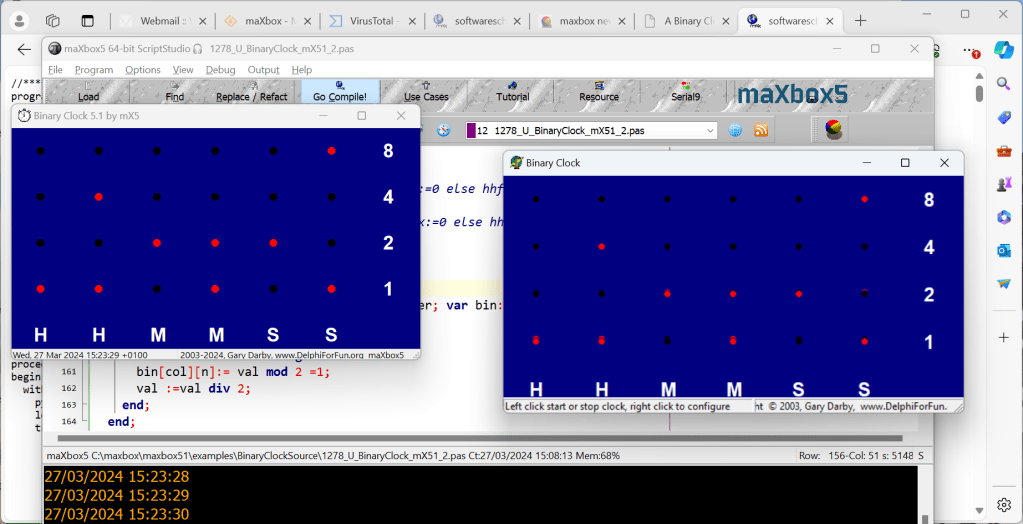
There is some confusion over the best way to update a form’s canvas. We can choose from calling FormPaint procedure directly, Invalidate, Update, Repaint.
http://delphiforfun.org/Programs/binary_clock.htm
procedure fmakebinary(val:integer; col:byte; var bin:TALed);
//array of array of boolean
 var n:integer;
  begin
    for n:= 3 downto 0 do begin
      bin[col][n]:= val mod 2 =1;
      val:= val div 2;
    end;
  end;
 Code Blog
News for all Delphi users in Switzerland
We are particularly pleased to welcome Christoph Schneider, a new Embarcadero MVP. Christoph is a committed Delphian and is already known to many as a speaker at numerous events.
His award also goes hand in hand with the activities of the Delphi User Group Switzerland, which has recently announced a new date for its meeting.
On Saturday, March 16, 2024, the team invites you to the University of Applied Sciences in Biel. Long-time EKON speaker and lecturer Max Kleiner is the host for this meeting. Of course, all participants are again invited to contribute to the meeting in order to make the agenda even more interesting.
LikeLike
Big Overview
All Issues | Blaise Pascal Magazine
LikeLike