
We call it AIM and this stands for Artificial Intelligence Machine.
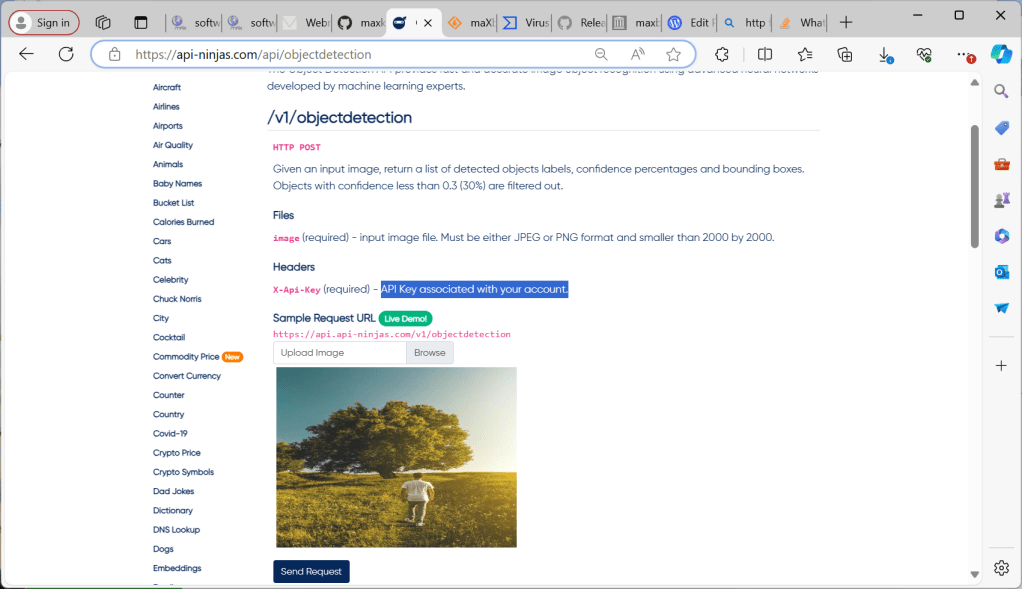
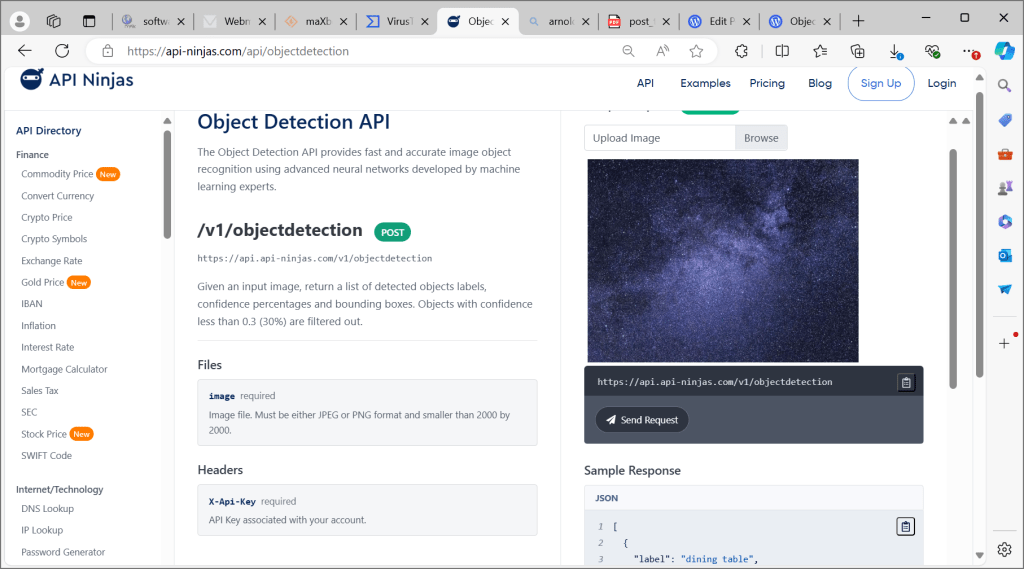
The Object Detection API provides fast and accurate image object recognition using advanced neural networks developed by machine learning experts.
https://api-ninjas.com/api/objectdetection
https://github.com/maxkleiner/HttpComponent
After you got you API-Key (API Key associated with your account) we need a httpcomponent of classes which are enable to post multipart-formdata-feed or streams. An HTTP multipart request is an HTTP request that HTTP clients construct to send files and data over to an HTTP Server. It is commonly used by browsers and HTTP clients to upload files to the server.
The content type “multipart/form-data” should be used for submitting forms that contain files, non-ASCII data, and binary data combined in a single body.
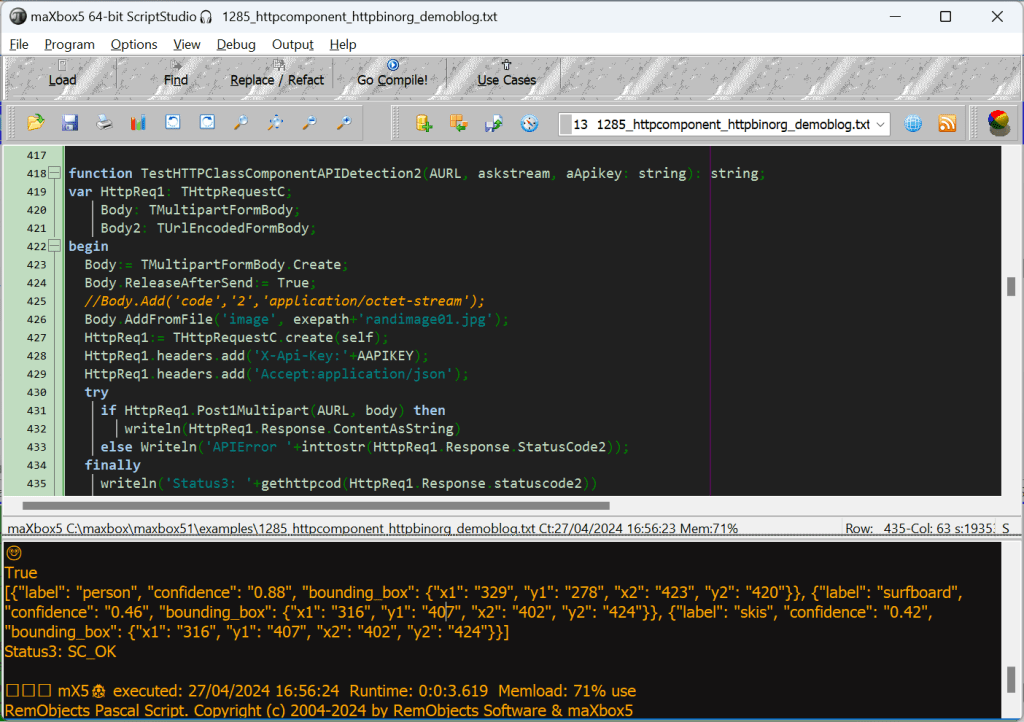
So a multipart request is a request containing several packed requests inside its entity and we can script that:
const URL_APILAY_DETECT = 'https://api.api-ninjas.com/v1/objectdetection/';

function TestHTTPClassComponentAPIDetection2(AURL, askstream, aApikey: string): string;
var HttpReq1: THttpRequestC;
    Body: TMultipartFormBody;
    Body2: TUrlEncodedFormBody;
begin
  Body:= TMultipartFormBody.Create;
  Body.ReleaseAfterSend:= True;
  //Body.Add('code','2','application/octet-stream');
  Body.AddFromFile('image', exepath+'randimage01.jpg');
  HttpReq1:= THttpRequestC.create(self);
  HttpReq1.headers.add('X-Api-Key:'+AAPIKEY);
  HttpReq1.headers.add('Accept:application/json');
  try
    if HttpReq1.Post1Multipart(AURL, body) then
       writeln(HttpReq1.Response.ContentAsString)
    else Writeln('APIError '+inttostr(HttpReq1.Response.StatusCode2));
  finally
    writeln('Status3: '+gethttpcod(HttpReq1.Response.statuscode2))
    HttpReq1.Free;
    sleep(200)
    // if assigned(body) then body.free;
  end;
end;

print(TestHTTPClassComponentAPIDetection2(URL_APILAY_DETECT,' askstream',N_APIKEY));
The result returns a return a list of detected objects labels, confidence percentages and bounding boxes. Objects with confidence less than 0.3 (30%) are filtered out.
🙂 True
[{“label”: “person“, “confidence”: “0.88”, “bounding_box”: {“x1”: “329”, “y1”: “278”, “x2”: “423”, “y2”: “420”}}, {“label”: “surfboard“, “confidence”: “0.46”, “bounding_box”: {“x1”: “316”, “y1”: “407”, “x2”: “402”, “y2”: “424”}}, {“label”: “skis“, “confidence”: “0.42”, “bounding_box”: {“x1”: “316”, “y1”: “407”, “x2”: “402”, “y2”: “424”}}]
Status3: SC_OK
Discussion: Yeah the machine learnings got the person with high confidence and the surfboard is more likely than the skis, which are out of probability context; I mean do you see any sea or snow?!
mX5🐞 executed: 27/04/2024 10:21:59 Runtime: 0:0:6.160 Memload: 74% use
RemObjects Pascal Script. Copyright (c) 2004-2024 by RemObjects Software & maXbox5

[{“label”: “bus“, “confidence”: “0.65”, “bounding_box”: {“x1”: “56”, “y1”: “240”, “x2”: “1702”, “y2”: “695”}}, {“label”: “truck“, “confidence”: “0.59”, “bounding_box”: {“x1”: “56”, “y1”: “240”, “x2”: “1702”, “y2”: “695”}}, {“label”: “person”, “confidence”: “0.44”, “bounding_box”: {“x1”: “1461”, “y1”: “325”, “x2”: “1523”, “y2”: “374”}}, {“label”: “truck”, “confidence”: “0.43”, “bounding_box”: {“x1”: “143”, “y1”: “547”, “x2”: “737”, “y2”: “693”}}, {“label”: “person”, “confidence”: “0.39”, “bounding_box”: {“x1”: “1533”, “y1”: “326”, “x2”: “1583”, “y2”: “371”}}, {“label”: “person”, “confidence”: “0.36”, “bounding_box”: {“x1”: “203”, “y1”: “323”, “x2”: “260”, “y2”: “370”}}, {“label”: “train”, “confidence”: “0.36”, “bounding_box”: {“x1”: “56”, “y1”: “240”, “x2”: “1702”, “y2”: “695”}}, {“label”: “car”, “confidence”: “0.35”, “bounding_box”: {“x1”: “156”, “y1”: “557”, “x2”: “731”, “y2”: “686”}}, {“label”: “person”, “confidence”: “0.31”, “bounding_box”: {“x1”: “1472”, “y1”: “340”, “x2”: “1518”, “y2”: “374”}}, {“label”: “person”, “confidence”: “0.31”, “bounding_box”: {“x1”: “261”, “y1”: “325”, “x2”: “320”, “y2”: “370”}}, {“label”: “person”, “confidence”: “0.3”, “bounding_box”: {“x1”: “388”, “y1”: “332”, “x2”: “434”, “y2”: “375”}}]
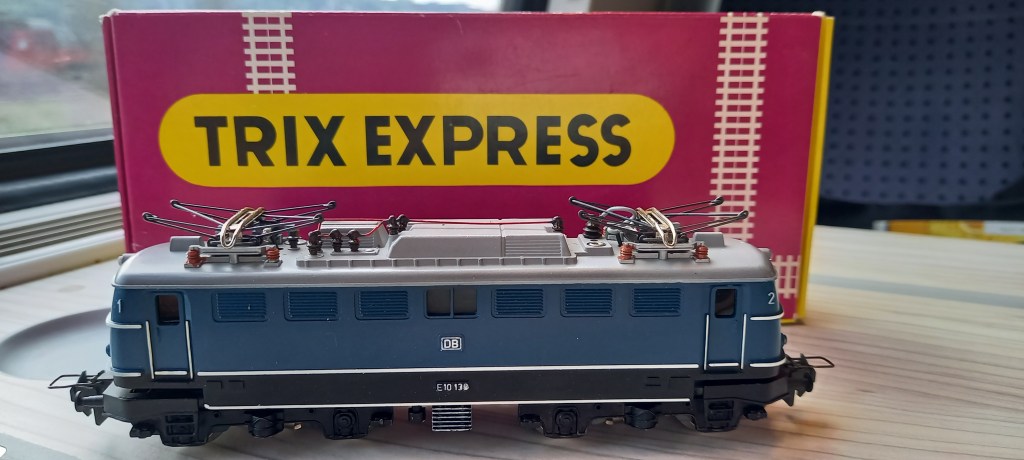
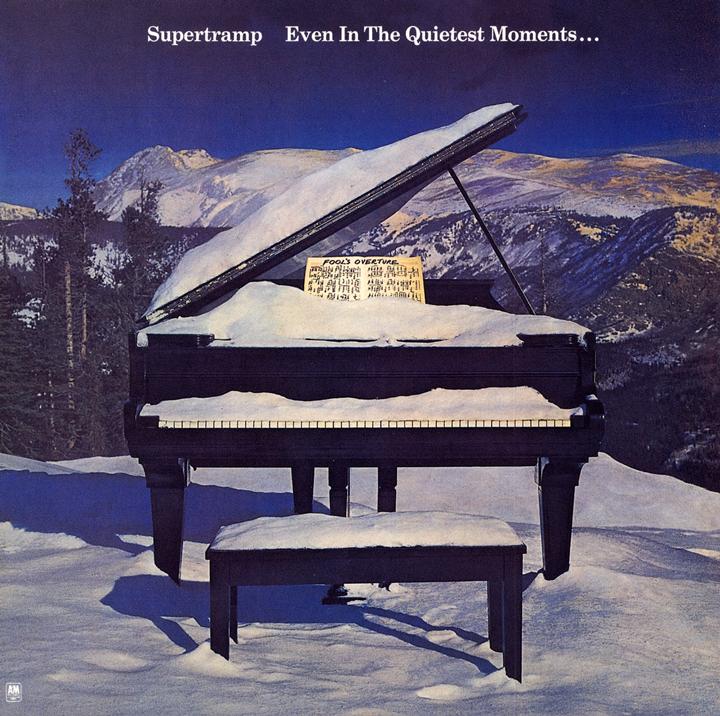
[{“label”: “dining table“, “confidence”: “0.63”, “bounding_box”: {“x1”: “122”, “y1”: “308”, “x2”: “604”, “y2”: “679”}}, {“label”: “bench“, “confidence”: “0.57”, “bounding_box”: {“x1”: “122”, “y1”: “308”, “x2”: “604”, “y2”: “679”}}, {“label”: “bench”, “confidence”: “0.41”, “bounding_box”: {“x1”: “93”, “y1”: “119”, “x2”: “615”, “y2”: “665”}}, {“label”: “dining table”, “confidence”: “0.37”, “bounding_box”: {“x1”: “92”, “y1”: “115”, “x2”: “617”, “y2”: “667”}}, {“label”: “bed”, “confidence”: “0.35”, “bounding_box”: {“x1”: “98”, “y1”: “173”, “x2”: “617”, “y2”: “670”}}, {“label”: “bench”, “confidence”: “0.32”, “bounding_box”: {“x1”: “316”, “y1”: “537”, “x2”: “521”, “y2”: “671”}}, {“label”: “chair“, “confidence”: “0.3”, “bounding_box”: {“x1”: “149”, “y1”: “339”, “x2”: “583”, “y2”: “673”}}]
Status3: SC_OK
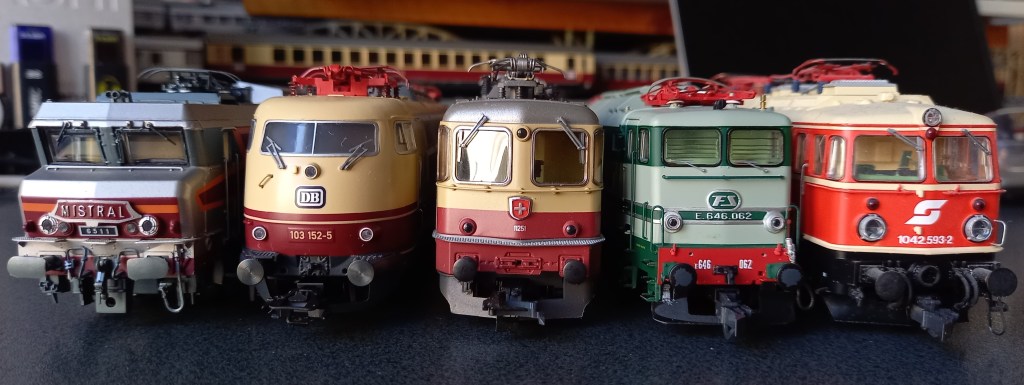
[{“label”: “truck“, “confidence”: “0.7”, “bounding_box”: {“x1”: “-14”, “y1”: “257”, “x2”: “1679”, “y2”: “1243”}}, {“label”: “train“, “confidence”: “0.62”, “bounding_box”: {“x1”: “537”, “y1”: “240”, “x2”: “1654”, “y2”: “1270”}}, {“label”: “person“, “confidence”: “0.59”, “bounding_box”: {“x1”: “341”, “y1”: “991”, “x2”: “412”, “y2”: “1194”}]
Distributed Code Schema
To discuss a distributed and dependent software we need a code schema as a template for example a routine which counts words distributed in a text:
function CountWords_(const subtxt: string; Txt: string): Integer;
begin
  if (Length(subtxt)=0) Or (Length(Txt)=0) Or (Pos(subtxt,Txt)=0) then
    result:= 0
  else
    result:= (Length(Txt)- Length(StringReplace(Txt,subtxt,'',
                              [rfReplaceAll]))) div Length(subtxt);
end;
We can show that the function itself uses other functions from libraries to fullfill the main topic as count or search words in a text, so data (words) and functions are distributed and dependent to each other.
Also a code contract as a precondition makes sure to get valuable data with an if statement:
function CountWords__(const subtxt:string; Txt:string): Integer;
begin
  if (len(subtxt)=0) or (len(Txt)=0) or (Pos(subtxt,Txt)=0) then
    result:= 0
  else
    result:= (len(Txt)- len(StringReplace(Txt,subtxt,'',
                              [rfReplaceAll]))) div len(subtxt);
end;
An optimization to operate with or and len in the function above.
function HTTPClassComponentAPIDetection2(AURL,askstream,aApikey:string): string;
var HttpReq1: THttpRequestC;
    Body: TMultipartFormBody;
    Body2: TUrlEncodedFormBody;  //ct: TCountryCode;
begin
  Body:= TMultipartFormBody.Create;
  Body.ReleaseAfterSend:= True;
  //Body.Add('code','2','application/octet-stream');
  Body.AddFromFile('image',
         'C:\maxbox\maxbox51\examples\TEE_5_Nations_20240402.jpg');

  HttpReq1:= THttpRequestC.create(self);
  HttpReq1.headers.add('X-Api-Key:'+AAPIKEY);
  HttpReq1.headers.add('Accept:application/json');
  HttpReq1.SecurityOptions:= [soSsl3, soPct, soIgnoreCertCNInvalid];
  try
    if HttpReq1.Post1Multipart(AURL, body) then
       writeln(HttpReq1.Response.ContentAsString)
    else Writeln('APIError '+inttostr(HttpReq1.Response.StatusCode2));
  finally
    writeln('Status3: '+gethttpcod(HttpReq1.Response.statuscode2))
    HttpReq1.Free;
    sleep(200)
    // if assigned(body) then body.free;
  end;
end;
Distributed Time App
10
DayTime protocol is not the NTP protocol. DayTime uses port 13, not 37. 37 is used by the Time protocol, which, again, in not the NTP protocol, which uses 123 (UDP). I do not know if time.windows.com supports the DayTime and Time protocols, the most common used protocols to get time from a reliable time source nowadays is NTP, and its simpler sibling SNTP, which superseded both DayTime and Time protocols.
var ledTimer2: TTimer;
    ledLbl2: TLEDNumber;

procedure CloseClickCompact(Sender: TObject; var action: TCloseAction);
begin
  if ledTimer2 <> Nil then begin
    ledTimer2.enabled:= false;
    ledTimer2.Free;
    ledTimer2:= Nil;
  end;
  action:= caFree;
  writeln('compact timer form close at '+FormatDateTime('dd/mm/yyyy hh:nn:ss', Now));
end;

procedure updateLED2_event(sender: TObject);
begin
  ledLbl2.caption:= TimeToStr(time);
end;

procedure loadcompactTimeForm;
 var frm: TForm;
 begin
   frm:= TForm.create(self);
   frm.Setbounds(10,10,400, 300)
   frm.onclose:= @CloseClickCompact;
   frm.icon.loadfromresourcename(hinstance, 'TIMER2');
   frm.color:= clblack;
   frm.show;
   ledlbl2:= TLEDNumber.create(Frm)
   with ledlbl2 do begin
     Parent:= Frm;
     setBounds(35,140,350,100)
     caption:= TimeToStr(time);
     columns:= 10;
     size:= 3;
   end;
   ledtimer2:= TTimer.create(self);
   ledtimer2.interval:= 1000;
   ledtimer2.ontimer:= @updateLED2_event;
 end;


const
  ArgInstallUpdate = '/install_update';
  ArgRegisterExtension = '/register_global_file_associations';

procedure SetSynchroTime;
var mySTime: TIdSNTP;
begin
  mySTime:= TIdSNTP.create(self);
  try
    mySTime.host:='0.debian.pool.ntp.org';
    writeln('the internettime '+
       datetimetoStr(mystime.datetime));
    // needs to be admin & elevated
    writeln('IsElevated '+ botostr(IsElevated));
    writeln(Format('IsUACEnabled: %s',[BoolToStr(IsUACEnabled, True)]));
    writeln('run elevated: '+itoa(SetLastError(RunElevated(ArgInstallUpdate, hinstance, nil))));//Application.ProcessMessages));
    if mySTime.Synctime then begin
      writeln('operating system sync now as admin & elevated!');
      Speak('System time is now sync with the internet time '+TimeToStr(time))
    end;
  finally
    mySTime.free;
  end;
end;
TIdSNTP.SyncTime() uses the Win32 SetLocalTime() function, which requires the calling process to have the SE_SYSTEMTIME_NAME privilege present in its user token (even if it is not enabled,
it just needs to be present – SetLocalTime() will enable it for the duration of the call).
By default, only an elevated admin has that privilege present in its token.
So, you will have to either run your whole app as an elevated user, or at least split out your sync code into a separate process or service that runs as an elevated admin or the SYSTEM account.
Solution Finder

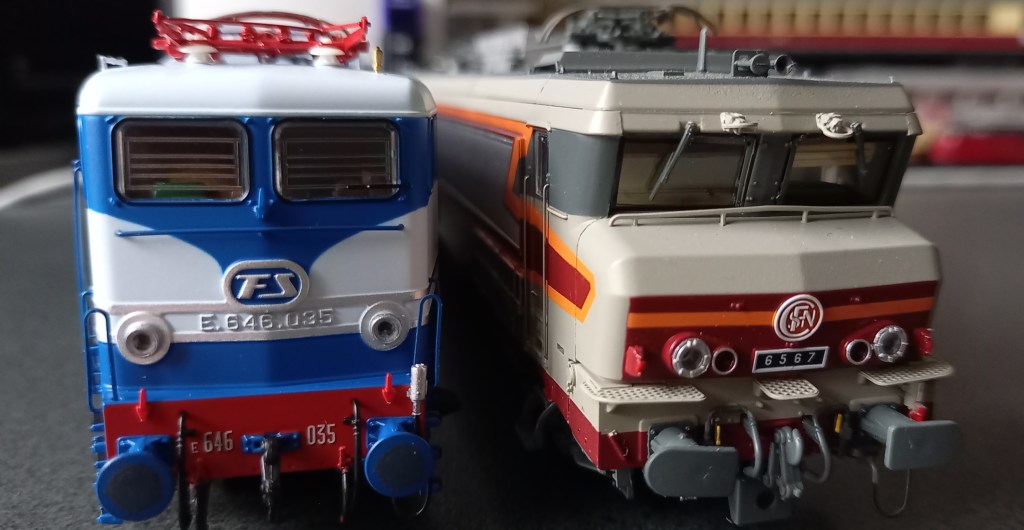
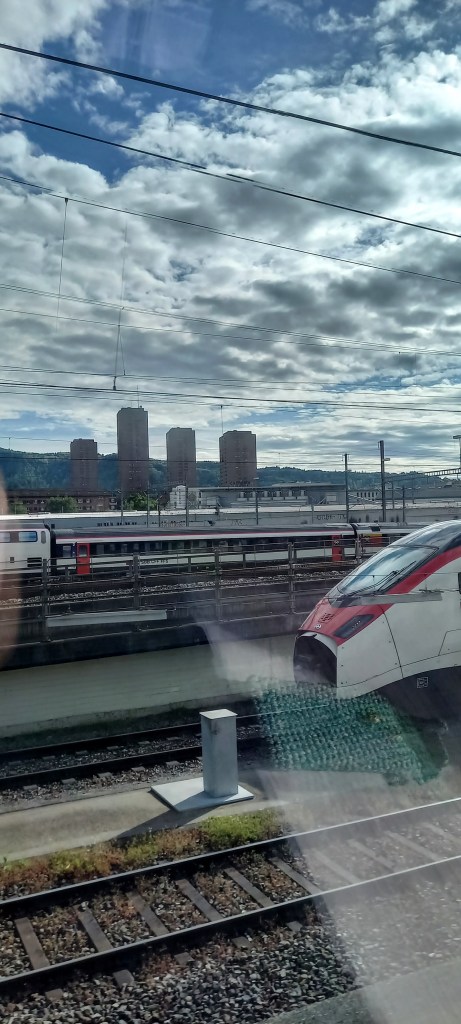
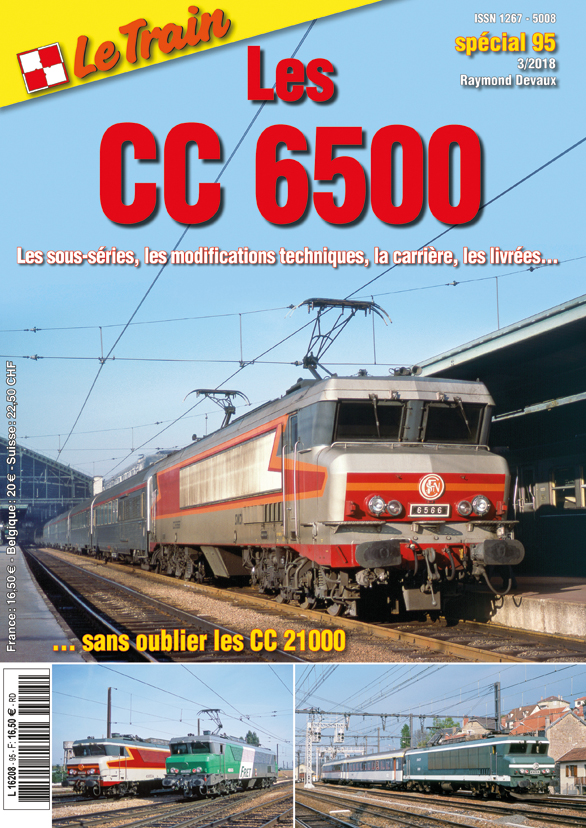
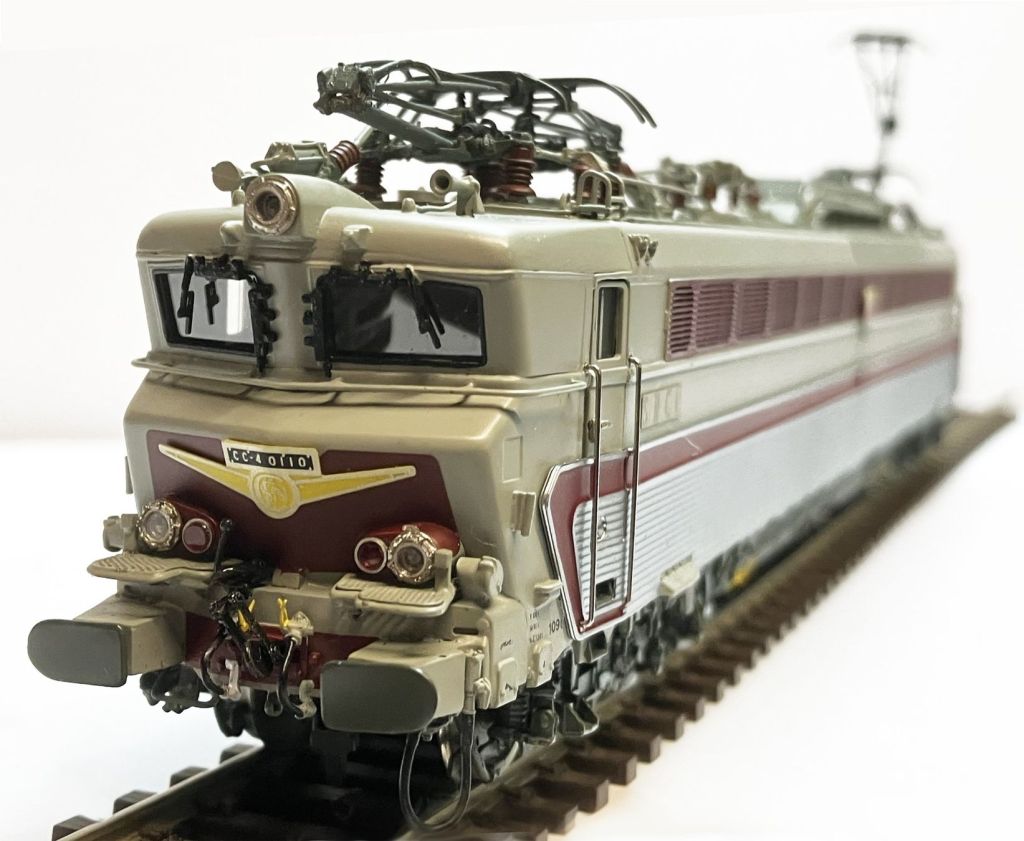
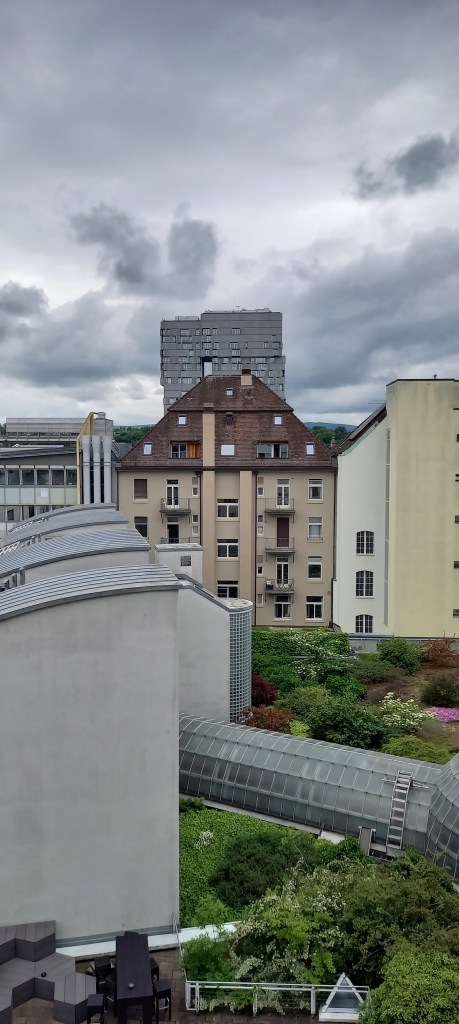
[{“label”: “airplane“, “confidence”: “0.67”, “bounding_box”: {“x1”: “52”, “y1”: “16”, “x2”: “840”, “y2”: “1251”}}, {“label”: “train“, “confidence”: “0.37”, “bounding_box”: {“x1”: “52”, “y1”: “16”, “x2”: “840”, “y2”: “1251”}}, {“label”: “person“, “confidence”: “0.36”, “bounding_box”: {“x1”: “470”, “y1”: “1080”, “x2”: “514”, “y2”: “1243”}}]






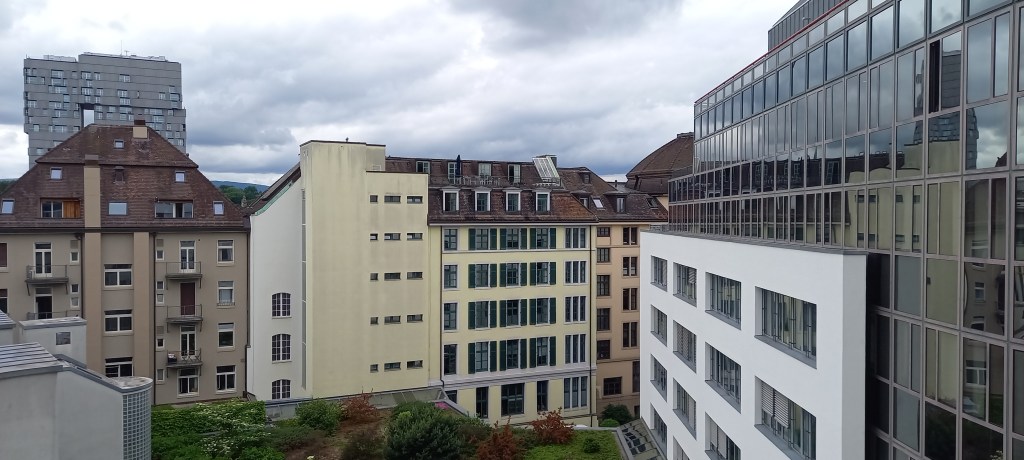

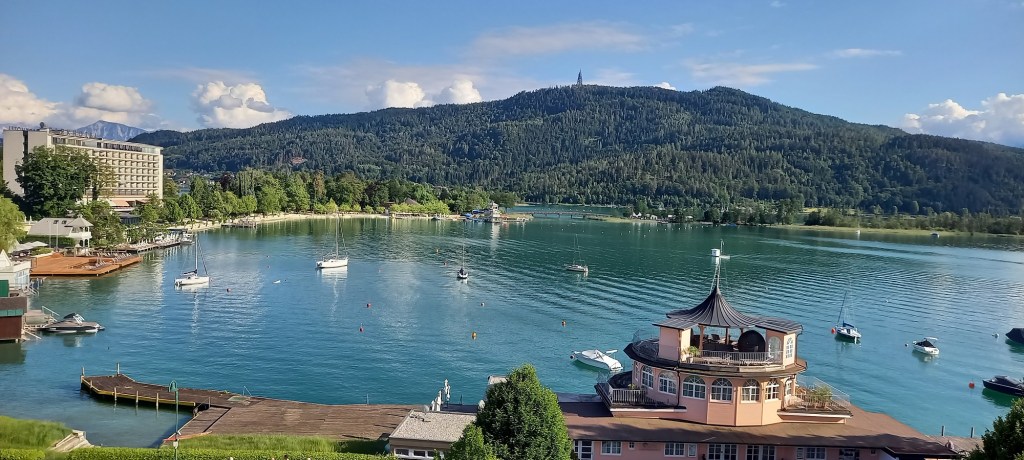



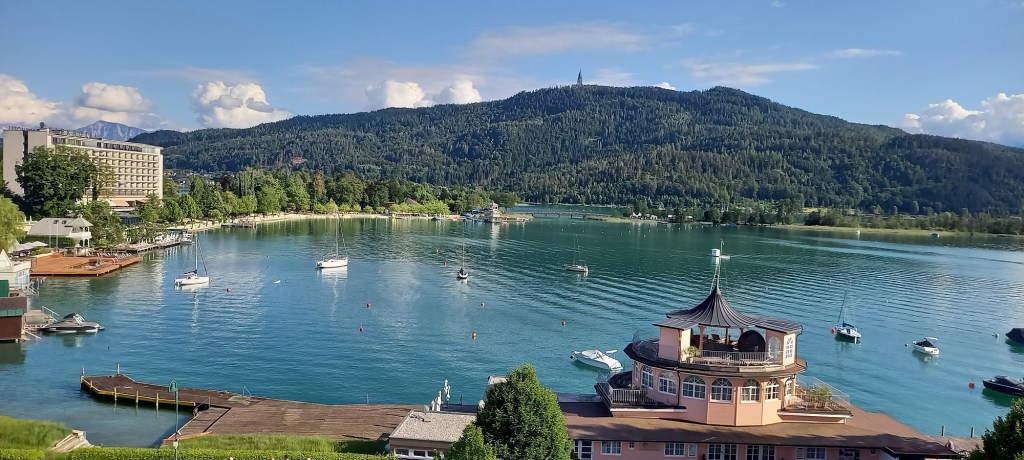
[{“label”: “boat“, “confidence”: “0.64”, “bounding_box”: {“x1”: “392”, “y1”: “473”, “x2”: “1895”, “y2”: “883”}}, {“label”: “boat”, “confidence”: “0.63”, “bounding_box”: {“x1”: “65”, “y1”: “493”, “x2”: “262”, “y2”: “538”}}, {“label”: “boat“, “confidence”: “0.6”, “bounding_box”: {“x1”: “990”, “y1”: “468”, “x2”: “1910”, “y2”: “887”}}, {“label”: “boat“, “confidence”: “0.59”, “bounding_box”: {“x1”: “157”, “y1”: “731”, “x2”: “327”, “y2”: “780”}}, {“label”: “boat”, “confidence”: “0.57”, “bounding_box”: {“x1”: “72”, “y1”: “620”, “x2”: “180”, “y2”: “659”}}, {“label”: “boat“, “confidence”: “0.56”, “bounding_box”: {“x1”: “167”, “y1”: “743”, “x2”: “353”, “y2”: “786”}}, {“label”: “boat“, “confidence”: “0.54”, “bounding_box”: {“x1”: “328”, “y1”: “535”, “x2”: “388”, “y2”: “570”}}, {“label”: “person“, “confidence”: “0.54”, “bounding_box”: {“x1”: “1626”, “y1”: “632”, “x2”: “1680”, “y2”: “675”}}, {“label”: “person“, “confidence”: “0.52”, “bounding_box”: {“x1”: “1788”, “y1”: “666”, “x2”: “1841”, “y2”: “711”}}, {“label”: “boat“, “confidence”: “0.52”, “bounding_box”: {“x1”: “315”, “y1”: “756”, “x2”: “421”, “y2”: “791”}}, {“label”: “boat“, “confidence”: “0.52”, “bounding_box”: {“x1”: “347”, “y1”: “524”, “x2”: “390”, “y2”: “552”}}, {“label”: “person“, “confidence”: “0.51”, “bounding_box”: {“x1”: “1447”, “y1”: “645”, “x2”: “1484”, “y2”: “684”}}, {“label”: “boat”, “confidence”: “0.5”, “bounding_box”: {“x1”: “82”, “y1”: “613”, “x2”: “168”, “y2”: “642”}}, {“label”: “boat”, “confidence”: “0.5”, “bounding_box”: {“x1”: “921”, “y1”: “409”, “x2”: “986”, “y2”: “444”}}, {“label”: “boat”, “confidence”: “0.5”, “bounding_box”: {“x1”: “627”, “y1”: “503”, “x2”: “680”, “y2”: “531”}}, {“label”: “boat”, “confidence”: “0.48”, “bounding_box”: {“x1”: “180”, “y1”: “498”, “x2”: “266”, “y2”: “529”}}, {“label”: “bird“, “confidence”: “0.46”, “bounding_box”: {“x1”: “1626”, “y1”: “632”, “x2”: “1680”, “y2”: “675”}}, {“label”: “person”, “confidence”: “0.44”, “bounding_box”: {“x1”: “1915”, “y1”: “733”, “x2”: “1980”, “y2”: “779”}}, {“label”: “person”, “confidence”: “0.44”, “bounding_box”: {“x1”: “1950”, “y1”: “638”, “x2”: “1994”, “y2”: “689”}}, {“label”: “boat”, “confidence”: “0.44”, “bounding_box”: {“x1”: “326”, “y1”: “452”, “x2”: “370”, “y2”: “476”}}, {“label”: “person”, “confidence”: “0.43”, “bounding_box”: {“x1”: “1915”, “y1”: “747”, “x2”: “1987”, “y2”: “797”}}, {“label”: “boat”, “confidence”: “0.43”, “bounding_box”: {“x1”: “1123”, “y1”: “683”, “x2”: “1210”, “y2”: “728”}}, {“label”: “boat”, “confidence”: “0.42”, “bounding_box”: {“x1”: “648”, “y1”: “481”, “x2”: “675”, “y2”: “497”}}, {“label”: “person”, “confidence”: “0.42”, “bounding_box”: {“x1”: “1345”, “y1”: “646”, “x2”: “1378”, “y2”: “682”}}, {“label”: “boat”, “confidence”: “0.42”, “bounding_box”: {“x1”: “6”, “y1”: “494”, “x2”: “79”, “y2”: “534”}}, {“label”: “person”, “confidence”: “0.42”, “bounding_box”: {“x1”: “1771”, “y1”: “666”, “x2”: “1821”, “y2”: “710”}}, {“label”: “person”, “confidence”: “0.42”, “bounding_box”: {“x1”: “1538”, “y1”: “637”, “x2”: “1573”, “y2”: “679”}}, {“label”: “boat”, “confidence”: “0.42”, “bounding_box”: {“x1”: “825”, “y1”: “713”, “x2”: “1109”, “y2”: “898”}}, {“label”: “boat”, “confidence”: “0.4”, “bounding_box”: {“x1”: “318”, “y1”: “751”, “x2”: “388”, “y2”: “780”}}, {“label”: “person”, “confidence”: “0.39”, “bounding_box”: {“x1”: “1428”, “y1”: “672”, “x2”: “1455”, “y2”: “700”}}, {“label”: “boat”, “confidence”: “0.38”, “bounding_box”: {“x1”: “617”, “y1”: “410”, “x2”: “693”, “y2”: “439”}}, {“label”: “boat”, “confidence”: “0.38”, “bounding_box”: {“x1”: “118”, “y1”: “481”, “x2”: “173”, “y2”: “499”}}, {“label”: “boat”, “confidence”: “0.38”, “bounding_box”: {“x1”: “407”, “y1”: “764”, “x2”: “449”, “y2”: “784”}}, {“label”: “person”, “confidence”: “0.38”, “bounding_box”: {“x1”: “1196”, “y1”: “726”, “x2”: “1251”, “y2”: “783”}}, {“label”: “boat”, “confidence”: “0.38”, “bounding_box”: {“x1”: “15”, “y1”: “602”, “x2”: “69”, “y2”: “630”}}, {“label”: “bird”, “confidence”: “0.38”, “bounding_box”: {“x1”: “1737”, “y1”: “650”, “x2”: “1779”, “y2”: “689”}}, {“label”: “boat”, “confidence”: “0.37”, “bounding_box”: {“x1”: “9”, “y1”: “288”, “x2”: “1990”, “y2”: “855”}}, {“label”: “boat”, “confidence”: “0.37”, “bounding_box”: {“x1”: “7”, “y1”: “552”, “x2”: “61”, “y2”: “583”}}, {“label”: “bird”, “confidence”: “0.37”, “bounding_box”: {“x1”: “627”, “y1”: “503”, “x2”: “680”, “y2”: “531”}}, {“label”: “umbrella”, “confidence”: “0.37”, “bounding_box”: {“x1”: “1123”, “y1”: “683”, “x2”: “1210”, “y2”: “728”}}, {“label”: “boat”, “confidence”: “0.37”, “bounding_box”: {“x1”: “751”, “y1”: “801”, “x2”: “942”, “y2”: “887”}}, {“label”: “person”, “confidence”: “0.36”, “bounding_box”: {“x1”: “72”, “y1”: “620”, “x2”: “180”, “y2”: “659”}}, {“label”: “person”, “confidence”: “0.36”, “bounding_box”: {“x1”: “328”, “y1”: “535”, “x2”: “388”, “y2”: “570”}}, {“label”: “boat”, “confidence”: “0.36”, “bounding_box”: {“x1”: “242”, “y1”: “481”, “x2”: “289”, “y2”: “499”}}, {“label”: “boat”, “confidence”: “0.36”, “bounding_box”: {“x1”: “74”, “y1”: “413”, “x2”: “1478”, “y2”: “838”}}, {“label”: “boat”, “confidence”: “0.36”, “bounding_box”: {“x1”: “550”, “y1”: “467”, “x2”: “573”, “y2”: “480”}}, {“label”: “person”, “confidence”: “0.36”, “bounding_box”: {“x1”: “1351”, “y1”: “666”, “x2”: “1383”, “y2”: “705”}}, {“label”: “boat”, “confidence”: “0.35”, “bounding_box”: {“x1”: “826”, “y1”: “408”, “x2”: “868”, “y2”: “440”}}, {“label”: “bird”, “confidence”: “0.35”, “bounding_box”: {“x1”: “1771”, “y1”: “666”, “x2”: “1821”, “y2”: “710”}}, {“label”: “person”, “confidence”: “0.35”, “bounding_box”: {“x1”: “921”, “y1”: “409”, “x2”: “986”, “y2”: “444”}}, {“label”: “person”, “confidence”: “0.34”, “bounding_box”: {“x1”: “80”, “y1”: “461”, “x2”: “1895”, “y2”: “865”}}, {“label”: “person”, “confidence”: “0.34”, “bounding_box”: {“x1”: “347”, “y1”: “524”, “x2”: “390”, “y2”: “552”}}, {“label”: “boat”, “confidence”: “0.34”, “bounding_box”: {“x1”: “1126”, “y1”: “760”, “x2”: “1856”, “y2”: “894”}}, {“label”: “boat”, “confidence”: “0.34”, “bounding_box”: {“x1”: “737”, “y1”: “403”, “x2”: “782”, “y2”: “430”}}, {“label”: “bird”, “confidence”: “0.34”, “bounding_box”: {“x1”: “1788”, “y1”: “666”, “x2”: “1841”, “y2”: “711”}}, {“label”: “person”, “confidence”: “0.34”, “bounding_box”: {“x1”: “407”, “y1”: “764”, “x2”: “449”, “y2”: “784”}}, {“label”: “person”, “confidence”: “0.34”, “bounding_box”: {“x1”: “82”, “y1”: “613”, “x2”: “168”, “y2”: “642”}}, {“label”: “boat”, “confidence”: “0.34”, “bounding_box”: {“x1”: “29”, “y1”: “485”, “x2”: “81”, “y2”: “503”}}, {“label”: “boat”, “confidence”: “0.34”, “bounding_box”: {“x1”: “457”, “y1”: “422”, “x2”: “476”, “y2”: “439”}}, {“label”: “boat”, “confidence”: “0.33”, “bounding_box”: {“x1”: “540”, “y1”: “419”, “x2”: “564”, “y2”: “438”}}, {“label”: “person”, “confidence”: “0.33”, “bounding_box”: {“x1”: “345”, “y1”: “820”, “x2”: “397”, “y2”: “841”}}, {“label”: “person”, “confidence”: “0.33”, “bounding_box”: {“x1”: “315”, “y1”: “756”, “x2”: “421”, “y2”: “791”}}, {“label”: “boat”, “confidence”: “0.33”, “bounding_box”: {“x1”: “1233”, “y1”: “419”, “x2”: “1273”, “y2”: “437”}}, {“label”: “person”, “confidence”: “0.33”, “bounding_box”: {“x1”: “1359”, “y1”: “587”, “x2”: “1397”, “y2”: “618”}}, {“label”: “bird”, “confidence”: “0.33”, “bounding_box”: {“x1”: “1123”, “y1”: “683”, “x2”: “1210”, “y2”: “728”}}, {“label”: “person”, “confidence”: “0.33”, “bounding_box”: {“x1”: “1952”, “y1”: “652”, “x2”: “1995”, “y2”: “701”}}, {“label”: “boat”, “confidence”: “0.33”, “bounding_box”: {“x1”: “981”, “y1”: “415”, “x2”: “1023”, “y2”: “436”}}, {“label”: “boat”, “confidence”: “0.32”, “bounding_box”: {“x1”: “1164”, “y1”: “701”, “x2”: “1782”, “y2”: “858”}}, {“label”: “person”, “confidence”: “0.32”, “bounding_box”: {“x1”: “1737”, “y1”: “650”, “x2”: “1779”, “y2”: “689”}}, {“label”: “person”, “confidence”: “0.32”, “bounding_box”: {“x1”: “839”, “y1”: “745”, “x2”: “892”, “y2”: “807”}}, {“label”: “boat”, “confidence”: “0.32”, “bounding_box”: {“x1”: “1233”, “y1”: “607”, “x2”: “1632”, “y2”: “847”}}, {“label”: “person”, “confidence”: “0.32”, “bounding_box”: {“x1”: “1204”, “y1”: “746”, “x2”: “1326”, “y2”: “802”}}, {“label”: “bird”, “confidence”: “0.31”, “bounding_box”: {“x1”: “1950”, “y1”: “638”, “x2”: “1994”, “y2”: “689”}}, {“label”: “boat”, “confidence”: “0.31”, “bounding_box”: {“x1”: “1154”, “y1”: “417”, “x2”: “1208”, “y2”: “433”}}, {“label”: “boat”, “confidence”: “0.31”, “bounding_box”: {“x1”: “442”, “y1”: “455”, “x2”: “463”, “y2”: “474”}}, {“label”: “person”, “confidence”: “0.31”, “bounding_box”: {“x1”: “157”, “y1”: “731”, “x2”: “327”, “y2”: “780”}}, {“label”: “bird”, “confidence”: “0.31”, “bounding_box”: {“x1”: “877”, “y1”: “536”, “x2”: “905”, “y2”: “557”}}, {“label”: “person”, “confidence”: “0.31”, “bounding_box”: {“x1”: “1210”, “y1”: “670”, “x2”: “1259”, “y2”: “715”}}, {“label”: “person”, “confidence”: “0.31”, “bounding_box”: {“x1”: “167”, “y1”: “743”, “x2”: “353”, “y2”: “786”}}, {“label”: “boat”, “confidence”: “0.31”, “bounding_box”: {“x1”: “3”, “y1”: “619”, “x2”: “64”, “y2”: “655”}}, {“label”: “person”, “confidence”: “0.3”, “bounding_box”: {“x1”: “326”, “y1”: “452”, “x2”: “370”, “y2”: “476”}}, {“label”: “person”, “confidence”: “0.3”, “bounding_box”: {“x1”: “627”, “y1”: “503”, “x2”: “680”, “y2”: “531”}}, {“label”: “boat”, “confidence”: “0.3”, “bounding_box”: {“x1”: “366”, “y1”: “534”, “x2”: “414”, “y2”: “561”}}, {“label”: “boat”, “confidence”: “0.3”, “bounding_box”: {“x1”: “643”, “y1”: “719”, “x2”: “1101”, “y2”: “879”}}]
Status3: SC_OK


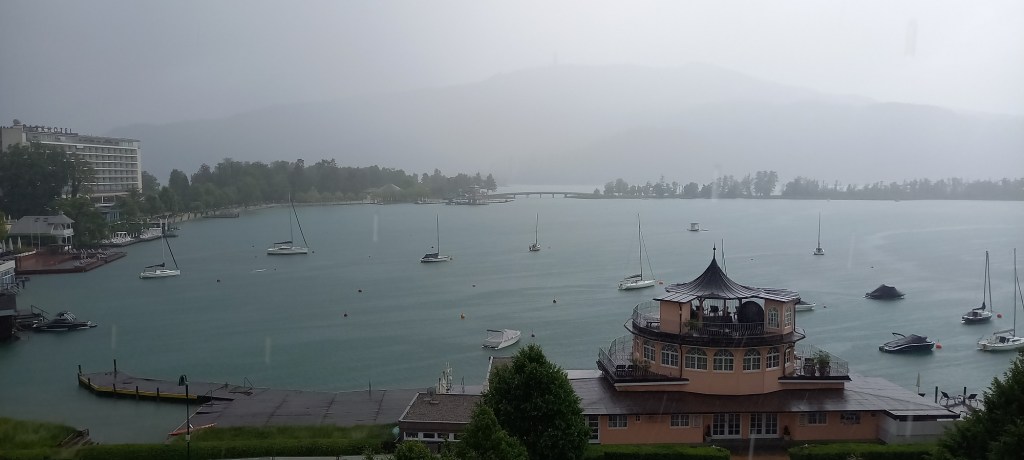
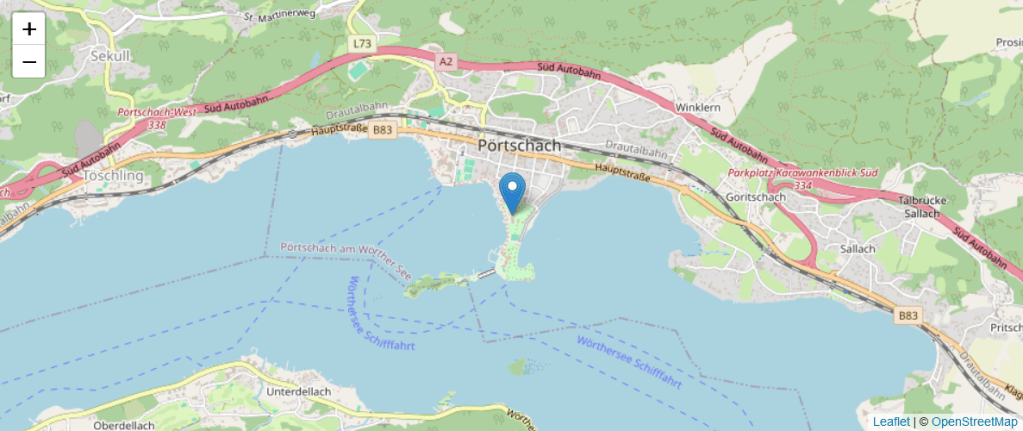
JSON Iterate
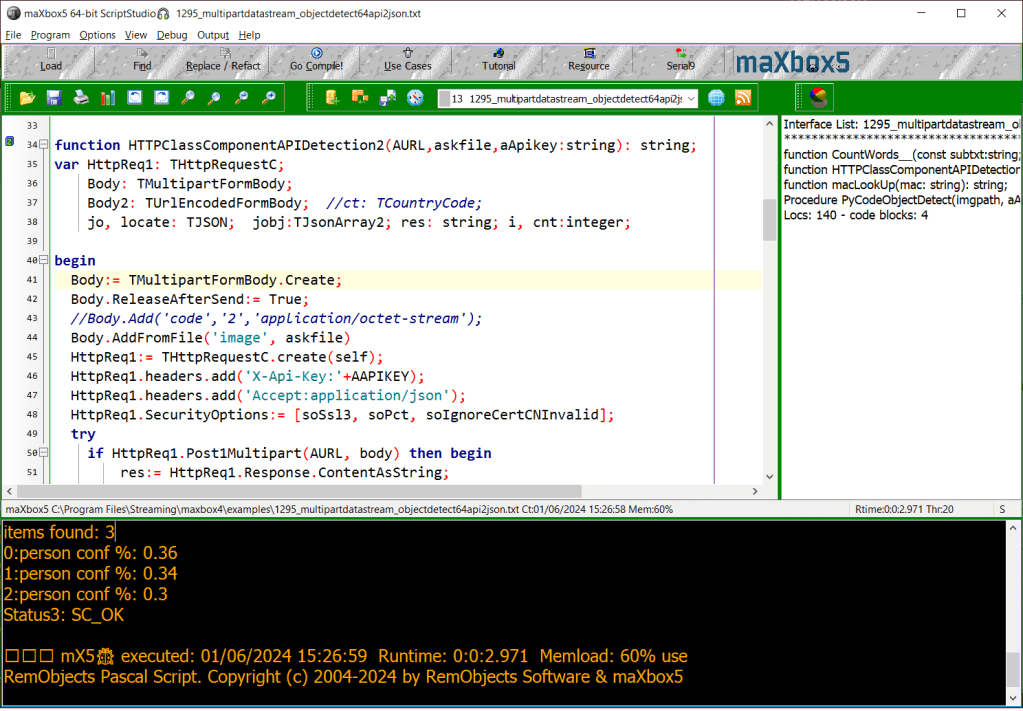
function HTTPClassComponentAPIDetection2(AURL,askfile,aApikey:string): string;
var HttpReq1: THttpRequestC;
    Body: TMultipartFormBody;
    Body2: TUrlEncodedFormBody;  //ct: TCountryCode;
    jo, locate: TJSON;  jobj:TJsonArray2; res: string; i, cnt:integer;

begin
  Body:= TMultipartFormBody.Create;
  Body.ReleaseAfterSend:= True;
  //Body.Add('code','2','application/octet-stream');
  Body.AddFromFile('image', askfile)
  HttpReq1:= THttpRequestC.create(self);
  HttpReq1.headers.add('X-Api-Key:'+AAPIKEY);
  HttpReq1.headers.add('Accept:application/json');
  HttpReq1.SecurityOptions:= [soSsl3, soPct, soIgnoreCertCNInvalid];
  try
    if HttpReq1.Post1Multipart(AURL, body) then begin
        res:= HttpReq1.Response.ContentAsString;
        //StrReplace(res, '[{', '{');
        jo:= TJSON.create;
        jo.parse(res);
        jobj:= jo.jsonArray;
        writeln('items found: '+itoa(jobj.count))
        //StrReplace(res, '{', '[{');
       //  cnt:= jobj.values['public_holidays'].asobject['label'].asarray.count;
       for i:= 0 to jobj.count-1 do
          writeln(itoa(i)+':'+jobj[i].asobject['label'].asstring+' conf %: '+
                              jobj[i].asobject['confidence'].asstring);
        //jo.values['public_holidays'].asobject['list'].asarray[it].asobject['description'].asstring

    end else Writeln('APIError '+inttostr(HttpReq1.Response.StatusCode2));
  finally
    writeln('Status3: '+gethttpcod(HttpReq1.Response.statuscode2))
    HttpReq1.Free;
    sleep(200)
    // if assigned(body) then body.free;
    jo.free;
  end;
end;
items found: 6
0:person conf %: 0.46
1:person conf %: 0.38
2:boat conf %: 0.37
3:person conf %: 0.33
4:train conf %: 0.32
5:boat conf %: 0.31
Status3: SC_OK
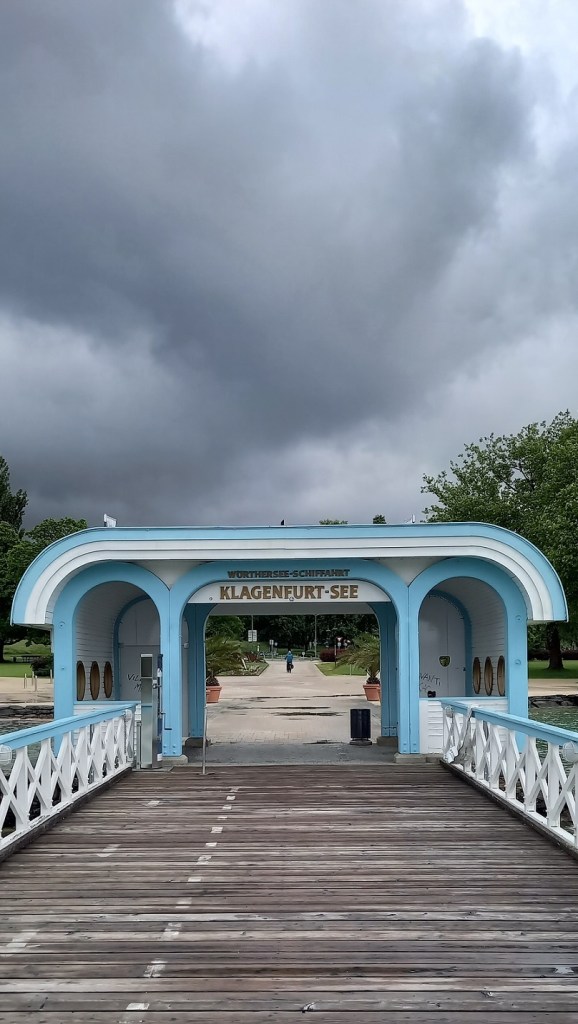
Version 5.1.4.98 History
V5.1.4.98 II
1 DBXCharDecoder_
2 IdModBusClient
3 IdModBusServer
4 IdStrings9
5 JclGraphUtils_
6 JvSegmentedLEDDisplay
7 JvSegmentedLEDDisplayMapperFrame
8 ModbusConsts
9 ModbusTypes
10 SynCrtSock
11 SynWinSock
12 uPSI_DBXCharDecoder
13 uPSI_IdModBusClient
14 uPSI_IdModBusServer
15 uPSI_JvSegmentedLEDDisplayMapperFrame
16 uPSI_SynCrtSock
17 uPSI_xrtl_util_CPUUtils
18 uPSI_HttpClasses.pas
19 uPSI_HttpUtils.pas
20 HttpClasses.pas
21 HttpUtils.pas
V5.1.4.98 III
GLCanvas
GLNavigator
GLParticles
GLStarRecord
JclComplex
uPSI_GLCanvas
uPSI_GLNavigator
uPSI_GLParticles
uPSI_GLSilhouette
uPSI_GLStarRecord
uPSI_JclComplex
V5.1.4.98 IV
ALAVLBinaryTree2
ALCommon
(ALExecute2)
ALFBXBase
ALFBXClient
ALFBXConst
ALFBXError
ALFBXLib
ALString_
ALWebSpider
uPSI_ALFBXClient
uPSI_ALFBXLib
uPSI_ALWebSpider
V5.1.4.98 V
ALFcnSQL
AlMySqlClient
ALMySqlWrapper
PJCBView
uPSI_ALFcnCGI
uPSI_ALFcnSQL
uPSI_AlMySqlClient
uPSI_DataSetUtils
V5.1.4.98 VII – 3705 Units
ESBDates
GpTimezone
hhAvALT
JclPCRE2
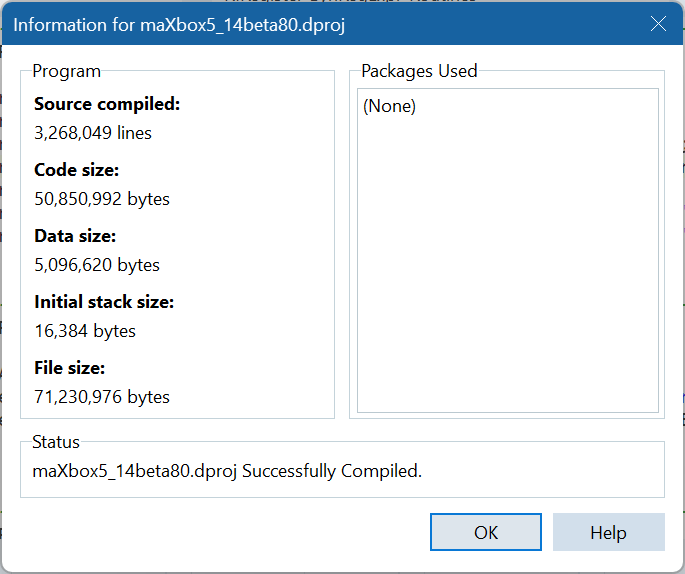
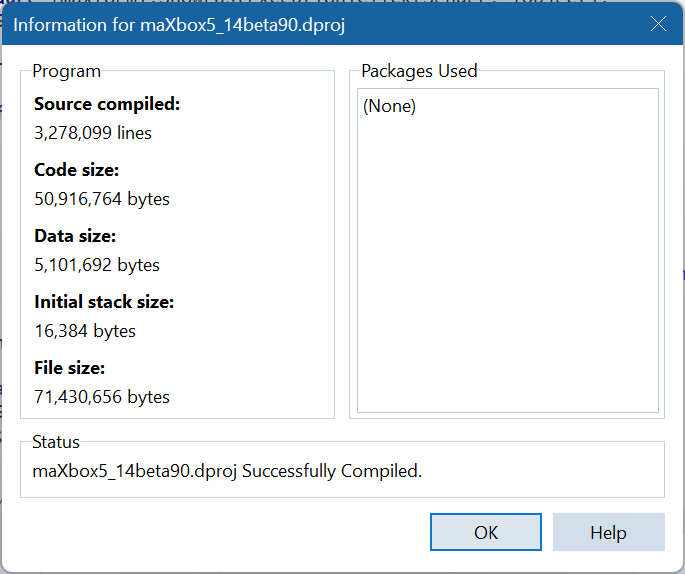
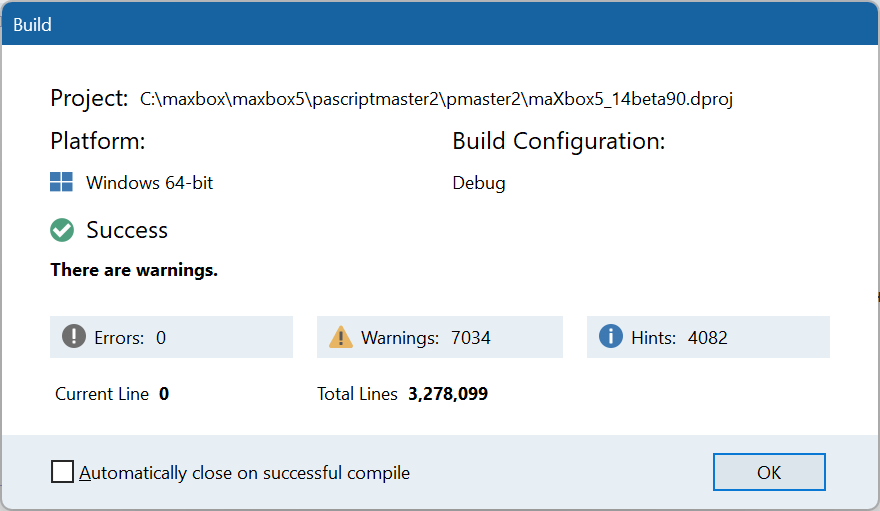
maXbox5_14beta90
SqlTxtRtns
uPSI_GpTimezone
uPSI_hhAvALT
uPSI_JclPCRE2
uPSI_SqlTxtRtns
V5.1.4.98 VIII – 3714 Units
AsciiShapes
IdWebSocketSimpleClient
uPSI_AsciiShapes
uPSI_IdWebSocketSimpleClient
uPSI_uWebUIMiscFunctions
uWebUIConstants
uWebUILibFunctions
uWebUIMiscFunctions
uWebUITypes
V5.1.4.98 IX – 3720 Units
ExecuteGLPanel
ExecuteidWebSocket
uPSI_ExecuteGLPanel
uPSI_ExecuteidWebSocket
Winapi.OpenGL
Winapi.OpenGLext
25.05.2024 17:18
Release Notes maXbox 5.1.4.98 IX May 2024 Ocean950
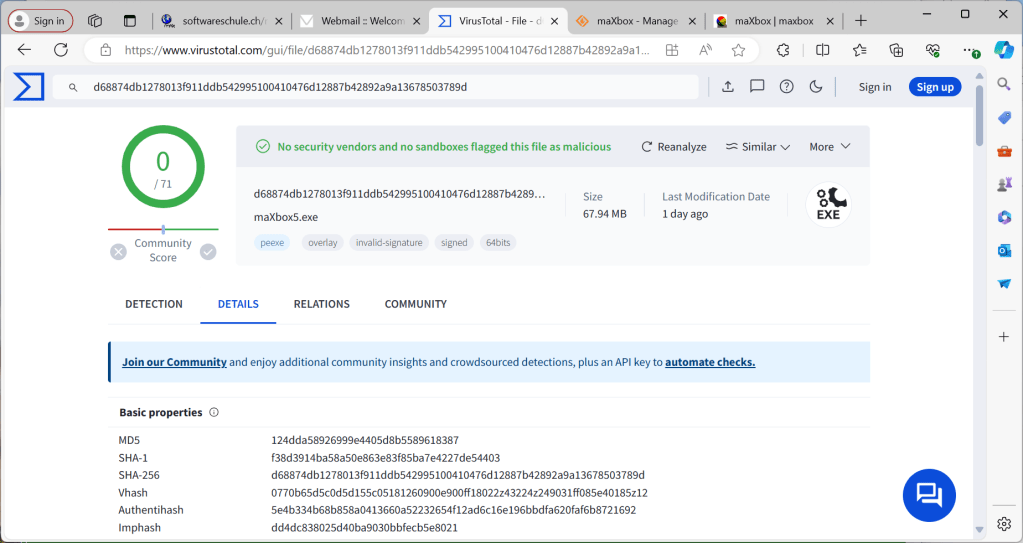
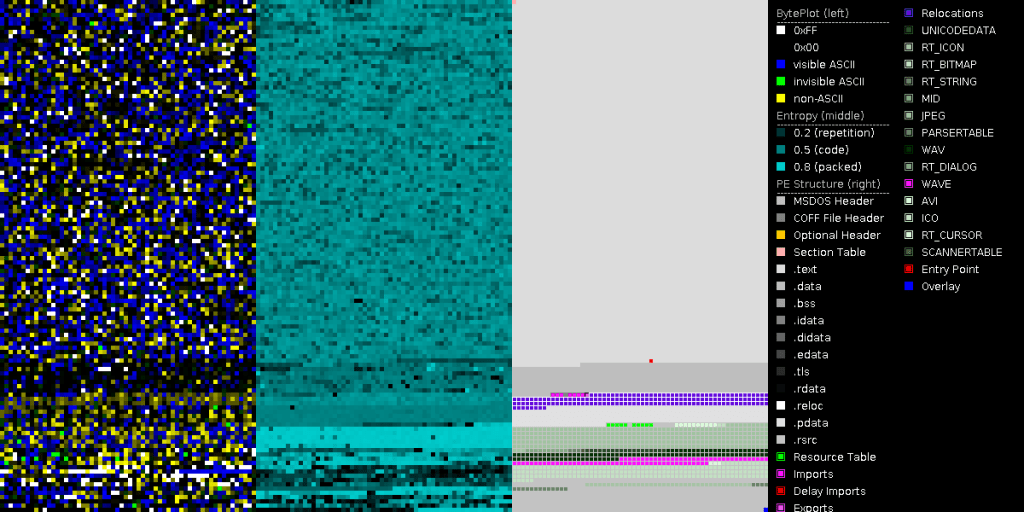
SHA1: 5.1.4.98 IX maXbox5.exe d5e5728f0dbfe563ffb8960341cee4949aa6fa31
SHA1: ZIP maxbox5.zip ABF343E710050CC4C3C0276E2815F7C908C8DC6E
https://archive.org/details/maxbox5
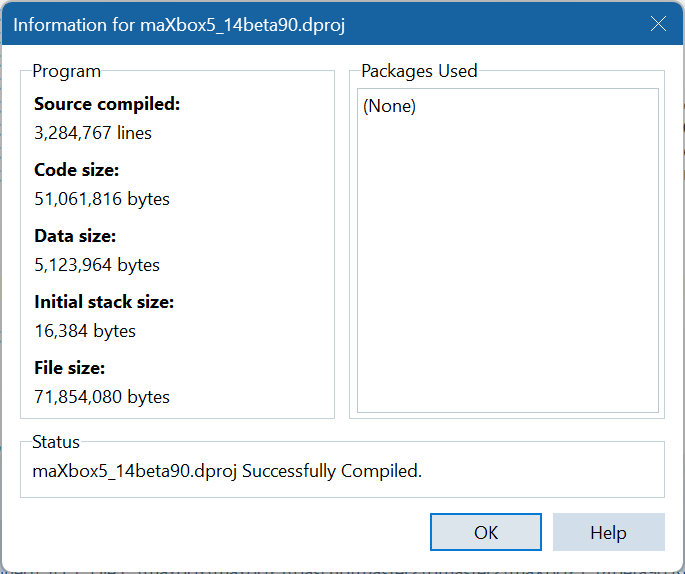
APILayer Image2Text
URL_APILAY = ‘https://api.apilayer.com/image_to_text/url?url=%s’;
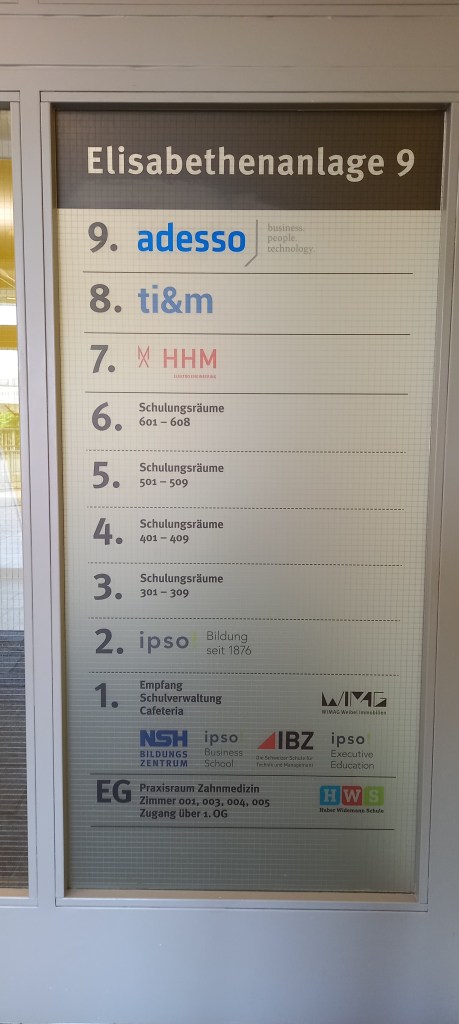
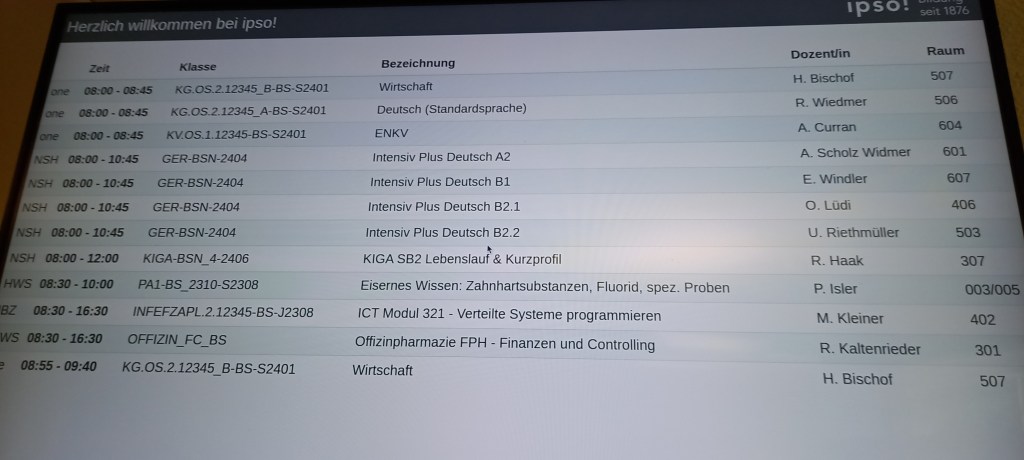
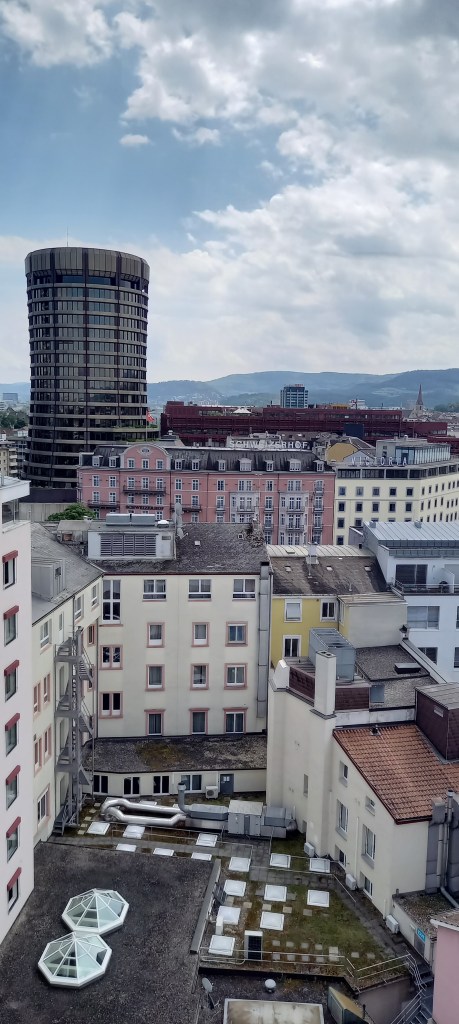

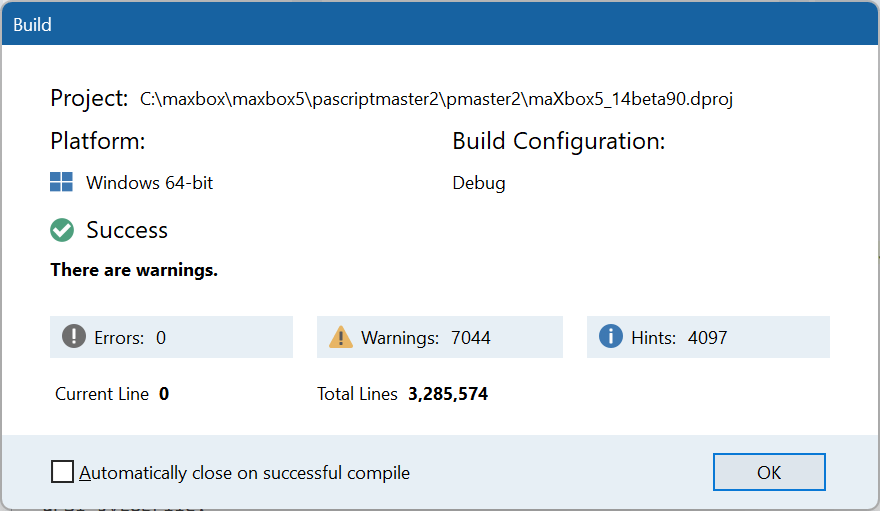
maXbox5 1176_APILayer_Demo64ipso.txt Compiled done: 06/06/2024 15:40:24
debug size: 10146
{“lang”: “de”, “all_text”: “Elisabethenanlage 9
- adesso
- ti&m
- X HHM
6.
Schulungsräume
601-608
business.
people.
technology
5.
Schulungsräume
501-509 - Schulungsräume
401-409
3.
Schulungsräume
301-309 - ipso Bildung
Empfang
seit 1876 - Schulverwaltung
Cafeteria
NSH ipso
WIMG
IBZ ipso
BILDUNGS
Business
ZENTRUM School
De Server Schula
Teksture Manage
Executive
Education
EG Praxisraum Zahnmedizin
Zimmer 001, 003, 004, 005
Zugang über 1. OG
HWS
Haber Widemann Schule”, “annotations”: [“Elisabethenanlage”, “9”, “9.”, “adesso”, “8.”, “ti”, “&”, “m”, “7.”, “X”, “HHM”, “6”, “.”, “Schulungsräume”, “601-608”, “business”, “.”, “people”, “.”, “technology”, “5”, “.”, “Schulungsräume”, “501-509”, “4.”, “Schulungsräume”, “401-409”, “3”, “.”, “Schulungsräume”, “301-309”, “2.”, “ipso”, “Bildung”, “Empfang”, “seit”, “1876”, “1.”, “Schulverwaltung”, “Cafeteria”, “NSH”, “ipso”, “WIMG”, “IBZ”, “ipso”, “BILDUNGS”, “Business”, “ZENTRUM”, “School”, “De”, “Server”, “Schula”, “Teksture”, “Manage”, “Executive”, “Education”, “EG”, “Praxisraum”, “Zahnmedizin”, “Zimmer”, “001”, “,”, “003”, “,”, “004”, “,”, “005”, “Zugang”, “über”, “1.”, “OG”, “HWS”, “Haber”, “Widemann”, “Schule”]}
mX5🐞 executed: 06/06/2024 15:40:25 Runtime: 0:0:2.703 Memload: 57% use
RemObjects Pascal Script. Copyright (c) 2004-2024 by RemObjects Software & maXbox5 Ver: 5.1.4.98 (514). Workdir: C:\Program Files\Streaming\IBZ2021\Module2_3\EKON26
Request served by 1781505b56ee58

GET / HTTP/1.1

Host: echo.websocket.org
Accept: text/html,application/xhtml+xml,application/xml;q=0.9,image/avif,image/webp,image/apng,*/*;q=0.8,application/signed-exchange;v=b3;q=0.7
Accept-Encoding: gzip, deflate, br, zstd
Accept-Language: de,de-DE;q=0.9,en;q=0.8,en-GB;q=0.7,en-US;q=0.6
Cache-Control: max-age=0
Fly-Client-Ip: 46.127.119.188
Fly-Forwarded-Port: 443
Fly-Forwarded-Proto: https
Fly-Forwarded-Ssl: on
Fly-Region: ams
Fly-Request-Id: 01HZSKBQQV29WH8KMWQSNSXPTH-ams
Fly-Traceparent: 00-3b53b2a0255e5b2b5fd02edf188828ba-18334a5211f33c03-00
Fly-Tracestate:
Priority: u=0, i
Sec-Ch-Ua: "Microsoft Edge";v="125", "Chromium";v="125", "Not.A/Brand";v="24"
Sec-Ch-Ua-Mobile: ?0
Sec-Ch-Ua-Platform: "Windows"
Sec-Fetch-Dest: document
Sec-Fetch-Mode: navigate
Sec-Fetch-Site: none
Sec-Fetch-User: ?1
User-Agent: Mozilla/5.0 (Windows NT 10.0; Win64; x64) AppleWebKit/537.36 (KHTML, like Gecko) Chrome/125.0.0.0 Safari/537.36 Edg/125.0.0.0
Via: 2 fly.io
X-Forwarded-For: 46.127.119.188, 66.241.124.119
X-Forwarded-Port: 443
X-Forwarded-Proto: https
X-Forwarded-Ssl: on
X-Request-Start: t=1717772345083184
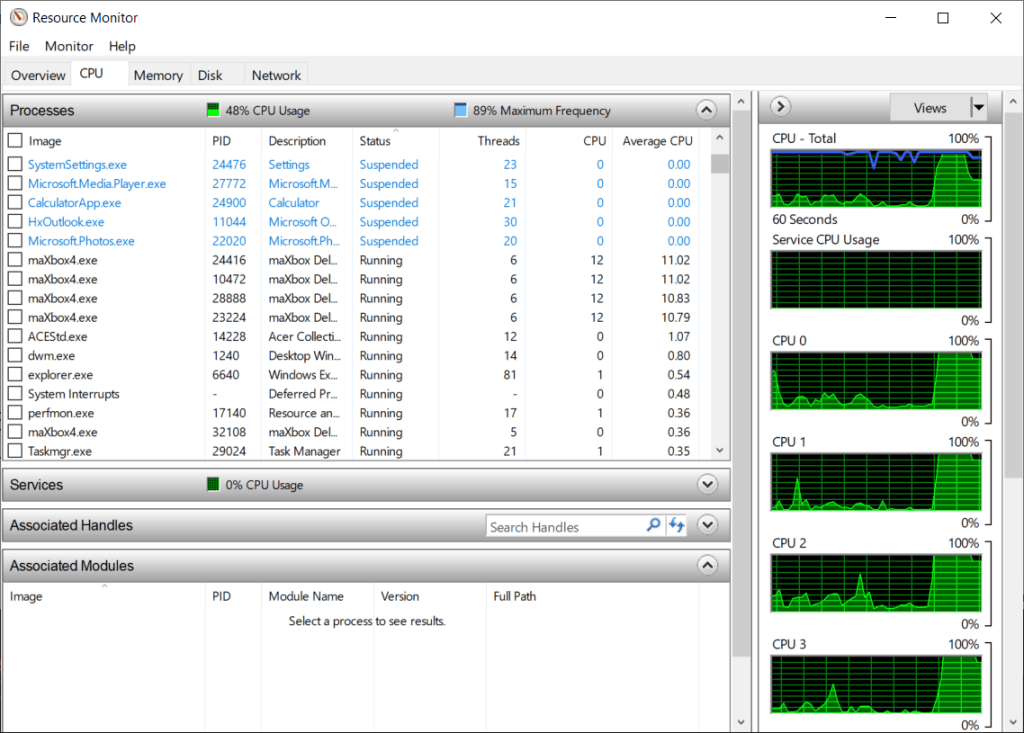
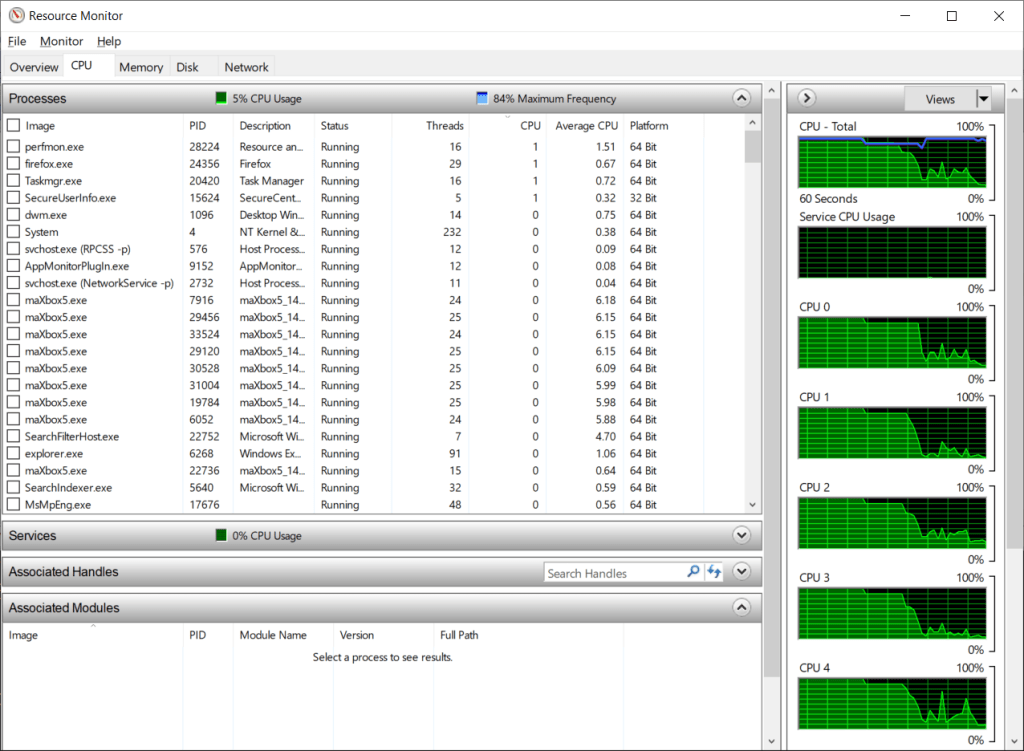
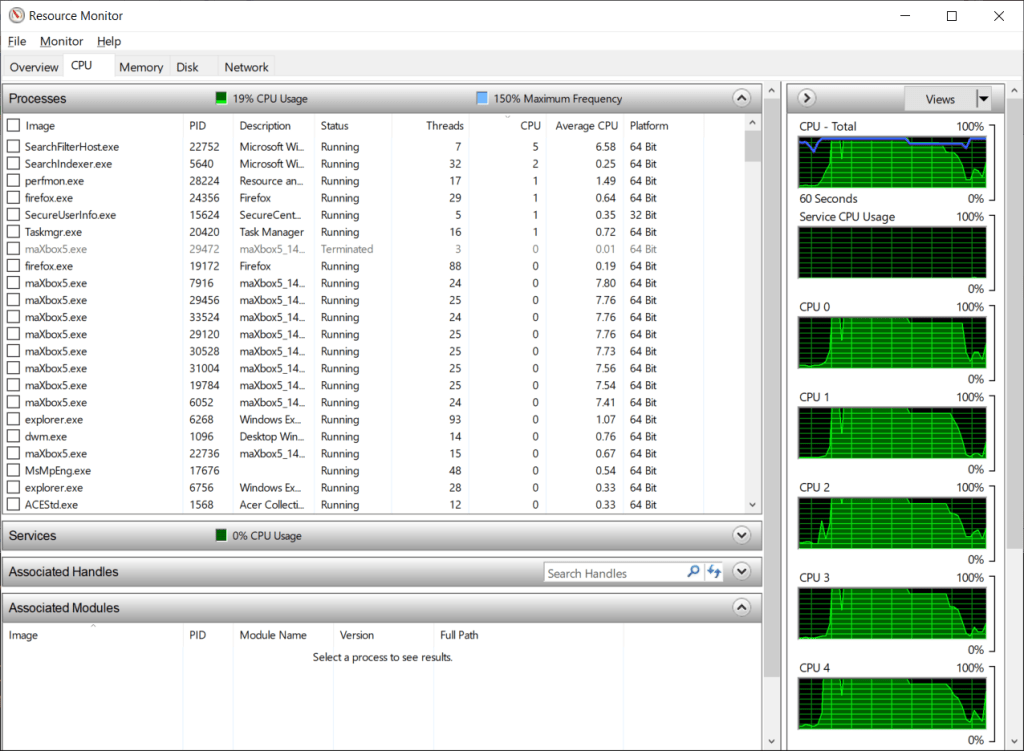
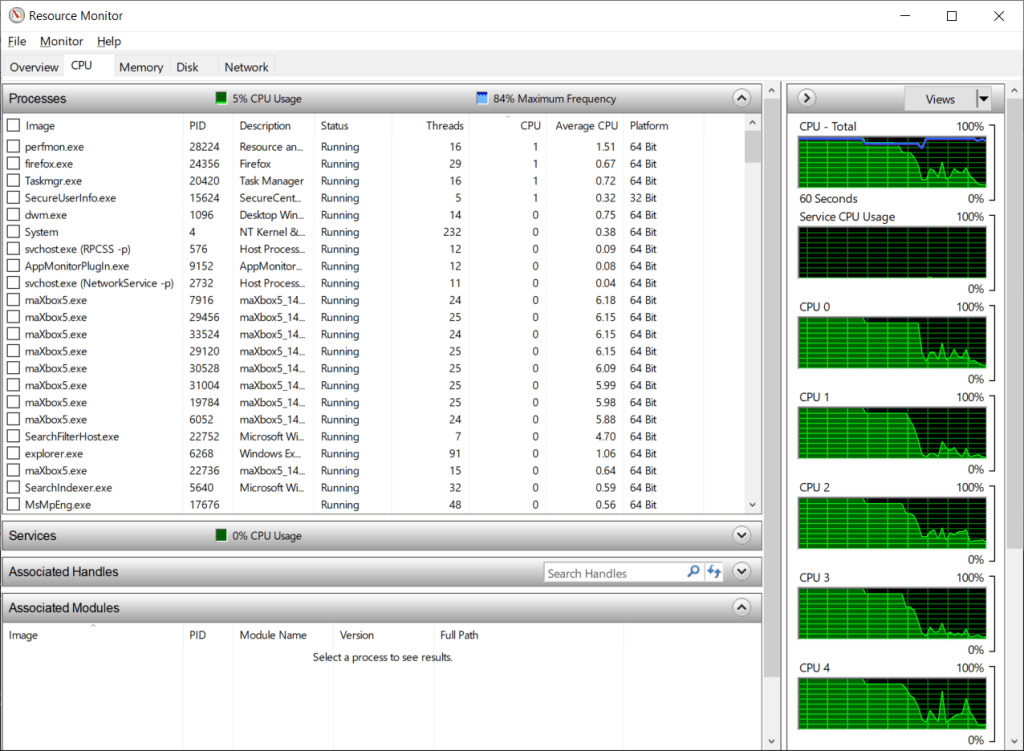
CPU Multicore Script
https://sourceforge.net/projects/maxbox/files/Examples/13_General/630_multikernel4_8_64.TXT/download

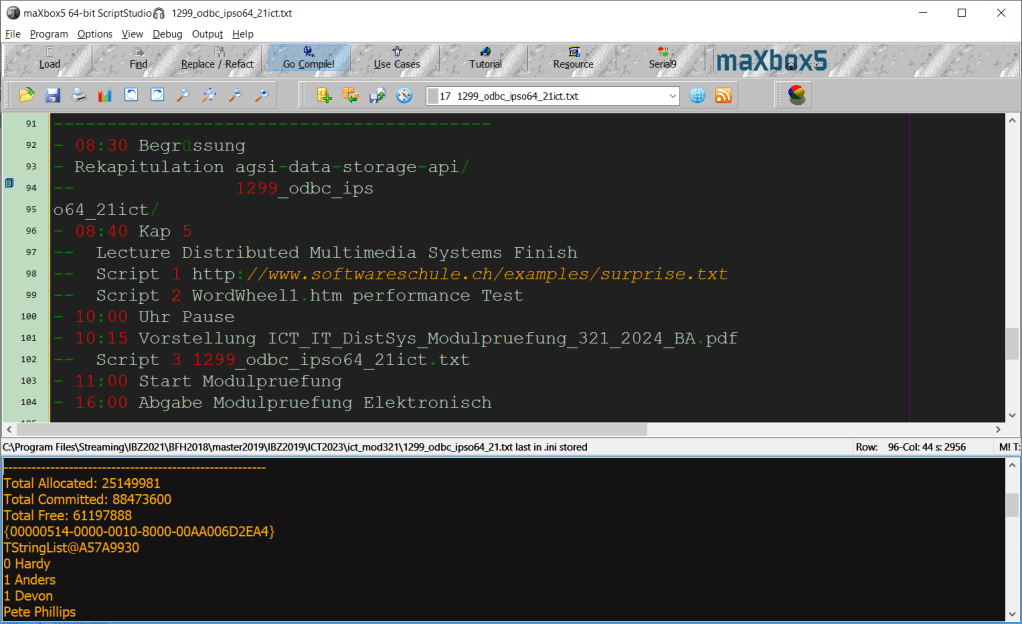
—————————————–
Agenda Mod V 13/06/2024
—————————————–
– 08:30 Begrüssung
– Rekapitulation agsi-data-storage-api/
— 1299_odbc_ipso64_21ict/
– 08:40 Kap 5
— Lecture Distributed Multimedia Systems Finish
— Script 1 http://www.softwareschule.ch/examples/surprise.txt
— Script 2 WordWheel1.htm performance Test
– 10:00 Uhr Pause
– 10:15 Vorstellung ICT_IT_DistSys_Modulpruefung_321_2024_BA.pdf
— Script 3 1299_odbc_ipso64_21ict.txt
– 11:00 Start Modulpruefung
– 16:00 Abgabe Modulpruefung Elektronisch

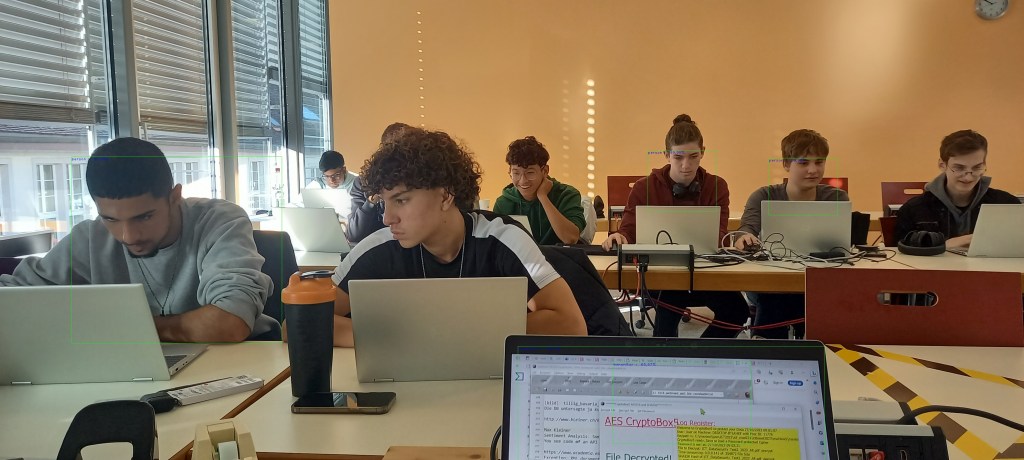
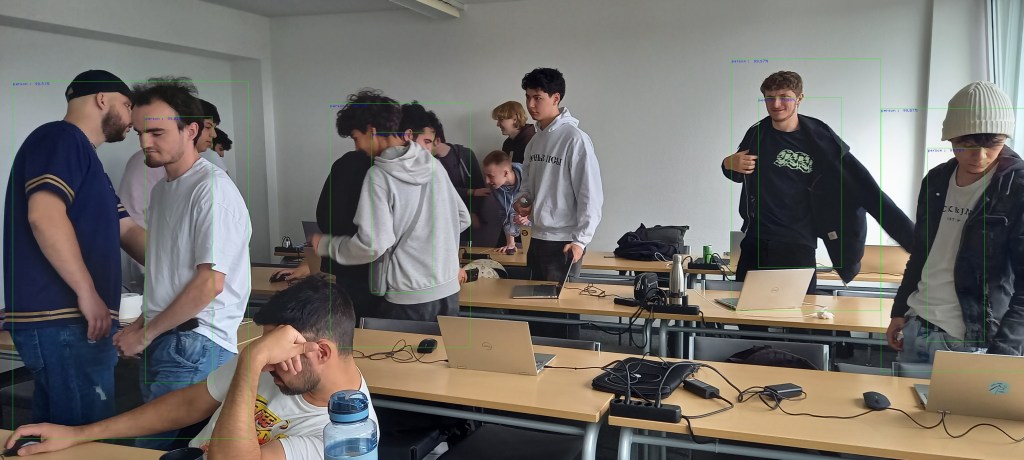
Start with maXbox5 ImageAI Detector —>
this first line fine
person : 99.97
person : 99.98
person : 99.87
person : 99.83
person : 99.87
person : 99.78
person : 99.51
person : 99.82
integrate image detector compute ends…
elapsedSeconds:= 4.415644700000
debug: 8-I/O error 105 0 err:20
no console attached..
mX5🐞 executed: 13/06/2024 22:27:36 Runtime: 0:0:7.308 Memload: 66% use
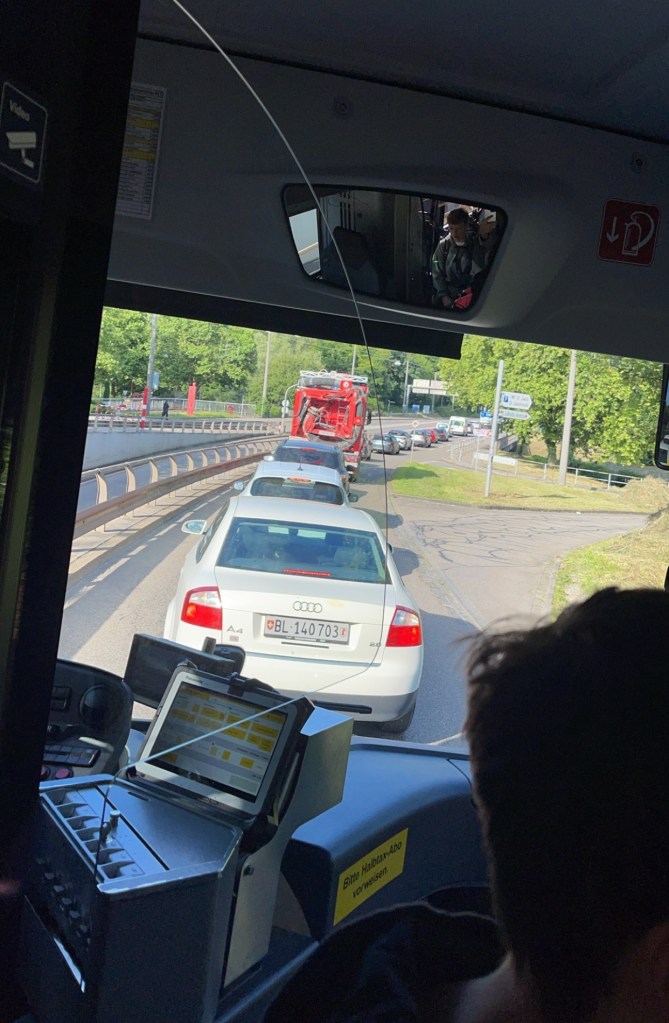
{
“lang”: “en”,
“all_text”: “Video\nC000\nCBL 140703\nBitte Halbtax-Abo”,
“annotations”: [
“Video”,
“C000”,
“CBL”,
“140703”,
“Bitte”,
“Halbtax”,
“-“,
“Abo”
]
}
[
    {
        "label": "person",
        "confidence": "0.66",
        "bounding_box": {
            "x1": "629",
            "y1": "1075",
            "x2": "1232",
            "y2": "1895"
        }
    },
    {
        "label": "book",
        "confidence": "0.56",
        "bounding_box": {
            "x1": "214",
            "y1": "1234",
            "x2": "560",
            "y2": "1518"
        }
    },
    {
        "label": "laptop",
        "confidence": "0.53",
        "bounding_box": {
            "x1": "210",
            "y1": "1232",
            "x2": "555",
            "y2": "1514"
        }
    },
    {
        "label": "chair",
        "confidence": "0.53",
        "bounding_box": {
            "x1": "629",
            "y1": "1075",
            "x2": "1232",
            "y2": "1895"
        }
    },
    {
        "label": "tv",
        "confidence": "0.51",
        "bounding_box": {
            "x1": "519",
            "y1": "330",
            "x2": "941",
            "y2": "609"
        }
    },


Status3: SC_OK
JSONback [{
“label”: “dining table”,
“confidence”: “0.33”,
“bounding_box”: {
“x1”: “0”,
“y1”: “2”,
“x2”: “639”,
“y2”: “475”
}
}
]
function HTTPClsComponentAPIDetection2(AURL, askstream, aApikey, afile: string): string;
var HttpReq1: THttpRequestC;
    Body: TMultipartFormBody;
    Body2: TUrlEncodedFormBody;  //ct: TCountryCode;
begin
  Body:= TMultipartFormBody.Create;
  Body.ReleaseAfterSend:= True;
  //Body.Add('code','2','application/octet-stream');
  Body.AddFromFile('image', afile);
    //test 'C:\maxbox\maxbox51\examples\blason_klagenfurt_20240527_114128_resized.jpg');

  HttpReq1:= THttpRequestC.create(self);
  HttpReq1.headers.add('X-Api-Key:'+AAPIKEY);
  HttpReq1.headers.add('Accept:application/json');
  HttpReq1.SecurityOptions:= [soSsl3, soPct, soIgnoreCertCNInvalid];
  try
    if HttpReq1.Post1Multipart(AURL, body) then
       result:=HttpReq1.Response.ContentAsString
    else Writeln('APIError '+inttostr(HttpReq1.Response.StatusCode2));
  finally
    writeln('Status3: '+gethttpcod(HttpReq1.Response.statuscode2))
    HttpReq1.Free;
    sleep(200)
  end;
end;

URL_NINJA_QRCODE = 'https://api.api-ninjas.com/v1/qrcode?format=%s&data=%s';

function GEO_getQRCode(AURL, aformat, adata, aApikey: string): string;
var httpq: THttpConnectionWinInet;
    rets: TMemoryStream;
    heads: TStrings; iht: IHttpConnection;
begin
  httpq:= THttpConnectionWinInet.Create(true);
  rets:= TMemoryStream.create;
  heads:= TStringlist.create;
  try
    heads.add('X-Api-Key='+aAPIkey);
    heads.add('Accept= image/jpg');
    iht:= httpq.setHeaders(heads);
    httpq.Get(Format(AURL,[aformat, adata]), rets);
    if httpq.getresponsecode=200 Then begin
       writeln('size of '+itoa(rets.size));
       rets.Position:= 0;
       //ALMimeBase64decodeStream(rets, rets2)
       rets.savetofile((exepath+'qrcodeimage.jpg'));
       openfile(exepath+'qrcodeimage.jpg');
     end
      else result:='Failed:'+
             itoa(Httpq.getresponsecode)+Httpq.GetResponseHeader('message');
  except
    writeln('EWI_HTTP: '+ExceptiontoString(exceptiontype,exceptionparam));
  finally
    httpq:= Nil;
    heads.Free;
    rets.Free;
  end;
end;                 //}


GEO_getQRCode(URL_NINJA_QRCODE, 'jpg', 'maXbox5', N_APIKEY);
from script: C:\maxbox\maxbox51\examples\1307_APILayer_Demo64_5_httprequestC2.txt
4 ML Solutions with Locomotion
The first solution starts with tiny-yolov3.pt model from imagai:
'#using the pre-trained TinyYOLOv3 model,
detector.setModelTypeAsTinyYOLOv3()
detector.setModelPath(model_path)
'#loads model path specified above using setModelPath() class method.
detector.loadModel()
custom=detector.CustomObjects(person=True,laptop=True,car=False,train=True, clock=True, chair=False, bottle=False, keyboard=True)
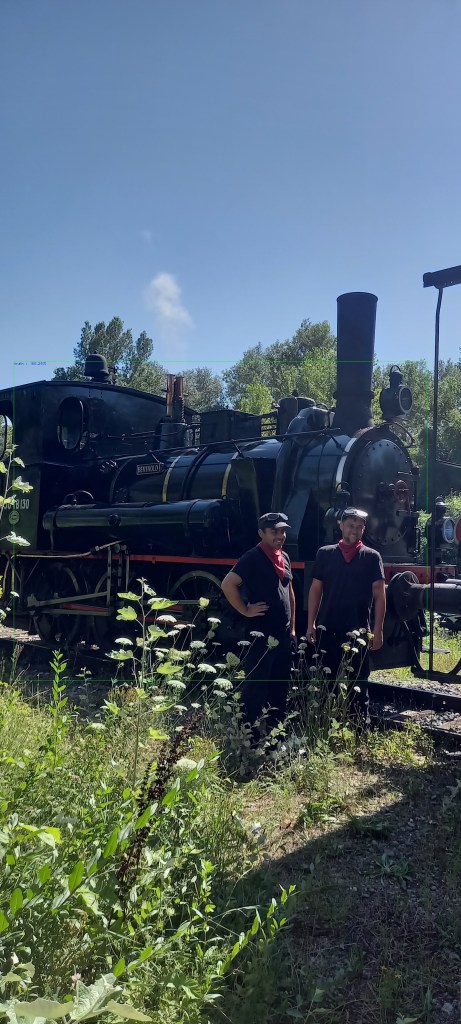
Start with maXbox5 ImageAI Detector —>
this first line fine
train : 80.25
integrate image detector compute ends…
elapsedSeconds:= 4.879268800000
no console attached..
mX5🐞 executed: 29/07/2024 09:53:49 Runtime: 0:0:8.143 Memload: 75% use
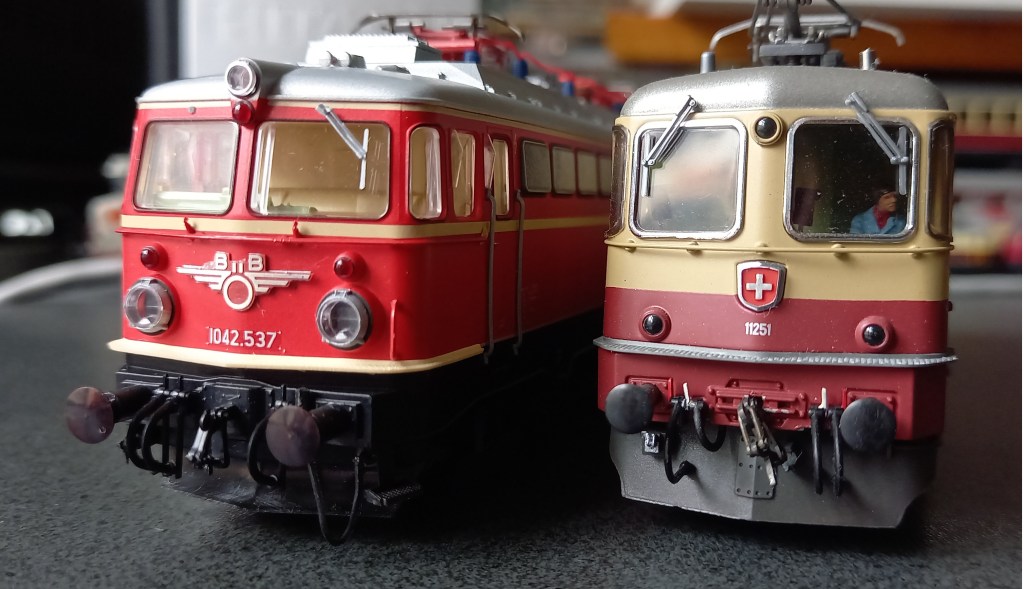
The we asked why the model can’t see the persons? It depends on the frame by cutting the image (crop) it sees persons but no train anymore!
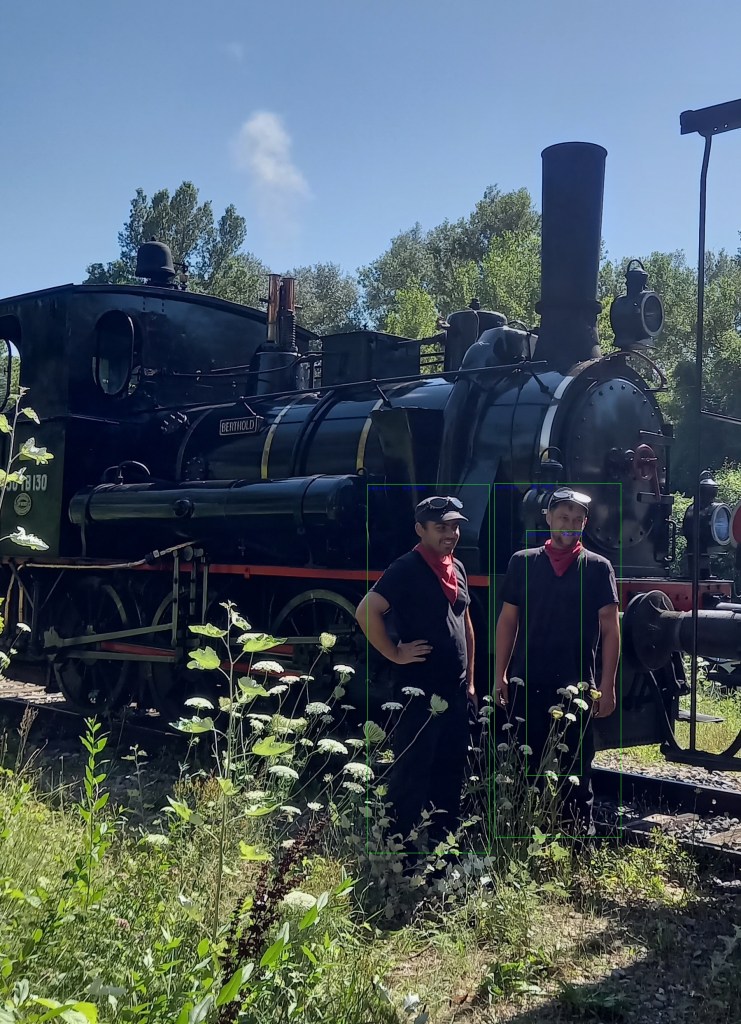
input_path=r”C:\maxbox\maxbox51\examples\1316_elsass_20240728_161420crop.jpg”
Start with maXbox5 ImageAI Detector —>
this first line fine
person : 99.29
person : 99.58
person : 98.74
integrate image detector compute ends…
elapsedSeconds:= 4.686975000000
no console attached..
mX5🐞 executed: 29/07/2024 10:09:30 Runtime: 0:0:7.948 Memload: 77% use
You can see one false positive in green the bounding box!
The Second Solution is an API from URL_APILAY_DETECT = ‘https://api.api-ninjas.com/v1/objectdetection/’;
The Object Detection API provides fast and accurate image object recognition using advanced neural networks developed by machine learning experts.
https://api-ninjas.com/api/objectdetection
function TestHTTPClassComponentAPIDetection2(AURL, askstream, aApikey: string): string;
var HttpReq1: THttpRequestC;
    Body: TMultipartFormBody;
    Body2: TUrlEncodedFormBody;  //ct: TCountryCode;
begin
  Body:= TMultipartFormBody.Create;
  Body.ReleaseAfterSend:= True;
  //Body.Add('code','2','application/octet-stream');
  //Body.AddFromFile('image', exepath+'randimage01.jpg');
  Body.AddFromFile('image',
                           'C:\maxbox\maxbox51\examples\1316_elsass_20240728_161420_resized.jpg');

  HttpReq1:= THttpRequestC.create(self);
  HttpReq1.headers.add('X-Api-Key:'+AAPIKEY);
  HttpReq1.headers.add('Accept:application/json');
  HttpReq1.SecurityOptions:= [soSsl3, soPct, soIgnoreCertCNInvalid];
  try
    if HttpReq1.Post1Multipart(AURL, body) then
       result:=HttpReq1.Response.ContentAsString
    else Writeln('APIError '+inttostr(HttpReq1.Response.StatusCode2));
  finally
    writeln('Status3: '+gethttpcod(HttpReq1.Response.statuscode2))
    HttpReq1.Free;
    sleep(200)
    // if assigned(body) then body.free;
  end;
end;
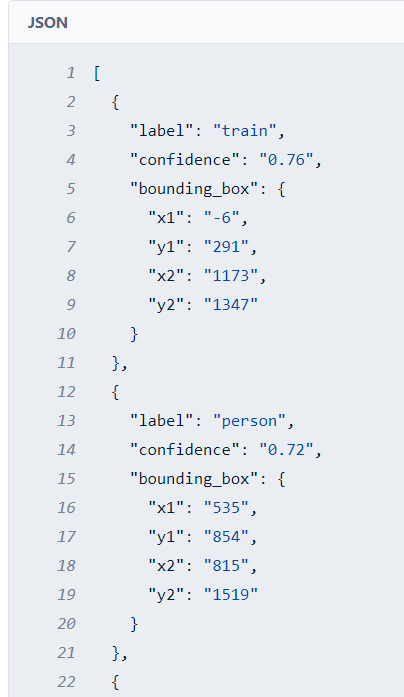
This is a post from a multipartform body stream and you need an API key, then the resule is a JSON back:
Status3: SC_OK
back [ {
  "label": "train",
  "confidence": "0.76",
  "bounding_box": {
  "x1": "-6",
  "y1": "291",
  "x2": "1173",
  "y2": "1347"
  }
},
{
  "label": "person",
  "confidence": "0.72",
  "bounding_box": {
  "x1": "535",
  "y1": "854",
  "x2": "815",
  "y2": "1519"
 }
},
{
  "label": "person",
  "confidence": "0.69",
  "bounding_box": {
  "x1": "823",
  "y1": "790",
  "x2": "1055",
  "y2": "1350"
  }
},
The third solution wants to get the text back from the image. The Image to Text API detects and extracts text from images using state-of-the-art optical character recognition (OCR) algorithms. It can detect texts of different sizes, fonts, and even handwriting.
function Image_to_text_API2(AURL, url_imgpath, aApikey: string): string;
var httpq: THttpConnectionWinInet;
    rets: TStringStream;
    heads: TStrings; iht: IHttpConnection; //losthost:THTTPConnectionLostEvent;
begin
  httpq:= THttpConnectionWinInet.Create(true);
  rets:= TStringStream.create('');
  heads:= TStringlist.create;
  try
    heads.add('apikey='+aAPIkey);
    iht:= httpq.setHeaders(heads);
    httpq.Get(Format(AURL,[url_imgpath]), rets);
    if httpq.getresponsecode=200 Then result:= rets.datastring
      else result:='Failed:'+
             itoa(Httpq.getresponsecode)+Httpq.GetResponseHeader('message');
  except
    writeln('EWI_HTTP: '+ExceptiontoString(exceptiontype,exceptionparam));
  finally
    httpq:= Nil;
    heads.Free;
    rets.Free;
  end;
end;                 //}
And the model is available to read the name of the Locomotive:
{“lang”:”en”,”all_text”:”18130\nBERTHOLD”,”annotations”:[“18130″,”BERTHOLD”]}
mX5🐞 executed: 29/07/2024 11:04:12 Runtime: 0:0:3.527 Memload: 81% use
The forth and last solution in this machine learning package is a Python one as in Python for maXbox or Python4Delphi available:
procedure PyCode(imgpath, apikey: string);
begin
  with TPythonEngine.Create(Nil) do begin
  //pythonhome:= 'C:\Users\breitsch\AppData\Local\Programs\Python\Python37-32\';
  try
    loadDLL;
    autofinalize:= false;
    ExecString('import requests');
    ExecStr('url= "https://api.apilayer.com/image_to_text/url?url='+imgpath+'"');
    ExecStr('payload = {}');
    ExecStr('headers= {"apikey": "'+apikey+'"}');
    Println(EvalStr('requests.request("GET",url, headers=headers, data=payload).text'));
  except
    raiseError;
  finally
    free;
  end;
 end;
end;
{“lang”: “en”, “all_text”: “18130\nBERTHOLD”, “annotations”: [“18130”, “BERTHOLD”]}
Version: 3.12.4 (tags/v3.12.4:8e8a4ba, Jun 6 2024, 19:30:16) [MSC v.1940 64 bit (AMD64)]
mX5🐞 executed: 29/07/2024 11:18:13 Runtime: 0:0:4.60 Memload: 79% use

– Baujahr 1900
Built with simplicity in mind, ImageAI supports a list of state-of-the-art Machine Learning algorithms for image prediction, custom image prediction, object detection, video detection, video object tracking and image predictions trainings. ImageAI currently supports image prediction and training using 4 different Machine Learning algorithms trained on the ImageNet-1000 dataset. ImageAI also supports object detection, video detection and object tracking using RetinaNet, YOLOv3 and TinyYOLOv3 trained on COCO dataset. Finally, ImageAI allows you to train custom models for performing detection and recognition of new objects.
 Code Blog
requests-html: Scraping the web as simply and intuitively as possible.
httpbin.org: A tool and website for inspecting and debugging HTTP client behavior.
LikeLike
Python, Pascal and Powershell:
https://sourceforge.net/projects/maxbox/files/Examples/13_General/1295_multipartdatastream_objectdetect64api.txt/download
LikeLike
“One of the things we’ve really learned from the last 20 years of cognitive neuroscience is that language and thought are separate in the brain,” Kanwisher says. “So you can take that insight and apply it to large language models.”
LikeLike