
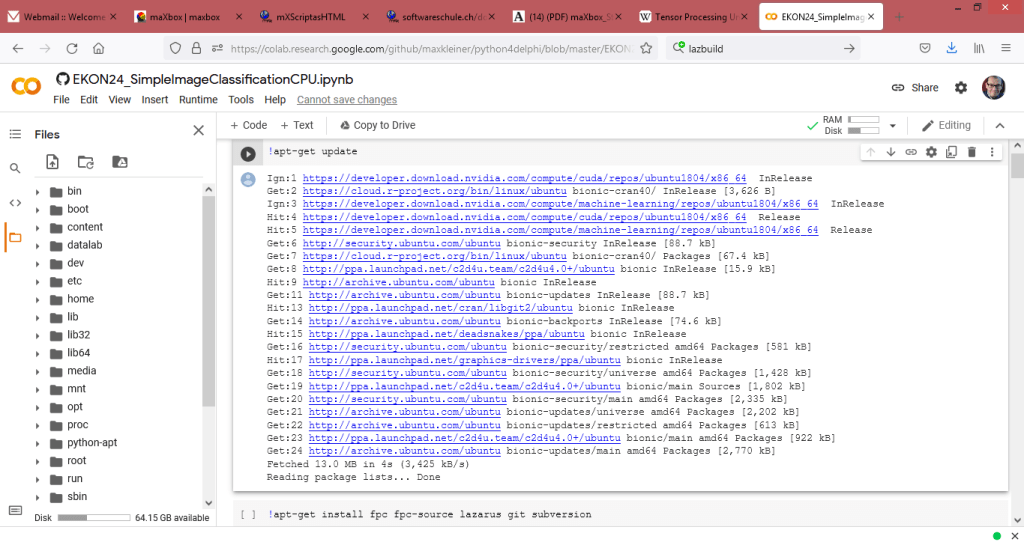
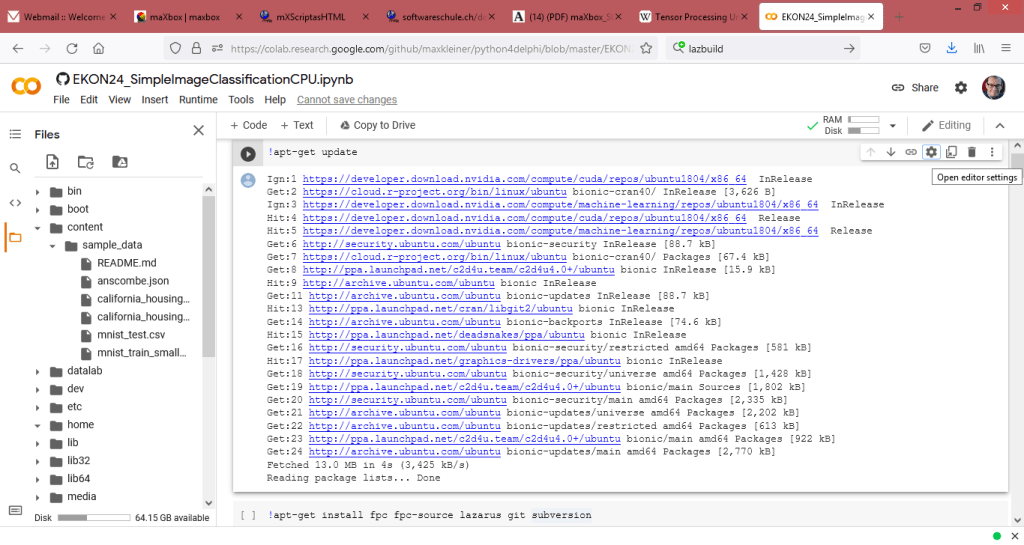
Another fascinating option is to run the entire system as runtime virtualization with the help of a Jupyter notebook running on Ubuntu in the cloud on Google Colab or Colab.research container.
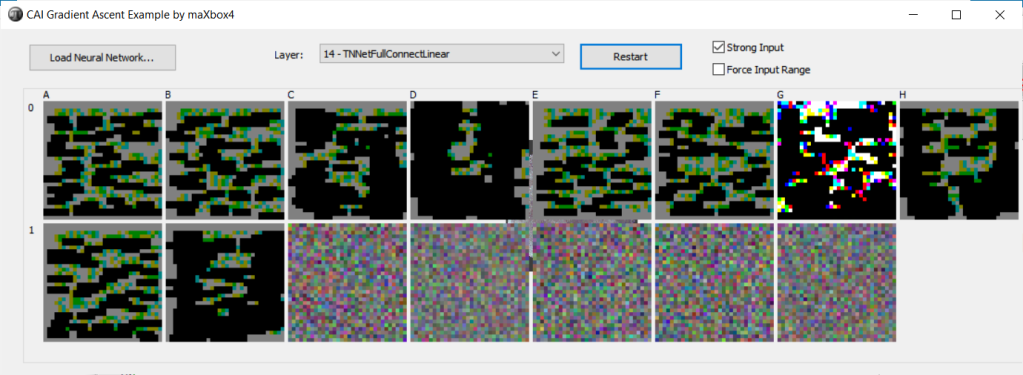
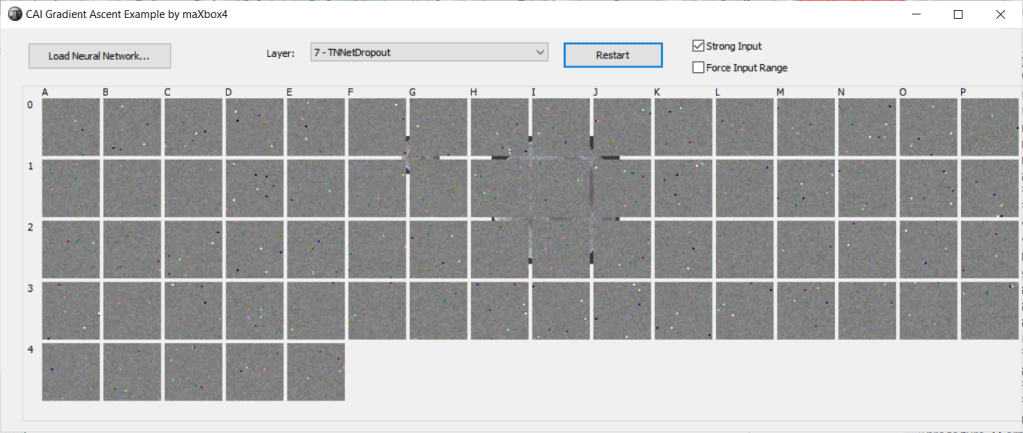
Readable pdf version at:
https://www.academia.edu/53798878/maXbox_Starter87_Image_Classification_Lazarus
Lazarus is also being built in Colab and the deep learning network is compiled and trained too in a Jupiter notebook.
The build of Free Pascal with Lazarus on a Ubuntu Linux is included, as can be seen under the following link:
https://github.com/maxkleiner/maXbox/blob/master/EKON24_SimpleImageClassificationCPU.ipynb
or an update with 64-bit

Now the 16 Steps (extract):
!apt-get update
Ign:1 https://developer.download.nvidia.com/compute/cuda/repos/ubuntu1804/x86_64  InRelease
Get:2 https://cloud.r-project.org/bin/linux/ubuntu bionic-cran40/ InRelease [3,626 B]
Ign:3 https://developer.download.nvidia.com/compute/machine-learning/repos/ubuntu1804/x86_64  InRelease
Hit:4 https://developer.download.nvidia.com/compute/cuda/repos/ubuntu1804/x86_64  Release
Hit:5 https://developer.download.nvidia.com/compute/machine-learning/repos/ubuntu1804/x86_64  Release
Get:6 http://security.ubuntu.com/ubuntu bionic-security InRelease [88.7 kB]
Get:7 https://cloud.r-project.org/bin/linux/ubuntu bionic-cran40/ Packages [67.4 kB]
Get:8 http://ppa.launchpad.net/c2d4u.team/c2d4u4.0+/ubuntu bionic InRelease [15.9 kB]
Hit:9 http://archive.ubuntu.com/ubuntu bionic InRelease
Get:11 http://archive.ubuntu.com/ubuntu bionic-updates InRelease [88.7 kB]
Hit:13 http://ppa.launchpad.net/cran/libgit2/ubuntu bionic InRelease
Get:14 http://archive.ubuntu.com/ubuntu bionic-backports InRelease [74.6 kB]
Hit:15 http://ppa.launchpad.net/deadsnakes/ppa/ubuntu bionic InRelease
Get:16 http://security.ubuntu.com/ubuntu bionic-security/restricted amd64 Packages [581 kB]
Hit:17 http://ppa.launchpad.net/graphics-drivers/ppa/ubuntu bionic InRelease
Get:18 http://security.ubuntu.com/ubuntu bionic-security/universe amd64 Packages [1,428 kB]
Get:19 http://ppa.launchpad.net/c2d4u.team/c2d4u4.0+/ubuntu bionic/main Sources [1,802 kB]
Get:20 http://security.ubuntu.com/ubuntu bionic-security/main amd64 Packages [2,335 kB]
Get:21 http://archive.ubuntu.com/ubuntu bionic-updates/universe amd64 Packages [2,202 kB]
Get:22 http://archive.ubuntu.com/ubuntu bionic-updates/restricted amd64 Packages [613 kB]
Get:23 http://ppa.launchpad.net/c2d4u.team/c2d4u4.0+/ubuntu bionic/main amd64 Packages [922 kB]
Get:24 http://archive.ubuntu.com/ubuntu bionic-updates/main amd64 Packages [2,770 kB]
Fetched 13.0 MB in 4s (3,425 kB/s)
Reading package lists... Done
!apt-get install fpc fpc-source lazarus git subversion
Reading package lists... Done
Building dependency tree
Reading state information... Done
git is already the newest version (1:2.17.1-1ubuntu0.9).
!git clone https://github.com/joaopauloschuler/neural-api.git
Cloning into 'neural-api'...
remote: Enumerating objects: 2372, done.
remote: Counting objects: 100% (494/494), done.
remote: Compressing objects: 100% (370/370), done.
remote: Total 2372 (delta 340), reused 236 (delta 124), pack-reused 1878
Receiving objects: 100% (2372/2372), 4.58 MiB | 10.38 MiB/s, done.
Resolving deltas: 100% (1585/1585), done.
!svn checkout https://svn.code.sf.net/p/lazarus-ccr/svn/components/multithreadprocs mtprocs
 mtprocs/examples
A    mtprocs/examples/parallelloop1.lpr
A    mtprocs/examples/parallelloop_nested1.lpi
A    mtprocs/examples/parallelloop_nested1.lpr
A    mtprocs/examples/recursivemtp1.lpr
A    mtprocs/examples/simplemtp1.lpr
A    mtprocs/examples/parallelloop1.lpi
A    mtprocs/examples/recursivemtp1.lpi
A    mtprocs/examples/simplemtp1.lpi
A    mtprocs/examples/testmtp1.lpi
A    mtprocs/examples/testmtp1.lpr
A    mtprocs/Readme.txt
A    mtprocs/mtprocs.pas
A    mtprocs/mtpcpu.pas
A    mtprocs/multithreadprocslaz.lpk
A    mtprocs/mtputils.pas
A    mtprocs/multithreadprocslaz.pas
Checked out revision 8093.
5. !lazbuild mtprocs/multithreadprocslaz.lpk
6. !ls -l neural-api/examples/SimpleImageClassifier/SimpleImageClassifier.lpi
-rw-r--r-- 1 root root 5694 Sep 23 08:37 neural-api/examples/SimpleImageClassifier/SimpleImageClassifier.lpi
7. !lazbuild neural-api/examples/SimpleImageClassifier/SimpleImageClassifier.lpi
Hint: (lazarus) [RunTool] /usr/bin/fpc "-iWTOTP"
Hint: (lazarus) [RunTool] /usr/bin/fpc "-va" "compilertest.pas"
TProject.DoLoadStateFile Statefile not found: /content/neural-api/bin/x86_64-linux/units/SimpleImageClassifier.compiled
Hint: (lazarus) [RunTool] /usr/bin/fpc "-iWTOTP" "-Px86_64" "-Tlinux"
Hint: (lazarus) [RunTool] /usr/bin/fpc "-va" "-Px86_64" "-Tlinux" "compilertest.pas"
Hint: (11031) End of reading config file /etc/fpc.cfg
Free Pascal Compiler version 3.0.4+dfsg-18ubuntu2 [2018/08/29] for x86_64
Copyright (c) 1993-2017 by Florian Klaempfl and others
(1002) Target OS: Linux for x86-64
(3104) Compiling SimpleImageClassifier.lpr
(3104) Compiling /content/neural-api/neural/neuralnetwork.pas
(3104) Compiling /content/neural-api/neural/neuralvolume.pas
8. ls -l neural-api/bin/x86_64-linux/bin/SimpleImageClassifier
-rwxr-xr-x 1 root root 1951024 Sep 23 08:43 neural-api/bin/x86_64-linux/bin/SimpleImageClassifier*
9. import os, import urllib.request
import os
import urllib.request
if not os.path.isfile('cifar-10-batches-bin/data_batch_1.bin'):
  print("Downloading CIFAR-10 Files")
  url = 'https://www.cs.toronto.edu/~kriz/cifar-10-binary.tar.gz'
  urllib.request.urlretrieve(url, './file.tar')


Downloading CIFAR-10 Files
- ls -l
total 166080
-rw-r--r-- 1 root root 170052171 Sep 23 08:46 file.tar
drwxr-xr-x 5 root root      4096 Sep 23 08:39 mtprocs/
drwxr-xr-x 7 root root      4096 Sep 23 08:42 neural-api/
drwxr-xr-x 1 root root      4096 Sep 16 13:40 sample_data/
11. !tar -xvf ./file.tar
cifar-10-batches-bin/
cifar-10-batches-bin/data_batch_1.bin
cifar-10-batches-bin/batches.meta.txt
cifar-10-batches-bin/data_batch_3.bin
cifar-10-batches-bin/data_batch_4.bin
cifar-10-batches-bin/test_batch.bin
cifar-10-batches-bin/readme.html
cifar-10-batches-bin/data_batch_5.bin
cifar-10-batches-bin/data_batch_2.bin
- Copy check
if not os.path.isfile('./data_batch_1.bin'):
  print("Copying files to current folder")
  !cp ./cifar-10-batches-bin/* ./
Copying files to current folder
13. Start Running
if os.path.isfile(‘./data_batch_1.bin’):
print(“RUNNING!”)
if os.path.isfile('./data_batch_1.bin'):
  print("RUNNING!")
!neural-api/bin/x86_64-linux/bin/SimpleImageClassifier
RUNNING!
Creating Neural Network...
 Layers: 12
 Neurons:331
 Weights:162498 Sum:  -19.536575
File name is: SimpleImageClassifier-64
Learning rate:0.001000 L2 decay:0.000010 Inertia:0.900000 Batch size:64 Step size:64 Staircase ephocs:10

Training images: 40000
Validation images: 10000
Test images: 10000
File name is: SimpleImageClassifier-64
Learning rate:0.001000 L2 decay:0.000010 Inertia:0.900000 Batch size:64 Step size:64 Staircase ephocs:10
Training images: 40000
Validation images: 10000
Test images: 10000
RUNNING!
Creating Neural Network...
 Layers: 12
 Neurons:331
 Weights:162498 Sum:  -19.536575
VALIDATION RECORD! Saving NN at SimpleImageClassifier-64.nn
Epochs: 20 - Examples seen:800000 Validation Accuracy: 0.8077 Validation Error: 0.5409 Validation Loss: 0.5646 Total time: 69.72min
Layer  0
Starting Testing.
Epochs: 20 Examples seen:800000 Test Accuracy: 0.8013 Test Error: 0.5539 Test Loss: 0.5934 Total time: 70.75min
Epoch time: 2.2958 minutes. 50 epochs: 1.9132 hours.
Epochs: 20. Working time: 1.18 hours.
Learning rate set to: 0.00082
Layer 11                                                     Max Output:  0.608 Min Output:  0.000 TNNetSoftMax 10,1,1 Times: 0.00s 0.00s Parent:10
Starting Testing.
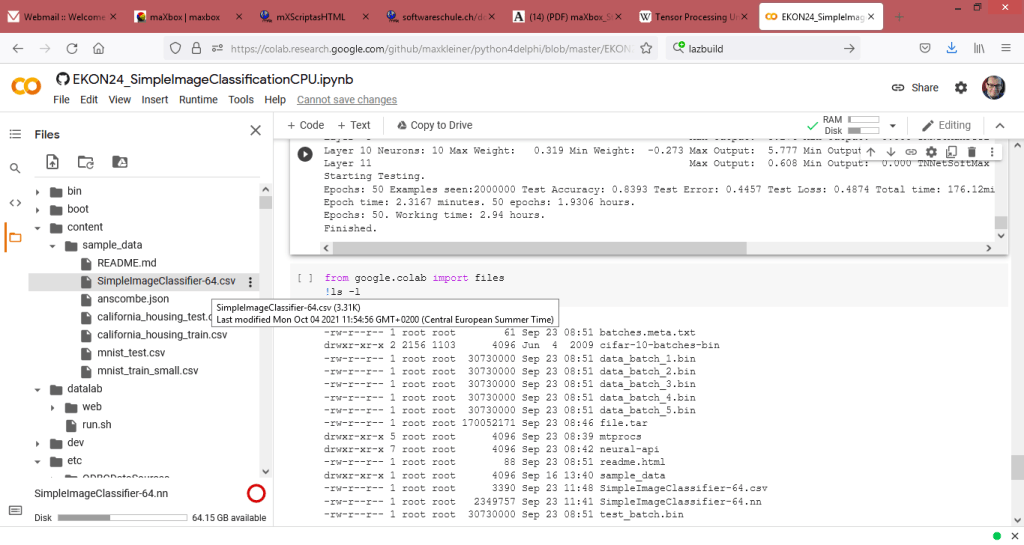
Epochs: 50 Examples seen:2000000 Test Accuracy: 0.8393 Test Error: 0.4457 Test Loss: 0.4874 Total time: 176.12min
Epoch time: 2.3167 minutes. 50 epochs: 1.9306 hours.
Epochs: 50. Working time: 2.94 hours.
Finished.
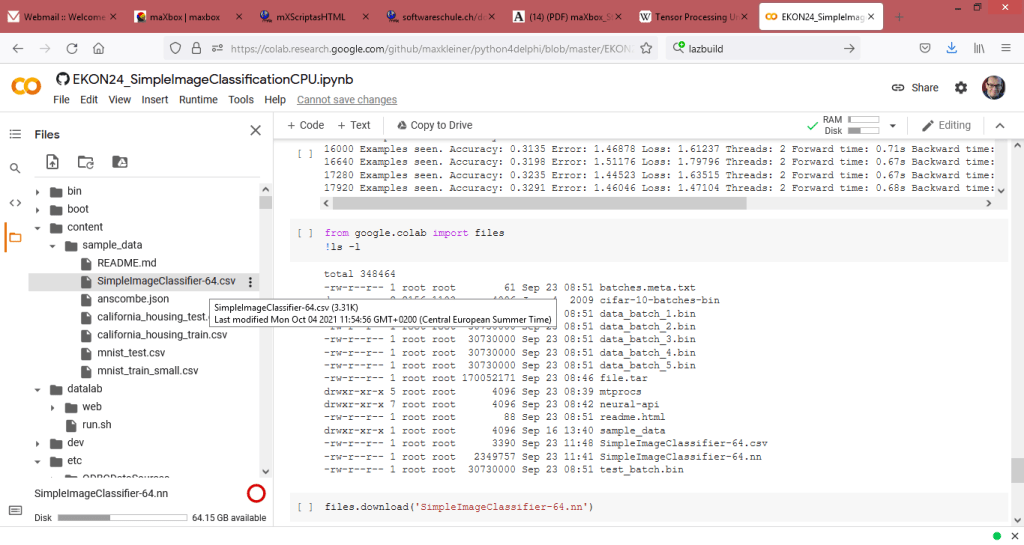
14. from google.colab import files
!ls -l
-rw-r--r-- 1 root root        61 Sep 23 08:51 batches.meta.txt
drwxr-xr-x 2 2156 1103      4096 Jun  4  2009 cifar-10-batches-bin
-rw-r--r-- 1 root root  30730000 Sep 23 08:51 data_batch_1.bin
-rw-r--r-- 1 root root  30730000 Sep 23 08:51 data_batch_2.bin
-rw-r--r-- 1 root root  30730000 Sep 23 08:51 data_batch_3.bin
-rw-r--r-- 1 root root  30730000 Sep 23 08:51 data_batch_4.bin
-rw-r--r-- 1 root root  30730000 Sep 23 08:51 data_batch_5.bin
-rw-r--r-- 1 root root 170052171 Sep 23 08:46 file.tar
drwxr-xr-x 5 root root      4096 Sep 23 08:39 mtprocs
drwxr-xr-x 7 root root      4096 Sep 23 08:42 neural-api
-rw-r--r-- 1 root root        88 Sep 23 08:51 readme.html
drwxr-xr-x 1 root root      4096 Sep 16 13:40 sample_data
-rw-r--r-- 1 root root      3390 Sep 23 11:48 SimpleImageClassifier-64.csv
-rw-r--r-- 1 root root   2349757 Sep 23 11:41 SimpleImageClassifier-64.nn
-rw-r--r-- 1 root root  30730000 Sep 23 08:51 test_batch.bin
15. files.download('SimpleImageClassifier-64.nn')

16. files.download('SimpleImageClassifier-64.csv')

FileNotFoundError: Cannot find file: SimpleImageClassifier.csv
16. files.download('SimpleImageClassifier-64.csv')


Summary
of the 16 Steps:
# -*- coding: utf-8 -*-
"""Kopie von EKON_SimpleImageClassificationCPU_2021.ipynb

Automatically generated by Colaboratory.

Original file is located at
    https://colab.research.google.com/drive/1clvG2uoMGo-_bfrJnxBJmpNTxjvnsMx9
"""

!apt-get update

!apt-get install fpc fpc-source lazarus git subversion

!git clone https://github.com/joaopauloschuler/neural-api.git

!svn checkout https://svn.code.sf.net/p/lazarus-ccr/svn/components/multithreadprocs mtprocs

!lazbuild mtprocs/multithreadprocslaz.lpk

!ls -l neural-api/examples/SimpleImageClassifier/SimpleImageClassifier.lpi

!lazbuild neural-api/examples/SimpleImageClassifier/SimpleImageClassifier.lpi

ls -l neural-api/bin/x86_64-linux/bin/SimpleImageClassifier

import os
import urllib.request

if not os.path.isfile('cifar-10-batches-bin/data_batch_1.bin'):
  print("Downloading CIFAR-10 Files")
  url = 'https://www.cs.toronto.edu/~kriz/cifar-10-binary.tar.gz'
  urllib.request.urlretrieve(url, './file.tar')

ls -l

!tar -xvf ./file.tar

if not os.path.isfile('./data_batch_1.bin'):
  print("Copying files to current folder")
  !cp ./cifar-10-batches-bin/* ./

if os.path.isfile('./data_batch_1.bin'):
  print("RUNNING!")
  !neural-api/bin/x86_64-linux/bin/SimpleImageClassifier

from google.colab import files
!ls -l

files.download('SimpleImageClassifier-66.nn')


files.download('SimpleImageClassifier-66.csv')
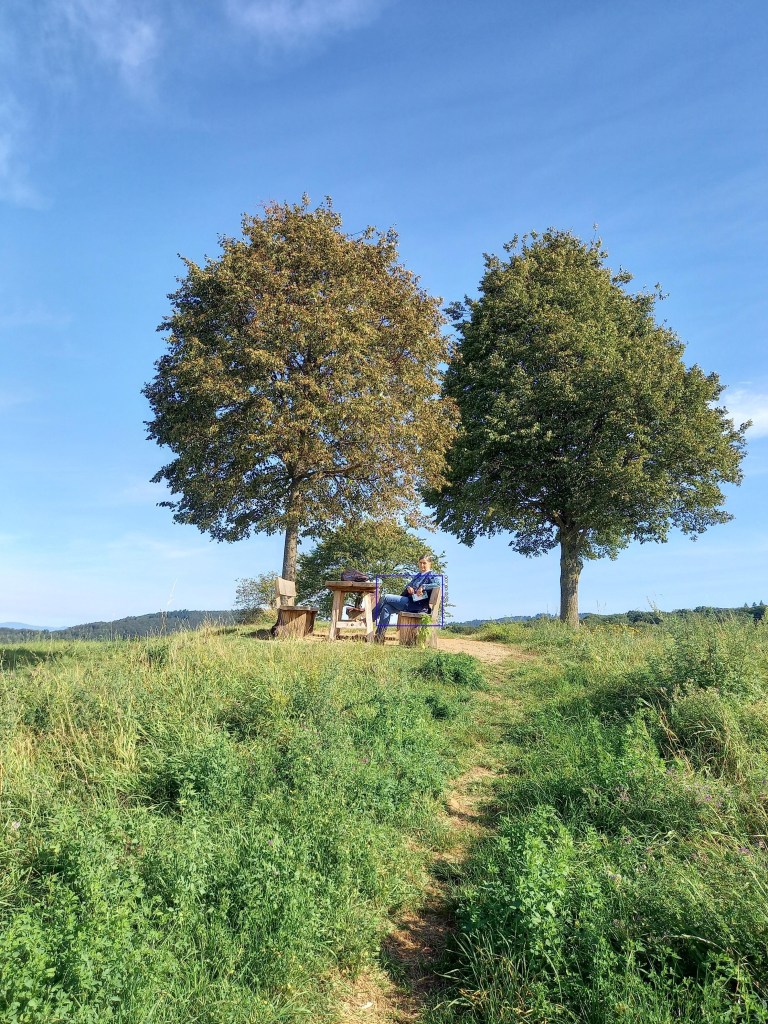
integrate image detector compute ends…
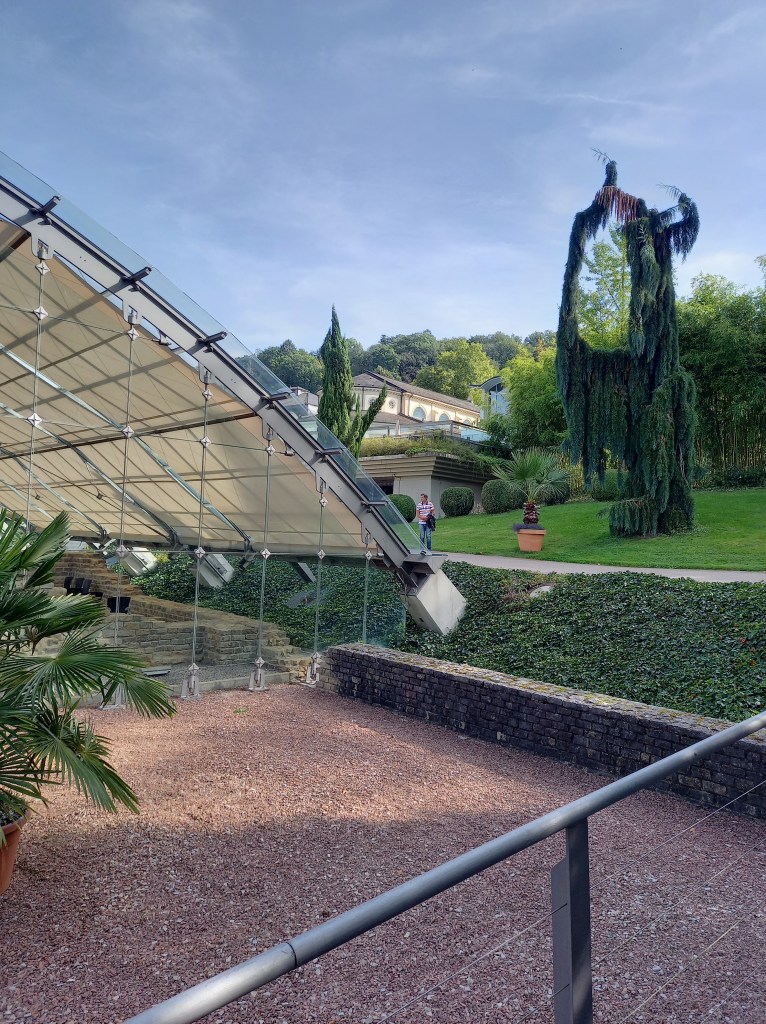
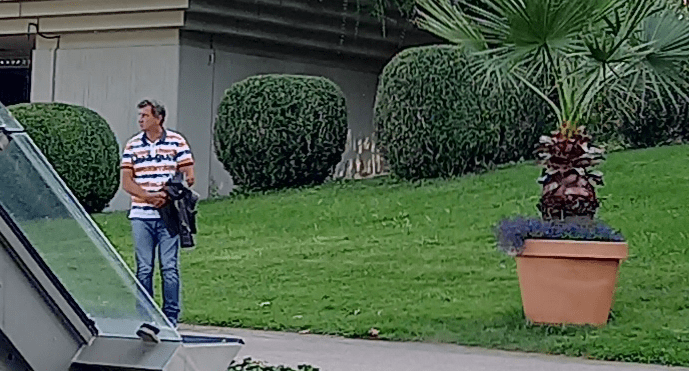
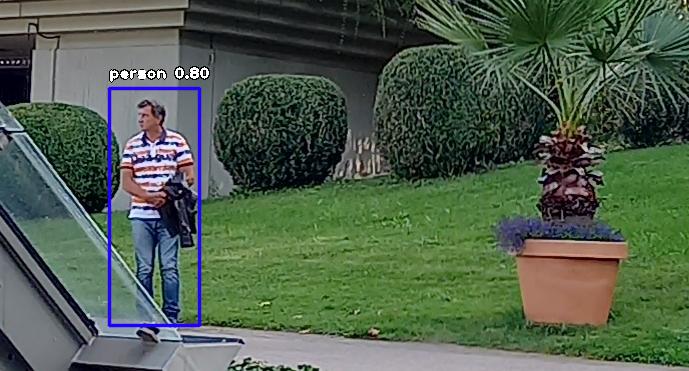
integrate image detector compute ends…
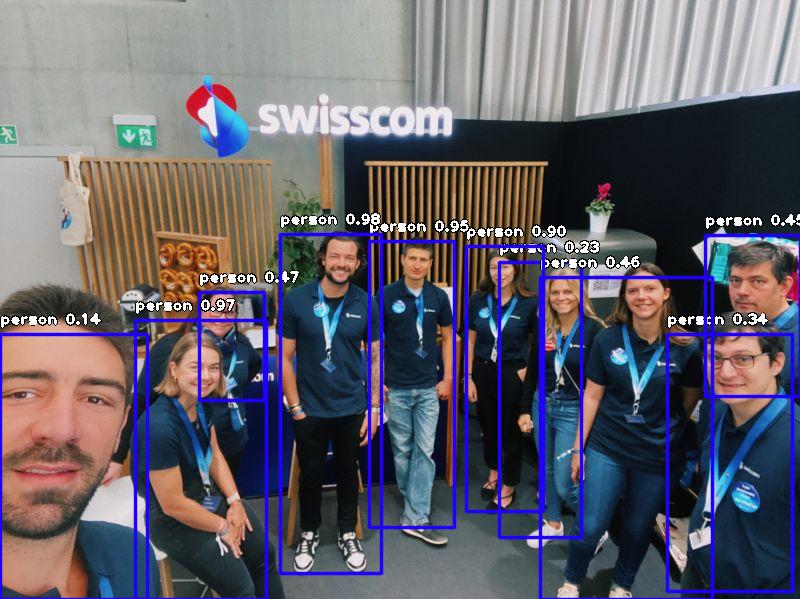
this first line fine
person : 13.743722438812256
person : 22.95577973127365
person : 34.45495665073395
person : 44.651105999946594
person : 45.853763818740845
person : 47.165292501449585
person : 89.50895667076111
person : 95.48800587654114
person : 97.00847864151001
person : 97.67321348190308
integrate image detector compute ends… elapsedSeconds:= 111.695549947051
The 5th Dimension
How to explain the 5th Dimension?
import numpy as np
np.ones([1,2,3,4,5])
import numpy as np
np.ones([1,2,3,4,5])
array([[[[[1., 1., 1., 1., 1.],
[1., 1., 1., 1., 1.],
[1., 1., 1., 1., 1.],
[1., 1., 1., 1., 1.]],
array
 ([[[[[1., 1., 1., 1., 1.],
      [1., 1., 1., 1., 1.],
      [1., 1., 1., 1., 1.],
      [1., 1., 1., 1., 1.]],

     [[1., 1., 1., 1., 1.],
      [1., 1., 1., 1., 1.],
      [1., 1., 1., 1., 1.],
      [1., 1., 1., 1., 1.]],

     [[1., 1., 1., 1., 1.],
      [1., 1., 1., 1., 1.],
      [1., 1., 1., 1., 1.],
      [1., 1., 1., 1., 1.]]],


    [[[1., 1., 1., 1., 1.],
      [1., 1., 1., 1., 1.],
      [1., 1., 1., 1., 1.],
      [1., 1., 1., 1., 1.]],

     [[1., 1., 1., 1., 1.],
      [1., 1., 1., 1., 1.],
      [1., 1., 1., 1., 1.],
      [1., 1., 1., 1., 1.]],

     [[1., 1., 1., 1., 1.],
      [1., 1., 1., 1., 1.],
      [1., 1., 1., 1., 1.],
      [1., 1., 1., 1., 1.]]]]])
>
There are 5 columns of 4 rows in 3 blocks times 2!
It returns a 5-dimensional array of size 1x2x3x4x5 filled with 1s.
ExecString('import numpy as np');
//>>> import numpy as np
//>>> np.ones([1,2,3,4,5])
println(EvalStr('repr(np.ones([1,2,3,4,5]))'));
println(StringReplace(EvalStr('repr(np.ones([1,2,3,4,5]))'),'],',CRLF,[rfReplaceAll]));
writeln(CRLF);
array([[[[[ 1.,  1.,  1.,  1.,  1.
          [ 1.,  1.,  1.,  1.,  1.
          [ 1.,  1.,  1.,  1.,  1.
          [ 1.,  1.,  1.,  1.,  1.]

         [[ 1.,  1.,  1.,  1.,  1.
          [ 1.,  1.,  1.,  1.,  1.
          [ 1.,  1.,  1.,  1.,  1.
          [ 1.,  1.,  1.,  1.,  1.]

         [[ 1.,  1.,  1.,  1.,  1.
          [ 1.,  1.,  1.,  1.,  1.
          [ 1.,  1.,  1.,  1.,  1.
          [ 1.,  1.,  1.,  1.,  1.]]


        [[[ 1.,  1.,  1.,  1.,  1.
          [ 1.,  1.,  1.,  1.,  1.
          [ 1.,  1.,  1.,  1.,  1.
          [ 1.,  1.,  1.,  1.,  1.]

         [[ 1.,  1.,  1.,  1.,  1.
          [ 1.,  1.,  1.,  1.,  1.
          [ 1.,  1.,  1.,  1.,  1.
          [ 1.,  1.,  1.,  1.,  1.]

         [[ 1.,  1.,  1.,  1.,  1.
          [ 1.,  1.,  1.,  1.,  1.
          [ 1.,  1.,  1.,  1.,  1.
          [ 1.,  1.,  1.,  1.,  1.]]]]])
The 5th dimension, according to the Kaluza-Klein theory is a concept that unifies two of the four fundamental forces of nature in a 5th dimension to explain how light (electromagnetism) interacts with gravity. Although the Kaluza-Klein theory was later deemed to be inaccurate, it served as a good starting point for the development of string theory …
Security is Multi-Faceted
Security is a continuum requiring multiple angles and each of the items below can help:
- Natively compiled applications
- No dependency on a runtime execution environment
- Use of vetted and trusted third party libraries and components
- Committing to contribute back to open-source projects you leverage
- Security focus when writing code (no copy-and-paste coding)
- Tooling to verify an application source code
- Secure storage of source code (to avoid source code injection)
- Secure build environment (to avoid binary code injection)
- Application executable signing
from Marcu Cantu

Earth Distance between 2 Points
Here’s a little program that estimates the surface distance between two points on earth defined by their latitude and longitude.
Vincenty’s formulae are two related iterative methods used in geodesy to calculate the distance between two points on the surface of a spheroid, developed by Thaddeus Vincenty (1975a) They are based on the assumption that the figure of the Earth is an oblate spheroid, and hence are more accurate than methods such as great-circle distance which assume a spherical Earth.
{Vincenty Inverse algorithm
Degrees, minutes, and seconds
Ref: P1 lat: 40:40:11N long: 73:56:38W //long NY
P2 47:22:00N 08:32:00E ZH
3937.9 Miles – 6339.3 Kilometers – 6339.255 Kilometers – 6339255.227 metres
https://geodesyapps.ga.gov.au/vincenty-inverse
 1     NY  40° 40' 11" N   73° 56' 38" W
 2     ZH  47° 22' 0" N        8° 32' 0" E
 53° 19' 36.22"     296° 7' 33.11"  6339254.547 metres

 decimals: 40.669722222222222 ;  -73.943888888888889
           47.366666666666667 ;   8.533333333333333
Calculate the geographical distance (in kilometers or miles) between 2 points with extreme accuracy. Between 2 algorithms we have 6339254.547 metres and 6339255.227 metres, difference: 680 meters!
with TPythonEngine.Create(Nil) do begin
    pythonhome:= PYHOME;
    try
      loadDLL;
      println(EvalStr('__import__("geopy.distance")'));
      ExecStr('from geopy.distance import geodesic');
      ExecStr('from geopy.distance import great_circle');
      ExecStr('p1 = (40.669722222222222,-73.943888888888889)');//# (lat, lon)
      ExecStr('p2 = (47.366666666666667,08.533333333333333)');// # (lat, lon)
      println('Distance met: '+EvalStr('geodesic(p1, p2).meters'));
      println('Distance mil: '+EvalStr('geodesic(p1, p2).miles'));
      println('Distance circ: '+EvalStr('great_circle(p1, p2).meters'));
      //- https://goo.gl/maps/lHrrg
      //println(EvalStr('__import__("decimal").Decimal(0.1)'));
    except
      raiseError;
    finally
      Free;  //}
    end;
  end;
>>>
Distance met: 6339254.546711418
Distance mil: 3939.0301555860137
Distance circ: 6322355.530084518
This library implements Vincenty’s solution to the inverse geodetic problem. It is based on the WGS 84 reference ellipsoid and is accurate to within 1 mm (!) or better.
This formula is widely used in geographic information systems (GIS) and is much more accurate than methods for computing the great-circle distance (which assume a spherical Earth).


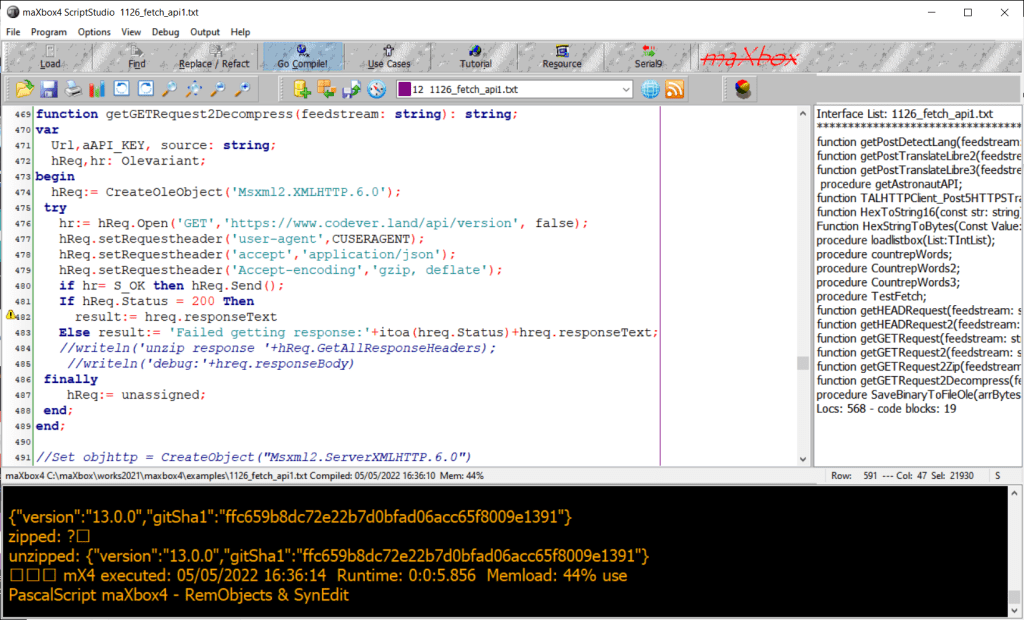
function getGETRequest2Decompress(feedstream: string): string;
var
  Url,aAPI_KEY, source: string;
  hReq,hr: Olevariant;
begin
  hReq:= CreateOleObject('Msxml2.XMLHTTP.6.0');
 try
   hr:= hReq.Open('GET','https://www.codever.land/api/version', false);
   hReq.setRequestheader('user-agent',CUSERAGENT);
   hReq.setRequestheader('accept','application/json');
   hReq.setRequestheader('Accept-encoding','gzip, deflate');
   if hr= S_OK then hReq.Send();
   If hReq.Status = 200 Then
     result:= hreq.responseText
   Else result:= 'Failed response:'+itoa(hreq.Status)+hreq.responseText;
   //writeln('unzip response '+hReq.GetAllResponseHeaders);
    //writeln('debug:'+hreq.responseBody)
 finally
    hReq:= unassigned;
 end;
end;
CR Code and ART
QR codes are now ubiquitous and their revival is due to two factors. For one, Apple and Android added QR code scanners in the smartphone cameras. And, QR codes are found everywhere during the global pandemic as restaurants and coffee shops use them to safely share their menus while following social distancing rules.
And it turns out that QR codes are a great tool for managing your art. It is able to do so because a QR code has a maximum symbol size of 177×177 modules. So, it can have as much as 31,329 squares which can encode 3KB of data.
var   QRCodeBitmap: TBitmap;
const COLORONCOLOR = 3;

procedure QRCcode(atext: string);
var
  aQRCode: TDelphiZXingQRCode;
  Row, Column, err: Integer; res: Boolean; //HRESULT;
begin
  aQRCode:= TDelphiZXingQRCode.Create;
  QRCodeBitmap:= TBitmap.Create;
  //QRCodeBitmap
  try
    aQRCode.Data:= atext;//'edtText.Text';
    aQRCode.Encoding:= qrcAuto; //TQRCodeEncoding(cmbEncoding.ItemIndex);
    //aQRCode.QuietZone:= StrToIntDef(edtQuietZone.Text, 4);
    QRCodeBitmap.SetSize(aQRCode.Rows, aQRCode.Columns);
    for Row:= 0 to aQRCode.Rows - 1 do
      for Column:= 0 to aQRCode.Columns - 1 do begin
        if (aQRCode.IsBlack[Row, Column]) then
          QRCodeBitmap.Canvas.Pixels[Column, Row]:= clBlack
        else
          QRCodeBitmap.Canvas.Pixels[Column, Row]:= clWhite;
      end;
    //Form1.Canvas.Brush.Bitmap:= QRCodeBitmap;
    //Form1.Canvas.FillRect(Rect(407,407,200,200));
    SetStretchBltMode(form1.canvas.Handle, COLORONCOLOR);
	// note that you need to use the Canvas handle of the bitmap,
	// not the handle of the bitmap itself
	//QRCodeBitmap.transparent:= true;
	Res:=StretchBlt(
	  form1.canvas.Handle,300,150,QRCodeBitmap.Width+250,QRCodeBitmap.Height+250,
	  QRCodeBitmap.canvas.Handle, 1,1, QRCodeBitmap.Width, QRCodeBitmap.Height,
	  SRCCOPY);
	  if not Res then begin
	    err:= GetLastError;
	    form1.Canvas.Brush.Color:= clyellow;
	    form1.canvas.TextOut(20, 20, Format('LastError: %d %s',
                                           [err, SysErrorMessage(err)]));
	  end;
  finally
    aQRCode.Free;
    Form1.Canvas.Brush.Bitmap:= Nil;
    QRCodeBitmap.Free;
  end;
end;


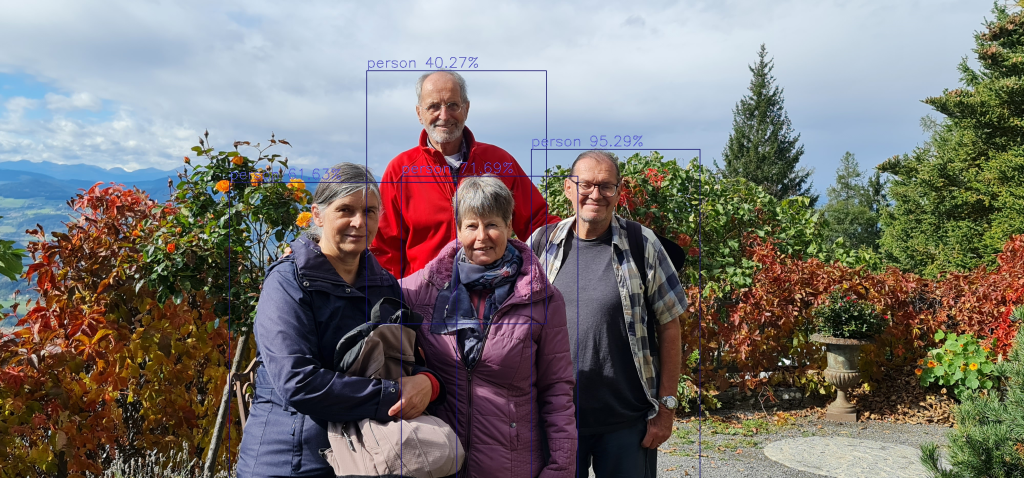
this first line fine
person : 40.269359946250916
person : 95.28620839118958
person : 61.63168549537659
person : 71.69047594070435
integrate image detector compute ends…
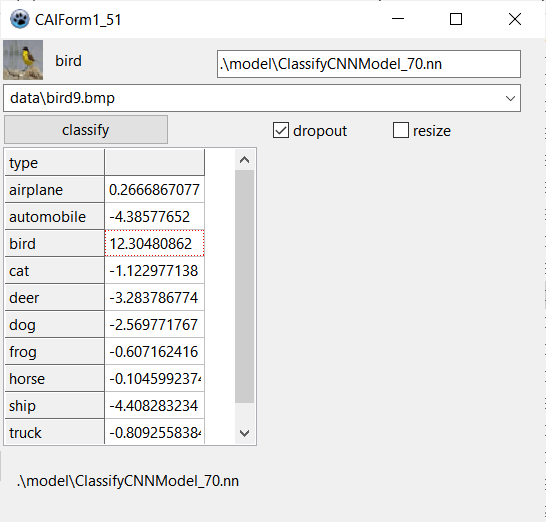


Data Parallelism has been implemented. Experiments have been made with up to 40 parallel threads in virtual machines with up to 32 virtual cores.
Data Parallelism is implemented at TNNetDataParallelism. As per example, you can create and run 40 parallel neural networks with:
Instead of reporting new features (there are plenty of new neuronal layer types), I’ll report here a test. For the past 2 years, I’ve probably spent more time testing than coding. The test is simple: using a DenseNet like architecture with 1M trainable parameters, normalization, L2, cyclical learning rate and weight averaging, how precise can be the CIFAR-10 image classification accuracy?
https://forum.lazarus.freepascal.org/index.php?topic=39049.0
LikeLike
In this tutorial, you discovered One-vs-Rest and One-vs-One strategies for multi-class classification.
Specifically, you learned:
Binary classification models like logistic regression and SVM do not support multi-class classification natively and require meta-strategies.
The One-vs-Rest strategy splits a multi-class classification into one binary classification problem per class.
The One-vs-One strategy splits a multi-class classification into one binary classification problem per each pair of classes.
LikeLike