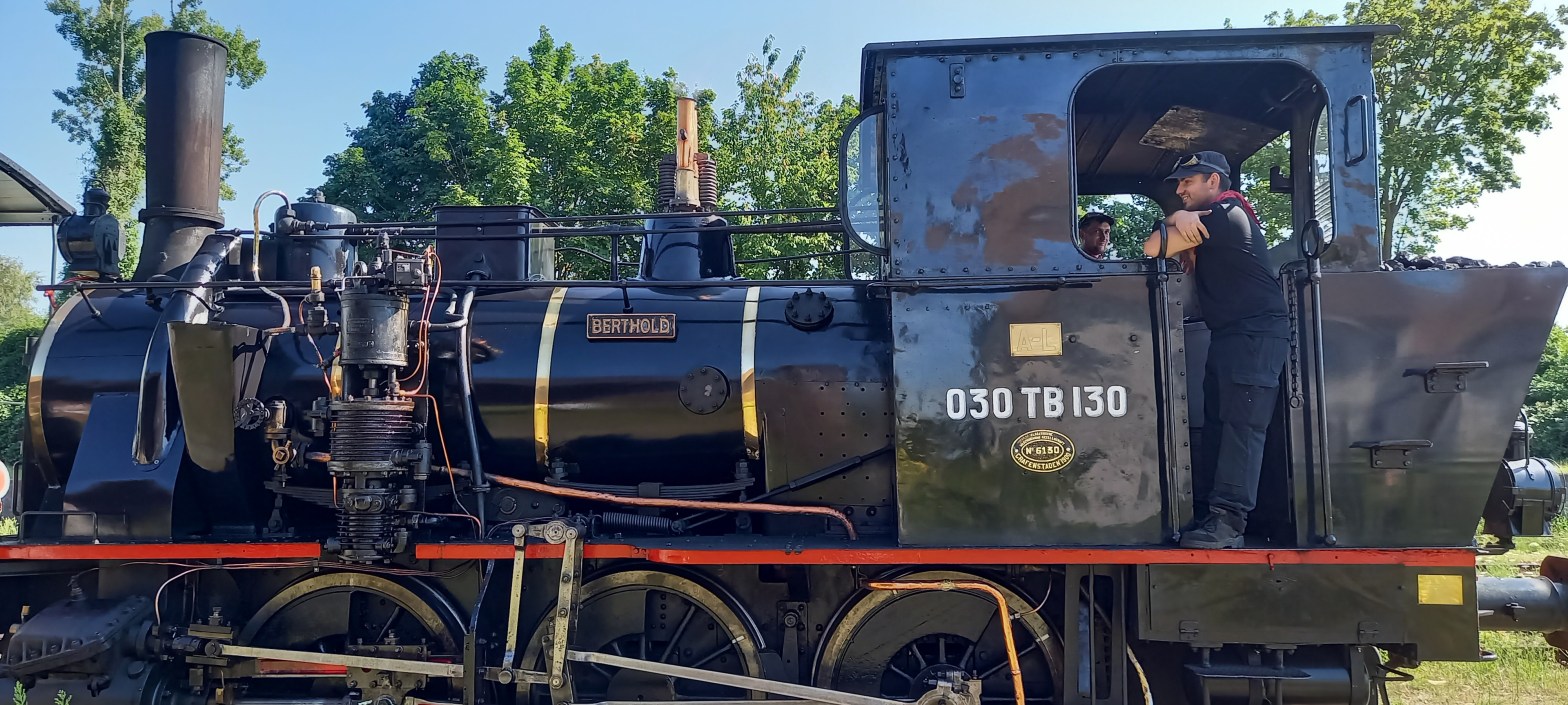
Object Detection APIs and Libraries provides a fast and accurate image object recognition using advanced neural networks developed by machine learning experts and models. It also supports object detection, video detection and object tracking using RetinaNet, YOLOv3 and TinyYOLOv3 pre-trained on datasets.
Solution Script:
https://github.com/maxkleiner/HttpComponent/blob/main/1316_detector25_integrate4solutions.txt
We deliver 4 showcases with the same image to compare and evaluate:
- 1. Integrate Python ImageAI /PyTorch
- 2. THttpRequestC RestClient / https://api-ninjas.com/api/objectdetection
- 3. THttpConnectionWinInet WinInet API / https://api.apilayer.com/image_to_text/
- 4. Integrate Python4Delphi / Apilayer
As we can see the algorithm, data and the result is distributable and scalable:
       Algorithm (model)  Data (image)    Result (Json)  Tech
   1.  local -            local -         local          python core
   2.  cloud -            local -         local/cloud    post API
   3.  cloud -            cloud -         local/cloud    get API
   4.  cloud -            cloud -         local          rest API
The first solution starts with tiny-yolov3.pt model from imagai:
'#using the pre-trained TinyYOLOv3 model,
detector.setModelTypeAsTinyYOLOv3()
detector.setModelPath(model_path)
'#loads model path specified above using setModelPath() class method.
detector.loadModel()
custom=detector.CustomObjects(person=True,laptop=True,car=False,train=True, clock=True, chair=False, bottle=False, keyboard=True)
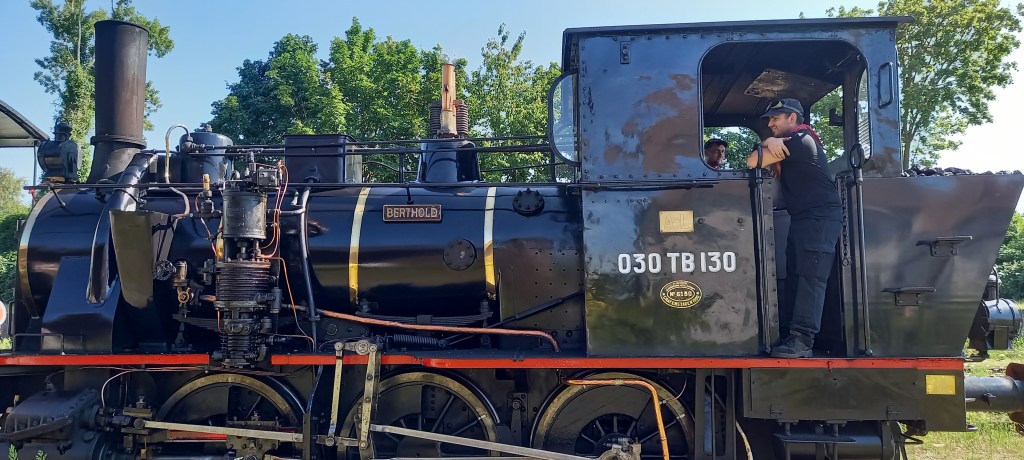

Result: Start with maXbox5 ImageAI Detector —>
train : 80.25 %
integrate image detector compute ends…
elapsedSeconds:= 4.879268800000 no console attached..
mX5🐞 executed: 29/07/2024 09:53:49 Runtime: 0:0:8.143 Memload: 75% use
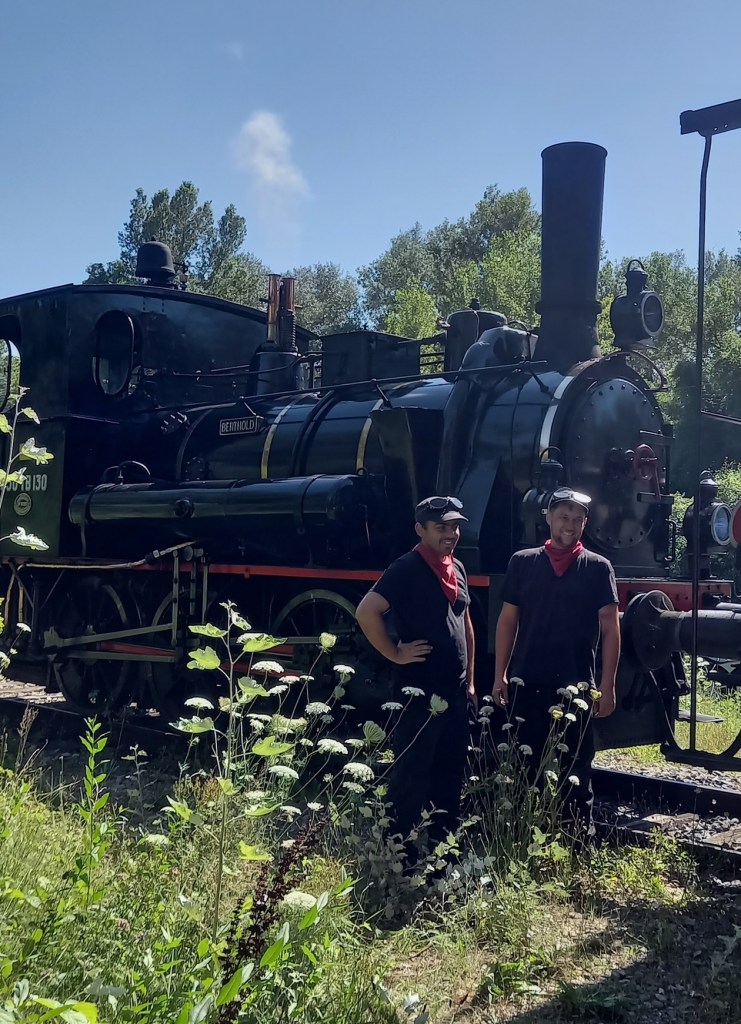
The we asked why the model can’t see the persons? It depends on the frame, so by cutting the image (crop) it sees persons but no train anymore!
input_path=r"C:\maxbox\maxbox51\examples\1316_elsass_20240728_161420crop.jpg"
Result: Start with maXbox5 ImageAI Detector —>
this first line fine
person : 99.29 %
person : 99.58 %
person : 98.74 %
integrate image detector compute ends…
elapsedSeconds:= 4.686975000000 – no console attached..
mX5🐞 executed: 29/07/2024 10:09:30 Runtime: 0:0:7.948 Memload: 77% use
You can see one false positive in the green bounding box above!
The Second Solution is an API from URL_APILAY_DETECT = ‘https://api.api-ninjas.com/v1/objectdetection/’;
The Object Detection API provides fast and accurate image object recognition using advanced neural networks developed by machine learning models.
https://api-ninjas.com/api/objectdetection
const URL_APININ_DETECT= 'https://api.api-ninjas.com/v1/objectdetection/';

function TestHTTPClassComponentAPIDetection2(AURL, askstream, aApikey: string): string;
var HttpReq1: THttpRequestC;
    Body: TMultipartFormBody;
    Body2: TUrlEncodedFormBody;  //ct: TCountryCode;
begin
  Body:= TMultipartFormBody.Create;
  Body.ReleaseAfterSend:= True;
  //Body.Add('code','2','application/octet-stream');
  //Body.AddFromFile('image', exepath+'randimage01.jpg');
  Body.AddFromFile('image',
                           'C:\maxbox\maxbox51\examples\1316_elsass_20240728_resized.jpg');

  HttpReq1:= THttpRequestC.create(self);
  httpreq1.useragent:= USERAGENT3;
  httpReq1.headers.add('X-Api-Key:'+AAPIKEY);
  httpReq1.headers.add('Accept:application/json');
  hthtpReq1.SecurityOptions:= [soSsl3, soPct, soIgnoreCertCNInvalid];
  try
    if HttpReq1.Post1Multipart(AURL, body) then
       result:=HttpReq1.Response.ContentAsString
    else Writeln('APIError '+inttostr(HttpReq1.Response.StatusCode2));
  finally
    writeln('Status3: '+gethttpcod(HttpReq1.Response.statuscode2))
    HttpReq1.Free;
    sleep(200)
    // if assigned(body) then body.free;
  end;
end;
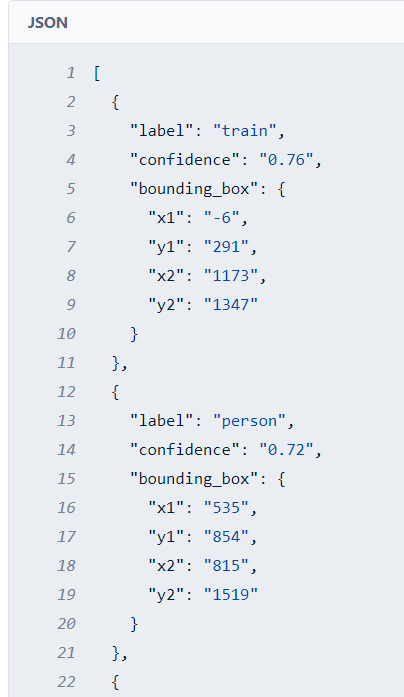
This result is a post from a multipartform body stream and you need an API key, then the result is a JSON back, as you can see, we need a call to HttpReq1.Post1Multipart for uploading files.:
POST data using the Content-Type multipart/form-data
Result Status3: SC_OK
back [ {
  "label": "train",
  "confidence": "0.76",
  "bounding_box": {
    "x1": "-6",
    "y1": "291",
    "x2": "1173",
    "y2": "1347"
  }
},
{
  "label": "person",
  "confidence": "0.72",
  "bounding_box": {
    "x1": "535",
    "y1": "854",
    "x2": "815",
    "y2": "1519"
 }
},
{
  "label": "person",
  "confidence": "0.69",
  "bounding_box": {
    "x1": "823",
    "y1": "790",
    "x2": "1055",
    "y2": "1350"
  }
},
The third solution wants to get the text back from the image. The Image to Text API detects and extracts text from images using state-of-the-art optical character recognition (OCR) algorithms. It can detect texts of different sizes, fonts, and even handwriting on pictures or draws.
URL_APILAY_IMG2TEXT = 'https://api.apilayer.com/image_to_text/url?url=%s';

function Image_to_text_API2(AURL, url_imgpath, aApikey: string): string;
var httpq: THttpConnectionWinInet;
    rets: TStringStream;
    heads: TStrings; iht: IHttpConnection; //losthost:THTTPConnectionLostEvent;
begin
  httpq:= THttpConnectionWinInet.Create(true);
  rets:= TStringStream.create('');
  heads:= TStringlist.create;
  try
    heads.add('apikey='+aAPIkey);
    iht:= httpq.setHeaders(heads);
    httpq.Get(Format(AURL,[url_imgpath]), rets);
    if httpq.getresponsecode=200 Then result:= rets.datastring
      else result:='Failed:'+
             itoa(Httpq.getresponsecode)+Httpq.GetResponseHeader('message');
  except
    writeln('EWI_HTTP: '+ExceptiontoString(exceptiontype,exceptionparam));
  finally
    httpq:= Nil;
    heads.Free;
    rets.Free;
  end;
end;                 //}
And the model is able to read the name of the Locomotive!:
Result_: {“lang”:”en”,”all_text”:”18130\nBERTHOLD“,”annotations”:[“18130″,”BERTHOLD“]}
mX5🐞 executed: 29/07/2024 11:04:12 Runtime: 0:0:3.527 Memload: 81% use
The forth and last solution in this machine learning package is a Python one as in Python for maXbox or Python4Delphi available:
procedure PyCode(imgpath, apikey: string);
begin
  with TPythonEngine.Create(Nil) do begin
  //pythonhome:= 'C:\Users\User\AppData\Local\Programs\Python\Python312\';
  try
    loadDLL;
    autofinalize:= false;
    ExecString('import requests, sys');
    ExecStr('url= "https://api.apilayer.com/image_to_text/url?url='+imgpath+'"');
    ExecStr('payload = {}');
    ExecStr('headers= {"apikey": "'+apikey+'"}');
    Println(EvalStr('requests.request("GET",url,headers=headers, data=payload).text'));
    Println('Version: '+EvalStr('sys.version'));
  except
    raiseError();
  finally
    free;
  end;
 end;
end;
{“lang”: “en”, “all_text”: “18130\nBERTHOLD”, “annotations”: [“18130”, “BERTHOLD“]}
Version: 3.12.4 (tags/v3.12.4:8e8a4ba, Jun 6 2024, 19:30:16) [MSC v.1940 64 bit (AMD64)]
mX5🐞 executed: 29/07/2024 11:18:13 Runtime: 0:0:4.60 Memload: 79% use

– Baujahr 1900
Conclusion and Summary
- Built with simplicity in mind, ImageAI supports a list of state-of-the-art Machine Learning algorithms for image prediction, custom image prediction, object detection, video detection, video object tracking and image predictions trainings. ImageAI currently supports image prediction and training using 4 different Machine Learning algorithms trained on the ImageNet-1000 dataset. ImageAI also supports object detection, video detection and object tracking using RetinaNet, YOLOv3 and TinyYOLOv3 trained on COCO dataset. Finally, ImageAI allows you to train custom models for performing detection and recognition of new objects.
https://github.com/OlafenwaMoses/ImageAI - Object Detection API – The Object Detection API provides fast and accurate image object recognition using advanced neural networks developed by machine learning experts. It also has a Live Demo or rules with Mime Post Multipart FormData_:
https://api-ninjas.com/api/objectdetection
https://github.com/maxkleiner/HttpComponent - Recognizes and reads the text embedded in images very accurare and usable.
Image to Text API uses a neural net (LSTM) based OCR engine which is focused on line recognition, but also supports recognizing the character patterns. It supports both handwriting and printed materials.
It will extract the text information easily, even though the text or number is positioned with angle, like Berthold.
https://apilayer.com/marketplace/image_to_text-api - The Requests library in Python is one of the integral parts of Python for making HTTP requests to a specified URL as post or get. Whether it be REST APIs or Web Scraping, requests are a must to be learned for proceeding further with these technologies.
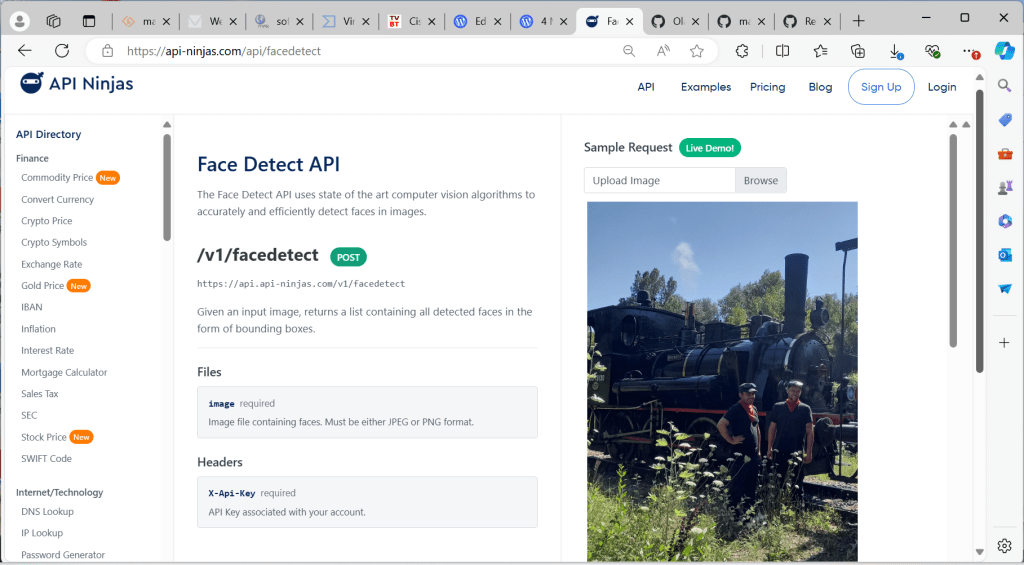
- Out of the examples above but also mention it: The Face Detect API uses state of the art computer vision algorithms to accurately and efficiently detect faces in images.
https://api-ninjas.com/api/facedetect

{
“lang”: “und”,
“all_text”: “DB\n218 105-5\n000\nDB\nV 200 035\n1000\nว”,
“annotations”: [
“DB”,”218″,”105-5″,”000″,
“DB”, “V”,”200″,”035″,”1000″,
“ว”]
}
mX5🐞 executed: 22/08/2024 17:45:23 Runtime: 0:0:3.414 Memload: 77% use


 Code Blog
TheiaEngine, the next-generation computer Vision AI API capable of all Generative and Understanding computer vision tasks in a single API call and available via REST API to all programming languages. Features include
LikeLike