
////////////////////////////////////////////////////////////////////////////
🐞Multi Code マルチコード
maXbox Starter 155 – Code in Multicode.
Source: Split a character string based on change of character – Rosetta Code
Script_: Download 1433_charsplit_pas_py_fp_js_uc_test.txt (maXbox5)
Multi-code programming refers to the practice of integrating multiple programming languages, paradigms, or models within a single system or application. This approach is particularly useful in scenarios where different languages or tools excel at specific tasks, allowing developers to leverage their strengths for optimal performance and flexibility.
Also Modern CLIs do more than run multi-commands. They:
- – Save time with automation
- – Integrate with cloud and AI tools
- – Keep your focus in one window
- – Work the same across Linux, macOS, and Windows
So CLI Tools still matter and I want to show that with one problem from rosettacode and the corresponding 5 solutions:
The advantages of multi-code (or multi-core) are:
- Optimized Performance: Each language or tool is used where it performs best.
- Flexibility: Adapts to diverse project requirements.
- Scalability: Supports complex, large-scale systems.
We combine languages like Python, Pascal, Delphi, Free Pascal and Javascript with the following problem:
“Split a (character) string into comma (plus a blank) delimited strings based on a change of character (left to right)”.
Blanks should be treated as any other character (except they are problematic to display clearly). The same applies to commas. For instance, the string:
gHHH5YY++///\
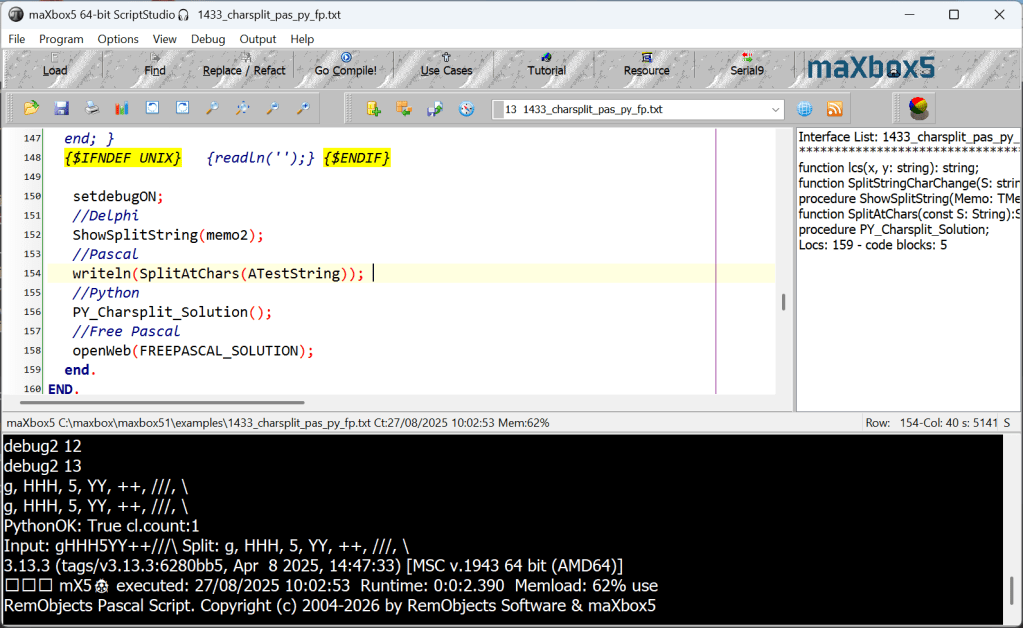
should be split and show: g, HHH, 5, YY, ++, ///, \
We start with the Pascal solution:
function SplitAtChars(const S: String):String;
var i : integer; lastChar:Char;
begin
  result:= '';
  IF length(s) > 0 then begin
    LastChar:= s[1];
    result:= LastChar;
    For i:= 2 to length(s) do begin
      if s[i] <> lastChar then begin
        lastChar:= s[i];
        result:= result+ ', ';
      end;
      result:= result+ LastChar;
    end;
  end;
end;
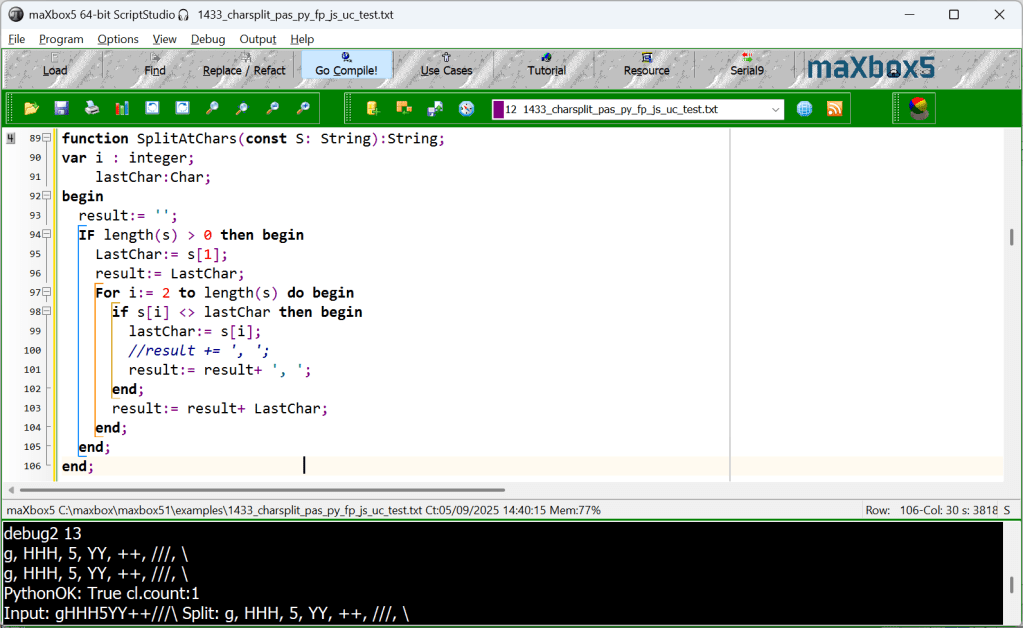
The second, the Delphi one has a form to conigure the output:
const S1 = 'gHHH5YY++///\';
procedure ShowSplitString(Memo: TMemo);
var S2: string;
begin
   Memo.Lines.Add(S1);
   S2:= SplitStringCharChange(S1);
   Memo.Lines.Add(S2);
end;
It works with: Delphi version 6.0 and needs the Library SysUtils and StdCtrls, in maXbox there are precompiled on board.
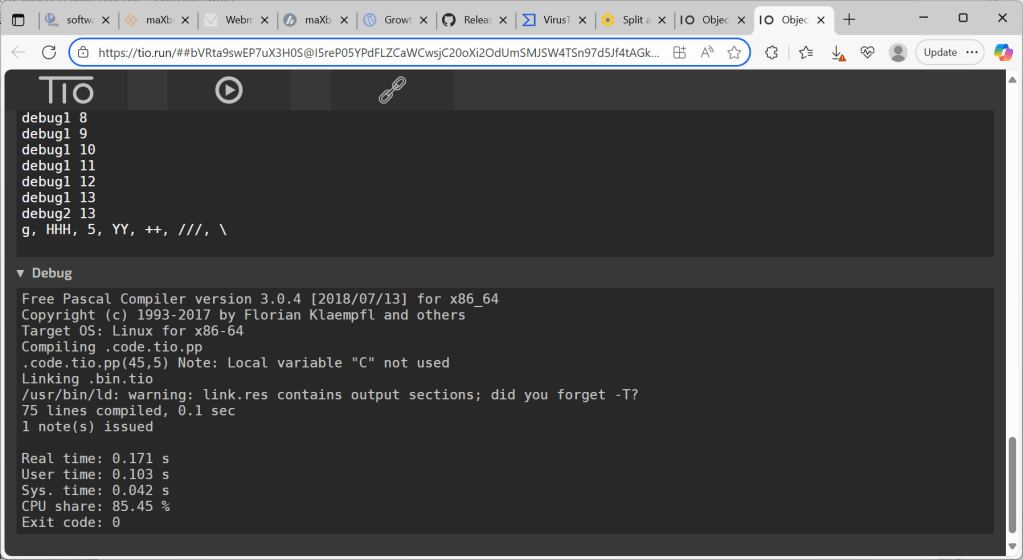
The third one is Free Pascal and runs on the internet with the help of TIO: The web server of and the arenas (where user code is executed) are currently run on three separate servers. TIO is getting more and more traffic, so additional arenas will be required. Also, server-side permalinks will eventually require a separate storage. With your help, I hope to ensure a smooth operation of all TIO services.
.
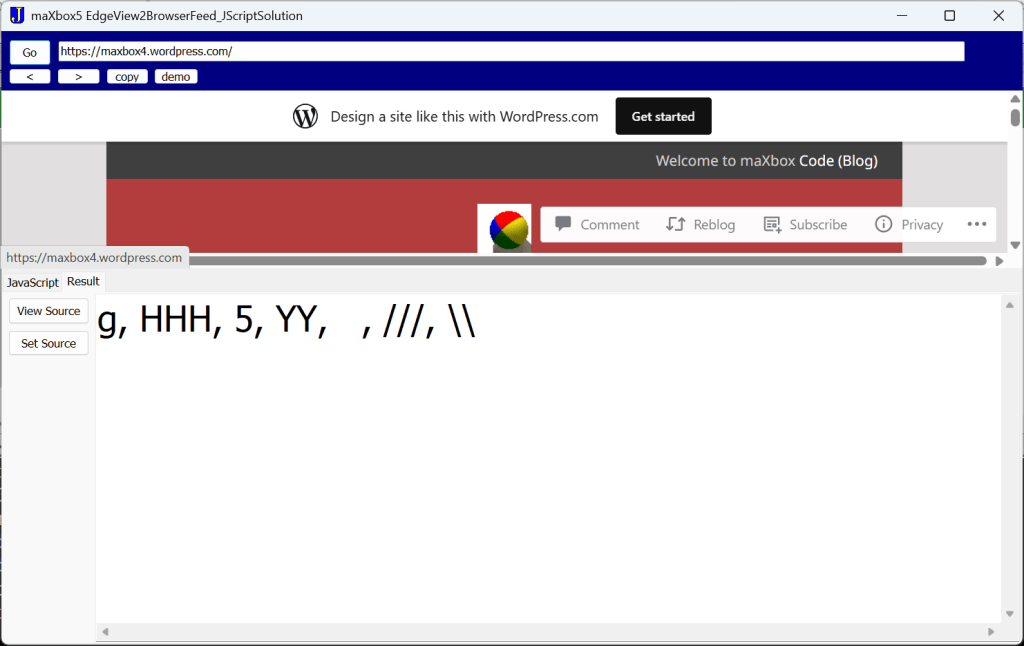
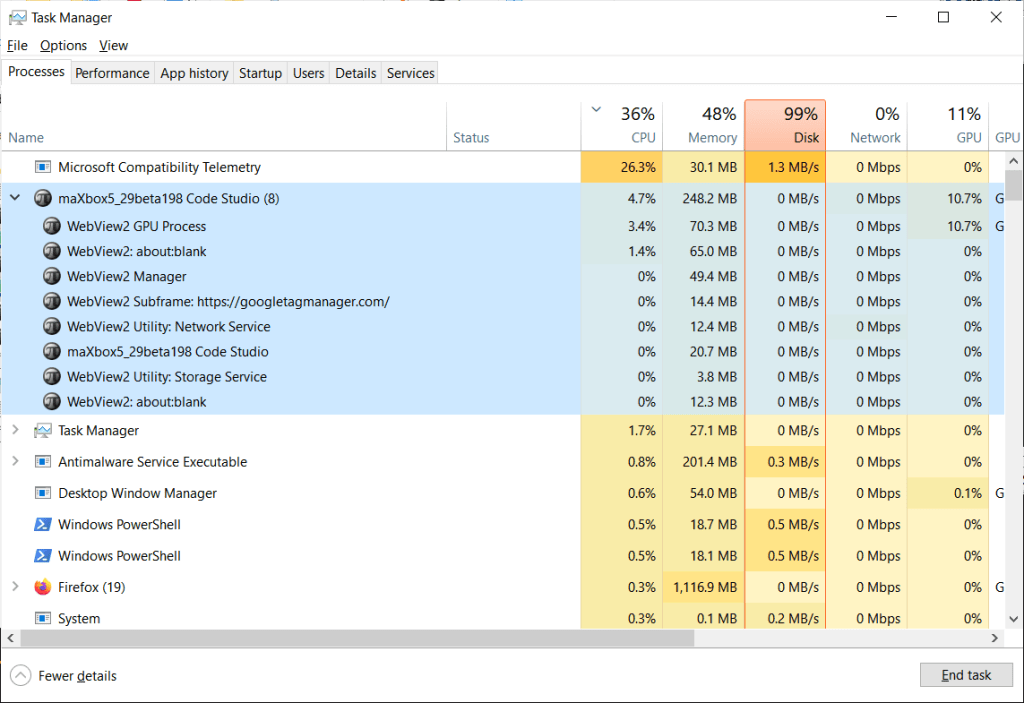
The next is Java Script and will also run in a browser but a local based one. With WebView2 in Microsoft Edge, developers can now embed web content directly within native Windows applications. WebView2 offers a simple way to display web-based content using the Chromium engine inside your apps or scripts.
Specifically, WebView2 can run HTML, CSS, and JavaScript inside a standard non-web program, like something written in Visual C++, Delphi or .NET apps.
Support for Edge WebView2 on Windows 7, 8, Server 2012 and 2012R2, ended at Edge WebView2 version 107 in October of 2022 because those operating systems are no longer supported.
procedure JS_Solution;
begin
   with TEdgeViewForm.create(self) do begin
      width:= 1500;
      pagecontrol1.height:= 540;
      icon.loadfromresourcename(hinstance,'XJICON');
      Caption:= 'maXbox5 EdgeView2BrowserFeed_JScriptSolution' ;
      panel1.ParentBackground:= false;
      panel1.color:= clnavy;
      sleep(500);
      navigate('https://maxbox4.wordpress.com/2025/07/01/ekon-29/');
      memoJavaScript.text:= JSCRIPT;//JS_InitFunc;
        PageControl1.ActivePageIndex := 1;
        memoHTML.font.size:= 26;
        memoJavaScript.wordwrap:= true;
        memoJavaScript.lines.linebreak:= lf;
      tabsheet3.caption:= 'Result';
      panel3.caption:= 'Source: Result';
      sleep(300)
      ExecuteScript(JSCRIPT);
      sleep(1600);
      writeln('result of js webview2: '+memoHTML.text);
      writeln('scriptresult of js webview2: '+getScriptresult);
      showmodal;    //save resources
      free;
   end;
end;
const JSFunc ='function stripchars(string, chars) { '+lf+
              '  return string.replace(RegExp("["+chars+"]","g"), ""); }'+lf+
              'stripchars("She was a soul stripper. She took my heart!","aei")';

procedure JS_Solution;
begin
   with TEdgeViewForm.create(self) do begin
      sleep(500)
      ExecuteScript(JSFunc);
      sleep(400)
      //)ExecuteScript('23*4');
      //memoJavaScript.text:= '23*4';
      //ExecuteScript('stripchars("She was a soul stripper. She took my heart!","aei"');
      sleep(2200);
      //writeln('result of js webview2: '+memoHTML.text);
      writeln('scriptresult jswebview2: '+getScriptresult);
      //showmodal;    //save resources
      free;
   end;
end;
The different sleep() is a bit tricky cause you need them to control the async return, otherwise you cant catch the result at the time you expect it. It took some time to execute the script and a wait state is missing. The destination folder can contain the script, or in the script itself as a const or you can invoke scripts as an URL from a server with:
Navigate(‘https://maxbox4.wordpress.com/2025/07/01/ekon-29/jsdemo.js’);
const JSCRIPT =
'(() => {                                                      '+lf+
'    "use strict";                                             '+lf+
'                                                              '+lf+
'    // ----------- SPLIT ON CHARACTER CHANGES ------------    '+lf+
'    const main = () =>                                        '+lf+
'        group("gHHH5YY++///\\")                               '+lf+
'        .map(x => x.join(""))                                 '+lf+
'        .join(", ");                                          '+lf+
The above is the basic usage of the WebView2 handling. You can customize the parameters and error handling based on specific needs. There’s a tutorial about the topic: Tutorial 129 Using WebView2, October 2024.
The last solution is the Python one procedure:
Const PYFUNC =
  'def splitter(text):  '+lf+
  '  return ", ".join("".join(group) for key, group in groupby(text)) ';

procedure PY_Charsplit_Solution;
begin
 with TPythonEngine.Create(Nil) do begin
    autofinalize:= false;
    loadDLL;
    try
      ExecString('import sys; from itertools import groupby');
      ExecString(PYFUNC);
      addclient(TEngineClient.create(nil));
      execstr('txt = ''gHHH5YY++///\\''
      # Note backslash is Python escape char.');
      println(evalstr('f''Input: {txt}\n Split: {splitter(txt)}'''));
      println(evalstr('sys.version'));
    except
      raiseError;
    finally
      unloadDll;
      Free;
    end;
  end;
end;
Conclusion
Multi-code programming is a powerful approach for modern software development, especially in domains requiring high efficiency and adaptability.
Put simply Microsoft EdgeWebView2 is a stripped down version of the Microsoft Edge browser- based on Google Chrome that developers can use to run web code inside of applications you are using. By leveraging the web platform inside desktop scripts, developers can create rich user experiences, improve performance, and utilize modern web capabilities.
The challenges are:
- Complexity: Managing multiple languages can increase development and debugging effort.
- Interoperability Issues: Ensuring smooth communication between components.
- Learning Curve: Requires expertise in multiple programming paradigms.
Facilitates communication between different languages or frameworks, often through APIs, shared memory, or intermediate representations.
References:
How to Use WebView2 in Microsoft Edge Browser – GeeksforGeeks
How to use SHFileOperation – Blog – Silicon Cloud
Doc and Tool: maXbox5 – Manage Files at SourceForge.net
Release maXbox V5.2.9 · maxkleiner/maXbox5
Max Kleiner 05/09/2025
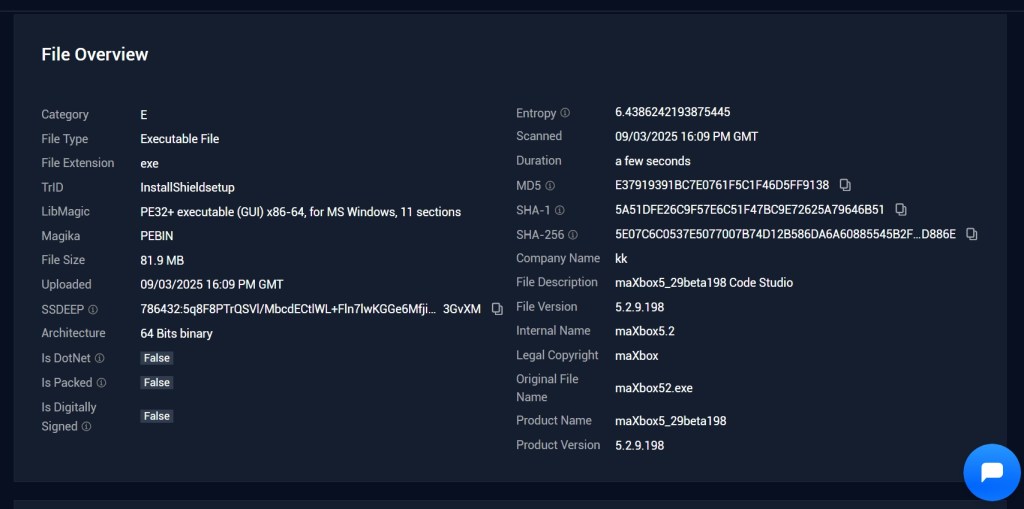
Release Notes maXbox 5.2.9.198 September 2025 mX529 beta64-bit🐞
SynEdit upgrade, DisplayFlowControl, Structural Highlighting
GeoMap View3 upgrade, Tutorial3 Modular upgrade folding
SynEdit highlighter updates: JScript, Python, Pascal, C++
WebView2 loader upgrade getScriptresult() of JavaScript
Print & Export Rededesign – menu/File/Print Studio5
maxform1.SystemInfo1Click – menu/Debug/System Info
Modules Count_: 3860 Units maXbox5_29beta190.xml
03.09.2025 17:25
Release Notes maXbox 5.2.9.198 September 2025
SHA1: 5.2.9.198 maXbox5.exe 5a51dfe26c9f57e6c51f47bc9e72625a79646b51
SHA1: ZIP maxbox52.zip AAA6C16CC1311A2C0DA28B212A8FBEB12FD9D1EB
MP3 File Duration over Archives
function MP3PlayLength(aMP3FileName:string):string;
var
  wMP: TMediaPlayer;
  wLen: Cardinal;
 begin
   Try
     wMP:= TMediaPlayer.Create(self);
     try
        wMP.Visible:= false;
        wMP.parent:= self;
        wMP.FileName:= aMP3FileName;
        wMP.TimeFormat:= tfMilliseconds;
        wMP.DeviceType:= dtAutoSelect;
        wMP.Open;
        //sleep(50)
        try
           wLen:= trunc(wMP.Length / 1000);
           result:= inttostr(wLen div 60)+':'+inttostr(wLen mod 60);
        finally
           wMP.Close;
        end;
     finally
        wMP.free;
     end;
   except
     result:= '(mpplay err)';
   end;
 end;
We iterate with findfiles() over recursive Dirs and calc the lenght:
try
seconds:= TimeOfDateTimeToSeconds(strtotime(MP3PlayLength(srlist.strings[it]))/60)
except writeln(ExceptionToString(ExceptionType, ExceptionParam));
writ(srlist.strings[it]) end;
totaltime:= incsecond(totaltime, seconds);
Python Solution:
//python template III
procedure pymp3_Solution;
 begin
   with TPythonEngine.Create(Nil) do begin
     autofinalize:= false;
     loadDLL;
     try
      ExecString('import datetime,os,sys');
      ExecString('from mutagen.mp3 import MP3');
      ExecString(PYFUNC);
      execstr('path = str(r"'+songpath+'")'   +lf+
              'files = os.listdir(path)'   +lf+
               'total_files_time = 0 '+lf+
               'for f in files:                  '+lf+
               '   if f.endswith(''.mp3''):      '+lf+
               '      filePath = path + ''/'' + f'+lf+
               '      audio = MP3(filePath)      '+lf+
               '      length = audio.info.length '+lf+
               '      total_files_time += length ');

      println('pyout: '+evalstr('get_formatted_time(total_files_time)+ " of music!"'));
      println('pyout: '+evalstr('sys.version'));
      addclient(TEngineClient.create(nil));
      writeln('PythonOK '+botostr(PythonOK)+ ' clcount:'+itoa(clientcount));
     except
       raiseError;
     finally
       unloadDll;
       Free;
     end;
   end;
 end;
https://sourceforge.net/projects/maxbox5/files/examples/1437_findallfiles2mp3_64_py.txt/download


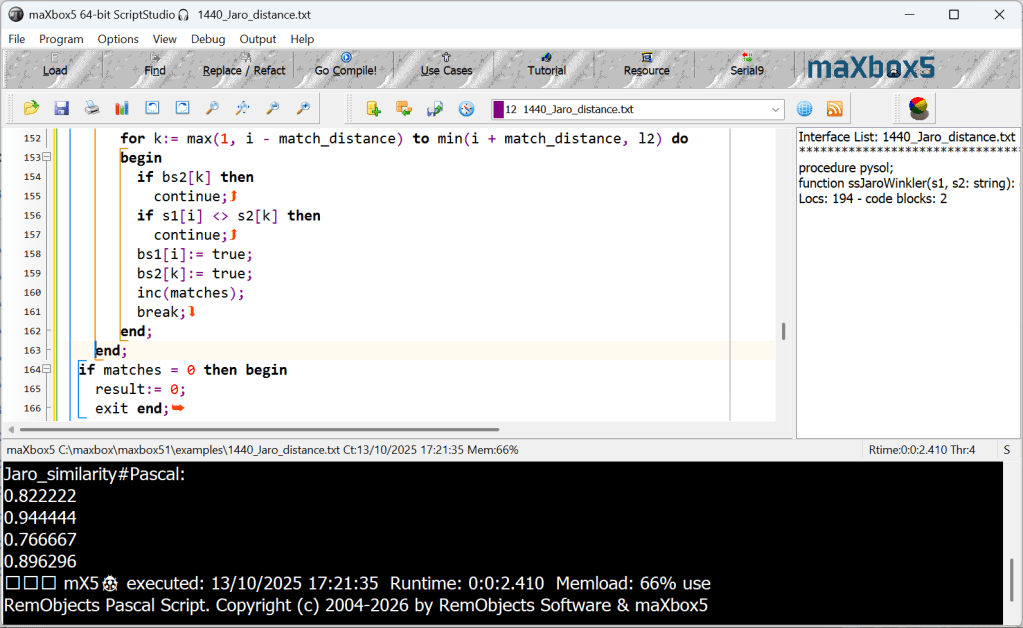
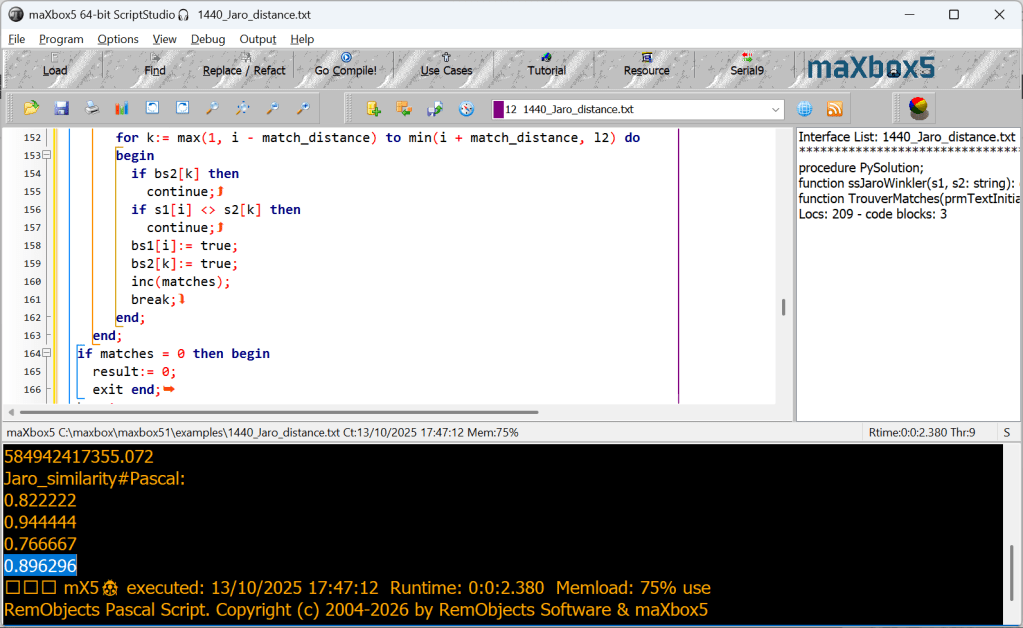
Jaro similarity
The Jaro distance is a measure of edit distance between two strings; its inverse, called the Jaro similarity, is a measure of two strings’ similarity: the higher the value, the more similar the strings are. The score is normalized such that 0 equates to no similarities and 1 is an exact match.
https://rosettacode.org/wiki/Jaro_similarity#Pascal
 //converted from C source by /u/bleuge
function ssJaroWinkler(s1, s2: string): double;
var
  l1, l2, match_distance, matches, i, k, trans: integer;
  bs1, bs2: array[1..255] of boolean; //used to avoid getmem, max string length is 255
 begin
  l1:= length(s1);
  l2:= length(s2);
  //fillchar(bs1, sizeof(bs1), 0); //set booleans to false
  for it:= 1 to sizeof(bs1) do bs1[it]:= false;
  //fillchar(bs2, sizeof(bs2), 0);
  for it:= 1 to sizeof(bs2) do bs2[it]:= false;
  if l1 = 0 then
    if l2 = 0 then begin
      result:= 1
      exit;
    end else begin
      result:= 1
      exit; end;
  match_distance:= (max(l1, l2) div 2) - 1;
  matches:= 0;
  trans:= 0;
    for i:= 1 to l1 do begin
       for k:= max(1, i - match_distance) to min(i + match_distance, l2) do
       begin
         if bs2[k] then
           continue;
         if s1[i] <> s2[k] then
           continue;
         bs1[i]:= true;
         bs2[k]:= true;
         inc(matches);
         break;
       end;
    end;
  if matches = 0 then begin
    result:= 0;
    exit end;
  k:= 1;
  for i:= 1 to l1 do begin
    if (bs1[i] = false) then
      continue;
    while (bs2[k] = false) do
      inc(k);
    if s1[i] <> s2[k] then
      inc(trans);
    inc(k);
  end;
  trans:= trans div 2;
  result:= ((matches / l1)+(matches / l2)+((matches - trans)/matches)) / 3;
 end;
Cet ouvrage offre aux passionnés de chemin de fer plus de 500 compositions détaillées des trains Trans Europ Express et assimilés, de 1929 à 2004, couvrant trois quarts de siècle d’histoire ferroviaire européenne, des express aux TGV et ICE. Ouvrage en français et en anglais.

Dieses Buch sammelt nicht nur die Formationen der 66 TEE-Züge, die von 1957 bis 1995 zirkulieren, sondern auch mögliche Züge mit dem gleichen Namen, ob vor 1957 oder nach 1995. So konnte man neben dem Express und Fasten die deutsche Fernschnellz-ge, die Intercity, dann die EuroCity und schließlich TGV und ICE finden. So haben Modellbauern und andere Eisenbahnfreunde mehr als 500 verschiedene Formationen dieser berühmten Züge zur Verfügung, die sich von Epoche II (1929 für die älteste) bis zur Epoche V (2004 für die letzte) erstrecken, ein Überblick über ein dreiviertel Jahrhundert Eisenbahngeschichte.
Impressum – p.3
Préface – p.4
Foreword – p.5
1 – LES TEE INTERNATIONAUX / INTERNATIONAL TEE TRAINS – p.6-7
1.1 France – Belgique : TEE Memling, Watteau (I), Oiseau Bleu, TEE 112, 123, 130, Brabant, Rubens – p.8-15
1.2 France – Belgique – Pays-Bas : TEE Étoile du Nord, Ile de France (I) – p.16-21
1.3 France – Belgique – Allemagne : TEE Paris Ruhr, Molière, Parsifal – p.22-27
1.4 Allemagne – Belgique : TEE Saphir – p.30-31, TEE Diamant (I) – p.32-33, TEE Albert Schweitzer – p.34-35, TEE Goethe (I) – p.36-37
1.5 France – Allemagne – p.34
1.6 Pays-Bas – Belgique – Luxembourg – France – Suisse : TEE Edelweiss – p.38-39
1.7 Belgique – Luxembourg – France – Suisse : TEE Iris – p.40-41
1.8 France – Suisse : TEE Arbalète – p.44-45
1.9 Allemagne – Suisse : TEE Helvetia – p.48-49
1.10 Allemagne – Suisse – Italie : TEE Roland (I), Mont Cenis, Ligure – p.52-59
1.11 France – Italie : TEE Cisalpin – p.60-61
1.12 France – Suisse – Italie – p.60
1.13 Suisse – France – Espagne : TEE Catalan Talgo – p.64-65
1.14 Suisse – Italie : TEE Gottardo, Ticino, Lemano – p.66-71
1.15 Allemagne – Autriche – Suisse : TEE Bavaria – p.74-75
1.16 Allemagne – Autriche – Italie : TEE Mediolanum – p.76-77
1.17 Allemagne – Autriche : TEE Blauer Enzian (II), Prinz Eugen – p.78-83
1.18 Allemagne – Danemark : TEE Merkur – p.86-87
1.19 Allemagne – Pays-Bas : TEE Rhein Main, Van Beethoven, Rembrandt, Erasmus – p.88-95
1.20 Pays-Bas – Allemagne – Suisse : TEE Rheingold – p.98-99
2 – LES TEE NATIONAUX / NATIONAL TEE TRAINS – p.100-101
2.1 France : TEE Le Mistral, Lyonnais, Rhodanien, Capitole (matin et soir), Aquitaine, Étendard, Kléber, Stanislas, Faidherbe, Gayant, Watteau (II), Jules Verne – p.102-125
2.2 Allemagne : TEE Bacchus, Goethe (II), Roland (II), Diamant (II), Friedrich Schiller, Lufthansa Airport Express, Heinrich Heine – p.126-141
2.3 Italie : TEE Adriatico, Settebello, Colosseum, Ambrosiano, Vesuvio, Cycnus, Aurora – p.142-153
Quelques TEE Rail Alliance – p.154-155
Légendes / Captions – p.156
Compagnies ferroviaires / Railway companies – p.157
Remerciements / Thanks / Dessinateurs – p.158
Bibliographie / Weblinks / Auteur – p.159
Annexe 1 : TEE internationaux – p.160-166
Annexe 2 : TEE nationaux – p.167-169

writeln('EWI_Exc:'+ExceptiontoString(exceptiontype,exceptionparam));
procedure TForm8FormShow(Sender: TObject);
 begin
  // setup cport (already set to 9,600 baud rate)
  try
   if IsCOMPortReal(3) then begin
    ApdComPort1.ComNumber:= 3;
    writeln('debug comport: '+objtostr(apdcomport1)) ;
     //connect up the data-in event
      if (FStatusTrigger = 0) then begin
           FStatusTrigger:= ApdComPort1.AddStatusTrigger(stline); //sline
           ApdComPort1.SetStatusTrigger(FStatusTrigger,
                           lsOverrun or lsParity or lsFraming or lsBreak,
                                       True);
      end;
   end;
   except
     writeln('ArdEWI_Exc:'+ExceptiontoString(exceptiontype,exceptionparam));
   finally
     ApdComPort1.free;
     writ('debug finfree')
   end;
  // For this sensor we know the data is coming in within this data range
  // so am setting Left Axis Min Max accordingly
  Chart1.Axes.Left.SetMinMax(-1,4);
  //ChartTool1.Value := 2.5;   //colorline as threshold line
 end;
Example of TMS Script
unit fMain;

interface

uses
  Windows, Messages, SysUtils,
  Variants,
  Classes, Graphics, Controls, Forms,
  Dialogs, StdCtrls, atScript, FormScript, atPascal, ScrMemo, Scrmps,
  Vcl.ScripterInit;

type
  TForm1 = class(TForm)
    Button1: TButton;
    log: TListBox;
    countrycombo: TComboBox;
    Label1: TLabel;
    Label2: TLabel;
    Label3: TLabel;
    Label4: TLabel;
    atPascalFormScripter1: TatPascalFormScripter;
    ScrMemo1: TScrMemo;
    ScrPascalMemoStyler1: TScrPascalMemoStyler;
    procedure Button1Click(Sender: TObject);
    procedure StAdd;
    procedure StClear;
  private
    { Private declarations }
  public
    { Public declarations }
  end;

var
  Form1: TForm1;

implementation

{$R *.dfm}

procedure TForm1.Button1Click(Sender: TObject);
begin
  // learns TatPascalScripter how to execute the Add & Clear methods for TStrings
  with atPascalFormScripter1.AddDelphiClass(TStrings) do begin
    AddMethod('Add',1,tkNone,nil,StAdd);
    AddMethod('Clear',0,tkNone,nil,StClear);
  end;
  atPascalFormScripter1.SourceCode.Assign(ScrMemo1.Lines);
  atPascalFormScripter1.Execute(null);
end;


// implementation of component method Add of TStrings
procedure TForm1.StAdd;
begin
  TStrings(atPascalFormScripter1.CurrentObject).Add(atPascalFormScripter1.GetInputArgAsString(0));
end;

// implementation of component method Clear of TStrings
procedure TForm1.StClear;
begin
  TStrings(atPascalFormScripter1.CurrentObject).Clear;
end;

end.
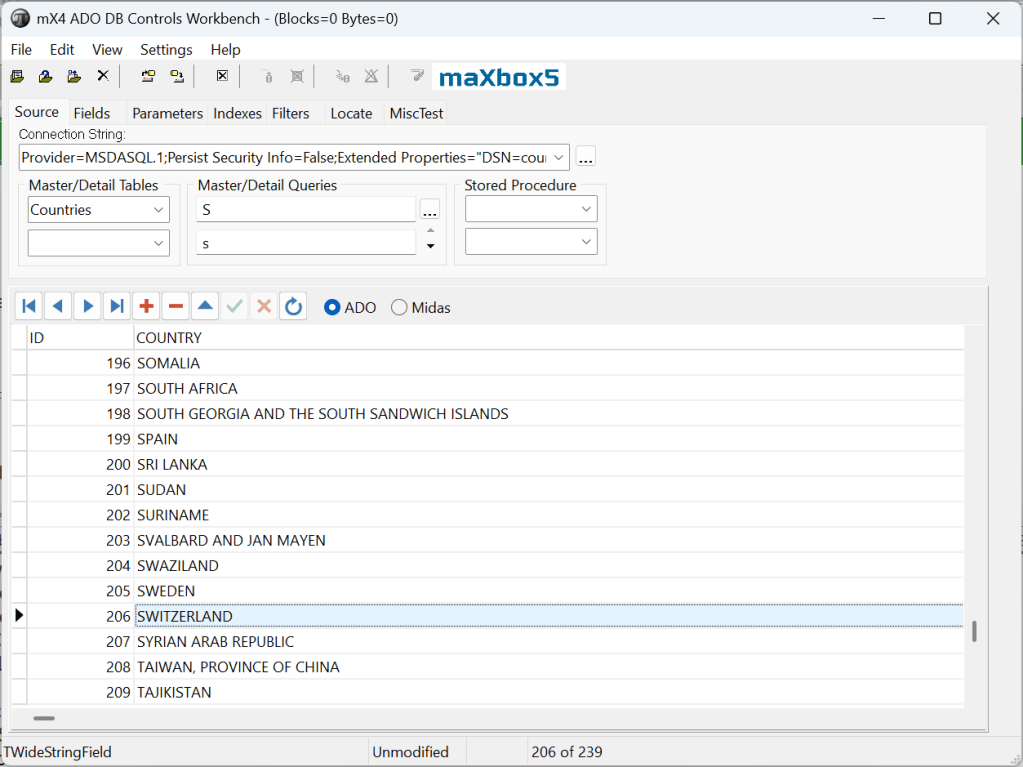
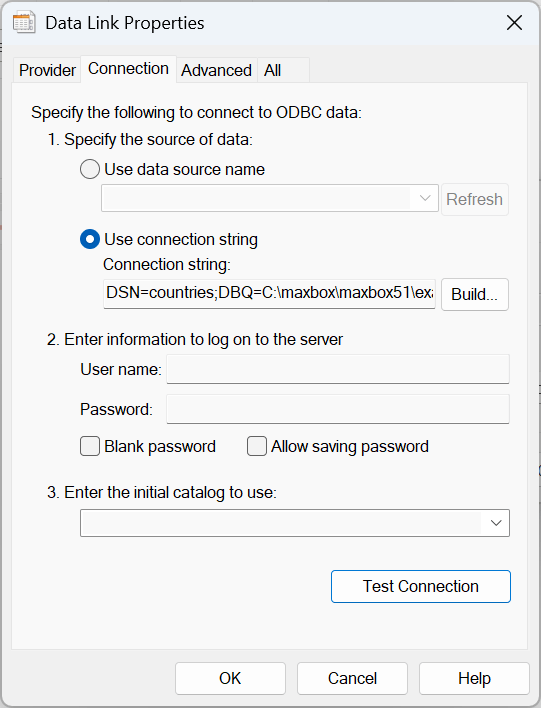
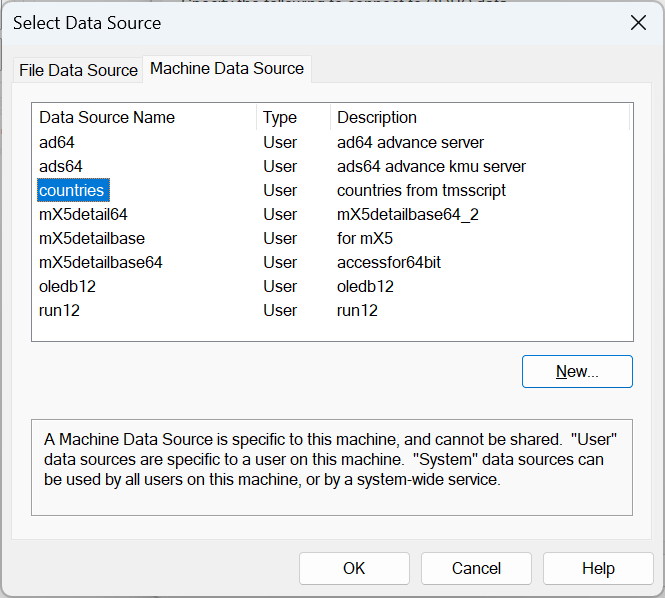
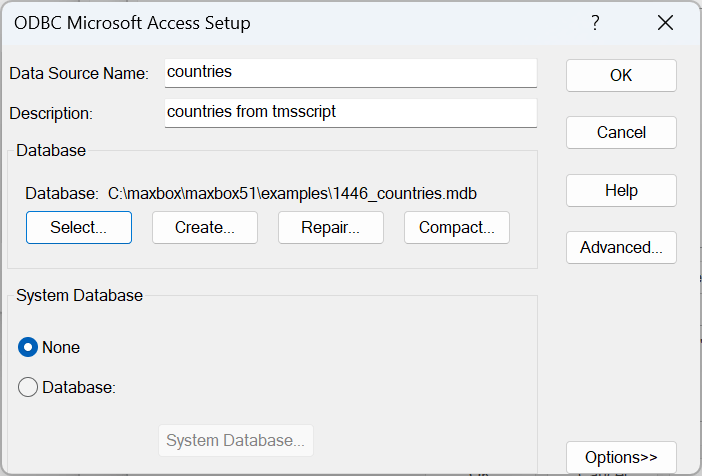
Connect to an ADO ODBC Database
Const CSTRING5= 'Provider=MSDASQL.1;Persist Security Info=False;Data Source=countries64japan;';

function DataBaseConnection_Test(bMessage: Boolean): AnsiString;
var
  asTimeout, asUserName, asPassword, asDataSource, ConnectionString: AnsiString;
  iReturn: Integer; OldCursor: TCursor;
begin
  OldCursor     := Screen.Cursor;
  Screen.Cursor := crHourGlass;
  asTimeout     := '150';
  asUserName    := 'NT_Server'; asPassword:= 'SA';
  asDataSource  := 'SQL Server - My DataBase';

 { ConnectionString := 'Data Source = ' + asDataSource +
    'User ID = ' + asUserName +
    'Password = ' + asPassword +
    'Mode = Read|Write;Connect Timeout = ' + asTimeout;      }

  ConnectionString:= CSTRING5;

  try
    iReturn:= OpenConnection(ConnectionString);
    if (bMessage) then begin
      if (iReturn = 0) then begin
        (Application.MessageBox(utf8toansi('Connection_OK!'), ('Information'), MB_OK))
         writeln('ADO Connection OK!');
      end else if (iReturn = -1) then
        Application.MessageBox(utf8toansi('Connection Error!'), 'Error', MB_ICONERROR + MB_OK);
    end;
    if (iReturn = 0) then
      Result:= ConnectionString
    else if (iReturn = -1) then
      Result:= 'no thing';
  finally
    Screen.Cursor:= OldCursor; //crDefault; //OldCursor;
  end;
end;


function OpenConnection(ConnectionString: AnsiString): Integer;
var ADODBConnection: OleVariant; rs: Olevariant;
    sqlQuery: string;
begin
  ADODBConnection:= CreateOleObject('ADODB.Connection');
  ADODBConnection.CursorLocation:= 3; // User client
  ADODBConnection.ConnectionString:= ConnectionString;
  Result:= 0;
  try
    ADODBConnection.Open;
    sqlQuery:= 'SELECT * FROM Countries'; //Table1';
    rs:= ADODBConnection.Execute(sqlQuery)
    While Not rs.EOF do begin
       writeln(inttostr(rs.Fields('ID').Value)+': '+rs.Fields('Country').Value+
                                #9#9#9#9#9+'  code: '+rs.Fields('Code').Value);
       //writeln((rs.Fields('Country').Value));
       rs.MoveNext;
    end;
  except
    Result:= -1;
  finally
    rs.close;
    ADODBConnection.close;
  end;
end;


Everyone who isn’t a tech bro weirdo can see that the AI industry exists in a bubble. The big question so far hasn’t been “if” there is a bubble, but how large it is, when it will pop, and who it will affect. Sadly, because no one has a crystal ball, we can never hope to figure out when shit will truly hit the fan. But we have also struggled to pin down the size of this bubble, as the reality of AI economics has become muddied by Big Tech propaganda. Likewise, these corporations have propagandised their finances to the point of unreality, making it nearly impossible to figure out who is actually connected to the bubble. However, recent analysis has cut through this cloud of doubt, and reality is far more terrifying than we thought possible. This isn’t a bubble — it is a financial nuclear bomb.
The AI Bubble Is Far Worse Than We Thought | by Will Lockett | Oct, 2025 | Medium
LikeLike